
If your team is still emailing documents back and forth, chasing feedback, and losing track of versions, you already know the problem.It slows everything down.
In fact, studies show that employees spend nearly 20% of their time searching for internal information, while poor collaboration costs UK businesses thousands in lost productivity every year.That is exactly why document collaboration tools have become essential for modern teams.We have tested and analysed dozens of platforms to bring you the best 20 document collaboration tools for 2026. This list is built specifically for UK teams, including SMEs, agencies, remote teams, and enterprise departments.
If you want faster approvals, better version control, and real-time collaboration without chaos, this guide is for you.
What Are Document Collaboration Tools?
Document collaboration tools are platforms that allow multiple users to create, edit, share, and manage documents in real time.
Instead of sending files back and forth, teams can:
- Edit documents simultaneously
- Leave comments and feedback
- Track changes and versions
- Control access and permissions
For UK businesses, this means fewer delays, better communication, and more efficient workflows.Whether you are managing contracts, marketing content, internal reports, or client deliverables, document collaboration tools ensure everyone stays aligned.
Quick Comparison Table of Document Collaboration Tools
To help you choose faster, we have selected the most important decision factors for document collaboration tools: pricing, real-time editing, integrations, storage, ease of use, and best use case. These directly impact how efficiently UK teams can collaborate and scale.
| Tool | Best For | Starting Price | Free Plan | Real-Time Editing | Integrations | Ease of Use |
| Google Docs | General use | Free | Yes | Yes | High | Easy |
| Microsoft 365 | Enterprise teams | £5/month | No | Yes | High | Medium |
| Notion | All-in-one workspace | Free | Yes | Yes | Medium | Easy |
| Dropbox Paper | Simple collaboration | Free | Yes | Yes | Medium | Easy |
| Quip | Team collaboration | £8/month | No | Yes | Medium | Easy |
| ClickUp Docs | Project teams | Free | Yes | Yes | High | Medium |
| Confluence | Documentation | £4/month | Yes | Yes | High | Medium |
| Zoho Writer | SMEs | Free | Yes | Yes | Medium | Easy |
| OnlyOffice | Privacy-focused teams | Free | Yes | Yes | Medium | Medium |
| Coda | Dynamic docs | Free | Yes | Yes | Medium | Medium |
| Slite | Knowledge bases | £6/month | Yes | Yes | Medium | Easy |
| Evernote Teams | Note management | £9/month | No | Limited | Medium | Easy |
| Box Notes | Enterprise sharing | £4/month | No | Yes | High | Medium |
| Airtable | Data collaboration | Free | Yes | Limited | High | Medium |
| Miro | Visual collaboration | Free | Yes | Yes | High | Easy |
| Canva Docs | Creative teams | Free | Yes | Yes | Medium | Easy |
| Samepage | Team collaboration | Free | Yes | Yes | Medium | Easy |
| Nuclino | Lightweight wiki | £5/month | Yes | Yes | Medium | Easy |
| Tettra | Internal knowledge | £4/month | Yes | Yes | Medium | Easy |
| Bit.ai | Document tracking | £8/month | Yes | Yes | Medium | Easy |
Google Docs – Real-Time Document Collaboration Made Simple
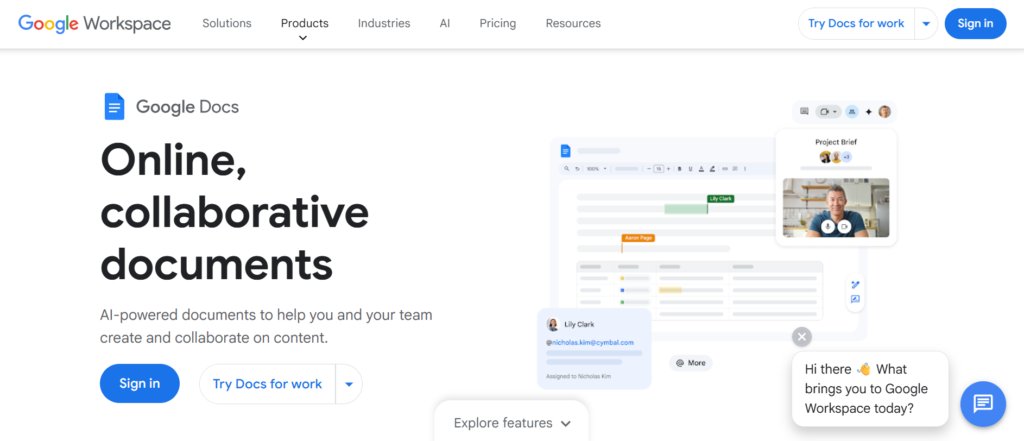
When you read any honest Google Docs review, one thing becomes obvious straight away. It is the go-to platform for real-time collaboration without complexity.
For UK teams looking for reliable, easy-to-use document collaboration tools, Google Docs is often the first choice. It allows multiple users to edit, comment, and manage documents simultaneously without version confusion.It is widely used across SMEs, agencies, and enterprises throughout the UK.
Key Features
Real-Time Editing and Collaboration
Google Docs allows multiple users to edit the same document at the same time.
You can see changes live, which eliminates delays and back-and-forth emails. In most Google Docs review breakdowns, this feature is considered essential for modern teams working remotely or across departments.
Commenting and Suggestion Mode
Users can leave comments, tag team members, and suggest edits without changing the original content.
This makes feedback clear and structured. Compared in Google Docs vs Microsoft Word discussions, Google Docs is often preferred for its smoother collaboration experience.
Cloud-Based Accessibility
Google Docs is fully cloud-based, meaning you can access documents from anywhere.
For UK teams working remotely or across locations, this ensures documents are always available without needing downloads or manual updates.
Version History and Tracking
Google Docs automatically saves every change and keeps a detailed version history.
You can revert to previous versions easily, which is critical for teams handling important documents. Many Google Docs alternatives offer version control, but few make it this simple.
Integration with Google Workspace
Google Docs integrates seamlessly with Google Drive, Gmail, Google Sheets, and other tools.
This creates a connected workflow for UK businesses already using Google Workspace.
Pros & Cons
| Pros | Cons |
| Free to use | Limited offline features |
| Easy collaboration | Basic formatting |
| Real-time editing | Less advanced than Word |
| Cloud-based access | Needs internet |
Pricing
Google Docs is free for individual users.
For businesses, Google Workspace plans start at around £5 per user per month and include:
- Cloud storage
- Admin controls
- Advanced security
Best For UK Teams Needing Simple, Real-Time Collaboration
Google Docs is ideal for teams that want quick and efficient document collaboration.
- SMEs — manage everyday documents
- Remote teams — collaborate in real time
- Agencies — share content with clients
- Startups — keep costs low
Verdict:
If you want a simple, reliable tool that works straight away, Google Docs is hard to beat. A useful tip is to use suggestion mode when working with clients to keep edits transparent.
How to Use Google Docs for UK Team Workflows
A practical setup for UK teams:
- Create shared folders in Google Drive
- Use Docs for collaborative writing
- Assign comments for feedback
- Track changes using version history
This keeps everyone aligned without confusion.
Quick tip: Use @mentions in comments to notify team members instantly and speed up approvals.
Best Alternate Tool
If you are comparing Google Docs alternatives, Microsoft 365 is the closest competitor.
In Google Docs vs Microsoft Word comparisons, Google Docs is better for collaboration, while Microsoft Word offers more advanced formatting.
Microsoft 365 – Enterprise-Grade Document Collaboration for UK Teams
In most detailed Microsoft 365 review insights, one thing is clear. It is built for teams that need powerful document creation combined with structured collaboration.
For UK businesses that rely on Word, Excel, and Outlook, Microsoft 365 is one of the most widely adopted document collaboration tools. It combines familiar desktop tools with cloud-based collaboration through OneDrive and SharePoint.
It is especially popular with corporate teams, legal firms, and structured organisations across the UK.
Key Features
Real-Time Co-Authoring in Word
Microsoft 365 allows multiple users to edit documents in real time within Microsoft Word.
This brings collaboration to a tool many UK professionals already know. In most Microsoft 365 review breakdowns, this feature bridges the gap between traditional document editing and modern teamwork.
Advanced Document Formatting
Microsoft Word within Microsoft 365 offers advanced formatting options.
This is ideal for UK teams working on reports, proposals, and formal documents. Compared in Microsoft 365 vs Google Docs discussions, Word is often preferred for complex document design.
Integration with OneDrive and SharePoint
Microsoft 365 integrates with OneDrive and SharePoint for document storage and sharing.
This allows teams to manage files securely and collaborate without version confusion. Many Microsoft 365 alternatives lack this level of enterprise-grade document management.
Permissions and Access Control
Microsoft 365 offers detailed control over who can view, edit, or share documents.
For UK businesses handling sensitive data, this is essential for compliance and security.
Offline and Online Access
Microsoft 365 allows both offline editing and cloud syncing.
This ensures teams can work without interruption and update documents once reconnected.
Pros & Cons
| Pros | Cons |
| Advanced formatting | Paid plans only |
| Strong security | Setup complexity |
| Familiar interface | Less intuitive than Docs |
| Offline access | Requires ecosystem |
Pricing
Microsoft 365 pricing starts at around £5 per user per month.
Plans typically include:
- Microsoft Word, Excel, PowerPoint
- Cloud storage via OneDrive
- Collaboration tools
Best For UK Teams Needing Advanced Document Control
Microsoft 365 is ideal for businesses that require structured and professional documentation.
- Corporate teams — manage reports and documentation
- Legal firms — handle formal documents
- Finance teams — create structured reports
- Enterprises — maintain secure collaboration
Verdict:
If your team relies on detailed documents and professional formatting, Microsoft 365 is a strong choice. A useful tip is to use SharePoint for centralised document management across departments.
How to Use Microsoft 365 for UK Team Workflows
A practical setup for UK teams:
- Store documents in OneDrive or SharePoint
- Use Word for collaborative editing
- Control access with permissions
- Track changes for document reviews
This keeps workflows structured and secure.
Quick tip: Enable track changes when collaborating on formal documents to maintain full visibility over edits.
Best Alternate Tool
If you are comparing Microsoft 365 alternatives, Google Docs is the closest competitor.
In Microsoft 365 vs Google Docs comparisons, Microsoft 365 is stronger for formatting and control, while Google Docs is better for ease of collaboration.
Notion – All-in-One Workspace for Documents and Collaboration
In most detailed Notion review discussions, one thing stands out quickly. It is not just a document tool. It is a complete workspace where notes, documents, databases, and collaboration live together.
For UK teams looking for flexible document collaboration tools, Notion has become a go-to choice. It allows teams to write, organise, and collaborate on documents while connecting everything into one system.
It is widely used by startups, agencies, and growing SMEs across the UK.
Key Features
Block-Based Document Editor
Notion uses a block-based system where every piece of content can be moved and customised.
This allows UK teams to structure documents exactly how they want. In most Notion review breakdowns, this flexibility is highlighted as a major advantage over traditional editors.
Real-Time Collaboration
Notion supports real-time editing, comments, and mentions.
Teams can collaborate on documents without version issues or delays. Compared in Notion vs Google Docs discussions, Notion offers more flexibility in structuring content.
Integrated Databases and Docs
Notion allows you to combine documents with databases.
This means you can link tasks, projects, and data directly inside documents. Many Notion alternatives do not offer this level of integration.
Templates for Teams
Notion provides templates for meeting notes, project plans, and documentation.
This helps UK teams get started quickly and standardise workflows.
Knowledge Base Creation
Notion is widely used to build internal knowledge bases and wikis.
This allows businesses to centralise information and improve team alignment.
Pros & Cons
| Pros | Cons |
| Highly flexible | Learning curve |
| All-in-one system | Can get complex |
| Real-time collaboration | Slower with large data |
| Good templates | Limited offline use |
Pricing
Notion offers a free plan for individuals and small teams.
Paid plans start at around £8 per user per month and include:
- Advanced collaboration
- More storage
- Admin controls
Best For UK Teams Wanting an All-in-One Workspace
Notion is ideal for teams that want more than just document editing.
- Startups — manage everything in one place
- Agencies — organise projects and docs
- SMEs — build internal knowledge bases
- Remote teams — centralise collaboration
Verdict:
If you want flexibility and control over how your documents and workflows are structured, Notion is a strong option. A useful tip is to start with templates to reduce the learning curve.
How to Use Notion for UK Team Workflows
A practical setup for UK teams:
- Create pages for each project
- Use databases to track tasks
- Collaborate on documents in real time
- Build a central knowledge hub
This keeps everything organised and connected.
Quick tip: Use linked databases to connect documents with tasks and projects for better workflow visibility.
Best Alternate Tool
If you are comparing Notion alternatives, Coda is a strong option.
In Notion vs Coda comparisons, Notion is simpler to use, while Coda offers more advanced document functionality.
Dropbox Paper – Simple and Clean Document Collaboration
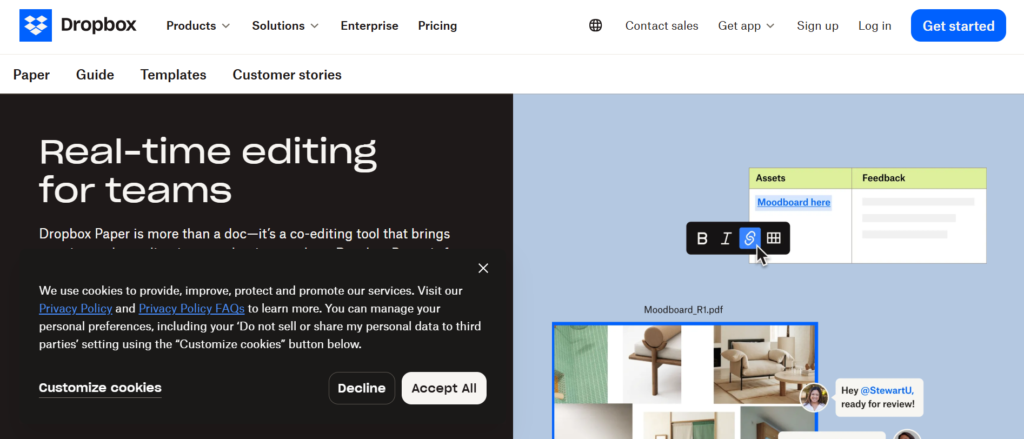
In most practical Dropbox Paper review insights, one thing becomes obvious. It focuses on simplicity without sacrificing collaboration.
For UK teams that want lightweight document collaboration tools without complexity, Dropbox Paper is a solid option. It allows teams to create, edit, and share documents in real time while keeping everything clean and distraction-free.
It is widely used by small teams, startups, and creative agencies across the UK.
Key Features
Real-Time Collaborative Editing
Dropbox Paper allows multiple users to edit documents at the same time.
This removes version confusion and speeds up teamwork. In most Dropbox Paper review breakdowns, this feature is seen as essential for fast-moving teams.
Clean and Minimal Interface
The interface is simple and focused on content.
This makes it easy for UK teams to write and collaborate without distractions. Compared in Dropbox Paper vs Google Docs discussions, Paper is often preferred for its clean design.
Commenting and Task Assignment
Users can leave comments and assign tasks directly within documents.
This turns documents into actionable workspaces. Many Dropbox Paper alternatives require additional tools for task management.
Integration with Dropbox Storage
Dropbox Paper integrates directly with Dropbox.
This allows UK teams to manage documents and files in one place without switching tools.
Media Embedding Support
Dropbox Paper allows you to embed videos, images, and files directly into documents.
This is useful for creative teams working on content, campaigns, or presentations.
Pros & Cons
| Pros | Cons |
| Simple interface | Limited advanced features |
| Real-time editing | Not ideal for complex docs |
| Free to use | Fewer integrations |
| Easy collaboration | Basic formatting |
Pricing
Dropbox Paper is free with a Dropbox account.
Dropbox plans start at around £10 per month for additional storage and features.
Best For UK Teams Wanting Simple Collaboration
Dropbox Paper is ideal for teams that value simplicity over complexity.
- Startups — manage documents easily
- Creative teams — collaborate on content
- Small businesses — keep workflows simple
- Remote teams — share ideas quickly
Verdict:
If you want a no-fuss tool that works straight away, Dropbox Paper is a strong option. A useful tip is to use task assignments within documents to keep work moving without switching tools.
How to Use Dropbox Paper for UK Team Workflows
A practical setup for UK teams:
- Create shared documents for projects
- Collaborate in real time
- Assign tasks within documents
- Store files in Dropbox
This keeps everything simple and organised.
Quick tip: Use media embedding to present ideas visually within documents for better team understanding.
Best Alternate Tool
If you are comparing Dropbox Paper alternatives, Notion is a strong option.
In Dropbox Paper vs Notion comparisons, Dropbox Paper is simpler, while Notion offers more advanced features.
Quip – Documents, Spreadsheets, and Chat in One Place
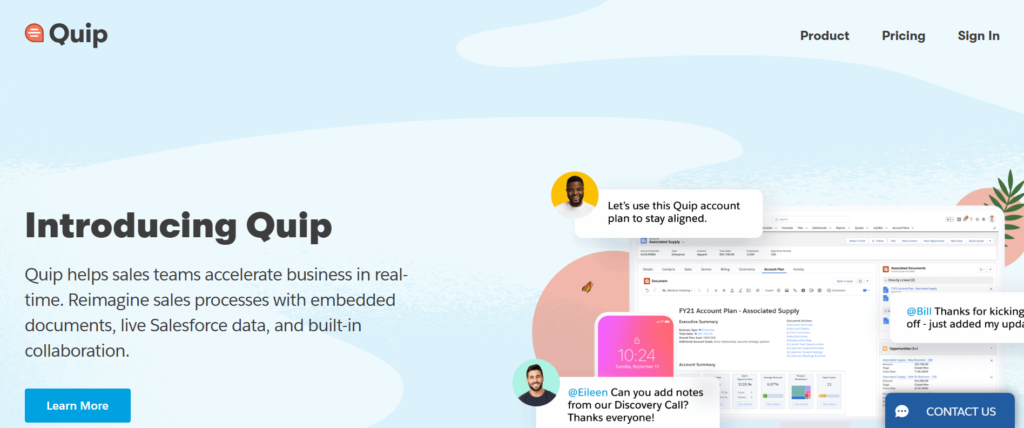
In most detailed Quip review breakdowns, one thing stands out. It combines documents, spreadsheets, and team communication into a single collaborative workspace.
For UK teams looking for more than just basic document collaboration tools, Quip offers a unified platform where conversations and documents live together. Owned by Salesforce, it is especially popular with sales teams and growing SMEs across the UK.
Key Features
Real-Time Document Collaboration
Quip allows multiple users to edit documents simultaneously.
This keeps teams aligned and eliminates version confusion. In most Quip review insights, this feature is considered essential for fast-paced collaboration.
Built-In Team Chat
Quip includes chat functionality directly inside documents.
This means discussions happen alongside the content, reducing the need for external communication tools. Compared in Quip vs Google Docs discussions, Quip stands out for this integrated approach.
Spreadsheet Integration
Quip allows you to create and embed spreadsheets within documents.
This is useful for UK teams working with data, reports, or planning documents. Many Quip alternatives require switching between tools for this functionality.
Salesforce Integration
Quip integrates deeply with Salesforce.
This makes it ideal for sales teams that want to connect customer data with documents and workflows.
Mobile Collaboration
Quip is optimised for mobile use, allowing teams to collaborate on documents from anywhere.
This is especially useful for remote teams and field-based staff in the UK.
Pros & Cons
| Pros | Cons |
| Built-in chat | Limited formatting |
| Real-time editing | Smaller ecosystem |
| Salesforce integration | Paid plans only |
| Mobile-friendly | Less popular than rivals |
Pricing
Quip pricing starts at around £8 per user per month.
Plans include:
- Document collaboration
- Chat features
- Integration with Salesforce
Best For UK Teams Wanting Docs and Communication Together
Quip is ideal for teams that want collaboration and communication in one place.
- Sales teams — manage documents and deals
- SMEs — reduce tool switching
- Remote teams — collaborate and communicate
- Agencies — manage client work
Verdict:
If your team relies heavily on communication alongside documents, Quip is a strong option. A useful tip is to use chat threads within documents to keep discussions organised.
How to Use Quip for UK Team Workflows
A practical setup for UK teams:
- Create shared documents for projects
- Use chat within documents for discussions
- Embed spreadsheets for data tracking
- Connect with Salesforce for sales workflows
This keeps everything centralised and efficient.
Quick tip: Use document-based chat instead of external tools to keep all context in one place.
Best Alternate Tool
If you are comparing Quip alternatives, Notion is a strong option.
In Quip vs Notion comparisons, Quip focuses on communication, while Notion offers more flexibility in structuring content.
ClickUp Docs – Document Collaboration Inside a Project Management System
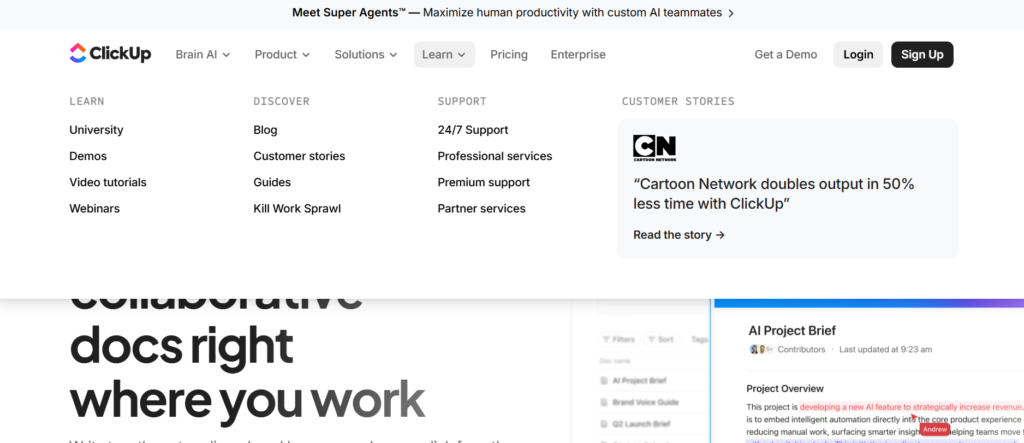
In the most detailed ClickUp Docs review insights, one thing becomes clear. It is not just a document editor. It is part of a full project management ecosystem.
For UK teams already managing tasks and projects, ClickUp Docs stands out among document collaboration tools because it connects documents directly to workflows, tasks, and operations.
It is widely used by agencies, startups, and SMEs across the UK that want everything in one place.
Key Features
Real-Time Collaborative Editing
ClickUp Docs allows multiple users to edit documents simultaneously.
This keeps teams aligned and removes delays. In most ClickUp Docs review breakdowns, this feature is essential for teams managing projects collaboratively.
Docs Linked to Tasks and Projects
You can link documents directly to tasks, projects, and workflows.
This is a major advantage for UK teams that want context within their work. Compared in ClickUp Docs vs Notion discussions, ClickUp is often preferred for project-driven workflows.
Rich Formatting and Embeds
ClickUp Docs supports headings, tables, embeds, and rich content.
This allows teams to create structured documents, SOPs, and knowledge bases. Many ClickUp Docs alternatives offer similar features but without direct task integration.
Permissions and Access Control
ClickUp allows detailed control over who can view, edit, or share documents.
This is useful for UK businesses managing internal and client-facing documents securely.
Templates for Teams
ClickUp provides ready-made templates for documentation, processes, and project plans.
This helps UK SMEs standardise workflows quickly.
Pros & Cons
| Pros | Cons |
| Strong task integration | Learning curve |
| Real-time editing | Can feel complex |
| Flexible docs | Interface crowded |
| Good templates | Setup takes time |
Pricing
ClickUp Docs is included in ClickUp plans.
- Free plan available
- Paid plans start at around £4 per user per month
Includes:
- Document collaboration
- Task management
- Automation features
Best For UK Teams Managing Projects and Documents Together
ClickUp Docs is ideal for teams that want documents connected to workflows.
- Agencies — manage client projects
- SMEs — centralise operations
- Project teams — link docs to tasks
- Startups — scale workflows
Verdict:
If your documents are closely tied to projects and tasks, ClickUp Docs is a strong option. A useful tip is to link SOPs directly to tasks for better execution.
How to Use ClickUp Docs for UK Team Workflows
A practical setup for UK teams:
- Create docs for processes and projects
- Link docs to tasks
- Collaborate in real time
- Use templates for consistency
This keeps work structured and connected.
Quick tip: Use nested pages to organise documentation into clear hierarchies for easier navigation.
Best Alternate Tool
If you are comparing ClickUp Docs alternatives, Notion is a strong option.
In ClickUp Docs vs Notion comparisons, ClickUp is better for task integration, while Notion offers more flexibility in document structure.
Confluence – Structured Documentation and Team Collaboration at Scale
In most detailed Confluence review discussions, one thing stands out clearly. It is built for teams that need structured documentation, not just basic document editing.
Developed by Atlassian, Confluence is widely used by UK businesses as one of the most reliable document collaboration tools for managing internal knowledge, processes, and team documentation.
It is especially popular with tech teams, operations departments, and growing SMEs across the UK.
Key Features
Centralised Knowledge Base
Confluence allows teams to create a central hub for all company documentation.
This includes processes, guides, and internal resources. In most Confluence review breakdowns, this feature is highlighted as essential for scaling teams.
Real-Time Collaboration
Teams can edit documents together, leave comments, and track updates.
This ensures everyone stays aligned without version confusion. Compared in Confluence vs Notion discussions, Confluence is often preferred for structured documentation.
Page Hierarchy and Organisation
Confluence uses a structured page system with spaces and hierarchies.
This helps UK teams organise documents clearly, especially as content grows. Many Confluence alternatives lack this level of organisation.
Integration with Atlassian Tools
Confluence integrates seamlessly with Jira, Trello, and other Atlassian products.
This makes it ideal for teams already using these tools for project management and development workflows.
Templates for Documentation
Confluence provides templates for meeting notes, project plans, and documentation.
This helps UK SMEs standardise processes quickly.
Pros & Cons
| Pros | Cons |
| Strong organisation | Learning curve |
| Good for documentation | Interface can feel complex |
| Real-time collaboration | Overkill for small teams |
| Atlassian integration | Setup required |
Pricing
Confluence offers a free plan for small teams.
Paid plans start at around £4 per user per month and include:
- Advanced permissions
- More storage
- Admin controls
Best For UK Teams Building Structured Documentation
Confluence is ideal for businesses that need organised documentation systems.
- Tech teams — manage product documentation
- Operations teams — standardise processes
- SMEs — build internal knowledge bases
- Growing companies — scale documentation
Verdict:
If your business relies on structured documentation and internal knowledge sharing, Confluence is a strong choice. A useful tip is to organise pages into clear hierarchies from the start to avoid clutter later.
How to Use Confluence for UK Team Workflows
A practical setup for UK teams:
- Create spaces for each department
- Build pages for processes and guides
- Collaborate in real time
- Integrate with Jira for workflows
This keeps knowledge organised and accessible.
Quick tip: Use templates for recurring documents like meeting notes to maintain consistency.
Best Alternate Tool
If you are comparing Confluence alternatives, Notion is a strong option.
In Confluence vs Notion comparisons, Confluence is better for structured documentation, while Notion offers more flexibility.
Zoho Writer – Smart Document Collaboration for UK SMEs
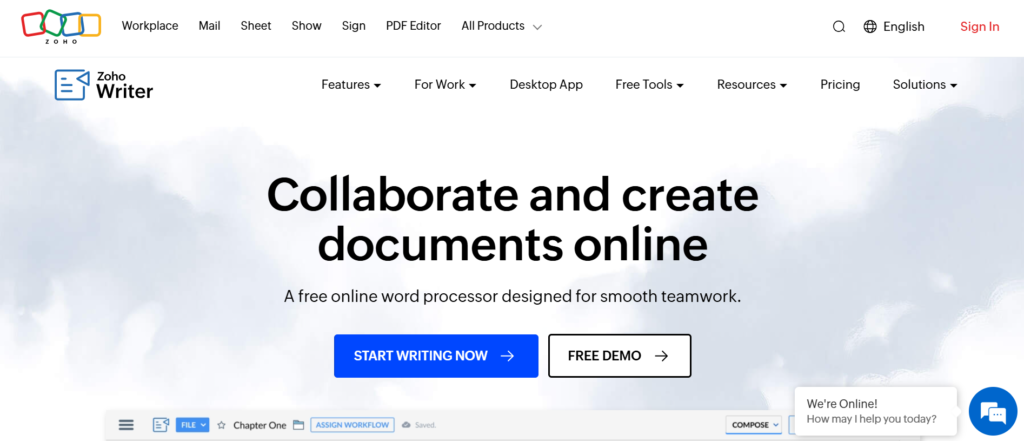
In the most detailed Zoho Writer review insights, one thing stands out. It offers a clean, cloud-based document editor with strong collaboration features, especially for businesses already using Zoho products.
For UK SMEs looking for affordable and efficient document collaboration tools, Zoho Writer is a practical option. It combines real-time editing, automation, and integrations without the complexity of larger platforms.
It is widely used by small businesses, freelancers, and growing teams across the UK.
Key Features
Real-Time Collaboration and Editing
Zoho Writer allows multiple users to edit documents simultaneously.
This ensures teams can collaborate without delays or version conflicts. In most Zoho Writer review breakdowns, this feature is highlighted as essential for modern workflows.
Smart Assistant (Zia)
Zoho Writer includes an AI assistant called Zia.
It helps with grammar, readability, and writing suggestions. Compared in Zoho Writer vs Google Docs discussions, this feature adds an extra layer of productivity for content-focused teams.
Document Automation and Templates
Zoho Writer allows you to automate document creation using templates and data inputs.
This is useful for UK SMEs handling contracts, invoices, or reports. Many Zoho Writer alternatives require third-party tools for this functionality.
Advanced Formatting and Layout
Zoho Writer offers strong formatting tools for professional documents.
This makes it suitable for UK teams creating reports, proposals, and formal documents.
Integration with Zoho Ecosystem
Zoho Writer integrates seamlessly with Zoho CRM, Zoho Books, and other Zoho apps.
This creates a connected workflow for businesses already using Zoho tools.
Pros & Cons
| Pros | Cons |
| Free plan available | Smaller ecosystem |
| Real-time collaboration | Less popular than rivals |
| AI writing assistant | Limited integrations |
| Good formatting | Interface takes time |
Pricing
Zoho Writer offers a free plan.
Paid plans (via Zoho Workplace) start at around £3 per user per month and include:
- Business integrations
- Admin controls
- Advanced features
Best For UK SMEs Using Zoho Ecosystem
Zoho Writer is ideal for businesses already using Zoho tools.
- SMEs — manage documents affordably
- Freelancers — create and share documents
- Finance teams — automate reports
- Sales teams — generate documents
Verdict:
If you are already using Zoho products, Zoho Writer fits naturally into your workflow. A useful tip is to use document automation for repetitive tasks like proposals or contracts.
How to Use Zoho Writer for UK Team Workflows
A practical setup for UK teams:
- Create shared documents
- Collaborate in real time
- Use templates for repetitive documents
- Integrate with Zoho apps
This keeps workflows efficient and consistent.
Quick tip: Use the Zia assistant to improve document quality and reduce editing time.
Best Alternate Tool
If you are comparing Zoho Writer alternatives, Google Docs is a strong option.
In Zoho Writer vs Google Docs comparisons, Zoho Writer offers better automation, while Google Docs is more widely adopted.
Slite – Simple Knowledge Base and Team Documentation Tool
In most detailed Slite review discussions, one thing becomes clear quickly. It is designed specifically for teams that want simple, organised documentation without unnecessary complexity.
For UK businesses searching for clean and effective document collaboration tools, Slite offers a focused solution. It helps teams create, share, and manage internal knowledge in a structured way.
It is widely used by remote teams, startups, and SMEs across the UK.
Key Features
Centralised Knowledge Hub
Slite allows teams to build a central knowledge base for all internal documentation.
This includes processes, guides, and company information. In most Slite review insights, this is seen as its strongest feature for growing teams.
Real-Time Collaboration
Teams can collaborate on documents with live editing and comments.
This ensures everyone stays aligned without version confusion. Compared in Slite vs Notion discussions, Slite is often preferred for simplicity.
Clean and Intuitive Interface
Slite focuses on a distraction-free writing experience.
This makes it easy for UK teams to create and manage documents without a steep learning curve. Many Slite alternatives are more complex.
Document Organisation and Search
Slite offers structured organisation with folders and powerful search.
This helps teams quickly find documents as their knowledge base grows.
Remote Team Focus
Slite is built with remote collaboration in mind.
It supports asynchronous work, making it ideal for distributed UK teams.
Pros & Cons
| Pros | Cons |
| Easy to use | Limited advanced features |
| Great for documentation | Not ideal for complex workflows |
| Clean interface | Fewer integrations |
| Good for remote teams | Smaller ecosystem |
Pricing
Slite offers a free plan for small teams.
Paid plans start at around £6 per user per month and include:
- Unlimited documents
- Advanced permissions
- Collaboration features
Best For UK Teams Building Simple Knowledge Bases
Slite is ideal for teams that want straightforward documentation.
- Startups — organise internal knowledge
- SMEs — centralise processes
- Remote teams — share information easily
- HR teams — manage company docs
Verdict:
If your focus is on simple, clean documentation rather than complex workflows, Slite is a strong choice. A useful tip is to structure documents into clear folders from the start.
How to Use Slite for UK Team Workflows
A practical setup for UK teams:
- Create folders for departments
- Build documents for processes
- Collaborate in real time
- Use search to find information quickly
This keeps documentation organised and accessible.
Quick tip: Use consistent naming conventions to make documents easier to locate as your knowledge base grows.
Best Alternate Tool
If you are comparing Slite alternatives, Confluence is a strong option.
In Slite vs Confluence comparisons, Slite is simpler, while Confluence offers more structure and scalability.
Coda – Powerful Docs That Work Like Apps
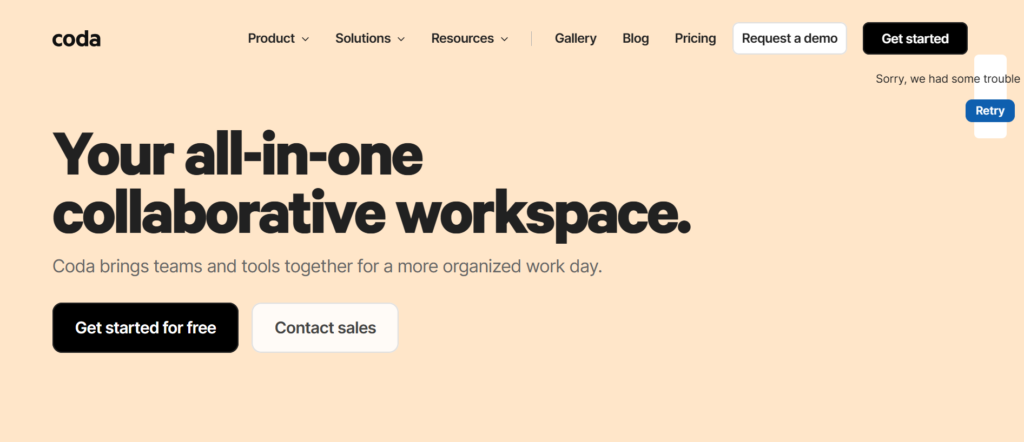
In most detailed Coda review breakdowns, one thing becomes obvious. It goes beyond traditional documents and turns them into interactive workspaces.
For UK teams looking for advanced document collaboration tools, Coda stands out by combining documents, spreadsheets, and applications into one platform. It is especially popular with product teams, operations managers, and SMEs across the UK.
Key Features
Interactive Documents with Logic
Coda allows you to add buttons, formulas, and automation inside documents.
This transforms static documents into dynamic tools. In most Coda review insights, this is seen as its biggest differentiator compared to other tools.
Real-Time Collaboration
Teams can edit documents simultaneously and leave comments.
This ensures smooth collaboration without version conflicts. Compared in Coda vs Notion discussions, Coda offers more advanced functionality within documents.
Built-In Tables and Databases
Coda includes powerful tables that function like databases.
UK teams can manage data, projects, and workflows directly within documents. Many Coda alternatives require external tools for this.
Automation and Integrations
Coda allows you to automate workflows and integrate with tools like Slack and Google Workspace.
This reduces manual work and improves efficiency for UK SMEs.
Customisable Templates
Coda provides templates for project management, CRM, and documentation.
These help teams get started quickly and adapt documents to their needs.
Pros & Cons
| Pros | Cons |
| Highly customisable | Learning curve |
| Powerful automation | Can feel complex |
| Combines docs + apps | Slower for beginners |
| Flexible workflows | Pricing scales up |
Pricing
Coda offers a free plan with basic features.
Paid plans start at around £10 per user per month and include:
- Advanced automation
- More integrations
- Increased limits
Best For UK Teams Wanting Advanced Document Functionality
Coda is ideal for teams that want documents to do more than just store information.
- Product teams — manage workflows
- SMEs — automate processes
- Operations teams — build systems
- Startups — replace multiple tools
Verdict:
If you want to turn documents into powerful, interactive tools, Coda is a strong option. A useful tip is to use buttons and automations to streamline repetitive tasks.
How to Use Coda for UK Team Workflows
A practical setup for UK teams:
- Create documents for projects
- Add tables for data tracking
- Use automation to reduce manual work
- Collaborate in real time
This turns documents into operational systems.
Quick tip: Use Coda packs (integrations) to connect your documents with external tools for a seamless workflow.
Best Alternate Tool
If you are comparing Coda alternatives, Notion is a strong option.
In Coda vs Notion comparisons, Coda is more powerful, while Notion is easier to use.
OnlyOffice Docs – Secure Document Collaboration for Businesses
In most detailed OnlyOffice Docs review insights, one thing stands out clearly. It is built for businesses that prioritise control, security, and flexibility in their document workflows.
For UK organisations looking for secure and scalable document collaboration tools, OnlyOffice Docs is a strong contender. It offers powerful editing features combined with self-hosting options, making it popular with enterprises and SMEs across the UK.
Key Features
Real-Time Collaborative Editing
OnlyOffice Docs allows multiple users to work on documents simultaneously.
This ensures smooth collaboration without version conflicts. In most OnlyOffice Docs review breakdowns, this feature is highlighted as essential for team productivity.
Microsoft Office Compatibility
OnlyOffice Docs is fully compatible with Microsoft Office formats.
This means UK teams can open, edit, and share Word, Excel, and PowerPoint files without formatting issues. Compared in OnlyOffice Docs vs Microsoft 365 discussions, compatibility is a major advantage.
Self-Hosting and Data Control
OnlyOffice Docs offers self-hosting options.
This gives UK businesses full control over their data, making it ideal for organisations with strict compliance requirements. Many OnlyOffice Docs alternatives do not offer this level of control.
Advanced Editing Tools
OnlyOffice provides rich formatting, spreadsheets, and presentation tools.
This makes it suitable for professional documents, reports, and internal workflows.
Integration with Third-Party Platforms
OnlyOffice integrates with platforms like Nextcloud, Moodle, and CRM systems.
This allows UK teams to embed document collaboration into existing workflows.
Pros & Cons
| Pros | Cons |
| Strong security | Setup required |
| MS Office compatibility | Interface less modern |
| Self-hosting option | Learning curve |
| Powerful editing | Limited free features |
Pricing
OnlyOffice Docs offers a free community version.
Paid plans vary depending on hosting and business needs, starting from around £1,200 per year for enterprise setups.
Includes:
- Advanced collaboration
- Security controls
- Integration support
Best For UK Businesses Needing Secure Document Control
OnlyOffice Docs is ideal for organisations that prioritise security and control.
- Enterprises — manage sensitive data
- SMEs — ensure compliance
- IT teams — self-host solutions
- Education — secure collaboration
Verdict:
If data control and security are critical for your business, OnlyOffice Docs is a strong choice. A useful tip is to deploy it with Nextcloud for a fully private collaboration environment.
How to Use OnlyOffice Docs for UK Team Workflows
A practical setup for UK teams:
- Deploy via cloud or self-hosting
- Create shared documents
- Collaborate in real time
- Integrate with existing systems
This ensures secure and efficient document workflows.
Quick tip: Combine OnlyOffice with private cloud storage for maximum data control and compliance.
Best Alternate Tool
If you are comparing OnlyOffice Docs alternatives, Google Docs is a strong option.
In OnlyOffice Docs vs Google Docs comparisons, OnlyOffice offers more control, while Google Docs is easier to use.
Etherpad – Open-Source Real-Time Document Collaboration
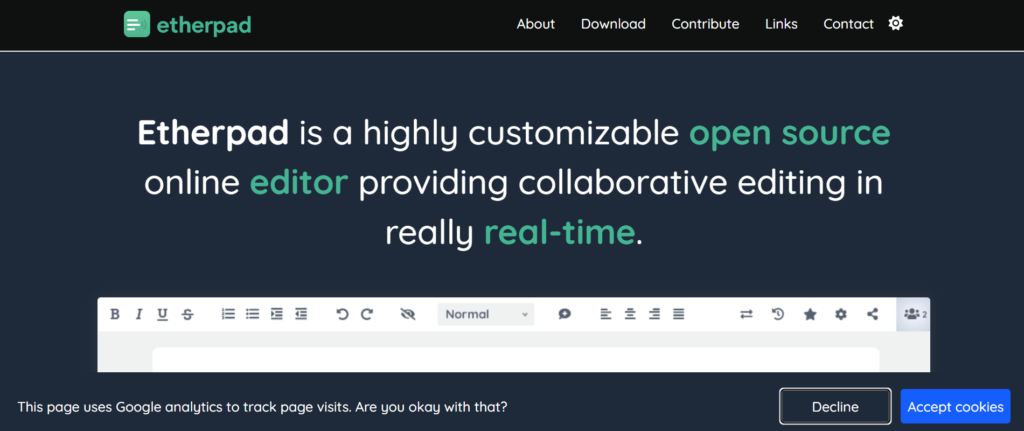
In most practical Etherpad review discussions, one thing stands out straight away. It is built for pure, real-time collaboration without distractions or heavy features.
For UK teams looking for lightweight and flexible document collaboration tools, Etherpad offers a simple, open-source solution. It is especially popular with developers, educators, and small teams who want full control without subscription costs.
Key Features
Real-Time Collaborative Editing
Etherpad allows multiple users to edit documents simultaneously with instant updates.
Each user is highlighted in a different colour, making collaboration easy to track. In most Etherpad review insights, this is its core strength.
Open-Source and Self-Hosted
Etherpad is open-source, meaning UK teams can host it on their own servers.
This provides full control over data and customisation. Compared in Etherpad vs Google Docs discussions, Etherpad is preferred for privacy-focused use cases.
Built-In Chat Function
Etherpad includes a simple chat feature alongside documents.
This allows teams to communicate while editing, without needing separate tools. Many Etherpad alternatives lack this built-in communication layer.
Version History and Tracking
Etherpad automatically saves document revisions.
This allows users to view changes and restore previous versions, which is useful for collaborative editing environments.
Plugin Support
Etherpad supports plugins that extend functionality.
UK teams can customise the tool based on their needs, from formatting to integrations.
Pros & Cons
| Pros | Cons |
| Free and open-source | Basic interface |
| Real-time collaboration | Limited features |
| Self-hosting option | Not user-friendly |
| Customisable | Lacks advanced formatting |
Pricing
Etherpad is free to use.
Costs may apply for:
- Hosting
- Server setup
- Custom development
Best For UK Teams Wanting a Free, Flexible Solution
Etherpad is ideal for teams that value simplicity and control.
- Developers — customise workflows
- SMEs — reduce software costs
- Educators — collaborate in real time
- Remote teams — lightweight editing
Verdict:
If you want a free and flexible collaboration tool with full control, Etherpad is a strong option. A useful tip is to add plugins to extend its functionality based on your workflow.
How to Use Etherpad for UK Team Workflows
A practical setup for UK teams:
- Host Etherpad on your server
- Create shared documents
- Collaborate in real time
- Use plugins for added features
This keeps collaboration simple and cost-effective.
Quick tip: Use Etherpad for quick brainstorming sessions where speed matters more than formatting.
Best Alternate Tool
If you are comparing Etherpad alternatives, OnlyOffice Docs is a strong option.
In Etherpad vs OnlyOffice comparisons, Etherpad is simpler and free, while OnlyOffice offers more advanced features.
Nuclino – Fast, Lightweight Team Knowledge and Collaboration
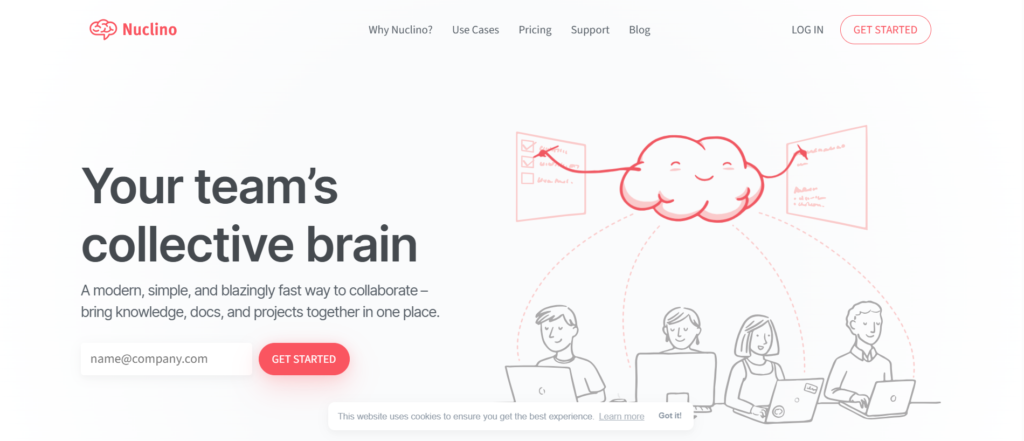
In most detailed Nuclino review breakdowns, one thing becomes clear immediately. It is built for speed and simplicity, without sacrificing collaboration.
For UK teams looking for modern and intuitive document collaboration tools, Nuclino offers a clean and fast experience. It focuses on real-time collaboration, knowledge sharing, and easy organisation, making it ideal for growing teams.
It is widely used by startups, product teams, and SMEs across the UK.
Key Features
Real-Time Collaborative Editing
Nuclino allows multiple users to edit documents simultaneously with instant updates.
This ensures smooth collaboration without delays. In most Nuclino review insights, this feature is praised for its speed and responsiveness.
Clean and Minimal Interface
Nuclino provides a distraction-free interface designed for quick content creation.
This makes it easy for UK teams to adopt without a learning curve. Compared in Nuclino vs Notion discussions, Nuclino is often preferred for simplicity.
Visual Workspace Views
Nuclino offers different views like list, board, and graph.
This allows teams to visualise their documents and connections. Many Nuclino alternatives do not offer this level of visual organisation.
Instant Search and Organisation
Nuclino includes fast search and automatic organisation features.
This helps UK teams find documents quickly, even as their knowledge base grows.
Lightweight and Fast Performance
Nuclino is designed to load quickly and handle large volumes of content efficiently.
This is a key advantage highlighted in most Nuclino review comparisons.
Pros & Cons
| Pros | Cons |
| Fast and responsive | Limited advanced features |
| Easy to use | Fewer integrations |
| Clean interface | Not ideal for complex workflows |
| Visual views | Smaller ecosystem |
Pricing
Nuclino offers a free plan for small teams.
Paid plans start at around £5 per user per month and include:
- Advanced permissions
- Version history
- Team collaboration features
Best For UK Teams Wanting Speed and Simplicity
Nuclino is ideal for teams that want quick and efficient collaboration.
- Startups — scale knowledge quickly
- SMEs — organise documents simply
- Product teams — manage information
- Remote teams — collaborate easily
Verdict:
If speed and simplicity are your priorities, Nuclino is a strong option. A useful tip is to use graph view to visualise how documents connect across your workspace.
How to Use Nuclino for UK Team Workflows
A practical setup for UK teams:
- Create collections for projects
- Collaborate in real time
- Use visual views to organise content
- Search instantly for information
This keeps documentation accessible and easy to manage.
Quick tip: Use internal linking between documents to create a connected knowledge system.
Best Alternate Tool
If you are comparing Nuclino alternatives, Slite is a strong option.
In Nuclino vs Slite comparisons, Nuclino is faster and more visual, while Slite offers more structured documentation.
Tettra – Internal Knowledge Sharing Made Simple
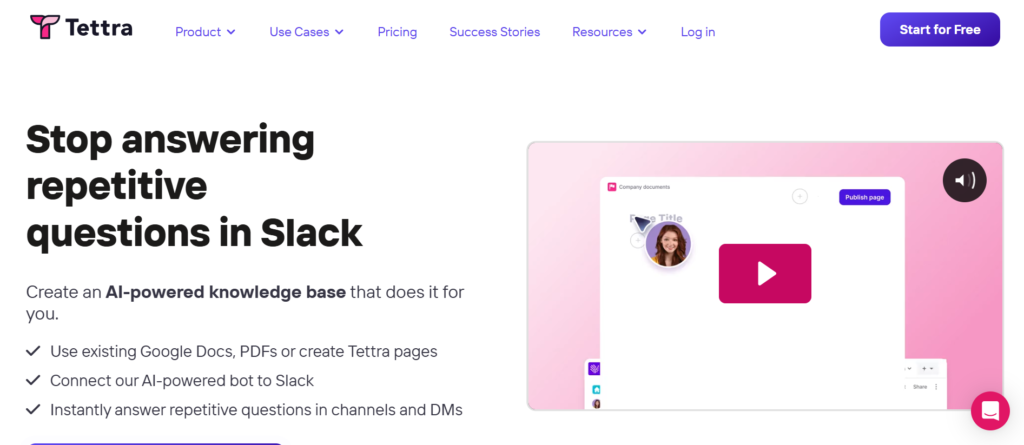
In most detailed Tettra review discussions, one thing stands out quickly. It is built specifically for teams that want to organise and share internal knowledge without complexity.
For UK businesses searching for straightforward and effective document collaboration tools, Tettra offers a focused solution. It helps teams document processes, share knowledge, and keep everyone aligned.
It is commonly used by SMEs, remote teams, and growing companies across the UK.
Key Features
Internal Knowledge Base System
Tettra allows teams to create a central knowledge base for company information.
This includes SOPs, onboarding guides, and internal processes. In most Tettra review insights, this feature is highlighted as its main strength.
Real-Time Collaboration and Editing
Teams can collaborate on documents with live editing and comments.
This ensures everyone stays aligned without confusion. Compared in Tettra vs Notion discussions, Tettra is often preferred for simplicity and focus.
Verification and Content Ownership
Tettra allows you to assign owners to documents and verify content regularly.
This ensures information stays accurate and up to date. Many Tettra alternatives do not offer this level of content accountability.
Integration with Slack and Tools
Tettra integrates with Slack and other tools used by UK teams.
This allows users to access knowledge directly within their workflow, improving efficiency.
Simple Organisation and Search
Tettra offers easy organisation with categories and powerful search.
This helps teams quickly find information when they need it.
Pros & Cons
| Pros | Cons |
| Easy to use | Limited advanced features |
| Great for knowledge base | Not for complex docs |
| Content verification | Smaller ecosystem |
| Good integrations | Paid plans required |
Pricing
Tettra does not offer a free plan.
Paid plans start at around £4 per user per month and include:
- Knowledge base features
- Integrations
- Collaboration tools
Best For UK Teams Managing Internal Knowledge
Tettra is ideal for teams focused on documentation and knowledge sharing.
- SMEs — organise company knowledge
- Remote teams — centralise information
- HR teams — manage onboarding docs
- Support teams — build help resources
Verdict:
If your main goal is to organise internal knowledge and keep it updated, Tettra is a strong choice. A useful tip is to assign document owners to maintain accuracy over time.
How to Use Tettra for UK Team Workflows
A practical setup for UK teams:
- Create categories for departments
- Build documents for processes
- Assign owners to content
- Integrate with Slack
This keeps knowledge organised and accessible.
Quick tip: Use Tettra’s verification feature to review important documents regularly and avoid outdated information.
Best Alternate Tool
If you are comparing Tettra alternatives, Slite is a strong option.
In Tettra vs Slite comparisons, Tettra focuses on knowledge verification, while Slite offers a simpler writing experience.
Google Workspace Docs – The Standard for Real-Time Document Collaboration
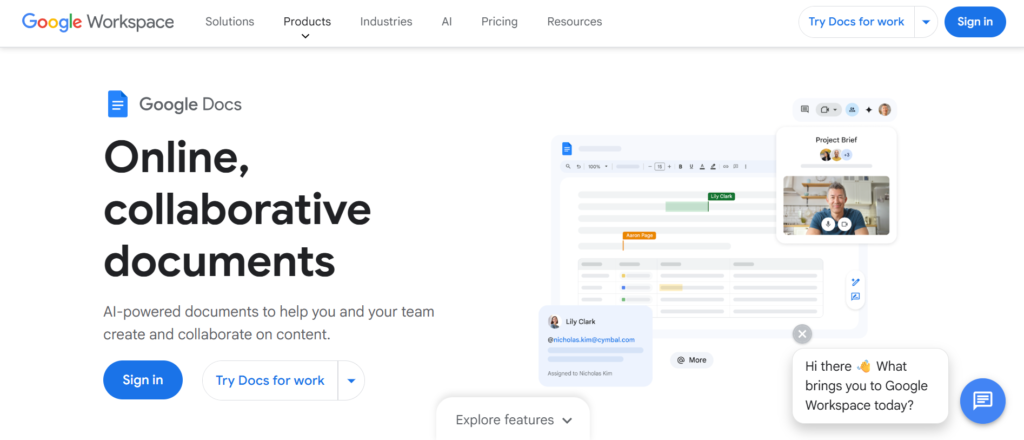
In most detailed Google Docs review discussions, one thing is clear. It has become the default choice for teams needing fast, reliable collaboration.
As part of Google Workspace, Google Docs is one of the most widely used document collaboration tools across the UK. It offers real-time editing, seamless sharing, and strong integrations, making it a go-to for SMEs, agencies, and enterprise teams.
Key Features
Real-Time Editing and Collaboration
Google Docs allows multiple users to edit documents simultaneously with live updates.
This eliminates version conflicts and speeds up workflows. In most Google Docs review insights, this feature is considered its biggest strength.
Commenting and Suggestion Mode
Users can leave comments and suggest edits without changing the original content.
This is ideal for UK teams working on approvals, feedback, and revisions. Compared in Google Docs vs Microsoft Word discussions, this feature is often preferred for collaboration.
Cloud-Based Access Anywhere
Google Docs is fully cloud-based.
Teams can access documents from any device, anywhere in the UK, without needing installations. Many Google Docs alternatives require local software.
Integration with Google Workspace
Google Docs integrates with tools like Google Drive, Sheets, Gmail, and Meet.
This creates a seamless workflow for UK teams managing communication and documents together.
Version History and Autosave
Google Docs automatically saves changes and tracks version history.
This allows teams to restore previous versions and maintain document integrity.
Pros & Cons
| Pros | Cons |
| Free plan available | Limited offline features |
| Easy collaboration | Basic formatting |
| Cloud-based access | Privacy concerns |
| Strong integrations | Less advanced features |
Pricing
Google Docs is free with a Google account.
Google Workspace plans start at around £5 per user per month and include:
- Business email
- Cloud storage
- Admin controls
Best For UK Teams Needing Simple, Reliable Collaboration
Google Docs is ideal for teams that want dependable and easy collaboration.
- SMEs — manage documents easily
- Agencies — collaborate with clients
- Remote teams — work from anywhere
- Startups — scale quickly
Verdict:
If you want a proven and widely adopted tool, Google Docs is a strong choice. A useful tip is to use suggestion mode for smoother approvals and feedback.
How to Use Google Docs for UK Team Workflows
A practical setup for UK teams:
- Create shared documents in Google Drive
- Collaborate in real time
- Use comments for feedback
- Track changes with version history
This keeps workflows simple and efficient.
Quick tip: Use shared folders in Google Drive to organise documents by team or project.
Best Alternate Tool
If you are comparing Google Docs alternatives, Zoho Writer is a strong option.
In Google Docs vs Zoho Writer comparisons, Google Docs is easier to use, while Zoho Writer offers more automation.
Microsoft Word Online – Familiar Document Editing with Cloud Collaboration
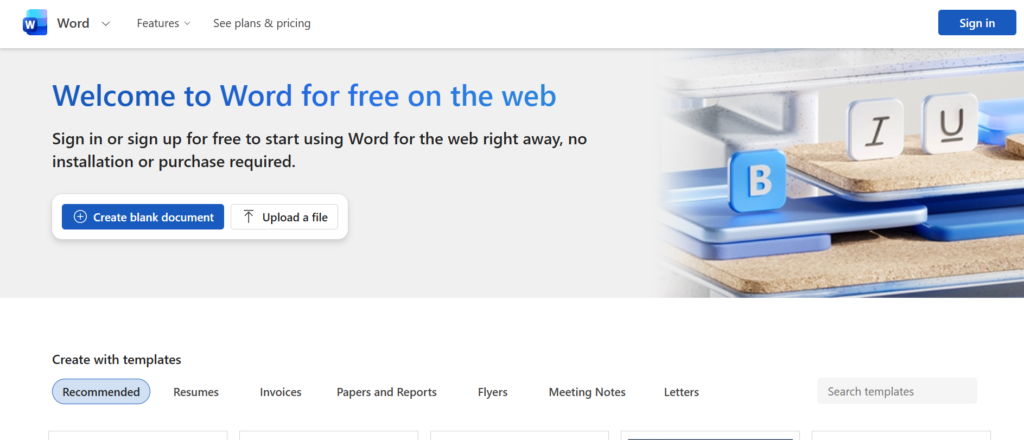
In most detailed Microsoft Word Online review discussions, one thing stands out immediately. It brings the familiarity of Microsoft Word into a cloud-based, collaborative environment.
For UK businesses already using Microsoft tools, Word Online is one of the most trusted document collaboration tools available. It combines traditional document editing with real-time collaboration, making it ideal for SMEs and enterprise teams across the UK.
Key Features
Real-Time Co-Authoring
Microsoft Word Online allows multiple users to edit documents simultaneously.
This ensures smooth collaboration without version conflicts. In most Microsoft Word Online review insights, this feature is seen as essential for modern teams.
Familiar Microsoft Word Interface
Word Online retains the classic Microsoft Word layout.
This makes it easy for UK teams to adopt without training. Compared in Microsoft Word Online vs Google Docs discussions, familiarity is a major advantage.
Integration with Microsoft 365
Word Online integrates seamlessly with OneDrive, Teams, Excel, and Outlook.
This creates a connected ecosystem for UK teams managing documents and communication together.
Advanced Formatting and Editing
Word Online offers more advanced formatting options than many competitors.
This makes it suitable for professional documents such as reports, contracts, and proposals.
Version History and Autosave
Word Online automatically saves changes and tracks version history.
This ensures document security and allows teams to restore previous versions when needed.
Pros & Cons
| Pros | Cons |
| Familiar interface | Requires Microsoft account |
| Strong formatting | Limited free features |
| Real-time editing | Slightly slower online |
| Good integrations | Less flexible than Notion |
Pricing
Microsoft Word Online is free with a Microsoft account.
Microsoft 365 plans start at around £6 per user per month and include:
- Desktop apps
- Cloud storage
- Business integrations
Best For UK Teams Already Using Microsoft Ecosystem
Word Online is ideal for businesses that rely on Microsoft tools.
- SMEs — manage professional documents
- Enterprises — standardise workflows
- Legal teams — create formal documents
- Corporate teams — collaborate efficiently
Verdict:
If your team is already using Microsoft 365, Word Online is a natural fit. A useful tip is to use Track Changes for detailed document reviews and approvals.
How to Use Microsoft Word Online for UK Team Workflows
A practical setup for UK teams:
- Store documents in OneDrive
- Collaborate in real time
- Use Track Changes for edits
- Share files via Teams or Outlook
This keeps workflows structured and efficient.
Quick tip: Use commenting and Track Changes together for smoother document approval processes.
Best Alternate Tool
If you are comparing Microsoft Word Online alternatives, Google Docs is a strong option.
In Microsoft Word Online vs Google Docs comparisons, Word offers better formatting, while Google Docs is simpler for collaboration.
SharePoint – Enterprise-Grade Document Collaboration and Management
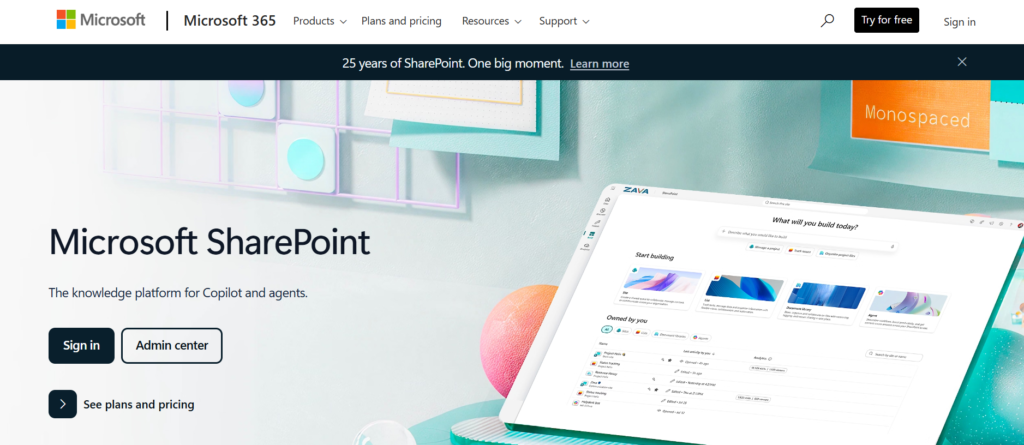
In most detailed SharePoint review discussions, one thing stands out clearly. It is built for organisations that need structured, secure, and scalable document collaboration.
As part of Microsoft 365, SharePoint is one of the most powerful document collaboration tools used by UK enterprises and growing SMEs. It goes beyond basic document editing by offering document management, intranet capabilities, and workflow automation.
Key Features
Centralised Document Management
SharePoint allows UK teams to store, organise, and manage documents in one secure location.
This includes version control, metadata, and structured libraries. In most SharePoint review insights, this is its core strength for large organisations.
Real-Time Collaboration with Microsoft Tools
SharePoint integrates with Word, Excel, and Teams for real-time editing.
This ensures seamless collaboration across the Microsoft ecosystem. Compared in SharePoint vs Google Drive discussions, SharePoint is often preferred for enterprise use.
Advanced Permissions and Security
SharePoint offers detailed access control and permissions.
This allows UK businesses to manage sensitive information securely, making it ideal for regulated industries.
Workflow Automation
SharePoint includes automation features through Power Automate.
This helps teams streamline document approvals, notifications, and internal processes. Many SharePoint alternatives lack this level of automation.
Intranet and Knowledge Sharing
SharePoint can be used to build internal websites and knowledge hubs.
This allows organisations to centralise communication and documentation in one place.
Pros & Cons
| Pros | Cons |
| Strong security | Complex setup |
| Enterprise features | Steep learning curve |
| Deep integrations | Overkill for small teams |
| Workflow automation | Higher cost |
Pricing
SharePoint is included in Microsoft 365 plans.
Pricing starts at around £6 per user per month and includes:
- Document management
- Collaboration tools
- Security features
Best For UK Enterprises and Growing SMEs
SharePoint is ideal for organisations that need advanced document management.
- Enterprises — manage large document systems
- SMEs — scale operations
- IT teams — control data securely
- Corporate teams — centralise collaboration
Verdict:
If your organisation requires structured document management and high-level security, SharePoint is a strong choice. A useful tip is to start with a simple document library structure before scaling.
How to Use SharePoint for UK Team Workflows
A practical setup for UK teams:
- Create document libraries for departments
- Set permissions for access control
- Automate workflows with Power Automate
- Integrate with Teams for collaboration
This ensures secure and efficient document management.
Quick tip: Use metadata tagging to organise documents and improve searchability across large systems.
Best Alternate Tool
If you are comparing SharePoint alternatives, Confluence is a strong option.
In SharePoint vs Confluence comparisons, SharePoint is better for enterprise management, while Confluence is simpler for documentation.
Nuclino – Lightweight Wiki for Fast Team Knowledge Sharing
In many Nuclino review discussions, teams highlight its speed, simplicity, and clean interface for structured documentation.
Nuclino is one of the most efficient document collaboration tools for UK teams that want a lightweight internal wiki without the complexity of enterprise platforms. Compared in Nuclino vs Confluence comparisons, Nuclino is often preferred by startups and SMEs that need organised knowledge sharing without heavy setup.
For UK businesses managing SOPs, internal documentation, and team knowledge, Nuclino offers a focused environment designed for clarity and fast collaboration.
Key Features
Fast and Distraction-Free Editor
Nuclino provides a clean writing interface that helps UK teams create structured content quickly.
Its minimal design keeps focus on content rather than formatting. In most Nuclino review insights, this simplicity is why teams adopt it for documentation and internal knowledge bases.
Compared in Nuclino vs Notion discussions, Nuclino is often considered faster for quick editing.
Real-Time Team Collaboration
Nuclino supports simultaneous editing, comments, and shared workspaces.
UK teams can collaborate on documents without version conflicts. This makes it suitable for agencies managing client documentation and internal processes.
Many Nuclino alternatives offer collaboration, but fewer match its speed and simplicity balance.
Graph-Based Knowledge Organisation
Nuclino uses visual graphs to show how documents connect.
This helps UK teams structure knowledge and easily navigate internal resources.
In most Nuclino review discussions, this feature stands out for improving knowledge discovery across growing teams.
Internal Wiki and Documentation Hub
Nuclino works as a centralised internal wiki where UK companies store SOPs, policies, and onboarding materials.
This reduces scattered documents and keeps knowledge accessible across departments.
Compared in Nuclino vs Tettra comparisons, Nuclino offers more flexibility for content structure.
Lightweight Integrations
Nuclino integrates with Slack, Google Drive, and other productivity tools.
This ensures smooth collaboration across platforms commonly used by UK remote teams.
In many Nuclino alternatives comparisons, its integrations are sufficient without adding complexity.
Pros & Cons
| Pros | Cons |
| Simple interface | Limited advanced features |
| Fast performance | Fewer integrations |
| Real-time editing | Not built for enterprises |
| Visual knowledge graph | Basic automation |
Pricing
Nuclino pricing is affordable for UK SMEs.
Pricing starts at approximately £5 per user per month.
Plans include:
- Real-time collaboration
- Internal wiki tools
- Version history
- Visual knowledge graph
For teams comparing Nuclino pricing vs Confluence, Nuclino is usually easier to start with and requires less onboarding time.
Best For UK Startups and SMEs Managing Internal Knowledge
Nuclino is ideal for teams that need structured documentation without complex configuration.
- Startups — build internal wiki quickly
- SMEs — organise SOPs and processes
- Remote teams — collaborate on shared knowledge
- Agencies — manage internal documentation
Verdict:
If your UK team wants simple knowledge management with real-time collaboration, Nuclino is a strong choice. Start with structured folders and use graph view to visualise how information connects across projects.
How to Use Nuclino for UK Team Documentation
A practical workflow setup:
- Create workspaces for departments
- Use nested documents for structure
- Collaborate in real time
- Connect related topics using graph view
This ensures organised and searchable knowledge for growing UK teams.
Quick tip: Use internal links between documents to build a connected knowledge base that scales as your team grows.
Best Alternate Tool
If you are researching Nuclino alternatives, Tettra is a notable option.
In Nuclino vs Tettra comparisons, Nuclino is preferred for flexible structure, while Tettra focuses more on Q&A style documentation.
Tettra – Simple Internal Knowledge Base for Organised Team Documentation
In many Tettra review discussions, one benefit is clear. It simplifies how UK teams create, organise, and maintain internal knowledge without complexity.
Tettra is one of the most practical document collaboration tools for UK businesses that want structured internal documentation connected directly with team communication tools. Compared in Tettra vs Confluence comparisons, Tettra is often preferred by SMEs looking for easier knowledge management.
For UK teams managing SOPs, FAQs, onboarding guides, and internal processes, Tettra offers a focused and easy-to-use solution.
Key Features
Structured Internal Knowledge Base
Tettra allows UK teams to build a central knowledge hub for company processes, documentation, and FAQs.
Content is organised into categories, making it easier for teams to find important information quickly. In most Tettra review insights, this structure reduces repeated questions and improves internal communication efficiency.
Compared in Tettra vs Nuclino discussions, Tettra is often preferred for structured knowledge management.
Slack Integration for Team Collaboration
Tettra integrates directly with Slack, allowing UK teams to search and access documentation without leaving conversations.This makes knowledge sharing part of daily workflows. Many Tettra alternatives do not offer such tight communication integration.
UK remote teams particularly benefit from this feature when managing distributed communication.
Content Verification Workflow
Tettra includes verification tools that prompt content owners to keep information updated.
This ensures UK teams always rely on accurate documentation.In many Tettra review comparisons, this feature helps companies maintain trustworthy knowledge bases without manual tracking.
Simple Editor for Fast Documentation
Tettra provides a clean editor that makes it easy to create internal guides and SOPs.
UK teams can quickly document processes without needing technical skills.Compared in Tettra vs Notion comparisons, Tettra is considered easier for focused documentation needs.
Permission Controls for Secure Access
Tettra allows businesses to control who can view or edit specific knowledge base sections.This ensures sensitive company information is only accessible to authorised team members.Many Tettra alternatives offer permissions, but Tettra keeps configuration simple for growing UK companies.
Pros & Cons
| Pros | Cons |
| Easy to use | Limited customisation |
| Strong Slack integration | Not ideal for large enterprises |
| Verification workflow | Basic formatting |
| Quick setup | Fewer integrations |
Pricing
Tettra pricing is suitable for UK SMEs building internal documentation systems.
Pricing starts at approximately £4 per user per month.
Plans include:
- Internal knowledge base
- Slack integration
- Version history
- Content verification workflow
When comparing Tettra pricing vs Confluence, Tettra is typically easier for smaller teams to implement.
Best For UK SMEs Building Internal Knowledge Systems
Tettra is ideal for businesses that want organised company documentation without complex setup.
- SMEs — manage SOP documentation
- Remote teams — centralise company knowledge
- HR teams — create onboarding resources
- Startups — document internal workflows
Verdict:
If your UK team wants a structured internal wiki that integrates with communication tools, Tettra is a practical option. Begin by documenting frequently asked internal questions to reduce repeated support requests.
How to Use Tettra for UK Internal Documentation
A practical setup:
- Create categories for departments
- Connect Tettra with Slack
- Assign content owners
- Schedule verification reminders
This ensures internal knowledge stays accurate and accessible.
Quick tip: Build a company FAQ section first to reduce repeated internal questions and save team time.
Best Alternate Tool
If you are researching Tettra alternatives, Nuclino is a strong option.In Tettra vs Nuclino comparisons, Tettra focuses on structured knowledge verification, while Nuclino offers more flexible content organisation.
Bit.ai – Smart Document Collaboration with Built-In Tracking
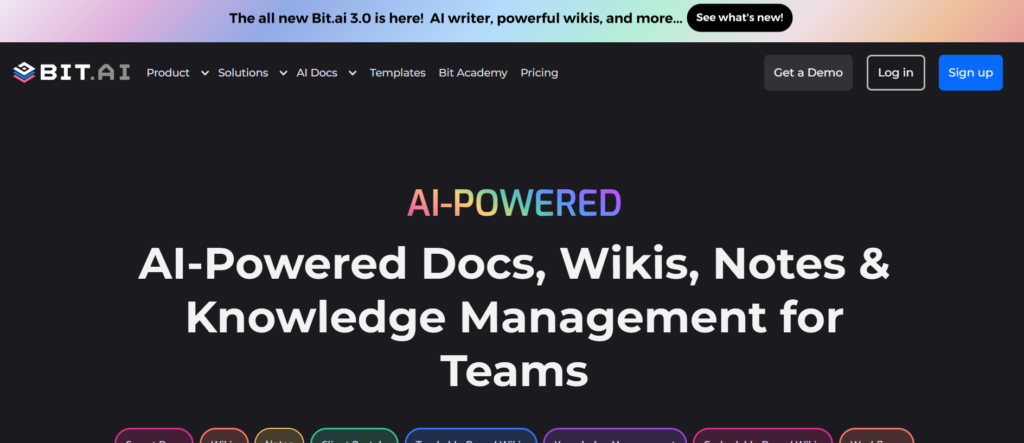
In many Bit.ai review discussions, one advantage consistently mentioned is its ability to combine document collaboration with tracking insights.
Bit.ai is one of the more advanced document collaboration tools used by UK teams that want interactive documents with engagement analytics. Compared in Bit.ai vs Notion comparisons, Bit.ai is often preferred when teams need to track document engagement and manage shared content securely.
For UK agencies, consultants, and SMEs sharing proposals, reports, or internal documentation, Bit.ai provides visibility into how content is being consumed.
Key Features
Interactive Smart Documents
Bit.ai allows UK teams to create interactive documents that include videos, embeds, tables, and rich media.This improves how teams present information compared to static files. In most Bit.ai review insights, this feature is valuable for proposals, onboarding guides, and internal reports.
Compared in Bit.ai vs Google Docs discussions, Bit.ai offers more visual flexibility.
Document Tracking and Engagement Insights
Bit.ai provides analytics showing how recipients interact with shared documents.
UK businesses can track views, engagement time, and document activity.Many Bit.ai alternatives do not offer detailed engagement tracking, making Bit.ai useful for client-facing documents.
Real-Time Collaboration
Bit.ai supports simultaneous editing, comments, and shared workspaces.
UK teams can collaborate on content without worrying about version confusion.In most Bit.ai review comparisons, collaboration features are considered reliable for distributed teams.
Content Library for Reusable Assets
Bit.ai includes a content library where teams store frequently used materials.
This helps UK agencies maintain consistency across documents.
Compared in Bit.ai vs Coda discussions, Bit.ai is often simpler for managing reusable content blocks.
Secure Document Sharing
Bit.ai offers permission controls, password protection, and trackable share links.
UK companies can control who accesses documents and monitor activity.In many Bit.ai alternatives comparisons, Bit.ai is preferred for secure client document sharing.
Pros & Cons
| Pros | Cons |
| Document tracking | Limited offline access |
| Interactive documents | Learning curve |
| Real-time editing | Fewer integrations |
| Secure sharing | Advanced features paid |
Pricing
Bit.ai pricing is suitable for UK teams needing collaborative documents with tracking insights.
Pricing starts at approximately £8 per user per month.
Plans include:
- Real-time collaboration
- Document tracking
- Content library
- Secure sharing permissions
When comparing Bit.ai pricing vs Notion, Bit.ai is often chosen for client document tracking capabilities.
Best For UK Agencies Sharing Client Documents
Bit.ai is ideal for teams that want trackable and interactive documents.
- Agencies — share proposals with tracking
- Consultants — manage client documents
- SMEs — create structured reports
- Remote teams — collaborate on shared content
Verdict:
If your UK team wants document collaboration with visibility into engagement, Bit.ai is a strong option. Start by creating reusable document templates to maintain consistent client communication.
How to Use Bit.ai for UK Client Collaboration
A practical workflow:
- Create templates for proposals
- Track document engagement
- Store reusable assets
- Share secure links with clients
This ensures consistent and measurable document communication.
Quick tip: Use document tracking insights to identify which sections clients spend the most time reviewing.
Best Alternate Tool
If you are exploring Bit.ai alternatives, Notion is a strong option.
In Bit.ai vs Notion comparisons, Bit.ai is often preferred for document tracking, while Notion offers broader workspace features.
Final Thoughts on the Best Document Collaboration Tools for UK Teams in 2026
Choosing the right document collaboration tools can directly impact how efficiently UK teams manage files, approvals, and communication.From simple editors like Google Docs to structured knowledge platforms like Confluence and SharePoint, the tools in this list solve different collaboration challenges. Some focus on real-time editing, while others specialise in internal documentation, workflow automation, or document tracking.
If your UK business handles large volumes of content, client deliverables, or internal documentation, investing in the right platform reduces delays, prevents version confusion, and improves team alignment.The key is selecting a platform that fits your workflow complexity, team size, and integration needs.
Start with one tool that solves your most immediate collaboration bottleneck, then expand your stack as your processes mature.
How Pearl Lemon Supports UK Teams with Document Collaboration Systems
Pearl Lemon works with UK businesses to implement structured document collaboration systems that improve team efficiency and communication clarity.
We assist with:
- Document workflow planning
- Collaboration tool setup
- Knowledge base structure
- Workflow automation mapping
- Internal documentation strategy
- Migration from legacy systems
Our approach focuses on practical implementation so your team can manage documents without confusion or delays.
Whether you need structured SharePoint deployment, knowledge base setup using Confluence, or process documentation inside Notion, we ensure your collaboration environment aligns with how your team operates.
If your UK business wants clearer document workflows, better internal knowledge sharing, and controlled collaboration systems, our team can support implementation from planning to rollout.
FAQs
What are document collaboration tools?
Document collaboration tools allow multiple users to create, edit, share, and manage documents in real time. These platforms reduce the need for email attachments and improve team productivity.
Which document collaboration tool is best for UK SMEs?
Popular options for UK SMEs include Google Docs, Notion, and Zoho Writer due to ease of use, affordability, and integration flexibility.
Are document collaboration tools secure?
Most enterprise-grade platforms include encryption, access controls, and version tracking. Tools like SharePoint and Box Notes offer advanced security configurations.
Can document collaboration tools replace email attachments?
Yes. These tools allow teams to share live documents, reducing version confusion and improving workflow transparency.
Which tools support workflow automation?
SharePoint, ClickUp Docs, and Coda offer workflow automation features that reduce manual approvals and repetitive tasks.
Are free document collaboration tools reliable?
Free plans from Google Docs, Notion, and Dropbox Paper are reliable for small teams. Larger UK organisations may require paid plans for advanced controls.
How do document collaboration tools improve productivity?
They reduce duplication, allow faster feedback cycles, and keep documents organised in one accessible location.
Can remote teams use document collaboration platforms effectively?
Yes. Cloud-based platforms allow remote UK teams to collaborate in real time without location limitations.
Which tool is best for structured internal documentation?
Confluence, Tettra, and Nuclino are commonly used for internal knowledge base management.