
If you are still juggling spreadsheets to assign people, budgets, and timelines, you already know the pain. Missed deadlines. Overbooked teams. Margins slipping without warning.That is exactly where resource allocation tools come in.
I have reviewed dozens of platforms used by agencies, IT teams, consultancies, and project managers across the UK and similar markets. What you will see below is a refined list of the 20 best resource allocation tools that actually fix capacity issues, planning gaps, and utilisation problems.
Here is why this matters.
- Teams using proper resource planning software report clearer workload visibility and fewer scheduling conflicts
- Poor allocation leads to delays and cost overruns, especially in multi-project environments
This list is for:
- Project managers handling multiple deliverables
- Agencies managing billable resources
- Consultants tracking utilisation rates
- Operations leaders responsible for capacity planning
If your goal is simple, keep reading: assign the right people at the right time without chaos.
What is Resource Allocation Software?
Resource allocation software is the system that decides who works on what, when, and at what capacity.It gives you:
- A central view of team availability
- Project workload balancing
- Budget and time forecasting
- Skills-based assignment
Instead of guessing, you get visibility.Modern tools go further with forecasting and automation. Some even predict bottlenecks before they hit your delivery timeline.Without it, you are running operations blind.
Quick Comparison Table for Resource Allocation Tools
To make this useful, I chose columns based on what decision-makers actually care about when selecting resource allocation tools:
- Pricing
- Use case
- Ease of use
- Forecasting capability
- Integrations
- Free trial availability
These factors directly affect adoption, ROI, and operational fit.
| Tool Name | Best For | Starting Price | Free Trial | Forecasting | Integrations | Ease of Use |
| Runn | Forecast planning | Mid-tier | Yes | Advanced | Strong | Easy |
| Float | Visual scheduling | Low | Yes | Basic | Medium | Very easy |
| Resource Guru | Team scheduling | Low | Yes | Basic | Medium | Easy |
| Saviom | Enterprise planning | Custom | No | Advanced | Strong | Moderate |
| Smartsheet | Spreadsheet users | Mid | Yes | Medium | Strong | Easy |
| Monday.com | Team workflows | Mid | Yes | Medium | Strong | Easy |
| ClickUp | All-in-one PM | Low | Yes | Medium | Strong | Moderate |
| Wrike | Enterprise teams | Mid-high | Yes | Advanced | Strong | Moderate |
| Forecast | AI planning | High | Yes | Advanced | Strong | Moderate |
| Kantata | Agencies | High | No | Advanced | Strong | Moderate |
| Teamdeck | Resource tracking | Low | Yes | Medium | Medium | Easy |
| Hub Planner | Capacity planning | Mid | Yes | Advanced | Medium | Moderate |
| Birdview PSA | PSA teams | High | Yes | Advanced | Strong | Moderate |
| Retain | Professional firms | Custom | No | Advanced | Strong | Moderate |
| TaskFord | All-in-one planning | Custom | No | Medium | Medium | Easy |
| Asana | Task-driven teams | Low | Yes | Basic | Strong | Very easy |
| Jira | Dev teams | Low | Yes | Medium | Strong | Moderate |
| GanttPRO | Timeline planning | Low | Yes | Medium | Medium | Easy |
| Zoho Projects | Budget teams | Low | Yes | Medium | Strong | Easy |
| Microsoft Project | Complex projects | High | Yes | Advanced | Strong | Hard |
Resource Allocation Tools Breakdown
Below, you will get a detailed breakdown of each tool, including:
- Features
- Pricing
- Use cases
- Pros and cons
- Practical insights
We will go one tool at a time so you can evaluate properly.
Runn – Smarter Resource Planning with Real-Time Forecasting
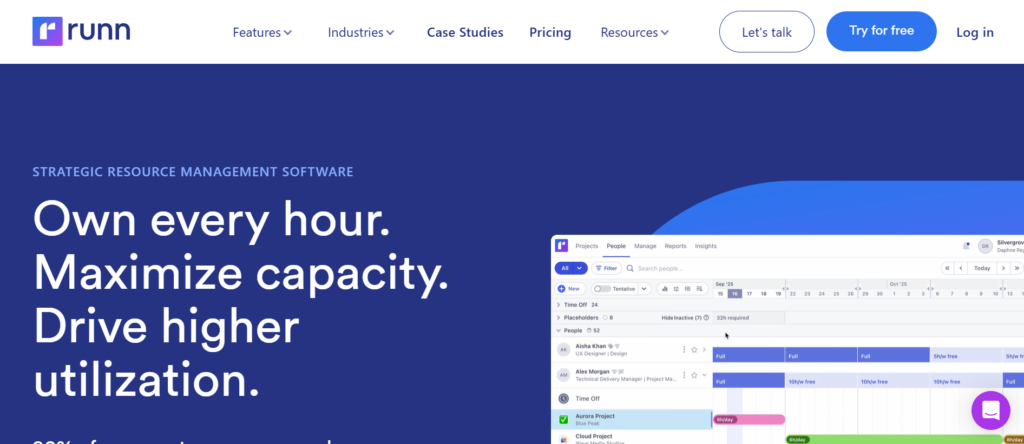
If you are serious about accurate planning and clean visibility across projects, Runn is often the first name that comes up in any solid resource allocation tools review.
Runn is a cloud-based resource allocation software built for project managers, agencies, and operations teams that need precise forecasting and capacity planning.
It is widely used by consultancies and digital agencies where billable utilisation matters. In most Runn reviews, users highlight its forecasting engine and clean interface as key reasons they switch from spreadsheets or tools like Float.
When comparing Runn vs Float or Run alternatives, the biggest advantage is deeper forecasting with financial visibility.
Key Features
Real-Time Resource Scheduling
Runn gives you a live view of who is working on what and when. You can assign work based on availability, role, or skillset. This matters when juggling multiple client projects where overbooking even one team member can delay delivery and impact revenue.
Capacity Planning & Forecasting
This is where Runn stands out in most Runn reviews. You can forecast weeks or months ahead and spot gaps or overload before they become problems. It is especially useful for agencies planning pipeline work and deciding whether to hire or redistribute workload.
Financial Tracking
Runn connects resource allocation with financial data. You can track billable vs non-billable hours and forecast revenue based on planned work. This gives operations teams better control over margins without relying on separate tools.
Scenario Planning
You can test different staffing scenarios without affecting your live schedule. This is useful when evaluating new projects or reshuffling teams. Many teams use this feature when comparing Runn vs alternatives like Resource Guru or Smartsheet.
Integrations
Runn integrates with tools like Harvest, Jira, and Slack. This ensures your resource planning software fits into your existing workflow without creating data sil
Pros & Cons
| Pros | Cons |
| Strong forecasting tools | No free plan |
| Clean interface | Limited custom reports |
| Financial visibility | Learning curve initially |
| Scenario planning | Smaller ecosystem |
Pricing
- Starter plan: Around £8 per user/month
- Pro plan: Around £10–£12 per user/month
- Free trial available
Compared to other resource allocation tools, Runn sits in the mid-range pricing tier with strong value for forecasting-heavy teams.
Best For Agencies Managing Billable Resources
Runn is ideal for teams where utilisation directly impacts revenue.
- Digital agencies — track billable hours and forecast revenue
- Consultancies — plan staffing across multiple clients
- Project managers — balance workloads across teams
- Operations teams — identify hiring needs early
Verdict:
If forecasting accuracy matters more than basic scheduling, Runn is a strong choice. Most teams move to Runn when spreadsheets or lighter tools stop giving clear answers.
Pro Tip: Use Runn for Pipeline Forecasting
Most teams only use Runn for scheduling.But here is the smarter move.Add tentative projects into the system and assign placeholder resources. This gives you a forward-looking pipeline view, so you can decide whether to accept new work or adjust pricing based on capacity.
Best Alternative Tool
Float is the closest competitor if you want simpler scheduling without deep forecasting.
Float – Simple Visual Scheduling That Teams Actually Use
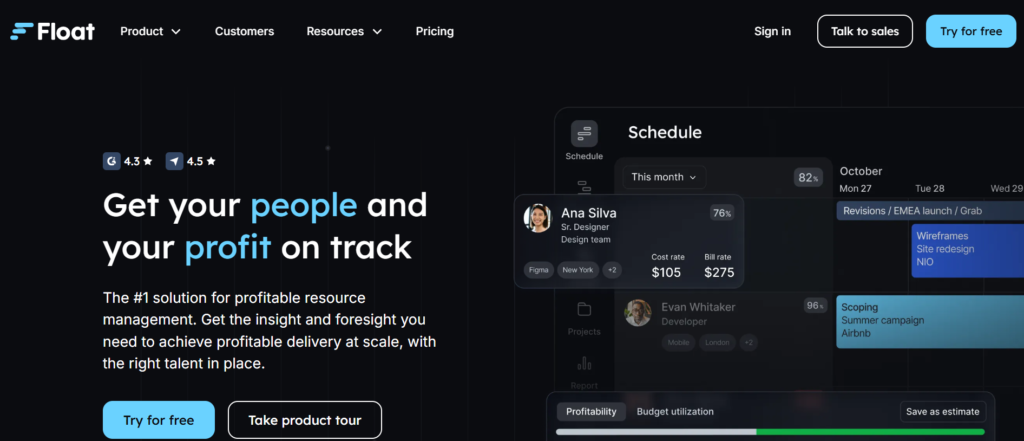
If your main problem is messy schedules and unclear team availability, Float is one of the most practical resource allocation tools you can adopt quickly.
Float is a lightweight resource allocation software focused on visual scheduling. It is widely used by agencies, studios, and small to mid-sized teams that need a fast way to assign work without complex setup.
In most Float reviews, users highlight how quickly teams adopt it compared to heavier tools. When comparing Float vs Runn, Float wins on simplicity, while Runn goes deeper on forecasting.If you are evaluating Float alternatives, tools like Resource Guru and Teamdeck come close, but Float remains one of the easiest to roll out.
Key Features
Drag-and-Drop Scheduling
Float lets you assign tasks and projects using a simple drag-and-drop interface. You can see team availability at a glance and adjust workloads in seconds. This is useful when priorities shift daily and you need to react without digging through multiple dashboards.
Live Availability Tracking
You get a real-time view of who is free, busy, or overbooked. This makes it easier to avoid scheduling conflicts and ensures no one is silently overloaded, which is a common issue in growing teams.
Project Timeline View
Float provides a clean timeline view that shows how resources are allocated across projects. It is especially useful for agencies managing multiple client deadlines at once.
Time Tracking Integration
Float includes built-in time tracking or integrates with tools like Harvest. This connects planned work with actual hours, giving you better visibility into performance and utilisation.
API and Integrations
Float integrates with Slack, Asana, and Google Calendar. This ensures your resource planning software stays connected to the rest of your workflow.
Pros & Cons
| Pros | Cons |
| Very easy to use | Limited forecasting |
| Fast setup | Basic reporting |
| Clean visual interface | Not ideal for enterprise |
| Strong scheduling features | Fewer financial insights |
Pricing
- Starter plan: Around £6 per user/month
- Pro plan: Around £10 per user/month
- Free trial available
Float is one of the more affordable resource allocation tools, making it attractive for smaller teams.
Best For Small Teams Needing Quick Scheduling
Float works best when speed and simplicity matter more than advanced forecasting.
- Creative agencies — manage designers and project timelines
- Marketing teams — assign campaigns and track workloads
- Startups — organise small teams without complexity
- Project coordinators — manage daily scheduling changes
Verdict:
If you want a tool your team will actually use without training headaches, Float is a strong pick. It solves scheduling problems without overcomplicating things.
Pro Tip: Use Float’s Tentative Scheduling
One feature many teams overlook is tentative scheduling.You can block time for potential projects without confirming them. This gives you a clearer picture of future capacity and prevents overcommitting your team.
Best Alternative Tool
Runn is the better option if you need forecasting and financial tracking alongside scheduling.
Resource Guru – No-Nonsense Team Scheduling That Just Works
If you want a straightforward solution without feature overload, Resource Guru is one of the most reliable resource allocation tools available.
Resource Guru is a dedicated resource allocation software built purely for scheduling people, equipment, and meeting rooms. It is widely used by agencies, IT teams, and consultancies that need clarity without complexity.
In many Resource Guru reviews, users highlight its ease of use and fast onboarding. When comparing Resource Guru vs Float, both are simple, but Resource Guru adds stronger booking controls and leave management.
Among Resource Guru alternatives, Teamdeck and Hub Planner offer more advanced analytics, but Resource Guru wins on simplicity.
Key Features
Centralised Scheduling Dashboard
Resource Guru provides a single dashboard where you can see all bookings across your team. This makes it easy to identify clashes, gaps, and availability without switching between tools. For teams managing multiple projects, this reduces confusion and keeps everyone aligned.
Clash Management System
One standout feature mentioned in many Resource Guru reviews is its clash detection. If a team member is double-booked, the system flags it immediately. This prevents scheduling errors that can disrupt project timelines.
Leave and Availability Tracking
You can track holidays, sick leave, and non-working days directly in the system. This ensures your resource planning software reflects real availability, not just theoretical capacity.
Booking System for Resources
Beyond people, Resource Guru allows you to book equipment, meeting rooms, or other assets. This is useful for production teams or companies managing shared resources.
Reports and Utilisation Insights
While not as advanced as some competitors, Resource Guru provides clear reports on utilisation and scheduling. This helps managers understand workload distribution without digging into complex data.
Pros & Cons
| Pros | Cons |
| Very easy to use | Limited forecasting |
| Strong clash detection | Basic reporting |
| Quick setup | No deep financial tracking |
| Supports equipment booking | Not ideal for large firms |
Pricing
- Grasshopper plan: Around £4–£5 per user/month
- Blackbelt plan: Around £6–£8 per user/month
- Free trial available
Resource Guru is one of the most budget-friendly resource allocation tools, especially for small teams.
Best For Teams That Want Simplicity Without Errors
Resource Guru is ideal for teams that need reliable scheduling without complex features.
- Small agencies — manage team bookings with ease
- IT teams — track developer availability
- Operations managers — avoid scheduling conflicts
- Production teams — manage shared resources
Verdict:
If your priority is clean scheduling with zero confusion, Resource Guru is a safe and practical choice. It does exactly what most teams need without unnecessary extras.
Pro Tip: Use Buffers Between Bookings
A useful trick inside Resource Guru is adding buffer time between bookings.This prevents back-to-back scheduling issues and gives teams breathing room, especially in high-pressure environments like agencies or IT delivery teams.
Best Alternative Tool
Float is a strong alternative if you prefer a more visual interface with drag-and-drop scheduling.
Saviom – Enterprise Resource Allocation with Deep Forecasting Control
If you are managing large teams, multiple departments, and long-term planning, Saviom sits in a different league of resource allocation tools.
Saviom is an enterprise-grade resource allocation software designed for organisations that need advanced capacity planning, multi-project tracking, and detailed forecasting.
In most Saviom reviews, it is positioned as a high-end solution used by large enterprises, engineering firms, and global consultancies. When comparing Saviom vs Resource Guru or Saviom vs Float, the difference is clear: Saviom focuses on depth and control rather than simplicity.
Among Saviom alternatives, tools like Kantata and Forecast compete, but Saviom stands out for its forecasting accuracy and configurability.
Key Features
Advanced Capacity Planning
Saviom allows you to plan resources across months or even years. You can analyse capacity at team, department, or organisational level. This is critical for enterprises managing long-term projects where hiring and budgeting decisions depend on accurate forecasts.
Multi-Dimensional Resource Scheduling
You can allocate resources based on skills, roles, cost rates, and availability. This level of detail ensures the right person is assigned to the right task, reducing inefficiencies in large teams.
What-If Scenario Modelling
Saviom includes strong scenario planning tools. You can simulate different project outcomes, staffing changes, or budget adjustments without affecting your live data. This is often highlighted in Saviom reviews as a key advantage over simpler tools.
Financial and Cost Management
Unlike many lighter resource planning software options, Saviom connects resource allocation with cost tracking. You can monitor project budgets, labour costs, and profitability in one place.
Customisable Dashboards and Reports
Saviom provides detailed reporting with custom dashboards. This allows leadership teams to track utilisation, project progress, and financial metrics at a granular level.
Pros & Cons
| Pros | Cons |
| Advanced forecasting | Higher cost |
| Deep customisation | Steeper learning curve |
| Strong financial tracking | Setup takes time |
| Enterprise scalability | Not ideal for small teams |
Pricing
- Custom pricing based on organisation size
- No standard public pricing tiers
- Demo available on request
Saviom is positioned at the higher end of resource allocation tools, suited for enterprises rather than small teams.
Best For Large Enterprises Managing Complex Portfolios
Saviom is built for organisations that require detailed planning and control.
- Enterprise project teams — manage multiple large-scale projects
- Engineering firms — allocate specialised resources
- Global consultancies — track cross-region capacity
- PMOs — oversee portfolio-level resource planning
Verdict:
If your organisation needs precision, forecasting depth, and financial visibility, Saviom is a strong contender. It is not the easiest tool to learn, but it delivers control that simpler tools cannot match.
Pro Tip: Use Scenario Planning Before Hiring
Before increasing headcount, use Saviom’s scenario modelling.You can simulate upcoming project demand and test whether your current team can handle it. This reduces unnecessary hiring and keeps costs under control.
Best Alternative Tool
Kantata is a strong alternative if you want enterprise-level resource management with a more modern interface.
Smartsheet – Spreadsheet-Style Resource Allocation with Project Control
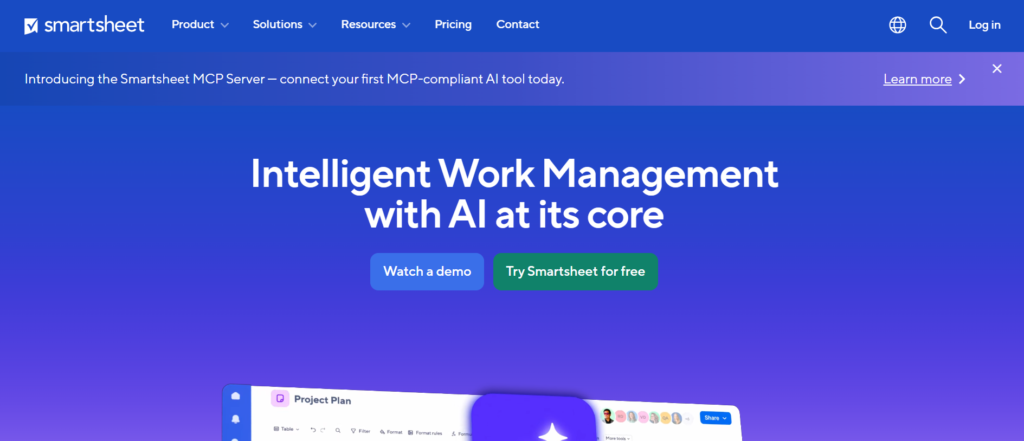
If your team is comfortable with spreadsheets but needs more structure, Smartsheet is one of the most flexible resource allocation tools available.
Smartsheet is a work management platform that combines spreadsheet familiarity with project and resource allocation software capabilities. It is widely used by operations teams, project managers, and enterprises that want control without abandoning the spreadsheet model.
In many Smartsheet reviews, users highlight its flexibility and ease of transition from Excel. When comparing Smartsheet vs Microsoft Project, Smartsheet is easier to adopt, while Microsoft Project offers deeper technical control.
Among Smartsheet alternatives, tools like Monday.com and ClickUp offer more modern interfaces, but Smartsheet remains a strong choice for structured workflows.
Key Features
Grid-Based Resource Planning
Smartsheet uses a spreadsheet-style grid where you can assign tasks, resources, and timelines. This makes it easy for teams already familiar with Excel to start using a proper resource planning software without a steep learning curve.
Resource Management & Workload Tracking
You can track who is assigned to what and monitor workload across projects. Smartsheet provides visibility into overallocated resources, helping managers rebalance tasks before delays occur.
Automation Workflows
Smartsheet allows you to automate repetitive actions like task assignments, status updates, and notifications. This reduces manual work and keeps projects moving without constant follow-ups.
Gantt Charts & Timeline Views
You can visualise project timelines using Gantt charts. This helps in planning dependencies and ensuring resources are allocated in the correct sequence.
Integrations & Collaboration
Smartsheet integrates with tools like Microsoft Teams, Slack, and Google Workspace. This ensures your resource allocation tools fit into existing workflows without disruption.
Pros & Cons
| Pros | Cons |
| Familiar spreadsheet layout | Can get complex at scale |
| Flexible workflows | Advanced features cost more |
| Strong automation | Not purely resource-focused |
| Good integrations | Interface can feel dated |
Pricing
- Pro plan: Around £6–£8 per user/month
- Business plan: Around £15–£20 per user/month
- Enterprise: Custom pricing
- Free trial available
Smartsheet sits in the mid-range tier among resource allocation tools, with pricing increasing as features scale.
Best For Teams Transitioning from Excel
Smartsheet is ideal for teams that want structure without abandoning spreadsheets.
- Operations teams — manage workflows and resources in one place
- Project managers — track timelines and allocations
- Enterprises — standardise processes across departments
- Admin teams — reduce reliance on manual spreadsheets
Verdict:
If your team is still relying heavily on Excel, Smartsheet is a natural next step. It keeps the familiarity while adding structure and visibility.
Pro Tip: Use Resource Views for Workload Balancing
Many users stick to grid view, but the resource view is where the real value lies.Switch to workload tracking to quickly identify overbooked team members and redistribute tasks before they become bottlenecks.
Best Alternative Tool
Monday.com is a strong alternative if you want a more visual and modern interface for managing workflows and resources.
Monday.com – Visual Resource Allocation for Fast-Moving Teams
If your team needs visibility, collaboration, and flexibility in one place, Monday.com is one of the most widely adopted resource allocation tools right now.
Monday.com is a work operating system that combines project management with resource allocation software features. It is used by marketing teams, agencies, and operations departments that need a clear overview of workloads and timelines.
In many Monday.com reviews, users highlight its visual dashboards and ease of collaboration. When comparing Monday.com vs Smartsheet, Monday.com is more visual and intuitive, while Smartsheet offers deeper spreadsheet control.
Among Monday.com alternatives, ClickUp and Asana are strong competitors, but Monday.com stands out for its balance between usability and flexibility.
Key Features
Visual Workload Management
Monday.com provides a workload view where you can see who is overbooked and who has capacity. This makes it easier to balance assignments across your team without relying on guesswork, which is critical for maintaining consistent delivery timelines.
Customisable Dashboards
You can build dashboards that show project progress, team workload, and timelines in one place. This gives managers and stakeholders a clear snapshot of operations without digging through multiple tools.
Automation for Task Assignments
Monday.com allows you to automate repetitive processes like assigning tasks, sending reminders, and updating statuses. This reduces manual coordination and keeps projects moving efficiently.
Multiple Project Views
You can switch between Kanban, timeline, calendar, and table views. This flexibility allows teams to manage resource allocation tools in a way that fits their workflow.
Integrations
Monday.com integrates with Slack, Google Workspace, Zoom, and CRM systems. This ensures your resource planning software connects smoothly with your existing stack.
Pros & Cons
| Pros | Cons |
| Highly visual interface | Can get expensive |
| Easy collaboration | Some features need setup |
| Flexible workflows | Learning curve for advanced |
| Strong integrations | Not deeply financial-focused |
Pricing
- Basic plan: Around £8 per user/month
- Standard plan: Around £10–£12 per user/month
- Pro plan: Around £16–£20 per user/month
- Free trial available
Monday.com is mid-to-high priced among resource allocation tools, depending on features.
Best For Marketing and Cross-Functional Teams
Monday.com is ideal for teams that need visibility and collaboration across departments.
- Marketing teams — manage campaigns and deadlines
- Agencies — track client work and team capacity
- Operations teams — coordinate multiple workflows
- Startups — manage growing teams with flexibility
Verdict:
If your team values visual clarity and collaboration, Monday.com is a strong option. It keeps everyone aligned without relying on complex systems.
Pro Tip: Use Workload View Weekly
Do a weekly review using the workload dashboard.This allows you to spot overloaded team members early and redistribute tasks before deadlines are at risk.
Best Alternative Tool
ClickUp is a strong alternative if you want more features at a lower price point.
ClickUp – All-in-One Resource Allocation with Deep Customisation
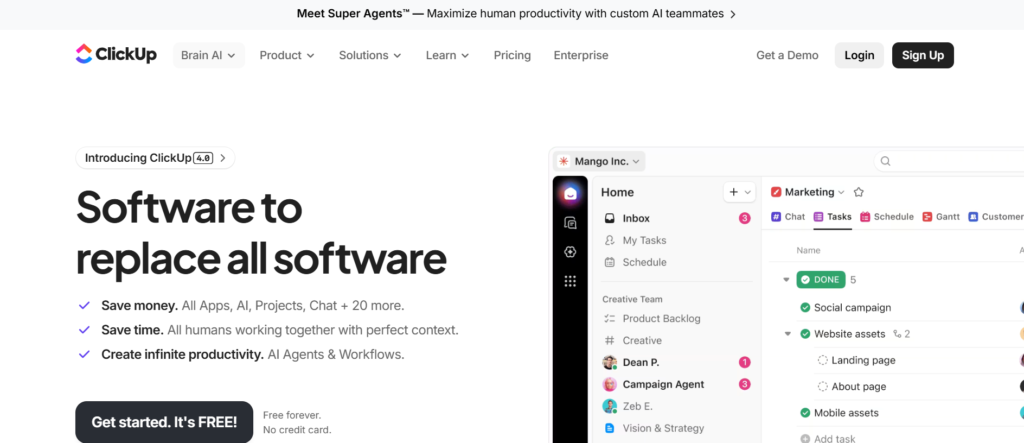
If you want one platform that handles tasks, docs, time tracking, and resource allocation tools in a single system, ClickUp is hard to ignore.
ClickUp is an all-in-one productivity platform that includes strong resource allocation software capabilities alongside project management. It is used by startups, agencies, and growing teams that want flexibility without paying for multiple tools.
In most ClickUp reviews, users highlight its feature depth and pricing value. When comparing ClickUp vs Monday.com, ClickUp offers more features at a lower cost, while Monday.com is easier to set up.Among ClickUp alternatives, tools like Asana and Wrike compete, but ClickUp stands out for its customisation options.
Key Features
Workload and Resource View
ClickUp includes a dedicated workload view where you can see team capacity across projects. You can assign tasks based on availability and adjust workloads quickly. This is essential for teams managing multiple deadlines at once.
Custom Fields for Resource Tracking
You can create custom fields to track effort, time estimates, budgets, or team roles. This allows you to tailor your resource planning software to match your exact workflow instead of forcing your process into rigid structures.
Built-In Time Tracking
ClickUp includes native time tracking, so you can compare planned vs actual hours. This helps teams understand utilisation and improve future planning accuracy.
Automation and Templates
ClickUp allows you to automate repetitive workflows and use templates for recurring projects. This reduces manual setup and keeps your operations consistent.
Docs and Collaboration
Unlike many resource allocation tools, ClickUp includes built-in docs, comments, and chat features. This keeps communication and execution in one place.
Pros & Cons
| Pros | Cons |
| Feature-rich platform | Can feel overwhelming |
| Competitive pricing | Setup takes time |
| Highly customisable | Interface can be cluttered |
| All-in-one functionality | Learning curve for teams |
Pricing
- Free plan available
- Unlimited plan: Around £5–£7 per user/month
- Business plan: Around £10–£15 per user/month
- Enterprise: Custom pricing
ClickUp is one of the most cost-effective resource allocation tools, especially for teams that want multiple features in one platform.
Best For Teams Wanting One Tool for Everything
ClickUp is ideal for teams that prefer consolidation over multiple tools.
- Startups — manage everything in one system
- Agencies — track projects, time, and resources
- Remote teams — collaborate and assign work centrally
- Operations managers — customise workflows
Verdict:
If you want flexibility and value for money, ClickUp is a strong choice. It replaces several tools, but requires proper setup to get the most out of it.
Pro Tip: Use Custom Fields for Capacity Planning
Most users stick to default settings.
Instead, create custom fields for team capacity, skill level, or billable rate. This turns ClickUp into a more powerful resource allocation software tailored to your workflow.
Best Alternative Tool
Monday.com is a better option if you want a simpler, more visual interface with less setup.
Wrike – Structured Resource Allocation for Enterprise Teams
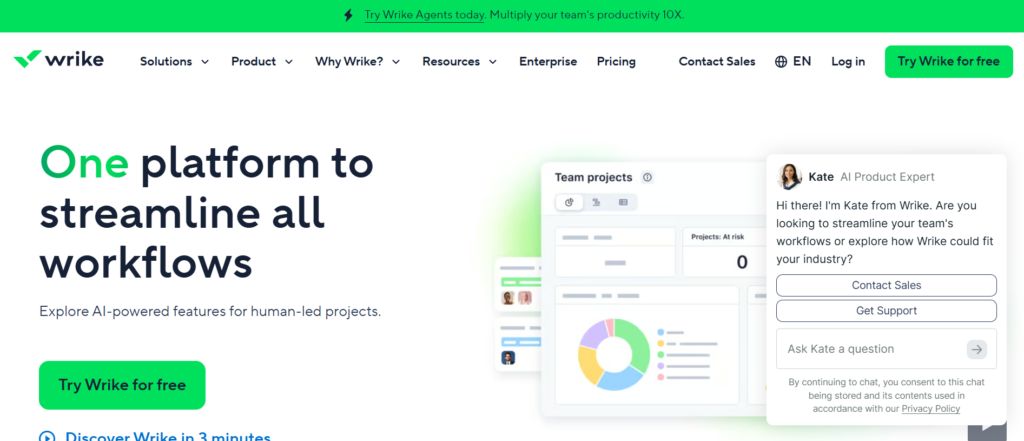
If your organisation runs complex projects across multiple teams, Wrike is one of the more structured resource allocation tools designed for scale.
Wrike is a project management and resource allocation software platform built for mid-sized to large teams. It is widely used by marketing departments, IT teams, and enterprises that require detailed planning and reporting.
In many Wrike reviews, users highlight its strong reporting and workload management features. When comparing Wrike vs ClickUp, Wrike offers more structure and control, while ClickUp focuses on flexibility.
Among Wrike alternatives, tools like Asana and Monday.com compete, but Wrike stands out for enterprise-grade workflows.
Key Features
Workload Management Dashboard
Wrike provides a clear workload view where managers can see team capacity across projects. You can identify overbooked resources and reassign tasks quickly, which is essential for maintaining deadlines across multiple teams.
Advanced Reporting and Analytics
Wrike includes detailed reporting tools that allow you to track project progress, resource utilisation, and team performance. This level of visibility is often highlighted in Wrike reviews as a key advantage for decision-makers.
Resource Request and Approval System
Teams can submit resource requests, which managers can review and approve. This adds structure to allocation and prevents unplanned work from disrupting schedules.
Time Tracking and Effort Management
Wrike includes built-in time tracking, allowing you to compare planned vs actual effort. This helps refine future planning and improves overall efficiency.
Integrations and Custom Workflows
Wrike integrates with tools like Salesforce, Slack, and Microsoft Teams. It also allows custom workflows, making it adaptable to different industries and processes.
Pros & Cons
| Pros | Cons |
| Strong reporting | Higher pricing tiers |
| Structured workflows | Setup can be complex |
| Scales well for enterprises | Interface takes time to learn |
| Good workload visibility | Overkill for small teams |
Pricing
- Team plan: Around £8–£10 per user/month
- Business plan: Around £20–£25 per user/month
- Enterprise: Custom pricing
- Free trial available
Wrike sits in the mid-to-high tier among resource allocation tools, especially for advanced features.
Best For Enterprises Needing Structured Workflows
Wrike is ideal for organisations that require control and standardisation.
- Enterprise teams — manage complex workflows
- Marketing departments — plan campaigns across teams
- IT teams — track development resources
- PMOs — oversee structured project delivery
Verdict:
If your organisation needs structured processes, detailed reporting, and scalability, Wrike is a strong option. It requires setup time but delivers clarity at scale.
Pro Tip: Use Resource Requests to Control Scope
One feature many teams overlook is the resource request system.Use it to control incoming work. This prevents teams from taking on tasks without proper allocation, which often leads to overload and missed deadlines.
Best Alternative Tool
ClickUp is a good alternative if you want more flexibility and lower pricing with similar core features.
Forecast – AI-Powered Resource Allocation with Predictive Planning
If you want automation and predictive insights baked into your resource allocation.Forecast is an AI-driven resource allocation software designed for agencies, consultancies, and professional service firms that need accurate planning with minimal manual input.
In most Forecast reviews, users highlight its automation and predictive capabilities. When comparing Forecast vs Run, Forecast leans heavily on AI automation, while Runn focuses on manual precision and control.
Among Forecast alternatives, Kantata and Saviom offer similar enterprise capabilities, but Forecast stands out for its AI-based planning.
Key Features
AI-Based Resource Planning
Forecast uses AI to suggest how resources should be allocated based on past data, project scope, and timelines. This reduces manual planning effort and gives teams a starting point that can be refined instead of built from scratch.
Predictive Project Forecasting
You can predict project timelines, costs, and resource needs before execution begins. This helps teams avoid underestimating effort, which is a common issue in agencies and consulting environments.
Auto-Scheduling
Forecast can automatically assign tasks to team members based on availability and skillset. This feature is often highlighted in Forecast reviews as a major time-saver for project managers handling multiple projects.
Financial and Budget Tracking
Forecast connects resource allocation with financial metrics. You can track budgets, revenue, and profitability in one system, making it easier to maintain healthy margins.
Time Tracking and Performance Insights
Built-in time tracking allows you to compare planned vs actual performance. Over time, this improves forecasting accuracy and planning decisions.
Pros & Cons
| Pros | Cons |
| AI-powered planning | Higher pricing |
| Strong forecasting | Setup requires effort |
| Financial tracking included | Less control than manual tools |
| Automation reduces workload | Learning curve for teams |
Pricing
- Paid plans start around £20–£25 per user/month
- Custom enterprise pricing available
- Free trial available
Forecast is positioned in the higher tier of resource allocation tools, especially due to its AI capabilities.
Best For Agencies Wanting Predictive Planning
Forecast is ideal for teams that want automation and forward-looking insights.
- Agencies — plan projects with AI assistance
- Consultancies — forecast staffing and revenue
- Operations teams — reduce manual planning effort
- Project managers — improve estimation accuracy
Verdict:
If your team wants to reduce manual planning and rely on predictive insights, Forecast is a strong option. It works best when you have historical data to feed into the system.
Pro Tip: Train the AI with Historical Data
The forecast becomes more accurate over time.
Upload past project data, timelines, and actual hours. This allows the system to make better predictions and improves planning accuracy across future projects.
Best Alternative Tool
Run is a better option if you prefer manual control over automated planning.
Kantata – Resource Allocation Built for Professional Services
If you run an agency or consultancy where utilisation and margins matter daily, Kantata is one of the most focused resource allocation tools in that space.Kantata, previously known as Mavenlink, is a professional services automation platform with strong resource allocation software capabilities. It is widely used by consulting firms, agencies, and service-based businesses that need tight control over people, time, and revenue.
In most Kantata reviews, users highlight its financial tracking and resource planning depth. When comparing Kantata vs Forecast, both offer advanced features, but Kantata leans more towards structured service delivery, while Forecast focuses on AI automation.
Among Kantata alternatives, Saviom and Wrike are common choices, but Kantata stands out for service-focused workflows.
Key Features
Resource Planning and Scheduling
Kantata allows you to assign resources based on availability, role, and skillset. This ensures the right people are allocated to the right projects, which is critical for maintaining service quality and timelines.
Utilisation Tracking
One of the most talked-about features in Kantata reviews is utilisation tracking. You can monitor billable vs non-billable hours, helping teams maintain profitability and identify underused resources.
Financial Management
Kantata connects resource allocation with project budgets and revenue tracking. This gives leadership teams clear visibility into margins, making it easier to manage profitability across multiple projects.
Project Accounting
You can track costs, invoices, and financial performance within the same platform. This reduces reliance on separate accounting tools and keeps everything aligned with your resource planning software.
Reporting and Analytics
Kantata provides detailed reports on utilisation, project health, and financial performance. These insights help managers make informed decisions about staffing and project planning.
Pros & Cons
| Pros | Cons |
| Strong utilisation tracking | Higher pricing |
| Built for service businesses | Setup complexity |
| Financial visibility | Not ideal for small teams |
| Scales with growth | Interface can feel heavy |
Pricing
- Custom pricing based on company size
- Typically positioned in the high-end tier
- Demo available on request
Kantata is one of the more premium resource allocation tools, designed for businesses where resource planning directly impacts revenue.
Best For Consultancies Focused on Profitability
Kantata is ideal for organisations where utilisation and margins are critical.
- Consulting firms — track billable utilisation
- Agencies — manage client work and revenue
- Professional services — align resources with financial goals
- Operations leaders — monitor performance metrics
Verdict:
If your business depends on billable hours and accurate financial tracking, Kantata is a strong option. It goes beyond scheduling and ties resource planning directly to revenue.
Pro Tip: Track Utilisation Weekly, Not Monthly
Many teams review utilisation at the end of the month.
Instead, track it weekly inside Kantata. This allows you to correct underutilisation early and keep projects profitable without last-minute adjustments.
Best Alternative Tool
Forecast is a strong alternative if you prefer AI-assisted planning over structured service workflows.
Teamdeck – Resource Allocation with Time Tracking and Team Insights
If you want a balance between scheduling, time tracking, and reporting, Teamdeck is one of the more practical resource allocation tools for growing teams.Teamdeck is a resource allocation software designed for agencies, software houses, and product teams that need visibility into both scheduling and actual time spent.
In most Teamdeck reviews, users highlight its combination of resource planning and time tracking. When comparing Teamdeck vs Resource Guru, Teamdeck offers more reporting and analytics, while Resource Guru focuses on simplicity.
Among Teamdeck alternatives, Hub Planner and Float are common comparisons, but Teamdeck stands out for its built-in tracking features.
Key Features
Resource Scheduling Calendar
Teamdeck provides a clear calendar view where you can assign tasks and plan team workloads. This makes it easier to manage multiple projects without overbooking resources or missing deadlines.
Built-In Time Tracking
Unlike many resource allocation tools, Teamdeck includes native time tracking. This allows you to compare planned hours with actual work, helping teams improve future estimates and planning accuracy.
Availability and Leave Management
You can track holidays, sick leave, and availability in one place. This ensures your resource planning software reflects real working capacity, not just scheduled tasks.
Custom Reports and Analytics
Teamdeck allows you to generate reports on utilisation, time spent, and project performance. These insights are useful for operations teams that need to monitor efficiency and workload distribution.
API and Integrations
Teamdeck integrates with tools like Slack, Google Calendar, and project management systems. This keeps your scheduling and tracking aligned with your broader workflow.
Pros & Cons
| Pros | Cons |
| Built-in time tracking | Interface less modern |
| Good reporting features | Setup requires effort |
| Flexible scheduling | Limited advanced forecasting |
| Suitable for growing teams | Smaller ecosystem |
Pricing
- Light plan: Around £3–£4 per user/month
- Full plan: Around £6–£8 per user/month
- Free trial available
Teamdeck is competitively priced among resource allocation tools, especially considering its tracking features.
Best For Teams Needing Scheduling Plus Time Tracking
Teamdeck is ideal for teams that want both planning and performance visibility.
- Software teams — track development time and allocation
- Agencies — manage projects and billable hours
- Product teams — monitor workload and efficiency
- Operations managers — analyse team performance
Verdict:
If you want more than just scheduling without moving into complex enterprise tools, Teamdeck is a solid middle-ground option.
Pro Tip: Use Time Reports to Improve Estimates
Most teams track time but do not use the data properly.
Review time reports regularly and compare them with planned estimates. This helps refine future scheduling and reduces planning errors over time.
Best Alternative Tool
Hub Planner is a strong alternative if you want deeper forecasting and capacity planning features.
Hub Planner – Advanced Resource Scheduling with Strong Forecasting
If your focus is detailed scheduling with forecasting and capacity insights, Hub Planner is one of the more specialised resource allocation tools worth considering.Hub Planner is a resource allocation software built for agencies, consultancies, and teams that need precise scheduling combined with forecasting. It sits between simple tools like Float and more complex platforms like Saviom.
In many Hub Planner reviews, users highlight its balance between usability and advanced planning features. When comparing Hub Planner vs Teamdeck, Hub Planner offers stronger forecasting, while Teamdeck focuses more on time tracking.
Among Hub Planner alternatives, tools like Runn and Resource Guru are common, but Hub Planner stands out for its scheduling depth.
Key Features
Advanced Resource Scheduling
Hub Planner offers a highly visual scheduling interface where you can assign resources across projects with precision. You can filter by role, team, or availability, making it easier to manage complex workloads without confusion.
Capacity Planning and Forecasting
This is a key strength highlighted in Hub Planner reviews. You can plan weeks or months ahead, identify resource shortages, and prepare for upcoming demand. This is particularly useful for agencies managing fluctuating client workloads.
Skill Matching and Resource Filtering
You can assign resources based on specific skills or roles. This ensures tasks are handled by the right people, improving efficiency and delivery quality.
Reporting and Analytics
Hub Planner provides reports on utilisation, scheduling, and team performance. These insights allow managers to make informed decisions about workload distribution and hiring needs.
Extensions and Integrations
Hub Planner offers extensions for time tracking, vacation management, and financial tracking. It also integrates with tools like Slack and Google Workspace, keeping your resource planning software connected.
Pros & Cons
| Pros | Cons |
| Strong scheduling features | Add-ons increase cost |
| Good forecasting tools | Interface takes time to learn |
| Flexible resource filtering | Limited built-in features |
| Scales with team growth | Setup required |
Pricing
- Plug & Play plan: Around £7–£9 per user/month
- Premium features via add-ons
- Free trial available
Hub Planner is mid-range among resource allocation tools, but costs can increase with add-ons.
Best For Agencies Needing Detailed Scheduling and Forecasting
Hub Planner is ideal for teams that need control without full enterprise complexity.
- Agencies — manage client projects and team capacity
- Consultancies — plan resources across engagements
- Project managers — forecast workload accurately
- Operations teams — track utilisation and gaps
Verdict:
If you need more control than basic scheduling tools but want to avoid enterprise-level complexity, Hub Planner is a strong option.
Pro Tip: Use Skill Filters for Better Allocation
Many teams assign work based on availability alone.
Instead, use Hub Planner’s skill filtering to match tasks with the right expertise. This improves output quality and reduces rework.
Best Alternative Tool
Runn is a strong alternative if you want similar forecasting capabilities with a cleaner interface.
Birdview PSA – Resource Allocation with Full Project Visibility
If you need resource planning tied closely with project delivery and financial oversight, Birdview PSA is one of the more complete resource allocation tools in this category.Birdview PSA is a professional services automation platform with strong resource allocation software capabilities. It is used by consulting firms, IT teams, and service-based organisations that need to manage projects, resources, and budgets in one place.
In many Birdview PSA reviews, users highlight its visibility across projects and resources. When comparing Birdview PSA vs Kantata, both are strong for service businesses, but Birdview PSA is often seen as more flexible, while Kantata focuses heavily on structured workflows.
Among Birdview PSA alternatives, tools like Wrike and Forecast are common, but Birdview PSA stands out for combining planning with execution.
Key Features
Resource Planning and Allocation
Birdview PSA allows you to assign resources based on availability, role, and workload. You can view allocations across multiple projects, helping managers avoid overbooking and keep delivery timelines on track.
Project Portfolio Visibility
One feature often highlighted in Birdview PSA reviews is its portfolio-level visibility. You can see how all projects are progressing in one dashboard, making it easier to prioritise work and allocate resources effectively.
Financial and Budget Tracking
Birdview PSA connects resource allocation with project budgets. You can monitor costs, revenue, and profitability without switching tools, which is critical for service-based businesses.
Scenario Planning
You can test different allocation scenarios before making changes. This helps teams prepare for new projects or shifting priorities without disrupting current schedules.
Time Tracking and Reporting
Built-in time tracking allows you to measure actual effort against planned work. Combined with reporting features, this helps improve planning accuracy over time.
Pros & Cons
| Pros | Cons |
| Strong project visibility | Higher pricing |
| Financial tracking included | Setup takes time |
| Scenario planning | Interface can feel complex |
| Good for service businesses | Overkill for small teams |
Pricing
- Custom pricing based on team size
- Typically mid-to-high range
- Free trial available
Birdview PSA sits in the upper tier of resource allocation tools, especially for organisations that need financial tracking alongside planning.
Best For Service-Based Teams Managing Multiple Projects
Birdview PSA is ideal for organisations that need a full view of resources and projects.
- Consulting firms — manage multiple client engagements
- IT teams — track resources across development projects
- Agencies — align team capacity with project timelines
- Operations leaders — monitor performance and budgets
Verdict:
If you want resource allocation tied directly to project and financial performance, Birdview PSA is a strong choice. It gives a complete picture rather than just scheduling.
Pro Tip: Use Portfolio View for Prioritisation
Most teams focus on individual projects.
Instead, use the portfolio view to compare all active projects. This helps you prioritise high-value work and allocate resources where they matter most.
Best Alternative Tool
Kantata is a strong alternative if you prefer a more structured approach to professional services management.
Retain – Resource Allocation Built for Professional Services Firms

If your organisation runs on billable hours, utilisation rates, and long-term client relationships, Retain is one of the more specialised resource allocation tools designed for that environment.Retain is a resource allocation software focused on professional services firms such as consultancies, legal teams, and accounting practices. It is built to manage people, time, and revenue in a structured way.
In many Retain reviews, users highlight its focus on utilisation tracking and long-term planning. When comparing Retain vs Kantata, both target service firms, but Retain often appeals to teams that want simpler workflows with strong reporting.
Among Retain alternatives, tools like Saviom and Birdview PSA offer broader enterprise features, but Retain keeps things focused on service delivery.
Key Features
Resource Planning and Scheduling
Retain allows you to allocate resources across projects based on availability and role. You get a clear view of who is working on what, helping prevent overbooking and missed deadlines.
Utilisation Tracking
A core feature in most Retain reviews is utilisation monitoring. You can track billable and non-billable time, ensuring your team maintains strong productivity and profitability.
Long-Term Capacity Planning
Retain supports forward planning across weeks or months. This helps firms prepare for future client work and manage hiring decisions with more clarity.
Time Tracking and Reporting
Built-in time tracking allows you to measure actual hours worked. Combined with reporting tools, this gives insight into performance, efficiency, and workload distribution.
Financial Visibility
Retain connects resource allocation with financial metrics, allowing firms to monitor revenue and costs alongside team activity.
Pros & Cons
| Pros | Cons |
| Strong utilisation tracking | Limited flexibility |
| Built for service firms | Custom pricing |
| Good reporting | Interface feels dated |
| Long-term planning support | Not ideal for non-service teams |
Pricing
- Custom pricing based on organisation size
- Demo available on request
Retain is positioned as a niche solution among resource allocation tools, focused on professional services rather than general teams.
Best For Professional Services Focused on Utilisation
Retain is ideal for firms where time equals revenue.
- Consulting firms — track billable utilisation
- Legal teams — manage case workloads
- Accounting firms — allocate staff during peak seasons
- Service providers — monitor productivity and revenue
Verdict:
If your business relies heavily on billable hours and structured planning, Retain is a strong option. It keeps focus on what matters most, utilisation and profitability.
Pro Tip: Plan Capacity Around Peak Periods
Many firms react to busy periods instead of planning for them.
Use Retain’s capacity planning to prepare for peak seasons in advance. This ensures you have the right resources available when demand increases.
Best Alternative Tool
Kantata is a strong alternative if you want more advanced financial tracking and broader feature depth.
TaskFord – All-in-One Resource Allocation with Built-In Work Management
If you want a single platform that combines planning, collaboration, and execution, TaskFord is one of the more flexible resource allocation tools to consider.
TaskFord is an all-in-one resource allocation software designed for teams that want to manage projects, resources, and communication in one place. It is often used by agencies, startups, and operations teams that need simplicity without sacrificing core functionality.
In many TaskFord reviews, users highlight its ease of use and integrated approach. When comparing TaskFord vs ClickUp, both offer all-in-one capabilities, but TaskFord focuses more on simplicity, while ClickUp offers deeper customisation.
Among TaskFord alternatives, tools like Monday.com and Asana are common, but TaskFord stands out for its balance between usability and functionality.
Key Features
Resource Allocation and Task Management
TaskFord allows you to assign tasks and allocate resources within the same interface. This keeps planning and execution tightly connected, reducing the need to switch between multiple tools.
Team Collaboration Tools
Built-in chat, file sharing, and comments allow teams to communicate directly within the platform. This keeps all project-related discussions in one place, improving coordination and reducing miscommunication.
Project Tracking and Progress Monitoring
You can track project progress through dashboards and status updates. This gives managers visibility into how resources are being used and whether projects are on schedule.
Workflow Automation
TaskFord includes automation features that handle repetitive actions such as task assignments and notifications. This reduces manual effort and keeps projects moving smoothly.
Integrations
TaskFord integrates with common tools like Slack and Google Workspace, ensuring your resource planning software fits into your existing setup.
Pros & Cons
| Pros | Cons |
| All-in-one functionality | Limited advanced features |
| Easy to use | Smaller ecosystem |
| Built-in collaboration | Not ideal for large enterprises |
| Quick setup | Basic reporting |
Pricing
- Custom pricing based on team size
- Typically positioned in the mid-range
- Free demo available
TaskFord is competitively priced among resource allocation tools, especially for teams looking for an all-in-one solution.
Best For Small Teams Wanting Simplicity and Control
TaskFord is ideal for teams that want everything in one place without complexity.
- Startups — manage projects and resources together
- Small agencies — coordinate team workloads
- Operations teams — track progress and assignments
- Remote teams — collaborate and plan centrally
Verdict:
If you want a simple platform that combines resource allocation with project management, TaskFord is a solid choice. It works best for smaller teams that value ease of use.
Pro Tip: Use Built-In Chat for Faster Decisions
Instead of switching between tools, use TaskFord’s built-in chat to discuss tasks and allocations.
This keeps communication tied directly to work items and reduces delays caused by scattered conversations.
Best Alternative Tool
ClickUp is a strong alternative if you want more advanced features and deeper customisation.
Asana – Task-Driven Resource Allocation for Growing Teams
If your workflow revolves around tasks and collaboration, Asana is one of the most widely used resource allocation tools for structured team management.Asana is a project management platform with built-in resource allocation software features that allow teams to plan workloads, assign tasks, and track progress.
In most Asana reviews, users highlight its simplicity and strong collaboration features. When comparing Asana vs ClickUp, Asana is easier to use, while ClickUp offers deeper customisation.
Among Asana alternatives, Monday.com and Wrike are common, but Asana remains a strong choice for teams focused on task-driven workflows.
Key Features
Workload Management View
Asana includes a workload feature that shows team capacity across tasks and projects. You can quickly identify who is overbooked and adjust assignments to keep workloads balanced.
Task and Project Organisation
Tasks can be grouped into projects, timelines, and boards. This makes it easier to align resource allocation tools with project goals and deadlines.
Timeline and Dependency Tracking
Asana’s timeline view allows you to map out project schedules and dependencies. This ensures resources are allocated in the correct order, reducing delays.
Automation Rules
You can automate repetitive actions such as task assignments, status updates, and reminders. This reduces manual coordination and keeps workflows consistent.
Integrations
Asana integrates with tools like Slack, Google Workspace, and Microsoft Teams. This ensures your resource planning software fits into your existing systems.
Pros & Cons
| Pros | Cons |
| Very easy to use | Limited advanced forecasting |
| Strong collaboration | Not finance-focused |
| Flexible task management | Can get cluttered at scale |
| Good integrations | Limited resource depth |
Pricing
- Free plan available
- Premium plan: Around £8–£10 per user/month
- Business plan: Around £20–£25 per user/month
- Enterprise: Custom pricing
Asana is competitively priced among resource allocation tools, especially for teams focused on task management.
Best For Teams Managing Work Through Tasks
Asana is ideal for teams that organise everything around tasks and projects.
- Marketing teams — manage campaigns and deadlines
- Startups — coordinate growing teams
- Agencies — track client deliverables
- Operations teams — manage workflows
Verdict:
If your team prefers a clean, task-based approach to planning, Asana is a reliable option. It works best when simplicity is more important than deep forecasting.
Pro Tip: Use Workload View with Time Estimates
Many teams assign tasks without setting effort levels.
Add time estimates to tasks and use the workload view to get a more accurate picture of team capacity. This improves planning and prevents overload.
Best Alternative Tool
Monday.com is a strong alternative if you want more visual dashboards and flexible workflows.
Jira – Resource Allocation for Development and Agile Teams
If your team works in sprints, backlogs, and releases, Jira is one of the most widely used resource allocation tools in the software development space.
Jira, developed by Atlassian, is primarily an issue and project tracking platform with strong resource allocation software capabilities when configured correctly. It is widely used by development teams, IT departments, and agile project managers.
In many Jira reviews, users highlight its flexibility and deep integration with development workflows. When comparing Jira vs Asana, Jira is more suited for technical teams, while Asana is better for general project management.Among Jira alternatives, tools like ClickUp and Wrike compete, but Jira remains a standard for agile environments.
Key Features
Sprint Planning and Resource Allocation
Jira allows teams to allocate resources during sprint planning. You can assign tasks based on team capacity and workload, ensuring realistic delivery timelines for each sprint cycle.
Backlog and Workload Management
You can manage a backlog of tasks and prioritise them based on importance. This helps teams allocate resources efficiently and focus on high-priority work first.
Custom Workflows
Jira allows you to create workflows tailored to your development process. This ensures your resource planning software aligns with how your team actually works.
Time Tracking and Reporting
Jira includes time tracking features that allow teams to log hours and compare planned vs actual effort. This helps improve future sprint planning and resource allocation.
Integrations with Development Tools
Jira integrates with tools like GitHub, Bitbucket, and Slack. This makes it a central hub for both planning and execution within development teams.
Pros & Cons
| Pros | Cons |
| Ideal for agile teams | Steep learning curve |
| Highly customisable | Can feel complex |
| Strong integrations | Setup takes time |
| Good reporting features | Not beginner-friendly |
Pricing
- Free plan available
- Standard plan: Around £6–£8 per user/month
- Premium plan: Around £12–£15 per user/month
- Enterprise: Custom pricing
Jira is competitively priced among resource allocation tools, especially for development teams.
Best For Agile and Development Teams
Jira is ideal for teams working in structured development cycles.
- Software developers — manage sprints and releases
- IT teams — track issues and workloads
- Product managers — prioritise backlogs
- Agile teams — plan and allocate resources
Verdict:
If your team follows agile methodologies, Jira is one of the most suitable tools available. It requires setup, but once configured, it becomes central to planning and execution.
Pro Tip: Use Story Points for Better Allocation
Instead of assigning tasks based only on time, use story points.
This allows teams to estimate effort more accurately and improves sprint planning over time.
Best Alternative Tool
ClickUp is a strong alternative if you want similar flexibility with a more user-friendly interface.
GanttPRO – Timeline-Based Resource Allocation with Clear Project Visibility
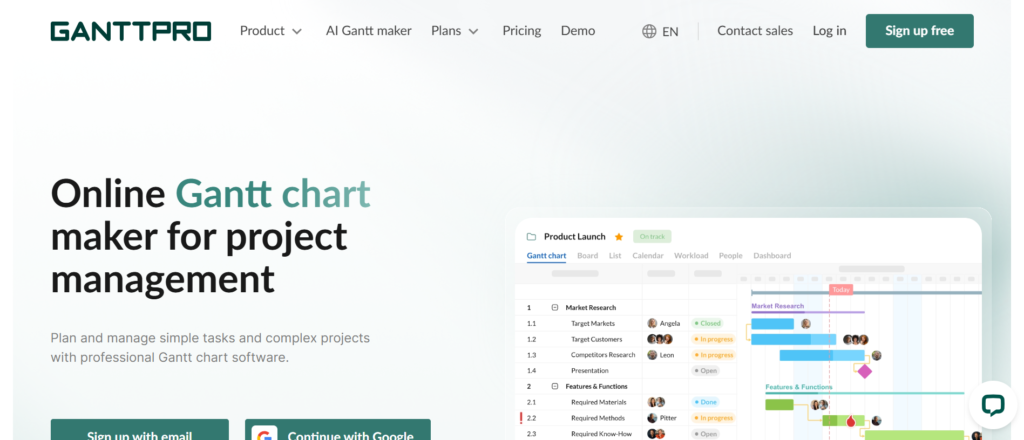
If your planning revolves around timelines, dependencies, and structured schedules, GanttPRO is one of the most practical resource allocation tools built around Gantt charts.GanttPRO is a project management platform with strong resource allocation software features focused on timeline planning. It is widely used by project managers, construction teams, and agencies that rely on structured scheduling.
In many GanttPRO reviews, users highlight its intuitive Gantt chart interface. When comparing GanttPRO vs Microsoft Project, GanttPRO is easier to use, while Microsoft Project offers deeper enterprise capabilities.
Among GanttPRO alternatives, tools like Smartsheet and Monday.com compete, but GanttPRO stands out for timeline clarity.
Key Features
Gantt Chart Planning
GanttPRO’s core strength is its visual timeline. You can plan projects, assign resources, and track dependencies in one view. This makes it easier to see how tasks overlap and where resources are needed.
Resource Workload Management
You can monitor team workload directly within the Gantt chart. This helps identify overallocated resources and adjust schedules before delays occur.
Task Dependencies and Scheduling
GanttPRO allows you to link tasks and set dependencies. This ensures resources are allocated in the correct sequence, reducing the risk of bottlenecks.
Time Tracking and Progress Monitoring
Built-in time tracking allows you to compare planned vs actual work. This helps improve planning accuracy and keeps projects on schedule.
Collaboration and Sharing
You can share project timelines with stakeholders and team members. This keeps everyone aligned and improves communication across projects.
Pros & Cons
| Pros | Cons |
| Strong Gantt chart interface | Limited advanced forecasting |
| Easy to use | Not ideal for large enterprises |
| Clear timeline visibility | Fewer integrations |
| Good workload tracking | Basic financial features |
Pricing
- Basic plan: Around £7–£9 per user/month
- Pro plan: Around £12–£15 per user/month
- Business plan: Around £18–£20 per user/month
- Free trial available
GanttPRO is mid-range among resource allocation tools, offering strong value for timeline-focused teams.
Best For Teams That Plan Around Timelines
GanttPRO is ideal for teams that rely on structured scheduling.
- Project managers — plan tasks and dependencies
- Construction teams — manage timelines and resources
- Agencies — track project schedules
- Operations teams — maintain structured workflows
Verdict:
If your planning depends heavily on timelines and dependencies, GanttPRO is a reliable choice. It keeps resource allocation clear and structured.
Pro Tip: Use Dependencies to Avoid Bottlenecks
Many teams create timelines without linking tasks.
Use dependencies to ensure tasks follow the correct order. This prevents delays and ensures resources are allocated at the right time.
Best Alternative Tool
Smartsheet is a strong alternative if you want spreadsheet-style planning combined with timeline features.
Zoho Projects – Budget-Friendly Resource Allocation for Growing Teams
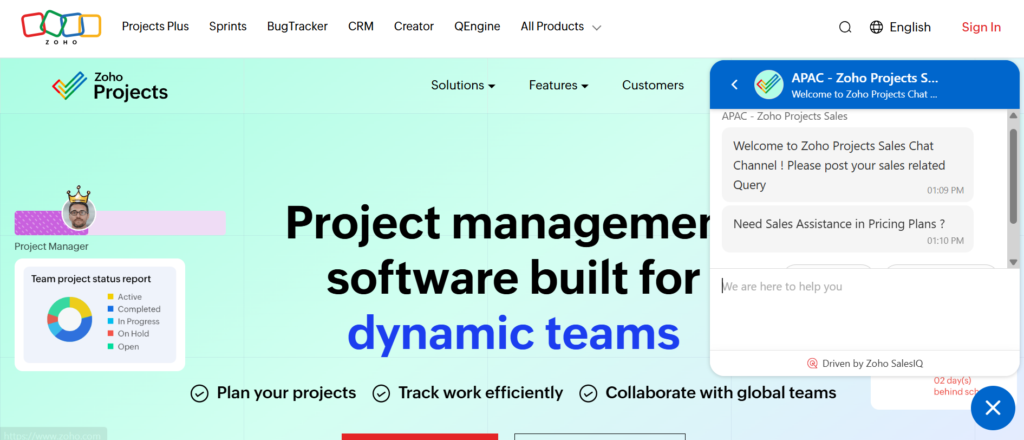
If you need cost-effective resource allocation tools without sacrificing core features, Zoho Projects is one of the strongest options in this category.
Zoho Projects is a project management platform with built-in resource allocation software capabilities, designed for small to mid-sized teams. It is widely used by startups, agencies, and businesses already using the Zoho ecosystem.
In many Zoho Projects reviews, users highlight its affordability and feature set. When comparing Zoho Projects vs Asana, Zoho Projects offers more built-in features at a lower cost, while Asana focuses on simplicity.Among Zoho Projects alternatives, tools like ClickUp and Monday.com compete, but Zoho Projects stands out for value.
Key Features
Resource Allocation and Workload Management
Zoho Projects allows you to assign tasks and monitor workloads across your team. You can see who is overloaded and adjust assignments to maintain balance, which is essential for keeping projects on track.
Task Automation and Blueprints
The platform includes automation features that allow you to create structured workflows. This ensures tasks are assigned consistently and reduces manual coordination.
Gantt Charts and Timeline Tracking
Zoho Projects includes built-in Gantt charts for planning and scheduling. This helps teams allocate resources based on task dependencies and timelines.
Time Tracking and Billing
You can track time spent on tasks and link it to billing. This is particularly useful for agencies and service providers that need to monitor billable hours.
Integration with Zoho Ecosystem
Zoho Projects integrates seamlessly with other Zoho apps like Zoho CRM and Zoho Books. This creates a connected system for managing projects, clients, and finances.
pros & Cons
| Pros | Cons |
| Affordable pricing | Interface feels dated |
| Strong feature set | Limited advanced forecasting |
| Good for small teams | Learning curve for new users |
| Time tracking included | Fewer third-party integrations |
Pricing
- Free plan available
- Premium plan: Around £4–£5 per user/month
- Enterprise plan: Around £8–£10 per user/month
Zoho Projects is one of the most affordable resource allocation tools, making it ideal for budget-conscious teams.
Best For Small Businesses on a Budget
Zoho Projects is ideal for teams that need functionality without high costs.
- Startups — manage projects with limited budgets
- Small agencies — track tasks and resources
- Service providers — monitor billable time
- Growing teams — scale without high expenses
Verdict:
If you want a cost-effective solution that still covers essential features, Zoho Projects is a strong choice.
Pro Tip: Use Time Tracking for Billing Accuracy
Many teams underutilise time tracking.
Use Zoho Projects to log hours accurately and connect them to billing. This ensures you are charging correctly and maintaining profitability.
Best Alternative Tool
ClickUp is a strong alternative if you want more features and customisation at a slightly higher cost.
Microsoft Project – Enterprise-Grade Resource Allocation and Planning
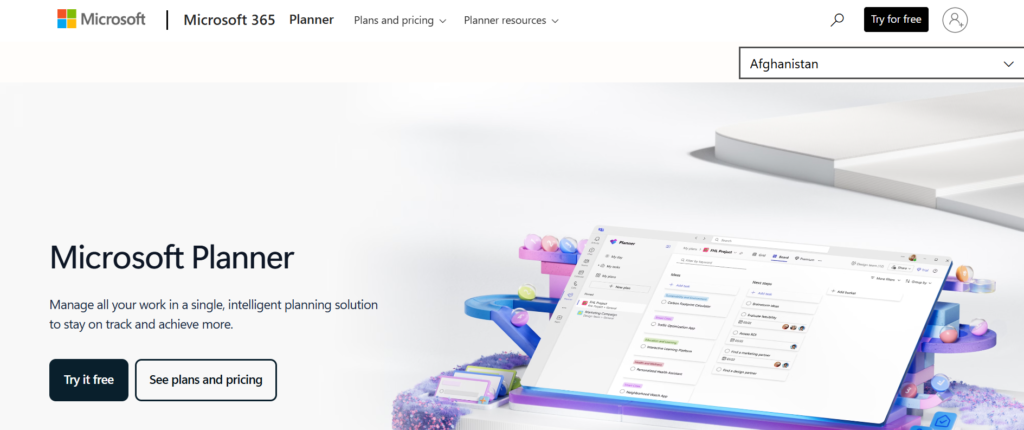
If you need deep planning, forecasting, and enterprise-level control, Microsoft Project remains one of the most powerful resource allocation tools available.Microsoft Project is a long-established resource allocation software used by large organisations, government bodies, and complex project environments. It is designed for detailed planning, scheduling, and resource management.
In many Microsoft Project reviews, users highlight its depth and control. When comparing Microsoft Project vs GanttPRO, Microsoft Project offers far more advanced capabilities, while GanttPRO is easier to use.
Among Microsoft Project alternatives, tools like Smartsheet and Monday.com are often considered, but Microsoft Project still leads in enterprise scenarios.
Key Features
Advanced Resource Management
Microsoft Project allows you to assign resources based on availability, skills, and workload. You can manage complex resource pools across multiple projects, making it one of the most comprehensive resource allocation tools available.
Detailed Project Scheduling
You can create highly detailed project plans with timelines, dependencies, and milestones. This ensures resources are allocated accurately across every phase of a project.
Capacity Planning and Forecasting
Microsoft Project includes advanced forecasting tools that allow you to predict future resource needs. This helps organisations prepare for upcoming projects and avoid bottlenecks.
Budget and Cost Tracking
You can link resources to costs and track project budgets in real time. This is critical for organisations managing large-scale or high-value projects.
Integration with Microsoft Ecosystem
Microsoft Project integrates with tools like Microsoft Teams, Excel, and SharePoint. This ensures your resource planning software fits into your existing workflows.
Pros & Cons
| Pros | Cons |
| Extremely powerful | Steep learning curve |
| Advanced forecasting | Expensive |
| Enterprise-level features | Complex setup |
| Strong integrations | Not beginner-friendly |
Pricing
- Project Plan 1: Around £8–£10 per user/month
- Project Plan 3: Around £25–£30 per user/month
- Project Plan 5: Around £45–£50 per user/month
Microsoft Project sits at the higher end of resource allocation tools, reflecting its enterprise capabilities.
Best For Large Organisations and Complex Projects
Microsoft Project is ideal for organisations that need full control over planning and resources.
- Enterprises — manage large project portfolios
- Government organisations — plan complex initiatives
- Construction firms — handle detailed timelines
- Programme managers — oversee multiple projects
Verdict:
If you need deep control, forecasting, and scalability, Microsoft Project is one of the most powerful options available. It requires training, but delivers unmatched planning capability.
Pro Tip: Use Resource Pools Across Projects
Many teams manage resources project by project.
Instead, create shared resource pools across multiple projects. This gives a clearer picture of availability and prevents conflicts.
Best Alternative Tool
Smartsheet is a strong alternative if you want a more flexible and user-friendly approach to large-scale planning.
Choosing the Right Resource Allocation Tools for Your Team
Here’s the truth most vendors won’t tell you…There is no “perfect” resource allocation tools solution. There is only the right fit for your workflow, your team size, and your operational complexity.
. If you’re managing an enterprise operation, forecasting and capacity planning will matter far more.Throughout this guide, we’ve broken down the best resource allocation tools based on real-world use cases. From simple task-based platforms like Asana to enterprise-grade systems like Microsoft Project, each tool solves a specific problem.
- Struggling with visibility → Choose workload-focused tools
- Scaling operations → Go for forecasting-driven platforms
- Managing billable teams → Prioritise utilisation tracking
- Handling complex timelines → Use Gantt-based systems
The right resource allocation software doesn’t just organise work. It increases utilisation, reduces burnout, and improves delivery timelines.Choose wisely. Because poor allocation costs more than any subscription ever will.
Why Pearl lemon is Your Strategic Advantage
Pearl lemon works with businesses across Rawalpindi and globally to optimise operations, improve resource planning, and implement scalable systems that actually deliver results.Whether you’re struggling with underutilised teams, missed deadlines, or chaotic workflows, their team steps in with:
- Resource planning strategy tailored to your business
- Implementation of the right resource allocation software
- Workflow optimisation for agencies and service businesses
- Performance tracking and reporting systems
- Ongoing consulting to scale operations efficiently
Most companies install tools and hope for the best.Pearl Lemon ensures those tools drive measurable outcomes.
FAQs
1. What are resource allocation tools?
Resource allocation tools are software platforms that help businesses assign, manage, and track resources such as employees, time, and budgets across projects.
2. Why are resource allocation tools important?
They improve efficiency, prevent overloading teams, and ensure projects are completed on time and within budget.
3. Which resource allocation tools are best for small businesses in Rawalpindi?
Tools like Zoho Projects, Asana, and TaskFord are ideal due to affordability and ease of use.
4. What is the difference between resource planning and resource allocation?
Resource planning focuses on forecasting future needs, while resource allocation involves assigning resources to specific tasks or projects.
5. Can resource allocation tools improve productivity?
Yes. They provide visibility into workloads, helping managers distribute tasks more effectively and avoid bottlenecks.
6. Are resource allocation tools suitable for remote teams?
Yes. Most modern tools include collaboration and cloud-based features, making them ideal for remote and distributed teams.
7. How much do resource allocation tools cost?
Pricing varies widely, from free plans to enterprise-level subscriptions costing £50+ per user per month.
8. What features should I look for in resource allocation software?
Key features include workload management, forecasting, reporting, integrations, and time tracking.
9. Can these tools integrate with existing systems?
Most tools integrate with platforms like Slack, Google Workspace, and CRM systems.
10. How do I choose the best resource allocation tools?
Start by identifying your biggest operational challenge, then choose a tool that directly solves that problem.