
Manual tasks eat profit. Repetitive admin slows teams.Missed follow-ups cost revenue.
That is exactly why process automation tools have become essential for companies across the UK and globally.We reviewed dozens of process automation tools used by agencies, SaaS teams, eCommerce stores, operations managers, and enterprise IT departments. After testing features, pricing, scalability, integrations, and workflow automation capabilities, we narrowed the list to the top 20 process automation tools in 2026.
- McKinsey reports up to 45% of business activities can be automated
- Gartner predicts 70% of organisations will use workflow automation platforms by 2027
- Businesses using automation report 30% reduction in operational costs
If your team wastes time on manual workflows, data entry, repetitive tasks, approvals, CRM updates, or reporting, these business process automation tools can increase output without increasing headcount.This guide is ideal for:
- Operations managers
- SaaS founders
- Marketing teams
- IT departments
- Agencies
- SMEs in the UK
- Enterprise teams
What is Process Automation?
Process automation refers to using software to execute repetitive business tasks without manual effort. These tasks may include:
- Data syncing between apps
- Invoice processing
- Email follow-ups
- CRM updates
- HR onboarding workflows
- IT ticket routing
- Marketing campaign triggers
- Report generation
Modern workflow automation software uses AI, integrations, APIs, and no-code builders to automate complex sequences of actions.Types of process automation:
Robotic Process Automation (RPA)
Bots replicate human actions such as clicking, copying data, or logging into systems.
Business Process Management (BPM)
Designing structured workflows across departments.
No-code automation tools
Drag-and-drop workflow builders for non-technical users.
Integration-based automation
Connecting apps like CRM, email platforms, databases, and project tools.Benefits of using business automation platforms:
- Reduced manual errors
- Faster turnaround time
- Consistent operations
- Better compliance tracking
- Improved customer response time
- Scalable workflows
- Increased team productivity
Quick Comparison Table for Process Automation Tools
We selected columns based on what buyers typically compare when choosing automation workflow builders: pricing, complexity level, AI capability, integrations, and scalability.
| Tool | Best For | Starting Price | Free Trial | Key Feature | Rating |
| Zapier | App automation | £19/mo | Yes | 6000+ integrations | 4.7 |
| Make | Visual workflows | £9/mo | Yes | Scenario builder | 4.6 |
| UiPath | Enterprise RPA | Custom | Yes | AI bots | 4.8 |
| Automation Anywhere | Large enterprise | Custom | Demo | RPA cloud | 4.7 |
| Blue Prism | Enterprise RPA | Custom | Demo | Secure bots | 4.6 |
| Microsoft Power Automate | Microsoft users | £12/mo | Yes | Office integration | 4.6 |
| Kissflow | BPM teams | £150/mo | Yes | Workflow builder | 4.5 |
| Nintex | Enterprise workflow | Custom | Demo | Process mapping | 4.4 |
| Pipefy | Ops teams | Free | Yes | Process templates | 4.6 |
| Monday.com | Project automation | £8/mo | Yes | Automation recipes | 4.7 |
| ClickUp | All-in-one teams | £7/mo | Yes | Task automation | 4.7 |
| Asana | Project teams | £10/mo | Yes | Rules automation | 4.6 |
| Trello | Simple workflows | £5/mo | Yes | Butler automation | 4.5 |
| Airtable | Database workflows | £20/mo | Yes | Logic automation | 4.7 |
| HubSpot | CRM automation | Free | Yes | Marketing automation | 4.6 |
| ActiveCampaign | Email workflows | £29/mo | Yes | Behaviour triggers | 4.7 |
| Notion | Knowledge teams | £8/mo | Yes | Workflow logic | 4.6 |
| Pabbly | Budget automation | £16/mo | Yes | Lifetime pricing | 4.5 |
| Integrately | Simple integrations | £19/mo | Yes | 1-click automations | 4.6 |
| Workato | Enterprise integration | Custom | Demo | AI automation | 4.8 |
Zapier – Connect Apps and Automate Work Without Coding
Zapier is one of the most widely used process automation tools for connecting apps and automating repetitive business workflows. Over 2 million companies use Zapier to automate tasks such as CRM updates, lead routing, invoicing, email follow-ups, and database syncing.
This Zapier review confirms why it remains a leader in workflow automation software. Its simple interface allows non-technical teams to build automation workflows quickly. Compared with Zapier alternatives like Make vs Zapier or Zapier vs Workato, Zapier remains easier for beginners while still offering powerful automation logic.
Key Features
1. Multi-App Workflow Automation
Zapier connects more than 6,000 apps including CRM systems, email platforms, project management tools, databases, and marketing software. Users create automated workflows called “Zaps” that trigger actions between apps. This allows operations teams to remove manual admin and keep systems updated automatically. Zapier review feedback consistently highlights integration depth as a major advantage.
2. Trigger-Based Logic System
Users can create automation workflows triggered by events such as new leads, purchases, support tickets, or form submissions. Each trigger can activate multiple actions across platforms. Zapier features conditional logic which enables more precise workflow automation compared with basic automation tools.
3. No-Code Workflow Builder
Zapier’s drag-and-drop builder allows teams without technical experience to design automation workflow sequences. This makes it accessible for SMEs, agencies, and marketing teams looking for fast deployment. Zapier pricing includes entry-level tiers suitable for small teams testing business automation platforms.
4. Multi-Step Automations
Complex business process automation can involve multiple steps such as filtering data, formatting fields, sending notifications, and updating CRMs simultaneously. Zapier supports multi-step workflows even on mid-tier plans, making it suitable for growing operations teams managing complex workflow automation software requirements.
5. Built-In App Templates
Zapier provides pre-built automation workflow templates for marketing, HR onboarding, finance approvals, customer support routing, and reporting dashboards. These templates reduce setup time and improve adoption rates across departments evaluating Zapier vs competitors.
Pros & Cons
| Pros | Cons |
| Large app ecosystem | Cost increases at scale |
| Easy setup | Limited custom logic |
| Strong template library | Premium features pricey |
| Good documentation | Advanced flows complex |
Pricing
| Plan | Price |
| Free | £0 |
| Starter | £19/month |
| Professional | £49/month |
| Team | £69/month |
| Company | Custom |
Zapier pricing varies based on number of tasks, workflow complexity, and premium integrations.
Best For Small Teams Automating Repetitive Admin Tasks
Zapier is particularly suitable for businesses wanting reliable process automation tools without development overhead.Best fit:
- Marketing teams — automate lead capture and CRM syncing
- Agencies — automate client reporting workflows
- SaaS companies — automate onboarding sequences
- eCommerce stores — automate order notifications
- Operations managers — reduce manual admin tasks
Verdict:
Zapier remains one of the most practical business automation platforms for teams wanting quick deployment without technical barriers.
Using Zapier for Lead Qualification Workflows
Create a workflow where new leads are automatically scored based on form responses. High-value leads can be routed to sales instantly, while lower priority contacts are placed into automated email sequences. This reduces manual triage time and improves response speed.
Verdict:
If your team handles high volumes of repetitive digital tasks, Zapier provides reliable automation workflow builder functionality with minimal setup time.
Best Alternate Tool
Make offers more visual workflow mapping and advanced branching logic for users comparing Zapier vs Make.
Make – Visual Workflow Automation for Complex Business Processes
Make (formerly Integromat) is a highly visual process automation tool designed for teams that require advanced workflow control and deeper automation logic. Compared with Zapier vs Make comparisons, Make provides stronger flexibility for multi-step workflows, conditional logic, and data manipulation.
This Make review highlights why it is widely used by SaaS teams, agencies, developers, and operations specialists needing detailed workflow automation software capabilities.
Make pricing is generally lower than competitors, making it appealing for businesses seeking scalable business automation platforms without high monthly costs. Many users evaluating Make alternatives find its scenario builder especially powerful for advanced process automation tools use cases.
Key Features
1. Visual Scenario Builder
Make allows users to design automation workflows visually using a flowchart-style interface. Each step in the process can be mapped logically, enabling teams to see dependencies between apps and actions clearly. This improves clarity when managing complex workflow automation software across departments.
2. Advanced Logic and Conditional Branching
Make supports filters, routers, conditional logic, and iterative processes. This allows companies to build highly customised automation workflow builder structures. Compared with simpler process automation tools, Make supports deeper logic for data-heavy workflows.
3. Real-Time Data Processing
Make allows instant data transformation within workflows. Users can modify variables, parse data fields, aggregate information, or restructure datasets automatically. This functionality makes it highly valuable for data synchronisation between CRM systems, analytics tools, and operational platforms.
4. Extensive App Integrations
Make integrates with more than 1,500 applications including CRMs, marketing tools, databases, payment gateways, and project management systems. Businesses comparing Make vs Zapier often choose Make for deeper API-level integrations.
5. Cost-Efficient Pricing Structure
Make pricing is based on operations rather than tasks, often making it more affordable for businesses running high-volume automation workflows. This pricing structure appeals to SMEs scaling workflow automation software gradually
Pros & Cons
| Pros | Cons |
| Strong visual builder | Learning curve higher |
| Advanced automation logic | UI initially complex |
| Competitive pricing | Fewer templates |
| Flexible integrations | Requires testing |
Pricing
| Plan | Price |
| Free | £0 |
| Core | £9/month |
| Pro | £16/month |
| Teams | £29/month |
| Enterprise | Custom |
Make pricing depends on operations volume and workflow complexity.
Ideal for Agencies Managing Complex Workflow Automation
Make is highly suitable for businesses needing scalable process automation tools with detailed control over automation logic.
Best fit:
- SaaS teams — automate user onboarding workflows
- Agencies — automate campaign reporting pipelines
- eCommerce businesses — automate inventory updates
- Developers — build API-based workflow automation software
- Operations managers — automate multi-step processes
Verdict:
Make provides one of the most flexible automation workflow builder systems available for teams requiring advanced business automation platforms.
Unique Tip: Using Make for Multi-Channel Customer Data Sync
Create a scenario where customer data from website forms automatically updates CRM records, email marketing lists, and internal databases simultaneously. This prevents inconsistent records and reduces manual data reconciliation.
Verdict:
If your workflow automation requirements involve complex branching logic, Make is one of the strongest Zapier alternatives available.
Best Alternate Tool
Zapier is often preferred by beginners wanting simpler process automation tools with faster initial setup.
UiPath – Enterprise Robotic Process Automation Platform
UiPath is a leading enterprise-grade process automation tool specialising in robotic process automation (RPA). It is widely used by large organisations to automate rule-based tasks such as invoice processing, data extraction, compliance reporting, and system integrations.
This UiPath review shows why it is frequently compared in UiPath vs Automation Anywhere discussions. UiPath combines AI-powered automation with enterprise governance controls, making it one of the most scalable business automation platforms available.
Companies evaluating UiPath pricing typically include banks, healthcare providers, telecom companies, and large IT departments seeking high-volume workflow automation software capable of handling structured and unstructured data.
Key Features
1. Robotic Process Automation Bots
UiPath enables software robots to mimic human interactions across digital systems. Bots can log into applications, extract data, move files, complete forms, and execute repetitive workflows. UiPath features provide high accuracy in rule-based processes, making it ideal for enterprise process automation tools deployments.
2. AI Document Understanding
UiPath integrates AI models capable of reading structured and semi-structured documents such as invoices, contracts, PDFs, and spreadsheets. This reduces manual data entry requirements and increases processing efficiency in finance and legal departments evaluating UiPath alternatives.
3. Drag-and-Drop Workflow Studio
UiPath Studio provides a visual automation workflow builder enabling technical and semi-technical teams to create bots without extensive coding knowledge. Compared with traditional RPA tools, UiPath allows faster deployment of workflow automation software across departments.
4. Process Mining and Task Capture
UiPath includes process mining features that identify automation opportunities by analysing user activity. This allows companies to locate inefficiencies and prioritise automation opportunities using data-driven insights within business automation platforms.
5. Enterprise Security and Governance Controls
UiPath offers role-based access control, audit logs, encryption protocols, and compliance tools. Organisations comparing UiPath vs Blue Prism often prioritise governance and scalability capabilities required for large digital transformation initiatives.
Pros & Cons
| Pros | Cons |
| Enterprise scalability | Expensive setup |
| AI-powered automation | Technical expertise needed |
| Strong compliance features | Longer deployment time |
| Process mining tools | Training required |
Pricing
| Plan | Price |
| Community | Free |
| Pro | Custom |
| Enterprise | Custom |
UiPath pricing varies depending on both volume, infrastructure, and enterprise requirements.
Best For Enterprise Teams Managing High-Volume Processes
UiPath is designed for organisations requiring advanced workflow automation software capable of handling complex digital operations at scale.
Best fit:
- Banking institutions — automate compliance reporting workflows
- Healthcare providers — automate patient record processing
- Telecom companies — automate support ticket routing
- Enterprise IT teams — automate system maintenance workflows
- Finance departments — automate invoice processing
Verdict:
UiPath is one of the most powerful process automation tools available for enterprise organisations managing large operational workloads.
Unique Tip: Using UiPath for Legacy System Integration
Many enterprises still rely on legacy software without modern APIs. UiPath bots can interact with these systems through screen-based automation, allowing organisations to connect outdated platforms without redevelopment costs.
Verdict:
If your organisation processes large volumes of structured data daily, UiPath provides enterprise-level business automation platform capabilities.
Best Alternate Tool
Automation Anywhere is frequently considered when comparing UiPath vs Automation Anywhere for enterprise RPA deployments.
Automation Anywhere – Enterprise RPA for Scalable Business Operations
Automation Anywhere is a leading enterprise-focused process automation tool specialising in robotic process automation and intelligent workflow automation software. It is commonly compared in Automation Anywhere vs UiPath discussions due to its strong AI automation capabilities and cloud-native architecture.
This Automation Anywhere review shows why it is used by global enterprises needing structured business automation platforms for finance, HR, IT, and customer operations. Companies evaluating Automation Anywhere pricing typically prioritise scalability, governance, and AI-powered automation workflows.
Automation Anywhere alternatives such as Blue Prism and UiPath offer similar enterprise capabilities, but Automation Anywhere stands out for its cloud-based deployment flexibility.
Key Features
1. Cloud-Native RPA Platform
Automation Anywhere provides a fully cloud-based robotic process automation environment. This allows organisations to deploy automation workflows without complex infrastructure setup. Cloud accessibility enables faster scaling of workflow automation software across multiple departments and locations.
2. AI-Powered Automation Bots
Automation Anywhere integrates artificial intelligence models capable of handling semi-structured data such as invoices, emails, and PDFs. AI bots identify patterns and execute rule-based actions, making it easier for enterprises adopting process automation tools to reduce manual effort.
3. Bot Creator Interface
Automation Anywhere includes a low-code interface allowing users to create automation workflow builder sequences visually. This enables technical teams and operations departments to collaborate when building scalable workflow automation software.
4. Enterprise Security Framework
Automation Anywhere includes role-based access permissions, audit trails, encryption protocols, and governance controls. Organisations comparing Automation Anywhere vs Blue Prism often consider compliance capabilities critical for regulated industries.
5. Bot Analytics Dashboard
Automation Anywhere provides reporting dashboards to track automation performance, task completion time, and error rates. This allows teams to evaluate the ROI of business automation platforms using measurable productivity metrics.
Pros & Cons
| Pros | Cons |
| Strong AI automation | Higher cost tier |
| Cloud deployment | Requires training |
| Enterprise scalability | Complex setup |
| Strong analytics tools | Developer involvement needed |
Pricing
| Plan | Price |
| Community Edition | Free |
| Cloud Starter | Custom |
| Enterprise | Custom |
Automation Anywhere pricing varies depending on number of bots, cloud infrastructure usage, and enterprise workflow automation software requirements.
Best For Enterprises Automating High-Volume Repetitive Processes
Automation Anywhere is best suited for organisations requiring scalable process automation tools capable of handling structured workflows across departments.
Best fit:
- Financial services firms — automate invoice approvals
- Insurance companies — automate claims processing workflows
- Healthcare providers — automate patient data handling
- IT departments — automate system monitoring workflows
- HR teams — automate onboarding processes
Verdict:
Automation Anywhere is one of the strongest enterprise business automation platforms available for organisations requiring AI-enabled robotic process automation.
Unique Tip: Using Automation Anywhere for Compliance Tracking
Create bots that log every step of regulatory workflows automatically. This provides detailed audit trails for compliance teams and reduces manual reporting requirements.
Verdict:
If your organisation requires governance-focused workflow automation software, Automation Anywhere offers enterprise-grade control and scalability
Best Alternate Tool
UiPath is frequently compared when evaluating Automation Anywhere alternatives for enterprise RPA implementations.
Blue Prism – Secure Robotic Process Automation for Regulated Industries
Blue Prism is an enterprise-focused process automation tool designed for organisations requiring high-level governance, compliance control, and secure robotic process automation deployment. It is often compared in Blue Prism vs UiPath and Blue Prism vs Automation Anywhere discussions due to its strong emphasis on auditability and structured workflow automation software.
This Blue Prism review highlights why financial institutions, government agencies, and healthcare providers rely on its digital workforce technology. Businesses evaluating Blue Prism pricing often prioritise risk management and compliance within business automation platforms.
Blue Prism alternatives typically include UiPath and Automation Anywhere, but Blue Prism remains a preferred option for highly regulated environments.
Key Features
1. Digital Workforce Automation
Blue Prism enables organisations to deploy software robots that replicate human actions across enterprise applications. These bots can perform repetitive tasks such as processing forms, validating records, updating databases, and managing approvals. Blue Prism features support consistent execution of workflow automation software across departments.
2. Centralised Governance Controls
Blue Prism provides strong governance capabilities including audit trails, permission controls, and compliance monitoring. This makes it suitable for organisations requiring structured business automation platforms aligned with regulatory requirements such as GDPR and financial compliance standards.
3. Visual Process Designer
Blue Prism includes a drag-and-drop automation workflow builder allowing teams to create rule-based workflows without extensive coding. This visual interface simplifies deployment of process automation tools across complex IT environments.
4. Secure Role-Based Access
Security features include user authentication layers, role permissions, and encrypted data processing. Organisations comparing Blue Prism vs Automation Anywhere often evaluate security architecture as a deciding factor when selecting workflow automation software.
5. Scalable Digital Workforce Management
Blue Prism allows companies to manage hundreds of bots simultaneously through centralised dashboards. This ensures large enterprises can scale process automation tools without losing visibility over automated operations.
Pros & Cons
| Pros | Cons |
| Strong compliance features | Higher implementation cost |
| High scalability | Requires technical expertise |
| Secure governance structure | Longer deployment timeline |
| Stable enterprise architecture | Fewer built-in integrations |
Pricing
| Plan | Price |
| Trial | Available |
| Enterprise Licence | Custom |
| Cloud Deployment | Custom |
Blue Prism pricing depends on the number of bots, deployment model, and enterprise workflow automation software requirements.
Best For Enterprises Requiring High-Level Compliance Automation
Blue Prism is best suited for organisations prioritising governance, auditability, and secure digital workforce management.
Best fit:
- Banks — automate regulatory reporting workflows
- Government agencies — automate compliance documentation
- Healthcare providers — automate patient record workflows
- Insurance companies — automate policy processing
- Enterprise IT teams — automate structured system workflows
Verdict:
Blue Prism is a strong choice for enterprises needing secure and compliant process automation tools across large operational environments.
Unique Tip: Using Blue Prism for Regulatory Audit Preparation
Configure automation workflows to log every step of document processing. This creates transparent audit trails that simplify regulatory reviews and reduce manual reporting workload.
Verdict:
If compliance and governance are primary concerns, Blue Prism provides structured business automation platform capabilities.
Best Alternate Tool
UiPath is often considered when comparing Blue Prism alternatives for enterprise robotic process automation deployment.
Microsoft Power Automate – Workflow Automation Inside the Microsoft Ecosystem
Microsoft Power Automate is a widely adopted process automation tool designed for businesses using Microsoft products such as Office 365, SharePoint, Teams, and Dynamics. It is frequently compared in Microsoft Power Automate vs Zapier and Power Automate vs UiPath evaluations due to its strong integration within the Microsoft environment.
This Microsoft Power Automate review shows why it is popular among SMEs, enterprises, and IT departments looking for workflow automation software that integrates directly with existing Microsoft tools. Microsoft Power Automate pricing is competitive, making it attractive for organisations already subscribed to Microsoft services.
Businesses searching for Power Automate alternatives often consider Zapier or Make, but Power Automate remains a strong option for internal workflow automation.
Key Features
1. Deep Microsoft Ecosystem Integration
Microsoft Power Automate connects seamlessly with Microsoft products including Excel, Outlook, SharePoint, OneDrive, Dynamics 365, and Teams. This enables organisations to automate internal processes without needing additional integrations. Companies using Microsoft infrastructure often find Power Automate faster to deploy than other business automation platforms.
2. No-Code Workflow Builder
Power Automate includes a visual automation workflow builder that allows teams to create process automation tools without coding knowledge. Users can design approval workflows, notifications, and data synchronisation across departments using simple drag-and-drop functionality.
3. AI Builder Capability
Power Automate includes AI features capable of processing documents, recognising text, and predicting workflow outcomes. These AI capabilities make it suitable for organisations implementing intelligent workflow automation software across finance, HR, and customer service operations.
4. Robotic Process Automation
Microsoft Power Automate includes RPA functionality for automating legacy systems that do not support API connections. Bots can interact with on-screen elements, enabling businesses to integrate outdated software into modern process automation tools.
5. Pre-Built Templates
Microsoft provides hundreds of automation templates covering approvals, notifications, reporting, and document workflows. Templates allow faster implementation of workflow automation software for operational teams evaluating Power Automate vs competitors.
Pros & Cons
| Pros | Cons |
| Strong Microsoft integration | Limited outside ecosystem |
| Affordable pricing tiers | UI can feel complex |
| AI automation included | Premium connectors cost extra |
| RPA functionality | Learning curve moderate |
Pricing
| Plan | Price |
| Free | £0 |
| Per User | £12/month |
| Per Flow | £75/month |
| Enterprise | Custom |
Microsoft Power Automate pricing depends on number of users, automation workflows, and premium connectors.
Best For Microsoft-Based Organisations Automating Internal Processes
Microsoft Power Automate is highly suitable for companies already using Microsoft products seeking reliable process automation tools.
Best fit:
- Corporate teams — automate approval workflows
- Finance departments — automate invoice processing
- HR teams — automate onboarding processes
- IT departments — automate support ticket routing
- Operations managers — automate reporting workflows
Verdict:
Microsoft Power Automate is one of the most practical workflow automation software options for organisations already embedded in the Microsoft ecosystem.
Unique Tip: Using Power Automate for Automated Approval Chains
Build approval workflows triggered automatically when documents are uploaded to SharePoint. Approvers receive notifications in Teams, reducing delays in internal decision-making processes.
Verdict:
If your organisation relies heavily on Microsoft applications, Power Automate is a logical business automation platform choice.
Best Alternate Tool
Zapier is often selected when comparing Microsoft Power Automate alternatives for broader third-party app integrations.
Kissflow – Business Process Automation for Operations Teams
Kissflow is a powerful process automation tool designed for organisations needing structured workflow automation software across departments such as HR, finance, procurement, and operations. It is commonly compared in Kissflow vs Nintex and Kissflow vs Pipefy discussions due to its focus on business process management.
This Kissflow review highlights its strength in creating structured approval workflows, case management systems, and internal request processes. Kissflow pricing is positioned for SMEs and enterprise teams seeking business automation platforms with minimal development requirements.
Companies evaluating Kissflow alternatives often prioritise flexibility, governance, and ease of deployment when selecting process automation tools.
Key Features
1. Visual Workflow Builder
Kissflow provides a drag-and-drop automation workflow builder allowing teams to create structured business processes without coding. Users can define approval chains, task routing rules, and decision logic easily. Kissflow features allow operations managers to maintain consistency across workflow automation software.
2. Process Tracking Dashboard
Kissflow includes dashboards that allow teams to monitor workflow progress in real time. Managers can identify delays, bottlenecks, and inefficiencies across departments using built-in analytics tools within business automation platforms.
3. Role-Based Access Controls
Kissflow enables organisations to assign permissions based on roles, departments, and seniority levels. This ensures secure execution of process automation tools across finance, HR, and procurement workflows requiring approval hierarchy.
4. Form-Based Automation
Users can create custom forms to collect structured information from employees, customers, or vendors. These forms trigger workflow automation software sequences automatically, reducing manual follow-up and improving data accuracy.
5. Integration Capabilities
Kissflow integrates with common workplace tools including Google Workspace, Microsoft 365, Slack, and CRM platforms. This enables teams to connect workflow automation processes with existing digital systems.
Pros & Cons
| Pros | Cons |
| Strong process structure | Higher starting price |
| Easy workflow builder | Limited advanced AI |
| Good governance controls | Fewer integrations than Zapier |
| Suitable for departments | Customisation limits |
Pricing
| Plan | Price |
| Basic | £150/month |
| Enterprise | Custom |
| Trial | Available |
Kissflow pricing depends on number of users, workflow complexity, and integration requirements.
Best For Operations Teams Managing Approval Workflows
Kissflow is ideal for organisations requiring structured internal workflow automation software across departments.
Best fit:
- HR teams — automate leave approval workflows
- Finance departments — automate purchase approvals
- Procurement teams — automate vendor onboarding
- Operations managers — automate task routing
- Corporate teams — automate internal requests
Verdict:
Kissflow provides structured process automation tools suitable for organisations seeking consistency across internal workflows.
Unique Tip: Using Kissflow for Procurement Approval Chains
Create procurement workflows where purchase requests automatically route through finance and management approvals. Notifications ensure no request is missed, reducing procurement delays.
Verdict:
If your organisation requires structured approval workflows, Kissflow offers reliable business automation platform functionality.
Best Alternate Tool
Pipefy is often considered when evaluating Kissflow alternatives for operations-focused workflow automation software.
Nintex – Advanced Workflow Automation for Enterprise Process Management
Nintex is a well-established process automation tool designed for organisations requiring structured workflow automation software with advanced document management and approval routing capabilities. It is frequently compared in Nintex vs Kissflow and Nintex vs Microsoft Power Automate evaluations due to its enterprise-grade business automation platforms.
This Nintex review shows why large organisations use Nintex to automate document approvals, contract management, compliance tracking, and structured operational workflows. Nintex pricing typically reflects its enterprise positioning, offering scalable process automation tools for complex internal processes.
Companies reviewing Nintex alternatives often consider governance, document workflow capabilities, and integration depth as key decision factors.
Key Features
1. Advanced Workflow Automation Builder
Nintex provides a drag-and-drop automation workflow builder enabling organisations to create structured approval processes, task routing systems, and document workflows. Nintex features allow teams to standardise operations using repeatable workflow automation software patterns across departments.
2. Document Generation Automation
Nintex enables automated document creation using pre-configured templates. Contracts, invoices, compliance forms, and HR documents can be generated automatically when workflow triggers are activated. This reduces manual document preparation time within business automation platforms.
3. Process Mapping Tools
Nintex includes visual process mapping functionality allowing teams to document, analyse, and improve operational workflows. Businesses implementing process automation tools use process mapping to identify inefficiencies and improve task routing structures.
4. Integration with Enterprise Systems
Nintex integrates with Microsoft SharePoint, Salesforce, Office 365, and other enterprise platforms. These integrations allow workflow automation software to connect with CRM systems, document storage environments, and internal databases.
5. Compliance and Governance Controls
Nintex includes role-based permissions, audit tracking, and workflow history logs. Organisations in regulated sectors use Nintex to maintain visibility over operational workflows and meet compliance requirements.
Pros & Cons
| Pros | Cons |
| Strong document automation | Higher cost tier |
| Enterprise workflow control | Requires setup time |
| Good compliance features | Complex UI initially |
| Strong SharePoint integration | Training required |
Pricing
| Plan | Price |
| Professional | Custom |
| Enterprise | Custom |
| Trial | Available |
Nintex pricing depends on workflow volume, integrations, and enterprise requirements.
Best For Enterprises Managing Document Approval Processes
Nintex is particularly suitable for organisations requiring structured process automation tools for document-heavy workflows.
Best fit:
- Legal teams — automate contract approvals
- HR departments — automate employee documentation
- Finance teams — automate invoice workflows
- Corporate operations — automate compliance documentation
- Enterprise IT teams — automate structured internal workflows
Verdict:
Nintex provides reliable business automation platform functionality for organisations managing document-intensive processes.
Unique Tip: Using Nintex for Contract Lifecycle Automation
Create workflows where contract drafts automatically move through legal review, compliance approval, and final authorisation stages. Notifications ensure each stakeholder reviews documents without manual follow-up.
Verdict:
If your organisation relies heavily on document workflows, Nintex offers structured workflow automation software capabilities.
Best Alternate Tool
Kissflow is commonly evaluated when comparing Nintex alternatives for structured approval workflows.
Pipefy – Process Automation for Operations and Internal Workflows
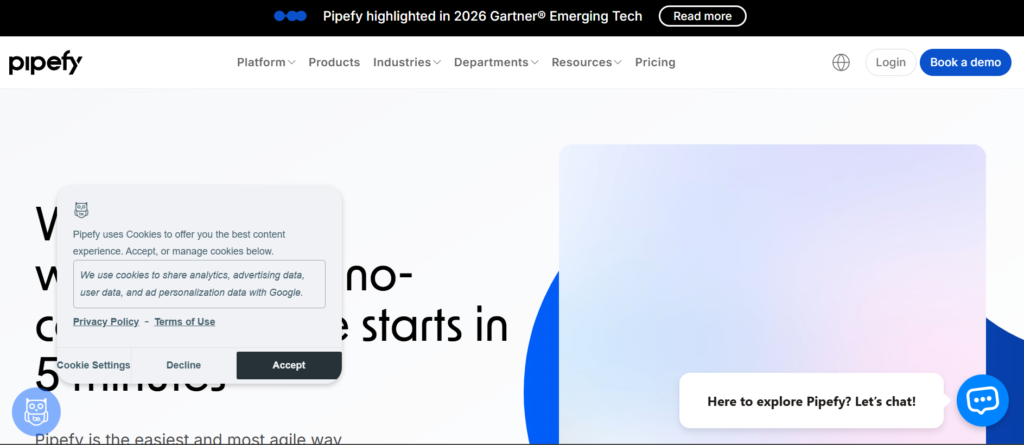
Pipefy is a flexible process automation tool designed to help operations teams build structured workflows without requiring technical expertise. It is commonly compared in Pipefy vs Kissflow and Pipefy vs Monday discussions due to its strong process management capabilities and user-friendly workflow automation software.
This Pipefy review shows why it is widely used by HR teams, finance departments, procurement managers, and customer support operations. Pipefy pricing includes a free tier, making it attractive for SMEs testing business automation platforms before scaling.
Companies reviewing Pipefy alternatives often look at ease of setup, workflow templates, and process visibility when selecting process automation tools.
Key Features
1. Workflow Template Library
Pipefy includes pre-built templates for HR onboarding, procurement requests, finance approvals, and support workflows. These templates allow teams to deploy workflow automation software quickly without building processes from scratch.
2. No-Code Process Builder
Pipefy offers a visual automation workflow builder enabling teams to create structured workflows using drag-and-drop logic. Users can define task stages, approval requirements, and triggers within business automation platforms.
3. Process Tracking Dashboard
Pipefy provides real-time dashboards showing workflow progress, bottlenecks, and pending approvals. Managers gain visibility into operational processes and can identify inefficiencies using built-in analytics features.
4. Conditional Logic Automation
Pipefy allows teams to create automation rules triggered by form submissions, task completion, or status changes. This ensures consistent execution of repetitive workflow automation software processes.
5. Integration Capabilities
Pipefy integrates with tools such as Slack, Google Workspace, CRM platforms, and project management software. These integrations allow companies to connect process automation tools with existing digital infrastructure.
Pros & Cons
| Pros | Cons |
| Easy workflow setup | Limited advanced AI |
| Free plan available | Customisation limits |
| Strong templates | Enterprise features cost more |
| Clear process tracking | Integration depth moderate |
Pricing
| Plan | Price |
| Free | £0 |
| Business | £20/month |
| Enterprise | Custom |
Pipefy pricing depends on number of users, workflow complexity, and integration requirements.
Best For Operations Teams Standardising Internal Processes
Pipefy is ideal for companies seeking structured process automation tools for internal operations without technical complexity.
Best fit:
- HR departments — automate employee onboarding workflows
- Procurement teams — automate purchase request approvals
- Finance teams — automate expense approvals
- Customer service teams — automate support ticket routing
- Operations managers — standardise internal workflows
Verdict:
Pipefy provides practical workflow automation software for organisations wanting structured processes without technical development requirements.
Unique Tip: Using Pipefy for HR Onboarding Workflow Automation
Create onboarding workflows where new employee details automatically trigger equipment requests, training assignments, and welcome emails. This ensures consistent onboarding experience across teams.
Verdict:
If your organisation requires structured operational workflows, Pipefy is a practical business automation platform option.
Best Alternate Tool
Kissflow is often evaluated when comparing Pipefy alternatives for structured process automation tools.
Monday.com – Work Management Platform with Built-In Process Automation
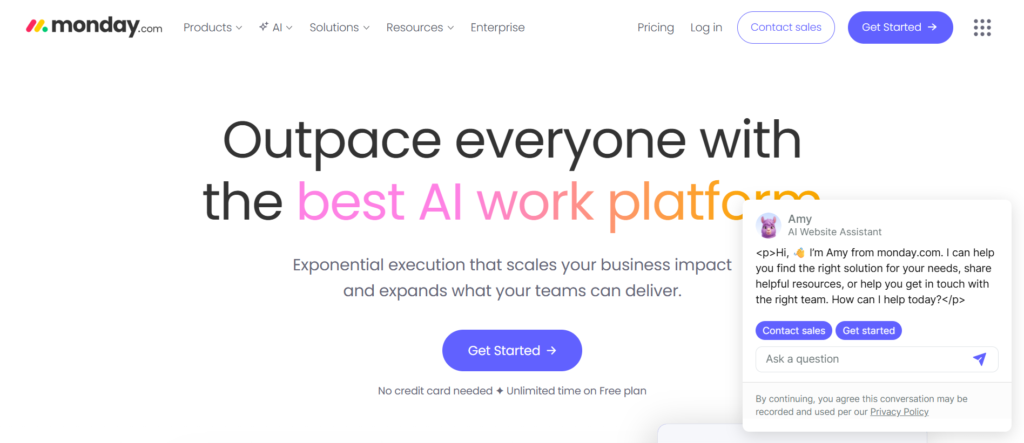
Monday.com is a popular process automation tool combining project management with workflow automation software. It is frequently compared in Monday vs ClickUp and Monday vs Asana discussions because of its flexible automation workflow builder and visual task tracking system.
This Monday.com review shows why marketing teams, agencies, SaaS companies, and operations managers use it to automate recurring tasks, approval workflows, and project timelines. Monday.com pricing starts at an accessible level, making it appealing for teams adopting business automation platforms gradually.
Companies evaluating Monday.com alternatives often prioritise usability, collaboration features, and automation flexibility when choosing process automation tools.
Key Features
1. Automation Recipes
Monday.com provides pre-built automation templates called recipes that trigger actions based on specific conditions. Teams can automatically assign tasks, send notifications, update statuses, and move projects forward without manual input. These automation workflow builder templates reduce repetitive work across departments.
2. Visual Workflow Dashboards
Monday.com uses visual boards that allow teams to track workflow progress clearly. Colour-coded status updates help operations teams identify bottlenecks quickly when using workflow automation software across projects.
3. Multi-Step Workflow Automation
Users can create automation sequences that involve multiple steps, such as sending notifications, assigning tasks, updating CRM fields, and generating reminders. This allows businesses to manage complex workflow automation software efficiently.
4. Integration with Business Tools
Monday.com integrates with Slack, Google Workspace, Microsoft Teams, CRM systems, and marketing platforms. These integrations allow companies to connect process automation tools with communication and productivity platforms.
5. Collaboration-Focused Automation
Monday.com includes built-in communication tools, file sharing, tagging, and notifications. Teams can automate internal communication flows, ensuring tasks move forward without manual follow-up.
Pros & Cons
| Pros | Cons |
| User-friendly interface | Automation limits on basic plans |
| Strong visual dashboards | Pricing increases per user |
| Good integration options | Advanced workflows cost more |
| Collaboration features | Setup required |
Pricing
| Plan | Price |
| Basic | £8/user/month |
| Standard | £10/user/month |
| Pro | £16/user/month |
| Enterprise | Custom |
Monday.com pricing depends on number of users, automation volume, and advanced workflow automation software features.
Best For Teams Managing Projects with Built-In Automation
Monday.com is highly suitable for teams wanting process automation tools combined with project tracking functionality.
Best fit:
- Marketing teams — automate campaign workflows
- Agencies — automate client project tracking
- SaaS companies — automate onboarding tasks
- Operations managers — automate recurring workflows
- Product teams — automate development tracking
Verdict:
Monday.com combines workflow automation software with project collaboration features, making it a practical business automation platform for growing teams.
Unique Tip: Using Monday.com for Client Approval Automation
Create workflows where clients automatically receive notifications when deliverables are ready for review. Approval feedback can trigger next-stage tasks without manual coordination.
Verdict:
If your team manages projects requiring structured task automation, Monday.com provides flexible process automation tools.
Best Alternate Tool
ClickUp is often considered when comparing Monday.com alternatives for workflow automation software and task management features.
ClickUp – All-in-One Work Platform with Advanced Process Automation
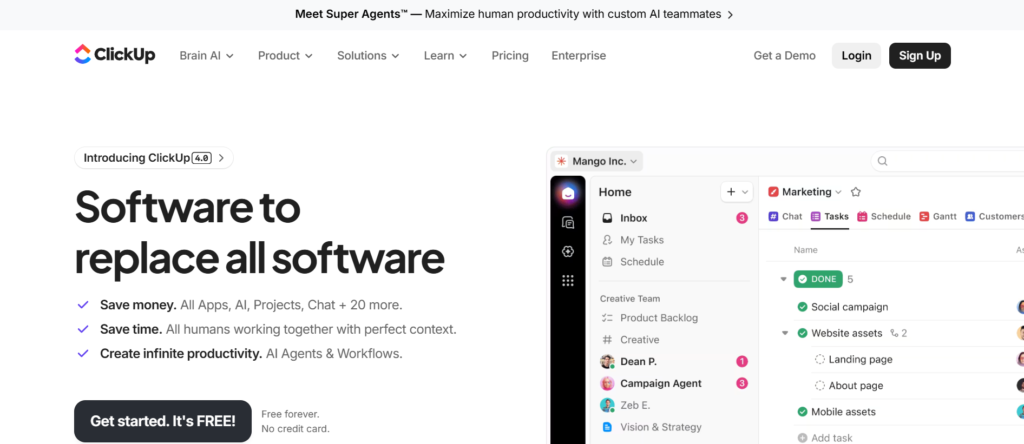
ClickUp is a versatile process automation tool combining task management, workflow automation software, documentation, and collaboration features in a single platform. It is commonly compared in ClickUp vs Monday and ClickUp vs Asana discussions because of its strong automation workflow builder and customisable workspace structure.
This ClickUp review shows why agencies, SaaS companies, startups, and operations managers rely on ClickUp to automate repetitive tasks, approval workflows, reporting, and internal processes. ClickUp pricing is competitive, making it suitable for teams adopting business automation platforms without large upfront costs.
Companies evaluating ClickUp alternatives typically consider flexibility, scalability, and automation depth when selecting process automation tools.
Key Features
1. Custom Automation Rules
ClickUp allows users to create workflow automation software rules triggered by task changes, due dates, priority updates, or status changes. Automation rules reduce manual follow-ups and ensure consistent process execution across departments.
2. Multi-Step Workflow Automation
ClickUp supports complex automation sequences involving task creation, notifications, field updates, tagging, and reporting triggers. Teams managing high-volume workflows benefit from structured process automation tools that reduce repetitive admin.
3. Custom Fields and Data Tracking
ClickUp allows teams to create custom data fields for tracking client details, budgets, campaign metrics, or project stages. These structured fields support workflow automation software triggers based on specific data conditions.
4. Integration with Business Tools
ClickUp integrates with Slack, Google Workspace, Microsoft Teams, CRM systems, GitHub, and marketing tools. These integrations enable teams to connect business automation platforms with existing digital systems.
5. Dashboard Reporting Automation
ClickUp includes dashboards that automatically update project progress, workload distribution, and performance metrics. Automated reporting reduces manual monitoring tasks across operations teams.
Pros & Cons
| Pros | Cons |
| Highly customisable workflows | Interface can feel complex |
| Competitive pricing | Setup takes time |
| Strong automation flexibility | Learning curve moderate |
| All-in-one workspace | Some features overwhelming |
Pricing
| Plan | Price |
| Free | £0 |
| Unlimited | £7/user/month |
| Business | £12/user/month |
| Enterprise | Custom |
ClickUp pricing varies based on storage limits, automation usage, and collaboration features.
Best For Teams Managing Projects and Workflow Automation Together
ClickUp is highly suitable for organisations seeking flexible process automation tools combined with project tracking capabilities.
Best fit:
- Agencies — automate client task workflows
- SaaS companies — automate product development tracking
- Marketing teams — automate campaign workflows
- Operations managers — automate internal approvals
- Startups — manage multiple processes in one system
Verdict:
ClickUp provides powerful workflow automation software suitable for teams requiring flexibility and scalability within business automation platforms.
Unique Tip: Using ClickUp for Automated Recurring Task Management
Create recurring workflows for weekly reporting, content production, or sales follow-ups. Automations ensure tasks are generated automatically without manual scheduling.
Verdict:
If your organisation wants centralised task and process automation tools, ClickUp offers strong functionality across departments.
Best Alternate Tool
Monday.com is often evaluated when comparing ClickUp alternatives for visual workflow automation software.
Tool #12: Asana – Project and Process Automation for Team Productivity
Summary
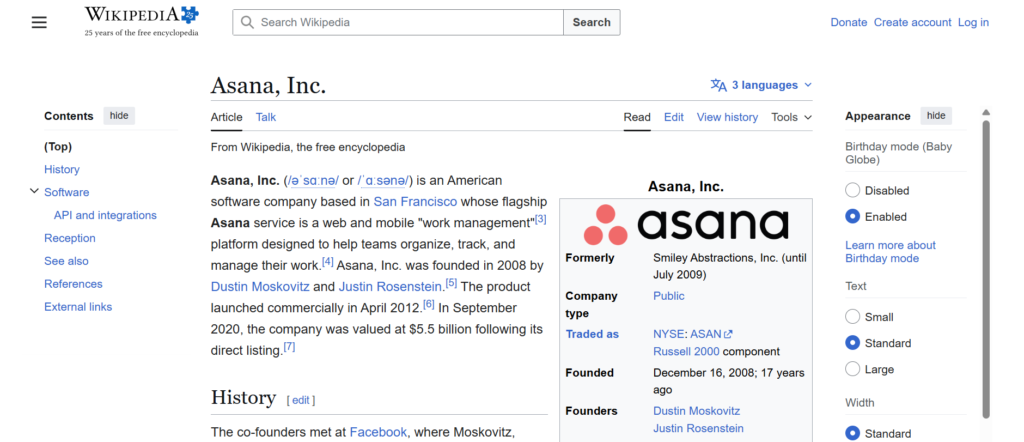
Asana is a widely used process automation tool designed to manage team workflows, automate recurring tasks, and maintain structured project timelines. It is commonly compared in Asana vs ClickUp and Asana vs Monday discussions because of its clean interface and reliable workflow automation software.
This Asana review shows why marketing teams, agencies, SaaS companies, and operations departments rely on Asana to manage approvals, track progress, and automate repetitive processes. Asana pricing includes flexible plans, making it suitable for businesses adopting business automation platforms at different growth stages.
Companies exploring Asana alternatives often evaluate automation flexibility, usability, and integration capability when choosing process automation tools.
Key Features
1. Rules-Based Workflow Automation
Asana allows users to create rules that automatically assign tasks, update statuses, notify team members, and move projects forward. These automation workflow builder rules reduce manual coordination across teams managing multiple projects.
2. Task Dependency Automation
Asana allows teams to create dependent tasks that trigger automatically when previous tasks are completed. This ensures structured workflow automation software sequences across departments handling multi-stage projects.
3. Timeline and Workflow Visibility
Asana includes visual timeline views allowing teams to track project stages clearly. Workflow visibility improves coordination across departments using process automation tools to manage operational workflows.
4. Integration with Business Tools
Asana integrates with Slack, Google Workspace, Microsoft Teams, CRM platforms, and marketing tools. These integrations allow companies to connect workflow automation software with existing systems.
5. Pre-Built Workflow Templates
Asana provides workflow templates for marketing campaigns, product launches, onboarding processes, and content production. Templates allow teams to implement process automation tools faster.
Pros & Cons
| Pros | Cons |
| Clean interface | Automation limits on basic plan |
| Strong project visibility | Advanced workflows cost more |
| Good integrations | Customisation moderate |
| Easy collaboration | Complex logic limited |
Pricing
| Plan | Price |
| Basic | Free |
| Premium | £10.99/user/month |
| Business | £24.99/user/month |
| Enterprise | Custom |
Asana pricing varies based on automation limits, reporting features, and integrations.
Best For Teams Managing Structured Project Workflows
Asana is suitable for organisations requiring process automation tools combined with project workflow visibility.
Best fit:
- Marketing teams — automate campaign workflows
- Agencies — automate project approvals
- SaaS companies — automate release schedules
- Operations teams — automate recurring processes
- Product managers — automate development tracking
Verdict:
Asana provides reliable workflow automation software for teams managing structured projects requiring consistent task execution.
Unique Tip: Using Asana for Content Approval Workflows
Create automation rules where content moves automatically from drafting stage to review stage once marked complete. Reviewers receive notifications immediately, reducing delays.
Verdict:
If your organisation requires structured process automation tools combined with project tracking, Asana is a strong choice.
Best Alternate Tool
ClickUp is often considered when comparing Asana alternatives for flexible workflow automation software.
Trello – Simple Workflow Automation for Task Management
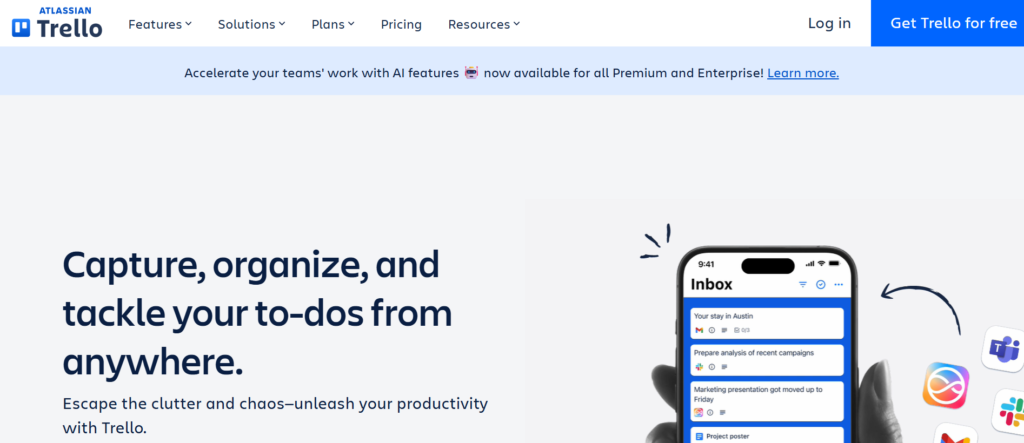
Trello is a flexible process automation tool designed for teams needing simple workflow automation software using visual task boards. It is often compared in Trello vs Asana and Trello vs ClickUp discussions because of its intuitive interface and built-in automation workflow builder called Butler.
This Trello review highlights why freelancers, marketing teams, agencies, and startups use Trello to automate repetitive tasks, manage project workflows, and track operational progress. Trello pricing is affordable, making it accessible for teams testing business automation platforms without complex setup.
Companies evaluating Trello alternatives typically consider usability, automation flexibility, and collaboration features when selecting process automation tools.
Key Features
1. Butler Automation Engine
Trello includes Butler, a built-in automation workflow builder that allows users to automate repetitive actions such as moving cards, assigning team members, updating deadlines, and sending notifications. Butler supports rule-based workflow automation software that reduces manual task management effort.
2. Visual Kanban Workflow Boards
Trello uses Kanban-style boards that allow teams to track tasks visually across workflow stages. Each card represents a task that moves through stages such as pending, in progress, and completed. This structure supports simple process automation tools for project coordination.
3. Rule-Based Task Automation
Users can create automation rules triggered by card movements, due date changes, labels, or checklist completion. These rules support consistent workflow automation software execution across teams managing repetitive operational processes.
4. Integration with Business Tools
Trello integrates with Slack, Google Workspace, Microsoft Teams, CRM platforms, and file storage tools. These integrations allow businesses to connect process automation tools with existing productivity software.
5. Workflow Templates
Trello includes pre-built templates for marketing campaigns, editorial calendars, project tracking, and onboarding workflows. Templates allow teams to implement workflow automation software quickly without complex configuration.
Pros & Cons
| Pros | Cons |
| Very easy to use | Limited complex automation |
| Affordable pricing | Not ideal for enterprise workflows |
| Visual workflow tracking | Advanced features paid |
| Strong collaboration features | Limited reporting tools |
Pricing
| Plan | Price |
| Free | £0 |
| Standard | £5/user/month |
| Premium | £10/user/month |
| Enterprise | Custom |
Trello pricing varies based on automation limits, integrations, and collaboration features.
Best For Small Teams Managing Simple Workflow Automation
Trello is ideal for organisations seeking process automation tools with minimal setup complexity.
Best fit:
- Freelancers — automate task tracking workflows
- Marketing teams — automate editorial calendars
- Startups — automate simple project processes
- Agencies — automate client task workflows
- Operations teams — automate checklist processes
Verdict:
Trello offers practical workflow automation software for teams needing simple process management without technical complexity.
Unique Tip: Using Trello for Editorial Workflow Automation
Create automation rules where content cards automatically move to review stage once writing checklists are completed. Reviewers receive notifications instantly, reducing manual coordination.
Verdict:
If your team requires lightweight process automation tools, Trello offers a simple and effective solution.
Best Alternate Tool
Asana is often evaluated when comparing Trello alternatives for more structured workflow automation software.
Airtable – Database-Driven Process Automation for Flexible Workflows
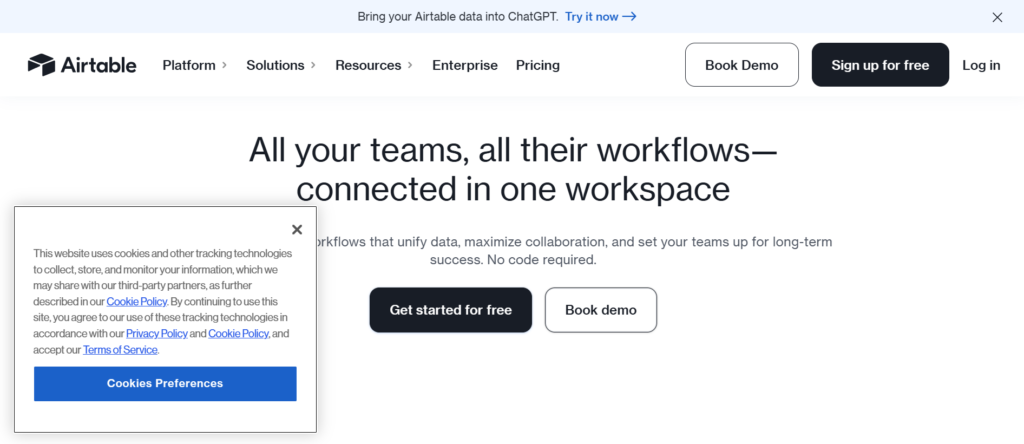
Airtable is a powerful process automation tool combining database functionality with workflow automation software. It is commonly compared in Airtable vs Notion and Airtable vs ClickUp discussions due to its ability to manage structured data alongside automated workflows.
This Airtable review shows why marketing teams, SaaS companies, agencies, and operations departments use Airtable to automate workflows involving structured datasets such as CRM records, inventory tracking, campaign planning, and project management. Airtable pricing is suitable for teams seeking scalable business automation platforms with strong customisation capability.
Companies evaluating Airtable alternatives often prioritise database flexibility, automation depth, and collaboration features when selecting process automation tools.
Key Features
1. Database-Driven Workflow Automation
Airtable allows users to create structured databases that trigger automation workflows when records are updated. This allows teams to manage complex operational data while maintaining consistent workflow automation software processes across departments.
2. Automation Triggers and Actions
Airtable enables rule-based automations triggered by changes in data fields, form submissions, or status updates. These triggers activate actions such as sending notifications, updating records, or assigning tasks within automation workflow builder sequences.
3. Customisable Workflow Views
Users can visualise workflows through grid view, Kanban boards, calendar timelines, and gallery formats. This flexibility supports teams managing complex process automation tools across multiple operational workflows.
4. Integration with Business Applications
Airtable integrates with Slack, Google Workspace, CRM systems, project management tools, and marketing platforms. These integrations enable companies to connect workflow automation software with existing business tools.
5. Form-Based Data Collection
Airtable includes custom forms that collect structured data directly into databases. Submitted forms can automatically trigger workflow automation processes such as lead routing, onboarding workflows, and approval sequences.
Pros & Cons
| Pros | Cons |
| Strong database flexibility | Learning curve moderate |
| Powerful automation logic | Advanced features paid |
| Multiple workflow views | Complex setups possible |
| Good integrations | Can require planning |
Pricing
| Plan | Price |
| Free | £0 |
| Plus | £10/user/month |
| Pro | £20/user/month |
| Enterprise | Custom |
Airtable pricing depends on automation volume, data storage limits, and collaboration features.
Best For Teams Managing Data-Driven Workflow Automation
Airtable is suitable for organisations requiring process automation tools connected to structured datasets.
Best fit:
- Marketing teams — automate campaign tracking workflows
- SaaS companies — automate CRM data workflows
- Agencies — automate client database processes
- eCommerce teams — automate inventory workflows
- Operations managers — automate structured reporting workflows
Verdict:
Airtable provides flexible workflow automation software suitable for teams managing structured operational data.
Unique Tip: Using Airtable for Lead Routing Automation
Create workflows where new lead form submissions automatically update CRM records and assign follow-up tasks to sales teams. This ensures structured handling of incoming enquiries.
Verdict:
If your organisation manages structured data workflows, Airtable offers adaptable business automation platform capabilities.
Best Alternate Tool
Notion is often considered when comparing Airtable alternatives for structured workflow automation software combined with documentation.
HubSpot – CRM-Based Process Automation for Marketing and Sales
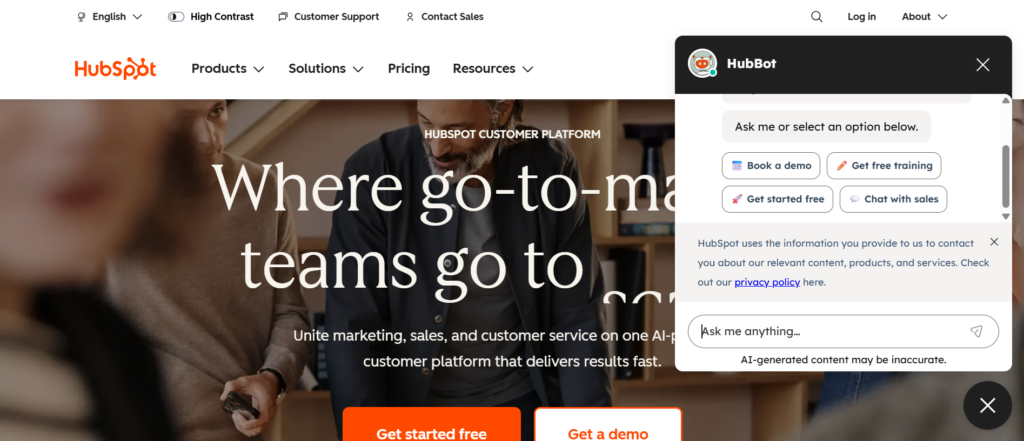
HubSpot is a leading process automation tool focused on CRM automation, marketing workflows, and sales pipeline management. It is often compared in HubSpot vs ActiveCampaign and HubSpot vs Salesforce discussions due to its strong workflow automation software within customer relationship management.
This HubSpot review highlights why startups, agencies, SaaS companies, and sales teams use HubSpot to automate lead nurturing, email sequences, customer onboarding, and pipeline tracking. HubSpot pricing includes a free tier, making it attractive for businesses adopting business automation platforms gradually.
Companies researching HubSpot alternatives usually consider CRM capability, automation depth, and integration features when selecting process automation tools.
Key Features
1. CRM Workflow Automation
HubSpot allows businesses to automate lead assignment, follow-up reminders, deal stage updates, and customer segmentation. Workflow automation software ensures sales teams engage prospects consistently without manual tracking.
2. Email Marketing Automation
HubSpot includes email automation sequences triggered by user behaviour such as website visits, downloads, or form submissions. These automation workflow builder sequences improve engagement and maintain consistent communication.
3. Lead Scoring Automation
HubSpot automatically scores leads based on behaviour, demographics, and engagement signals. This allows sales teams to prioritise prospects with higher conversion potential when using process automation tools.
4. Integration with Business Applications
HubSpot integrates with CRM systems, marketing platforms, analytics tools, and customer service software. These integrations connect workflow automation software with existing operational tools.
5. Sales Pipeline Automation
HubSpot enables automated movement of deals across pipeline stages based on triggers such as email responses, meeting bookings, or contract acceptance. This ensures structured sales processes using business automation platforms.
Pros & Cons
| Pros | Cons |
| Strong CRM automation | Premium plans expensive |
| Free plan available | Advanced features cost more |
| Marketing workflow tools | Learning curve moderate |
| Good integrations | Scaling costs increase |
Pricing
| Plan | Price |
| Free CRM | £0 |
| Starter | £18/month |
| Professional | £720/month |
| Enterprise | Custom |
HubSpot pricing varies based on marketing automation features, CRM contacts, and workflow automation software requirements.
Best For Marketing and Sales Teams Automating Customer Journeys
HubSpot is suitable for organisations requiring process automation tools connected to CRM workflows.
Best fit:
- Marketing teams — automate lead nurturing workflows
- Sales teams — automate pipeline management
- SaaS companies — automate onboarding sequences
- Agencies — automate client communication workflows
- SMEs — automate CRM data processes
Verdict:
HubSpot provides structured workflow automation software for organisations managing customer lifecycle processes.
Unique Tip: Using HubSpot for Lead Nurturing Workflow Automation
Create automation workflows where prospects receive targeted email sequences based on their engagement behaviour. Leads automatically move through pipeline stages as they interact with content.
Verdict:
If your organisation prioritises CRM automation, HubSpot is a strong business automation platform option.
Best Alternate Tool
ActiveCampaign is often evaluated when comparing HubSpot alternatives for marketing-focused workflow automation software.
Tool #16: ActiveCampaign – Marketing Automation and Customer Experience Workflows
Summary
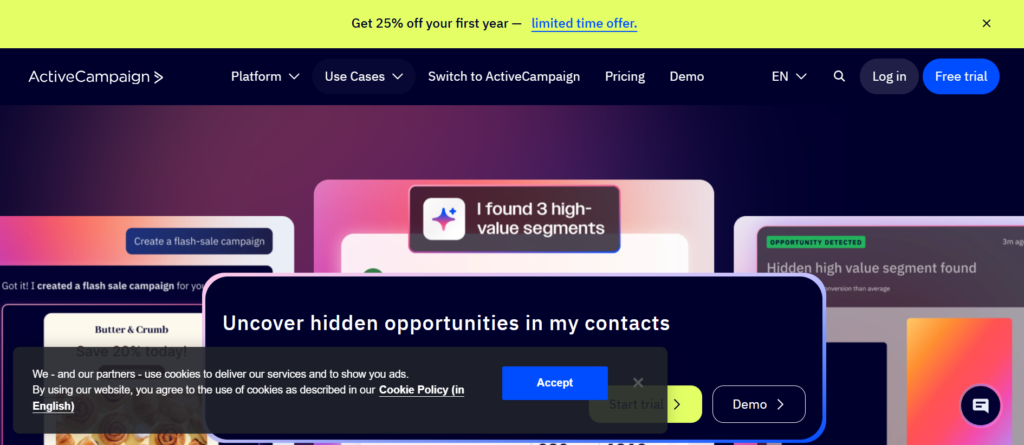
ActiveCampaign is a feature-rich process automation tool focused on email marketing automation, customer experience workflows, and CRM automation. It is frequently compared in ActiveCampaign vs HubSpot and ActiveCampaign vs Mailchimp discussions due to its advanced automation workflow builder and behavioural targeting features.
This ActiveCampaign review highlights why eCommerce brands, SaaS companies, agencies, and marketing teams rely on it to automate email campaigns, customer journeys, lead nurturing, and CRM pipelines. ActiveCampaign pricing is competitive compared with similar business automation platforms offering marketing-focused workflow automation software.
Companies researching ActiveCampaign alternatives often evaluate automation flexibility, segmentation capability, and campaign personalisation when selecting process automation tools.
Key Features
1. Behaviour-Based Email Automation
ActiveCampaign enables users to trigger email sequences based on user behaviour such as clicks, purchases, website visits, or engagement patterns. Workflow automation software ensures relevant communication reaches contacts at the right stage of the customer journey.
2. Visual Customer Journey Builder
ActiveCampaign includes a visual automation workflow builder allowing teams to map complete customer journeys across multiple touchpoints. This supports structured process automation tools for marketing funnels, onboarding workflows, and retention campaigns.
3. CRM Sales Automation
ActiveCampaign includes CRM automation features allowing businesses to track deals, assign leads, and automate follow-up tasks. Sales teams benefit from structured workflow automation software that ensures consistent prospect communication.
4. Segmentation and Personalisation
ActiveCampaign allows detailed segmentation based on user behaviour, demographics, and engagement patterns. Segmentation supports targeted messaging within business automation platforms managing customer lifecycle communication.
5. Integration with Business Tools
ActiveCampaign integrates with Shopify, WooCommerce, Stripe, Salesforce, and CRM platforms. These integrations allow companies to connect process automation tools with eCommerce and marketing systems.
Pros & Cons
| Pros | Cons |
| Strong email automation | Interface can feel complex |
| Advanced segmentation | No free plan |
| Good CRM integration | Learning curve moderate |
| Flexible workflow builder | Premium features cost more |
Pricing
| Plan | Price |
| Lite | £29/month |
| Plus | £49/month |
| Professional | £149/month |
| Enterprise | Custom |
ActiveCampaign pricing depends on contact volume, automation workflows, and CRM functionality.
Best For Marketing Teams Automating Customer Communication
ActiveCampaign is suitable for organisations requiring process automation tools focused on customer lifecycle automation.
Best fit:
- eCommerce brands — automate purchase follow-up workflows
- SaaS companies — automate onboarding email sequences
- Marketing teams — automate campaign workflows
- Agencies — automate client communication journeys
- SMEs — automate lead nurturing workflows
Verdict:
ActiveCampaign provides strong workflow automation software for businesses focusing on marketing and CRM automation.
Unique Tip: Using ActiveCampaign for Behaviour-Based Upsell Automation
Create workflows where customers automatically receive product recommendations based on previous purchases or browsing activity. This increases repeat purchase opportunities through structured automation workflows.
Verdict:
If your organisation relies heavily on email and CRM automation, ActiveCampaign is a practical business automation platform option.
Best Alternate Tool
HubSpot is often evaluated when comparing ActiveCampaign alternatives for CRM-focused workflow automation software.
Notion – Flexible Workspace with Built-In Process Automation
Notion is a versatile process automation tool combining documentation, project tracking, databases, and workflow automation software in one platform. It is commonly compared in Notion vs Airtable and Notion vs ClickUp discussions because of its flexibility in managing structured and unstructured workflows.
This Notion review shows why startups, agencies, SaaS companies, and operations teams use Notion to automate internal processes, manage knowledge bases, and coordinate team workflows. Notion pricing is accessible, making it suitable for organisations adopting business automation platforms gradually.
Companies evaluating Notion alternatives often compare customisation capability, collaboration tools, and automation flexibility when selecting process automation tools.
Key Features
1. Database-Driven Workflow Automation
Notion allows users to create structured databases that trigger workflow automation software when records are updated. Teams can automate task assignments, status changes, and notifications using built-in automation workflow builder rules.
2. Knowledge Base Workflow Management
Notion combines documentation with process automation tools, allowing teams to manage SOPs, onboarding workflows, and internal guides in a central workspace. This supports operational consistency across departments.
3. Custom Workflow Templates
Notion includes templates for project tracking, meeting notes, product roadmaps, editorial calendars, and onboarding workflows. Templates enable teams to deploy workflow automation software quickly.
4. Integration with Business Applications
Notion integrates with Slack, Google Workspace, GitHub, CRM tools, and project management software. These integrations allow companies to connect process automation tools with existing productivity systems.
5. Collaboration and Permission Controls
Notion provides role-based permissions, shared workspaces, and version tracking. Teams can manage workflows securely while maintaining visibility across operational processes.
Pros & Cons
| Pros | Cons |
| Highly flexible workspace | Automation depth limited |
| Strong documentation tools | Complex setup possible |
| Affordable pricing | Requires planning |
| Good collaboration features | Advanced logic limited |
Pricing
| Plan | Price |
| Free | £0 |
| Plus | £8/user/month |
| Business | £12/user/month |
| Enterprise | Custom |
Notion pricing varies based on collaboration features, storage limits, and workflow automation software requirements.
Best For Teams Combining Documentation with Workflow Automation
Notion is ideal for organisations requiring process automation tools alongside structured documentation management.
Best fit:
- Startups — automate internal knowledge workflows
- Agencies — automate content planning workflows
- SaaS companies — automate product documentation processes
- Marketing teams — automate editorial workflows
- Operations managers — automate SOP tracking
Verdict:
Notion provides flexible workflow automation software suitable for teams managing documentation and operational workflows together.
Unique Tip: Using Notion for SOP Automation Workflows
Create structured SOP databases where status changes trigger task notifications automatically. This ensures procedures are followed consistently across departments.
Verdict:
If your organisation requires adaptable business automation platforms for documentation-driven workflows, Notion is a practical choice.
Best Alternate Tool
Airtable is often considered when comparing Notion alternatives for database-focused workflow automation software.
Pabbly – Budget-Friendly Process Automation with Lifetime Pricing
Pabbly is a cost-effective process automation tool designed for businesses seeking workflow automation software without high monthly subscription costs. It is commonly compared in Pabbly vs Zapier and Pabbly vs Integrately discussions due to its affordable pricing structure and automation workflow builder capabilities.
This Pabbly review highlights why freelancers, startups, agencies, and SMEs choose it as an alternative business automation platform for connecting apps and automating repetitive workflows. Pabbly pricing includes lifetime deals, making it attractive for companies aiming to reduce recurring software expenses.
Businesses researching Pabbly alternatives often compare integration availability, workflow complexity support, and pricing flexibility when selecting process automation tools.
Key Features
1. Multi-App Integration Automation
Pabbly connects multiple applications including CRMs, email platforms, payment processors, marketing tools, and project management systems. Users can create workflow automation software sequences that trigger actions across platforms automatically.
2. Unlimited Workflow Automation
Unlike many competitors, Pabbly offers unlimited automation workflows in certain pricing tiers. This makes it suitable for organisations running multiple process automation tools without worrying about task limits.
3. Conditional Logic Workflow Builder
Pabbly includes conditional logic that allows workflows to execute different actions depending on triggers or data values. This automation workflow builder capability supports structured business automation platforms handling varied operational scenarios.
4. Email Marketing Automation Integration
Pabbly includes built-in email marketing automation features that allow businesses to trigger campaigns based on user behaviour, form submissions, or purchase activity. This supports marketing teams implementing workflow automation software for customer communication.
5. Webhook and API Connectivity
Pabbly supports webhook-based integrations, enabling developers to connect custom systems and databases. This allows businesses to extend process automation tools beyond standard integrations.
Pros & Cons
| Pros | Cons |
| Lifetime pricing option | Smaller app ecosystem |
| Unlimited workflows | UI less polished |
| Good automation flexibility | Fewer templates |
| Budget-friendly option | Community smaller |
Pricing
| Plan | Price |
| Standard | £16/month |
| Pro | £33/month |
| Lifetime Deals | Available |
| Enterprise | Custom |
Pabbly pricing varies based on automation volume, integration complexity, and feature access.
Best For Businesses Seeking Affordable Workflow Automation
Pabbly is suitable for organisations requiring process automation tools without high monthly subscription commitments.
Best fit:
- Freelancers — automate client workflows
- Startups — automate operational processes
- Agencies — automate lead management workflows
- SMEs — automate CRM integrations
- eCommerce businesses — automate order workflows
Verdict:
Pabbly offers cost-effective workflow automation software suitable for teams prioritising budget control.
Unique Tip: Using Pabbly for Multi-Platform Lead Routing
Create workflows where leads from website forms automatically sync with CRM systems, email marketing tools, and spreadsheets simultaneously.
Verdict:
If pricing flexibility is important, Pabbly provides accessible business automation platform functionality.
Best Alternate Tool
Integrately is often considered when comparing Pabbly alternatives for simple workflow automation software.
Integrately – One-Click Process Automation for Simple Workflows
Integrately is a beginner-friendly process automation tool designed to automate workflows quickly using pre-configured integrations. It is frequently compared in Integrately vs Zapier and Integrately vs Pabbly discussions because of its simplified automation workflow builder approach.
This Integrately review highlights why freelancers, small businesses, agencies, and startups use it to automate repetitive operational tasks such as CRM updates, email notifications, and lead management. Integrately pricing is competitive, making it appealing for teams adopting business automation platforms without technical complexity.
Businesses evaluating Integrately alternatives often consider simplicity, pricing, and integration speed when selecting process automation tools.
Key Features
1. One-Click Automation Setup
Integrately provides ready-to-use automation templates that allow users to activate workflow automation software with minimal configuration. This reduces setup time compared with more complex automation workflow builder platforms.
2. Multi-App Integration Support
Integrately connects CRM tools, email platforms, marketing software, payment processors, and project management systems. Businesses can create process automation tools linking multiple apps without coding knowledge.
3. Conditional Logic Workflows
Integrately allows users to create conditional automation workflows based on triggers such as form submissions, purchases, or user activity. This enables structured workflow automation software sequences.
4. Real-Time Data Sync
Integrately ensures data is updated automatically across connected platforms. This prevents manual data entry errors and supports consistent business automation platform workflows.
5. Affordable Pricing Plans
Integrately pricing offers cost-effective options suitable for freelancers and SMEs testing workflow automation software before scaling operations.
Pros & Cons
| Pros | Cons |
| Simple setup process | Fewer advanced features |
| Affordable pricing | Smaller app ecosystem |
| Pre-built automation templates | Limited enterprise features |
| Quick integrations | Custom logic limited |
Pricing
| Plan | Price |
| Starter | £19/month |
| Professional | £39/month |
| Growth | £79/month |
| Enterprise | Custom |
Integrately pricing varies based on number of automation workflows and integrations required.
Best For Beginners Implementing Basic Workflow Automation
Integrately is suitable for organisations seeking simple process automation tools with minimal setup effort.
Best fit:
- Freelancers — automate lead management workflows
- Startups — automate CRM updates
- Agencies — automate client onboarding workflows
- SMEs — automate email notification processes
- eCommerce stores — automate order confirmations
Verdict:
Integrately provides accessible workflow automation software for teams requiring simple automation without technical configuration.
Unique Tip: Using Integrately for Automated Lead Notifications
Create automation workflows where new enquiries trigger instant notifications to sales teams via email or messaging apps. This ensures faster response times.
Verdict:
If simplicity is your priority, Integrately offers practical business automation platform capabilities.
Best Alternate Tool
Pabbly is often considered when comparing Integrately alternatives for affordable process automation tools.
Workato – Enterprise-Grade Workflow Automation for Complex Business Processes
Workato is an advanced workflow automation software built for enterprises that require powerful integrations, deep automation logic, and scalable process automation tools. It frequently appears in comparisons like Workato vs Zapier and Workato vs MuleSoft due to its strong capabilities in handling complex workflows across departments.
This Workato review explains why large organisations, IT teams, and fast-growing companies rely on it for automating mission-critical operations such as data orchestration, API integrations, and business process automation at scale. Workato pricing is positioned at the higher end, reflecting its enterprise-grade infrastructure and advanced automation workflow builder capabilities.
Businesses researching Workato alternatives typically compare flexibility, scalability, and integration depth when selecting a business automation platform that can support long-term operational growth.
Key Features
1. Advanced Workflow Automation Builder
Workato offers a highly flexible automation workflow builder that allows users to design multi-step workflows with branching logic, error handling, and custom triggers. This makes it suitable for organisations needing detailed process automation tools beyond simple task automation.
2. Enterprise App Integrations
Workato connects with hundreds of enterprise applications including CRMs, ERPs, marketing platforms, and databases. This enables organisations to create powerful workflow automation software setups across multiple departments without relying on disconnected systems.
3. API Integration & Management
Workato allows teams to build and manage APIs within the platform. This is critical for companies that require deep system integration as part of their business automation platform strategy.
4. Real-Time Workflow Execution
Workato supports real-time automation workflows, ensuring that data flows instantly between systems. This improves operational accuracy and reduces delays in time-sensitive processes like lead routing or financial updates.
5. Enterprise Security & Governance
Workato includes enterprise-level security features such as role-based access control, audit logs, and compliance standards. This makes it a reliable workflow automation software for regulated industries.
Pros & Cons
| Pros | Cons |
| Highly scalable platform | Expensive pricing |
| Advanced automation features | Steeper learning curve |
| Strong enterprise integrations | Overkill for small teams |
| API management included | Setup requires expertise |
Pricing
| Plan | Price |
| Starter | Custom |
| Professional | Custom |
| Enterprise | Custom |
Workato pricing is customised based on usage, integrations, and workflow complexity. It is typically suited for organisations with larger automation requirements.
Best For Enterprises Managing Complex Automation Workflows
Workato is ideal for organisations that need powerful process automation tools with deep integration and scalability.
Best fit:
- Enterprises — manage cross-department automation workflows
- IT teams — build API-driven automation systems
- SaaS companies — automate product and customer data flows
- Financial services — automate compliance and reporting workflows
- Large eCommerce businesses — manage multi-system order processing
Verdict:
Workato stands out as a high-capability workflow automation software for businesses that require advanced automation and integration depth.
Unique Tip: Using Workato for Cross-Department Data Automation
Set up workflows where CRM, finance, and support systems automatically sync customer data in real time. This reduces silos and ensures every department works with accurate information.
Verdict:
If your organisation needs enterprise-grade business automation platform capabilities, Workato is a strong contender.
Best Alternate Tool
Zapier is often considered when comparing Workato alternatives for simpler automation needs with faster setup.
Choosing the Right Workflow Automation Software
The right workflow automation software depends on how complex your operations are and how much control you need over your processes.
If you are running simple workflows, tools like Integrately or Zapier can handle your needs. If you are managing large-scale operations across multiple systems, Workato offers the depth required.The key is implementation. A well-structured business automation platform setup can save hours every week and reduce costly errors.
Why Choose Us for Workflow Automation in the UK
If you are searching for workflow automation software in the UK, the real question is not just which tool to pick. It is who will set it up correctly so it actually works for your business in the UK market.
We work with UK-based freelancers, agencies, SaaS companies, and enterprises to implement process automation tools that reduce manual workload and improve operational consistency.
Here is what makes the difference:
- UK-focused automation strategy — built around how businesses operate in London, Manchester, Birmingham, and across the UK
- Deep experience with business automation platforms like Workato, Zapier, and Pabbly
- Custom workflow mapping — we design automation based on your sales process, not generic templates
- Integration-first approach — CRM, email marketing, finance tools, and internal systems connected properly
- Scalable systems — start simple and expand into advanced automation workflow builder setups
If your current automation is messy or not delivering results, the issue is rarely the tool. It is the setup.
FAQs
1. What is workflow automation software and how does it work?
Workflow automation software connects different apps and systems to perform tasks automatically based on triggers. This removes manual processes like data entry, notifications, and updates.
2. Which is better: Workato vs Zapier for UK businesses?
Workato is better for enterprise-level automation with complex workflows. Zapier is more suitable for small to mid-sized UK businesses needing simpler automation workflows with faster setup.
3. How much does workflow automation cost in the UK?
Pricing varies based on the platform and complexity. Tools like Integrately start at low monthly costs, while Workato pricing is customised for enterprise usage. Implementation costs depend on workflow complexity.
4. What are the best workflow automation tools in the UK?
Popular options include Workato, Zapier, Pabbly, Make, and Integrately. The best choice depends on your business size, integration needs, and technical requirements.
5. Can small businesses in the UK use process automation tools?
Yes. Many process automation tools are designed for small businesses. Tools like Integrately and Zapier allow quick setup without coding knowledge.
6. How long does it take to set up automation workflows?
Simple workflows can be set up within a few hours. Complex enterprise workflows using platforms like Workato may take several weeks depending on integrations and testing.
7.Are workflow automation tools secure for UK businesses?
Yes, most platforms offer strong security features such as encryption, access control, and compliance standards suitable for UK businesses handling sensitive data.
Call-to-Action
If you are serious about implementing workflow automation software in the UK, we can map, build, and deploy automation workflows that match how your business actually operates.
We work with UK companies to:
- Build custom automation workflows using leading process automation tools
- Integrate CRM, marketing, finance, and operations systems
- Fix broken or inefficient automation setups
- Scale automation as your business grows
Whether you are starting with basic automation or moving to advanced platforms like Workato, the goal is simple. Make your systems work without constant manual input.