
Change rarely fails because of strategy. It fails because teams resist it, communication breaks down, and leadership lacks visibility into adoption progress.
That is exactly why change management tools are now essential for enterprises, consultants, HR leaders, IT teams, and transformation specialists across the UK.Research shows that organisations with structured change programmes are 6x more likely to meet objectives compared to those without a formal framework.
Another study highlights that poor change adoption costs enterprises millions annually due to delays, retraining, and productivity loss.
We reviewed dozens of platforms used by consulting firms, IT departments, HR teams, and programme managers. Below are the top 20 change management tools for 2026 based on adoption support, workflow control, reporting capability, and integration flexibility.
This guide is ideal for:
- Change managers
- Digital transformation leaders
- HR teams managing restructuring
- IT service management teams
- Consultants managing client transformation projects
- Enterprise programme managers
What is Change Management Software?
Change management software helps organisations plan, track, and implement transformation initiatives while minimising resistance from employees and operational disruption.
Typical use cases include:
- Digital transformation projects
- IT system upgrades
- Mergers and acquisitions
- Organisational restructuring
- Policy implementation
- Process improvement initiatives
Modern change management platforms combine:
- stakeholder tracking
- communication planning
- impact assessment
- workflow automation
- adoption measurement
- training management
- compliance tracking
Many tools align with frameworks like ADKAR, ITIL, and Kotter’s 8-step model to provide structured implementation paths.Without structured tooling, teams rely on spreadsheets, emails, and disconnected workflows, which increases risk and slows implementation timelines.
Quick Comparison Table of the Top 20 Change Management Tools
For change management platforms, buyers usually compare:
- workflow structure
- integration capability
- compliance support
- adoption tracking features
- price entry point
- ease of implementation
These factors directly affect implementation speed and ROI.
| Tool | Best For | Starting Price | Free Trial | Key Feature | Rating |
| Prosci ADKAR Platform | structured methodology | custom | no | ADKAR framework | 4.6 |
| ServiceNow | enterprise IT change | custom | no | ITIL workflows | 4.5 |
| WalkMe | digital adoption | custom | yes | in-app guidance | 4.4 |
| Whatfix | employee onboarding | custom | yes | walkthroughs | 4.6 |
| Freshservice | ITSM teams | £15/mo | yes | change calendar | 4.5 |
| Jira Service Management | dev teams | £17/mo | yes | approval workflows | 4.6 |
| Monday.com | cross-team change | £8/mo | yes | visual workflows | 4.7 |
| Smartsheet | structured planning | £7/mo | yes | templates | 4.5 |
| Wrike | project visibility | £9/mo | yes | dashboards | 4.6 |
| ClickUp | workflow automation | £7/mo | yes | custom fields | 4.7 |
| BMC Helix | IT enterprise | custom | no | risk scoring | 4.4 |
| ChangeGear | IT governance | custom | no | audit trails | 4.3 |
| OCM Solution | enterprise change | custom | no | stakeholder maps | 4.6 |
| The Change Compass | transformation teams | custom | demo | visual impact map | 4.5 |
| Viima | innovation change | £6/mo | yes | idea tracking | 4.4 |
| Axero | internal comms | custom | demo | intranet integration | 4.3 |
| Process Street | SOP change | £20/mo | yes | workflow automation | 4.6 |
| Trainual | training change | £10/mo | yes | knowledge base | 4.7 |
| ManageEngine ServiceDesk | IT change | £13/mo | yes | automation | 4.5 |
| ComplianceQuest | regulated industries | custom | demo | compliance workflows | 4.4 |
Sources confirm tools such as ServiceNow, WalkMe, Whatfix, Freshservice and Jira remain widely used for structured change governance and IT service workflows.
prosci ADKAR Platform Review 2026
Prosci ADKAR Platform is one of the most recognised change management tools used by enterprise transformation teams, HR leaders, and consultants implementing structured organisational change.
The platform is built around the ADKAR model Awareness, Desire, Knowledge, Ability, Reinforcement which gives change managers a repeatable framework for adoption planning, stakeholder engagement, and behavioural change measurement.
In most Prosci ADKAR Platform reviews, organisations highlight its ability to standardise change initiatives across multiple departments while keeping leadership aligned with adoption metrics.
Prosci ADKAR Platform pricing is typically enterprise-based, which positions it as a premium solution compared to alternatives like Monday.com or Smartsheet.
When comparing Prosci ADKAR Platform vs ServiceNow, Prosci focuses more on people-side change adoption rather than IT workflow automation.
Key Features
ADKAR Change Scorecards
The ADKAR scorecard system allows change leaders to measure awareness, desire, and capability across departments. This gives measurable insight into adoption readiness before implementation begins. In most Prosci ADKAR Platform review discussions, consultants highlight how scorecards reduce resistance risk by identifying stakeholder gaps early.
Change Impact Assessment
Prosci ADKAR Platform features structured impact assessments that map organisational change across roles, processes, and technologies. This allows programme managers to predict disruption levels and prioritise communication planning. Compared with many Prosci ADKAR Platform alternatives, the framework-led approach gives more consistent project outcomes.
Stakeholder Mapping Tools
Stakeholder analysis dashboards allow teams to track influence levels, engagement scores, and communication timing. Prosci ADKAR Platform review feedback often notes this feature reduces confusion during large-scale digital transformation programmes.
Training and Adoption Tracking
Prosci ADKAR Platform includes adoption tracking dashboards showing behavioural progress across teams. This helps organisations confirm whether employees are moving from awareness to ability within the ADKAR structure.
Enterprise Reporting Dashboards
Executive dashboards provide visibility into adoption KPIs, engagement progress, and change risk levels. Many organisations comparing Prosci ADKAR Platform vs Whatfix highlight Prosci’s stronger reporting depth for leadership teams.
Pros and Cons
| Pros | Cons |
| structured methodology | enterprise pricing |
| strong reporting | learning curve |
| widely recognised framework | limited SME focus |
| consultant friendly | implementation time |
Pricing
Prosci ADKAR Platform pricing is customised depending on:
- number of users
- enterprise size
- consulting support requirements
- certification training needs
Most organisations request a tailored quote.
Best For Enterprise Change Leaders Using ADKAR Framework
Prosci ADKAR Platform is ideal for organisations requiring structured governance across multiple transformation initiatives.
- Enterprise HR teams managing restructuring — consistent adoption framework
- Digital transformation leaders — structured implementation roadmap
- Consulting firms delivering change programmes — recognised methodology credibility
- Government departments managing policy implementation — measurable adoption checkpoints
Verdict:
If structured behavioural change measurement is a priority, Prosci ADKAR Platform remains one of the most established change management tools available.
Hidden Tip for Adoption Planning
Use ADKAR assessments early in project planning to identify resistance hotspots before communication planning begins. Many teams only use ADKAR after rollout begins, which limits visibility into adoption risk.
Best Alternative Tool
ServiceNow Change Management is often compared when organisations need IT workflow governance alongside change processes.
ServiceNow Change Management Review 2026
ServiceNow Change Management is widely adopted by enterprises managing complex IT infrastructure updates, software rollouts, and operational changes requiring audit visibility.
Among enterprise change management tools, ServiceNow is known for structured workflows aligned with ITIL change management frameworks, making it a preferred choice for ITSM teams and regulated industries.
In many ServiceNow Change Management reviews, organisations highlight strong governance controls, approval routing, and risk classification features that reduce operational disruption.
ServiceNow Change Management pricing is enterprise-tier and usually bundled with IT Service Management modules. When comparing ServiceNow vs Jira Service Management, ServiceNow offers broader enterprise governance capability.
Companies evaluating ServiceNow alternatives often consider BMC Helix or ManageEngine ServiceDesk Plus for similar IT-focused change workflows.
Key Features
ITIL-based Change Workflows
ServiceNow Change Management features structured workflows aligned with ITIL best practices. This allows organisations to standardise approval routing, risk categorisation, and rollback procedures. ServiceNow Change Management review feedback often highlights how workflow automation reduces manual errors during infrastructure updates.
Risk Assessment Engine
Built-in risk scoring evaluates potential service disruptions before implementation begins. This helps IT teams prioritise high-impact changes and prevent downtime. Many organisations comparing ServiceNow Change Management vs BMC Helix value the detailed impact scoring capability.
Change Advisory Board Scheduling
CAB scheduling tools coordinate stakeholder approvals and review timelines. This ensures governance teams remain aligned before major deployments occur. ServiceNow Change Management features include calendar visibility that prevents approval delays.
Automation and Integration
ServiceNow integrates with DevOps tools, cloud platforms, and security systems. This allows automated change ticket creation triggered by development pipelines. ServiceNow Change Management review commentary frequently highlights integration flexibility as a major advantage.
Compliance Tracking
Audit logs track approvals, implementation timing, and rollback decisions. Organisations in finance and healthcare frequently choose ServiceNow due to strong regulatory documentation capability.
Pros and Cons
| Pros | Cons |
| strong governance | higher cost |
| ITIL alignment | setup complexity |
| strong integrations | training required |
| audit ready | enterprise focus |
Pricing
ServiceNow Change Management pricing varies depending on:
- ITSM package level
- number of users
- integration scope
- enterprise requirements
Pricing is typically provided via consultation.
Best For Enterprise IT Teams Managing High-Risk Changes
ServiceNow Change Management works best for organisations requiring strict governance controls.
- IT departments managing infrastructure updates — structured workflows
- Financial services firms — audit trail requirements
- DevOps teams coordinating deployments — integration capability
- Government organisations — compliance documentation needs
Verdict:
ServiceNow remains one of the strongest change management tools for enterprises requiring IT governance visibility and structured approval processes.
Hidden Tip for Faster Adoption
Use automated change templates for recurring infrastructure updates. This reduces manual setup time and ensures consistent approval routing across departments.
Best Alternative Tool
Jira Service Management is often considered when organisations want similar workflow control with lower entry cost.
WalkMe Review 2026
WalkMe is a leading digital adoption platform designed to support organisations implementing new systems, software rollouts, and process changes without overwhelming employees.
Among modern change management tools, WalkMe stands out for providing real-time on-screen guidance that reduces resistance and improves adoption speed across departments.
WalkMe reviews frequently highlight its ability to guide users step-by-step through new platforms, making it valuable for ERP rollouts, CRM migrations, HR system changes, and enterprise software onboarding.
WalkMe pricing is typically customised based on user volume and integration scope. When comparing WalkMe vs Whatfix, WalkMe is often selected for enterprise-scale deployments requiring deep analytics.
Organisations evaluating WalkMe alternatives frequently consider Whatfix, Pendo, or Userlane for digital adoption support.
Key Features
In-App Guidance Walkthroughs
WalkMe provides interactive walkthroughs that guide employees through new workflows directly inside software platforms. WalkMe features help reduce training time and allow teams to complete tasks correctly without relying on manuals or repeated onboarding sessions.
Behaviour Analytics Dashboard
WalkMe analytics track user behaviour, drop-off points, and workflow completion rates. Many WalkMe review insights show organisations improving adoption visibility through behavioural tracking rather than relying on survey feedback alone.
Automation Prompts
WalkMe prompts appear in real time to guide users through new processes, reducing confusion during system transitions. Compared with many WalkMe alternatives, automation prompts allow smoother adoption across departments managing frequent software updates.
Segmentation and Personalisation
WalkMe allows change teams to create targeted walkthroughs for different user groups such as HR teams, finance users, or IT administrators. WalkMe features enable customised onboarding based on role-specific requirements.
Integration with Enterprise Platforms
WalkMe integrates with platforms such as Salesforce, SAP, Workday, and Microsoft Dynamics. WalkMe review comparisons often mention strong compatibility with enterprise ecosystems.
Pros and Cons
| Pros | Cons |
| strong adoption tracking | premium pricing |
| enterprise integrations | setup time |
| interactive onboarding | learning curve |
| strong analytics | technical setup |
Pricing
WalkMe pricing depends on:
- number of applications supported
- user volume
- enterprise integration requirements
- analytics capability
Pricing is typically available through consultation.
Best For Enterprises Rolling Out New Software Platforms
WalkMe is ideal for organisations focused on reducing resistance during digital transformation initiatives.
- Enterprise IT teams deploying ERP systems — guided adoption workflows
- HR departments implementing HRIS platforms — employee onboarding walkthroughs
- SaaS companies supporting customer onboarding — interactive guidance layers
- Consulting firms managing transformation projects — measurable adoption metrics
Verdict:
WalkMe remains one of the most recognised change management tools for improving software adoption without increasing training workload.
Hidden Tip for Faster User Adoption
Use WalkMe segmentation to create role-based walkthroughs instead of generic onboarding flows. This improves completion rates and reduces confusion during multi-system rollouts.
Best Alternative Tool
Whatfix is commonly compared when organisations want similar digital adoption functionality with flexible pricing structures.
Whatfix Review 2026
Whatfix is a widely used digital adoption platform that supports organisations implementing new software, internal tools, and operational process changes.
Among leading change management tools, Whatfix focuses on reducing employee confusion through interactive in-app guidance, contextual walkthroughs, and knowledge support layers that appear directly inside business applications.
Whatfix reviews often highlight its flexibility when supporting CRM, ERP, HRIS, and finance software adoption initiatives.
Whatfix pricing varies depending on enterprise size and deployment complexity. When comparing Whatfix vs WalkMe, Whatfix is often selected for quicker deployment timelines and easier configuration.
Companies reviewing Whatfix alternatives frequently evaluate WalkMe, Userlane, and Pendo depending on adoption tracking requirements.
Key Features
Interactive Guided Workflows
Whatfix allows change managers to create step-by-step guidance layers that appear directly inside applications. These walkthroughs reduce training time and ensure employees follow correct procedures during system transitions. Many Whatfix review insights highlight improved onboarding efficiency after implementation.
Self Help Knowledge Widgets
Whatfix provides embedded knowledge widgets that allow employees to access training resources without leaving the application interface. Compared with many Whatfix alternatives, this feature reduces dependency on support teams during system adoption phases.
Smart Contextual Prompts
Contextual prompts appear when users reach specific workflow steps, helping prevent process errors. Whatfix features are often used to guide employees through new compliance workflows or updated approval procedures.
Analytics and Usage Insights
Whatfix analytics track user progress across guided workflows, helping change teams identify where employees struggle. Whatfix review comparisons often highlight strong visibility into adoption trends.
Multi Platform Compatibility
Whatfix integrates with CRM systems, HR platforms, ERP software, and custom enterprise tools. Organisations comparing Whatfix vs WalkMe often note strong compatibility with cloud-based applications.
Pros and Cons
| Pros | Cons |
| quick deployment | enterprise pricing |
| strong onboarding tools | setup configuration |
| useful analytics | UI learning curve |
| wide integrations | customisation effort |
Pricing
What fix pricing depends on:
- number of workflows created
- number of supported applications
- analytics features required
- enterprise deployment scope
Pricing is usually provided via customised quotation.
Best For Organisations Introducing New Internal Systems
Whatfix is particularly effective for organisations aiming to reduce employee resistance when introducing new tools or process changes.
- HR departments implementing new HR software — guided onboarding workflows
- IT teams deploying CRM updates — contextual support layers
- Finance departments adopting new approval processes — workflow prompts
- Consulting firms managing digital transformation projects — adoption tracking visibility
Verdict:
Whatfix remains one of the most practical change management tools for organisations prioritising structured software adoption with minimal disruption.
Hidden Tip for Improved Adoption Tracking
Create micro walkthroughs for complex tasks rather than one long workflow. This increases completion rates and provides clearer insight into where users encounter friction.
Best Alternative Tool
WalkMe is frequently compared when organisations require deeper behavioural analytics and enterprise-level deployment capability.
Freshservice Review 2026
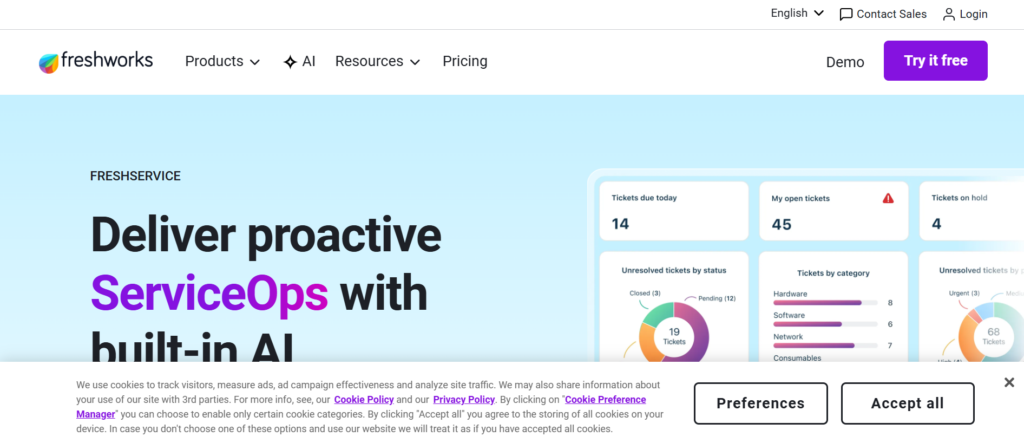
Freshservice is a popular IT service management platform that includes structured change control workflows, making it a strong option for organisations managing infrastructure updates, system migrations, and operational process adjustments.
Among modern change management tools, Freshservice stands out for combining ITSM capability with change tracking, approval routing, and incident coordination within a single platform.
Fresh service reviews frequently highlight ease of implementation compared with enterprise platforms such as ServiceNow. Freshservice pricing also makes it accessible for mid-sized organisations seeking structured change governance without enterprise-level complexity.
When comparing Freshservice vs Jira Service Management, Freshservice is often selected for its intuitive interface and faster onboarding.
Organisations evaluating Freshservice alternatives often consider ManageEngine ServiceDesk Plus or BMC Helix depending on compliance requirements.
Key Features
Change Calendar Visibility
Freshservice provides a shared change calendar that allows IT teams to schedule releases without conflict. Freshservice features allow organisations to coordinate updates across departments and prevent overlapping deployments that could disrupt operations.
Approval Workflow Automation
Freshservice automates approval routing across stakeholders, ensuring that risk-sensitive updates receive proper review before implementation. Many Freshservice review insights note reduced delays caused by manual approval tracking.
Incident and Change Linking
Freshservice allows organisations to link incidents directly with change requests. This provides better context when analysing root causes of system disruptions and allows teams to improve future implementation planning.
Risk Assessment Templates
Freshservice includes built-in templates that help teams classify risk levels for different types of operational changes. Compared with several Freshservice alternatives, these templates simplify governance for IT managers.
Integration Ecosystem
Freshservice integrates with monitoring tools, collaboration platforms, and cloud systems. Freshservice review comparisons often mention compatibility with Slack, Microsoft Teams, and Jira environments.
Pros and Cons
| Pros | Cons |
| easy setup | limited enterprise depth |
| affordable pricing | fewer custom workflows |
| strong ITSM features | advanced features cost more |
| clear UI | reporting limitations |
Pricing
Freshservice pricing typically starts from approximately £15 per agent per month depending on:
- ITSM feature requirements
- workflow automation needs
- reporting capability
- enterprise integrations
Higher tier plans include advanced automation and analytics tools.
Best For Mid-Sized IT Teams Managing System Updates
Freshservice works well for organisations needing structured change governance without complex implementation cycles.
- IT departments managing software rollouts — structured change scheduling
- SaaS companies managing platform updates — approval workflows
- internal service teams coordinating system improvements — change visibility
- SMEs needing ITSM capability — predictable pricing structure
Verdict:
Freshservice is one of the most practical change management tools for organisations seeking structured IT change workflows with moderate implementation complexity.
Hidden Tip for Smoother Release Scheduling
Use the change calendar to identify high-risk deployment windows such as payroll cycles or financial reporting deadlines. This reduces disruption across departments relying on system availability.
Best Alternative Tool
ManageEngine ServiceDesk Plus is often compared when organisations want similar ITSM capability with flexible pricing tiers.
Jira Service Management Review 2026
Jira Service Management is widely adopted by software teams, IT departments, and DevOps engineers managing structured system changes, release cycles, and operational improvements.
Among popular change management tools, Jira Service Management is known for combining agile workflow management with structured change approval processes. This makes it suitable for organisations managing frequent updates to software environments and internal platforms.
Jira Service Management reviews often highlight flexibility when configuring approval chains, risk classification rules, and deployment tracking dashboards.
Jira Service Management pricing starts at a lower entry point compared with enterprise platforms like ServiceNow, making it accessible for startups and mid-sized companies.
When comparing Jira Service Management vs Freshservice, Jira is often preferred by teams already using Atlassian products such as Jira Software or Confluence.
Organisations reviewing Jira Service Management alternatives frequently evaluate ServiceNow, ClickUp, or Monday.com depending on workflow complexity requirements.
Key Features
Change Request Workflow Automation
Jira Service Management allows teams to automate approval routing, ticket classification, and change documentation. Jira Service Management features provide structured workflows aligned with ITIL practices while still supporting agile release cycles.
DevOps Integration Capability
Jira integrates with CI CD pipelines, Git repositories, and deployment tools. Many Jira Service Management review discussions highlight strong compatibility with developer environments.
Risk Classification Tools
Jira allows change managers to categorise risk levels for system updates. This supports better prioritisation of critical releases and reduces the likelihood of unexpected downtime.
Customisable Dashboards
Jira Service Management dashboards allow teams to monitor change progress, approval timelines, and implementation performance. Compared with several Jira Service Management alternatives, dashboard flexibility is a major advantage.
Incident and Problem Linking
Jira allows change tickets to connect directly with incident reports. This improves root cause tracking and supports continuous improvement initiatives.
Pros and Cons
| Pros | Cons |
| flexible workflows | setup complexity |
| strong integrations | learning curve |
| scalable pricing | UI complexity |
| DevOps friendly | configuration effort |
Pricing
Jira Service Management pricing typically starts from approximately £17 per user per month depending on:
- automation rules required
- reporting capability
- storage requirements
- integration scope
Higher tier plans include advanced analytics and audit logs.
Best For Agile IT Teams Managing Frequent System Changes
Jira Service Management works particularly well for organisations operating agile release cycles.
- software development teams managing deployments — structured change logs
- DevOps teams coordinating CI CD updates — workflow automation
- SaaS companies managing product improvements — release visibility
- IT teams already using Atlassian tools — native ecosystem compatibility
Verdict:
Jira Service Management remains one of the most flexible change management tools for teams requiring structured workflows without sacrificing agile development speed.
Hidden Tip for Faster Workflow Setup
Use pre-built ITIL workflow templates to reduce configuration time when setting up new change processes. This allows teams to deploy governance frameworks without building workflows from scratch.
Best Alternative Tool
Fresh service is often compared when organisations prioritise simpler user interfaces and faster onboarding.
Monday.com Review 2026
Monday.com is a work operating system that supports organisations in planning, tracking, and managing change initiatives across departments.
Among leading change management tools, Monday.com stands out for its visual boards, timeline views, and automation capabilities that help teams stay aligned during transformation projects.
Monday.com reviews highlight its flexibility for non-technical users, making it a preferred choice for HR teams, project managers, and cross-functional transformation leads.When comparing Monday.com vs Smartsheet, Monday.com is often selected for its visual dashboards and ease of collaboration.
Organisations reviewing Monday.com alternatives often consider ClickUp or Wrike depending on workflow complexity and reporting requirements.
Key Features
Visual Workflow Boards
Monday.com allows teams to create boards that track tasks, deadlines, and dependencies. These visual boards help change managers coordinate activities across departments without losing visibility.
Automation Rules
Built-in automation features allow approval routing, notification triggers, and recurring task management. Many Monday.com review insights highlight reduced manual tracking effort for cross-functional change initiatives.
Timeline and Gantt Views
Timeline and Gantt chart views provide clarity on project milestones, deadlines, and overlapping tasks. Compared with several Monday.com alternatives, these views improve planning and reduce resource conflicts.
Custom Dashboards
Monday.com dashboards track KPIs, adoption progress, and project status. Change leaders can quickly report to stakeholders with live metrics.
Integration Ecosystem
Monday.com integrates with email platforms, collaboration tools, cloud storage, and CRM systems. Many organisations highlight integration flexibility as a key reason for adoption.
Pros and Cons
| Pros | Cons |
| visual boards | pricing for advanced features |
| intuitive UI | limited ITIL alignment |
| strong automation | learning curve for large teams |
| integrations | reporting customisation |
Pricing
Monday.com pricing starts from approximately £8 per user per month depending on:
- feature set required
- number of users
- automation needs
- dashboard customisation
Higher tier plans provide advanced reporting, automations, and security features.
Best For Cross-Functional Teams Managing Organisational Change
Monday.com works particularly well for teams needing transparency across multiple departments.
- HR teams managing onboarding or restructuring — visual progress tracking
- Project managers coordinating multi-department initiatives — Gantt views
- Operations teams overseeing process improvements — task automation
- SMEs seeking flexible change tracking — ease of adoption
Verdict:
Monday.com is one of the most user-friendly change management tools for organisations prioritising visual tracking and cross-team collaboration.
Hidden Tip for Maximising Efficiency
Use colour-coded status labels and automation rules together to visually highlight high-priority change tasks and alert teams immediately to delays.
Best Alternative Tool
Smartsheet is often compared for organisations preferring spreadsheet-like workflow management with strong reporting features.
Smartsheet Review 2026
Smartsheet is widely used by programme managers and operations teams that prefer spreadsheet-style control when coordinating transformation initiatives.
Among recognised change management tools, Smartsheet provides structured workflow planning with grid views, automation rules, and reporting dashboards suitable for complex organisational change programmes.
Smartsheet reviews often highlight familiarity for teams comfortable with Excel-style environments but needing stronger collaboration and tracking features.
When comparing Smartsheet vs Monday.com, Smartsheet is often selected by teams prioritising structured data management and reporting flexibility.
Organisations evaluating Smartsheet alternatives frequently consider Wrike or ClickUp depending on workflow automation complexity.
Key Features
Grid-Based Project Planning
Smartsheet provides spreadsheet-style grids that allow teams to organise change initiatives with structured rows and columns. Smartsheet features allow programme managers to maintain control over dependencies, timelines, and deliverables.
Automated Workflow Rules
Automation features allow approval routing, notifications, and status updates to run automatically. Many Smartsheet review insights highlight reduced manual coordination across departments.
Reporting Dashboards
Smartsheet dashboards provide visual insights into adoption progress, milestone tracking, and project risk levels. Compared with many Smartsheet alternatives, reporting depth is often a deciding factor.
Resource Management Tools
Resource allocation features allow managers to track team capacity across multiple change projects. This helps avoid bottlenecks during transformation initiatives.
Integration with Enterprise Apps
Smartsheet integrates with Microsoft 365, Google Workspace, Slack, and CRM platforms. Smartsheet review comparisons often highlight compatibility with existing enterprise ecosystems.
Pros and Cons
| Pros | Cons |
| familiar interface | limited native guidance |
| strong reporting | setup time |
| flexible templates | pricing tiers |
| scalable structure | learning curve |
Pricing
Smartsheet pricing typically starts from approximately £7 per user per month depending on:
- number of collaborators
- automation requirements
- reporting dashboards
- enterprise integrations
Higher-tier plans include advanced governance features.
Best For Programme Managers Handling Structured Change Initiatives
Smartsheet works particularly well for organisations needing structured visibility across multiple change projects.
- operations teams managing process changes — structured grid views
- project managers coordinating milestones — timeline clarity
- consulting firms managing client transitions — reporting dashboards
- enterprises managing portfolio initiatives — resource tracking
Verdict:
Smartsheet remains one of the most structured change management tools for organisations preferring spreadsheet-style planning with collaboration capability.
Hidden Tip for Better Adoption Visibility
Use conditional formatting rules to highlight delayed tasks automatically. This gives change leaders early visibility into risks affecting transformation timelines.
Best Alternative Tool
Wrike is commonly compared when organisations need more advanced task automation and collaboration tools.
Wrike Review 2026
Wrike is a powerful work management platform used by enterprises coordinating multi-department transformation programmes, operational improvements, and structured process changes.
Among established change management tools, Wrike is known for detailed reporting dashboards, workload visibility, and structured workflow control. It is often used by programme managers handling complex initiatives involving multiple stakeholders.
Wrike reviews frequently highlight strong collaboration features and flexibility when managing large change portfolios.
When comparing Wrike vs Smartsheet, Wrike is often selected for advanced task automation and stronger team collaboration features.
Organisations reviewing Wrike alternatives frequently consider ClickUp or Monday.com depending on reporting depth and usability requirements.
Key Features
Advanced Workflow Automation
Wrike provides configurable workflows that allow organisations to standardise approval processes, track change progress, and maintain consistency across departments. Wrike features allow change managers to reduce manual coordination effort.
Real-Time Reporting Dashboards
Wrike dashboards display adoption progress, milestone tracking, and project performance in real time. Wrike review insights often highlight improved executive visibility during digital transformation initiatives.
Workload Management
Wrike resource management tools allow managers to balance team capacity across multiple change initiatives. This prevents delays caused by resource conflicts.
Collaboration and Document Sharing
Wrike allows teams to collaborate directly within project workspaces, reducing reliance on email communication during organisational change projects.
Integration Ecosystem
Wrike integrates with Microsoft Teams, Salesforce, Slack, and cloud storage platforms. Wrike review comparisons often highlight compatibility with enterprise systems.
Pros and Cons
| Pros | Cons |
| strong reporting | higher pricing tiers |
| workflow flexibility | learning curve |
| collaboration tools | setup complexity |
| enterprise scalability | UI complexity |
Pricing
Wrike pricing typically starts from approximately £9 per user per month depending on:
- reporting capability
- automation rules
- number of users
- enterprise integrations
Higher tier plans include advanced analytics and governance features.
Best For Enterprises Managing Large-Scale Change Programmes
Wrike is particularly suitable for organisations managing multiple transformation initiatives simultaneously.
- programme managers coordinating portfolio initiatives — workload visibility
- consulting firms managing client change projects — structured collaboration
- operations teams implementing process improvements — workflow automation
- enterprises needing reporting depth — dashboard capability
Verdict:
Wrike remains one of the most robust change management tools for organisations needing detailed oversight of complex transformation programmes.
Hidden Tip for Managing Multiple Initiatives
Use Wrike’s workload view to identify overallocated teams early. This reduces project delays and improves coordination across departments.
Best Alternative Tool
ClickUp is frequently compared when organisations want similar workflow control with more flexible pricing options.
ClickUp Review 2026
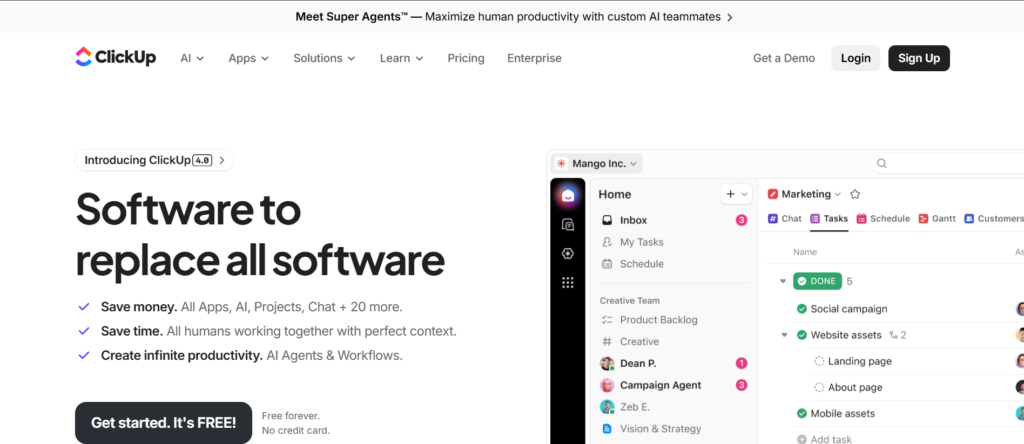
ClickUp is a highly configurable work management platform used by organisations coordinating internal transformation projects, process improvements, and cross-functional operational changes.
Among versatile change management tools, ClickUp is known for its adaptability. Teams can configure workflows, approval processes, dashboards, and documentation systems inside a single platform.
ClickUp reviews frequently highlight the platform’s ability to replace multiple tools such as task managers, documentation software, and reporting dashboards.
ClickUp pricing is accessible for SMEs while still offering enterprise-level configuration capability. When comparing ClickUp vs Wrike, ClickUp is often selected for flexibility and cost efficiency.
Organisations reviewing ClickUp alternatives frequently evaluate Monday.com or Smartsheet depending on reporting preferences and user interface requirements.
Key Features
Custom Workflow Builder
ClickUp allows change leaders to build customised workflows for approvals, implementation tracking, and stakeholder coordination. ClickUp features allow organisations to standardise change processes across departments.
Goal and KPI Tracking
ClickUp dashboards track project goals, adoption progress, and milestone completion rates. Many ClickUp review insights highlight improved visibility into transformation progress across teams.
Document Collaboration
ClickUp Docs allow teams to store SOPs, communication plans, and implementation guidelines in one location. This reduces confusion during organisational change initiatives.
Automation Rules
ClickUp automation tools trigger status changes, notifications, and approvals without manual intervention. Compared with many ClickUp alternatives, automation flexibility is a key advantage.
Integration Capability
ClickUp integrates with Slack, Google Workspace, Microsoft Teams, GitHub, and CRM platforms. ClickUp review comparisons often highlight strong ecosystem compatibility.
Pros and Cons
| Pros | Cons |
| highly customisable | setup time |
| competitive pricing | feature overload |
| strong dashboards | learning curve |
| scalable workflows | UI complexity |
Pricing
ClickUp pricing typically starts from approximately £7 per user per month depending on:
- dashboard requirements
- automation rules
- storage limits
- integration needs
Higher tier plans include advanced reporting and governance controls.
Best For Teams Wanting Flexible Change Workflow Configuration
ClickUp works particularly well for organisations seeking adaptable workflow structures.
- SMEs managing internal process improvements — flexible configuration
- consulting firms coordinating client change programmes — documentation tools
- project managers tracking transformation milestones — dashboard visibility
- operations teams implementing workflow changes — automation capability
Verdict:
ClickUp is one of the most flexible change management tools for organisations needing custom workflows without enterprise-level pricing barriers.
Hidden Tip for Faster Workflow Adoption
Use ClickUp templates for recurring change initiatives such as onboarding processes or policy updates. This reduces setup time and maintains consistency across projects.
Best Alternative Tool
Monday.com is frequently compared when organisations prioritise visual workflow boards and simpler onboarding.
BMC Helix Change Management Review 2026
BMC Helix Change Management is designed for large enterprises managing complex infrastructure updates, application releases, and operational improvements requiring structured governance.
Among enterprise-grade change management tools, BMC Helix is recognised for strong automation capability, predictive risk analysis, and ITIL-aligned workflows.
BMC Helix reviews frequently highlight its suitability for highly regulated industries where change approval documentation and audit visibility are critical.
BMC Helix pricing is typically customised based on deployment size and module requirements. When comparing BMC Helix vs ServiceNow, BMC Helix is often preferred for organisations seeking AI-supported risk scoring and automation depth.
Companies researching BMC Helix alternatives often evaluate ManageEngine ServiceDesk Plus or ChangeGear depending on complexity requirements.
Key Features
Predictive Risk Scoring
BMC Helix includes predictive analytics that assess risk levels before implementation begins. BMC Helix features allow change managers to identify potential service disruption risks early and plan mitigation strategies.
ITIL-Compliant Workflow Automation
BMC Helix provides structured workflows aligned with ITIL frameworks. Many BMC Helix review insights highlight improved governance consistency across IT departments managing multiple change requests.
Change Impact Visualisation
Visual dashboards display how changes affect systems, services, and business units. Compared with many BMC Helix alternatives, impact visualisation provides stronger visibility into operational dependencies.
Automated Approval Routing
BMC Helix automates approval workflows across stakeholders. This reduces manual coordination effort while maintaining compliance standards.
Integration with Enterprise Systems
BMC Helix integrates with monitoring tools, DevOps platforms, and cloud infrastructure services. BMC Helix review comparisons frequently highlight strong compatibility with enterprise technology stacks.
Pros and Cons
| Pros | Cons |
| strong governance | enterprise pricing |
| predictive analytics | setup complexity |
| ITIL alignment | training required |
| scalable platform | configuration time |
Pricing
BMC Helix pricing depends on:
- organisation size
- ITSM module requirements
- integration complexity
- reporting capability
Pricing is usually provided via enterprise quotation.
Best For Enterprises Managing High-Risk IT Changes
BMC Helix works particularly well for organisations needing structured governance for complex system environments.
- enterprise IT teams managing infrastructure upgrades — risk scoring insights
- financial institutions requiring compliance tracking — audit visibility
- telecom companies coordinating system updates — workflow automation
- government departments implementing system changes — structured governance
Verdict:
BMC Helix remains one of the most structured change management tools for enterprises requiring predictive risk insights and ITIL-aligned workflows.
Hidden Tip for Risk Reduction
Use predictive risk scoring to prioritise change requests affecting customer-facing systems first. This helps reduce service disruption during major system transitions.
Best Alternative Tool
ServiceNow is frequently compared when organisations want similar enterprise governance with broader ecosystem integrations.
ChangeGear Review 20
ChangeGear is an IT service management platform designed to give organisations structured governance when implementing infrastructure updates, system changes, and operational improvements.
Among specialised change management tools, ChangeGear focuses on compliance tracking, approval routing, and risk management, making it a strong option for IT departments operating in regulated industries.
ChangeGear reviews often highlight detailed audit trails and structured workflow controls that reduce operational disruption during system upgrades.
ChangeGear pricing is typically customised depending on enterprise requirements. When comparing ChangeGear vs BMC Helix, ChangeGear is often preferred by organisations prioritising governance simplicity over predictive analytics depth.
Companies evaluating ChangeGear alternatives frequently consider ManageEngine ServiceDesk Plus or ServiceNow depending on integration complexity.
Key Features
Structured Change Approval Workflows
ChangeGear allows IT teams to configure approval chains based on risk classification and business impact. ChangeGear features ensure that high-risk changes receive appropriate review before implementation.
Audit Trail Documentation
Detailed audit logs track approval decisions, implementation timelines, and rollback procedures. Many ChangeGear review insights highlight improved compliance visibility across regulated environments.
Risk Classification Controls
ChangeGear allows change managers to categorise updates based on risk severity. Compared with several ChangeGear alternatives, risk categorisation provides structured governance across multiple change initiatives.
Configuration Management Database Integration
ChangeGear integrates with CMDB environments to provide visibility into system dependencies. This helps IT teams evaluate how changes affect interconnected services.
Reporting Dashboards
ChangeGear dashboards allow leadership teams to monitor change progress, compliance status, and operational risk levels.
Pros and Cons
| Pros | Cons |
| strong governance | enterprise pricing |
| detailed audit logs | setup effort |
| compliance visibility | UI complexity |
| ITIL compatibility | training required |
Pricing
ChangeGear pricing varies depending on:
- number of users
- integration requirements
- reporting capability
- enterprise deployment needs
Pricing is typically available via consultation.
Best For IT Teams Requiring Strong Compliance Controls
ChangeGear works well for organisations needing structured governance visibility across infrastructure changes.
- financial services firms managing regulatory updates — audit visibility
- healthcare organisations implementing system updates — compliance documentation
- enterprise IT departments coordinating infrastructure changes — workflow control
- government agencies managing policy-driven system changes — structured approvals
Verdict:
ChangeGear remains one of the more structured change management tools for organisations requiring detailed approval workflows and audit tracking capability.
Hidden Tip for Governance Efficiency
Use standard change templates for recurring updates such as patch deployments. This reduces approval time and ensures consistent documentation across projects.
Best Alternative Tool
ManageEngine ServiceDesk Plus is frequently compared when organisations want similar governance features with flexible pricing tiers.
OCM Solution Review 2026

OCM Solution is a specialised platform built specifically for organisations managing structured transformation programmes requiring stakeholder alignment, impact visibility, and adoption tracking.
Among strategic change management tools, OCM Solution focuses heavily on stakeholder mapping, change impact assessments, and organisational readiness planning.
OCM Solution reviews often highlight strong visibility into how change initiatives affect departments, job roles, and operational workflows.
OCM Solution pricing is typically customised depending on enterprise size and implementation scope. When comparing OCM Solution vs The Change Compass, OCM Solution is often preferred by organisations needing structured stakeholder engagement tracking.
Companies reviewing OCM Solution alternatives frequently consider Prosci ADKAR Platform or Monday.com depending on reporting requirements.
Key Features
Stakeholder Mapping Framework
OCM Solution allows change leaders to map stakeholders based on influence level, engagement score, and readiness stage. OCM Solution features provide visibility into which departments require targeted communication planning.
Change Impact Assessment Tools
Impact assessment dashboards identify how transformation initiatives affect processes, systems, and employee responsibilities. Many OCM Solution review insights highlight improved clarity during restructuring programmes.
Adoption Tracking Dashboards
OCM Solution tracks employee readiness, training completion, and adoption progress. Compared with several OCM Solution alternatives, these dashboards allow change leaders to monitor engagement trends.
Communication Planning Modules
Communication templates allow organisations to structure messaging timelines across departments. This helps maintain consistent messaging throughout transformation initiatives.
Portfolio-Level Visibility
OCM Solution enables organisations to monitor multiple change initiatives simultaneously. OCM Solution review comparisons often highlight strong programme-level visibility.
Pros and Cons
| Pros | Cons |
| strong stakeholder visibility | enterprise pricing |
| structured frameworks | onboarding time |
| adoption tracking | niche focus |
| portfolio dashboards | limited integrations |
Pricing
OCM Solution pricing depends on:
- number of change initiatives
- reporting depth required
- enterprise deployment scope
- implementation support needs
Pricing is usually available via consultation.
Best For Organisations Managing Complex Transformation Programmes
OCM Solution works particularly well for organisations requiring structured visibility across multiple change initiatives.
- enterprise HR teams managing restructuring — stakeholder alignment tracking
- consulting firms delivering change programmes — structured assessment tools
- transformation leaders managing portfolios — multi-project visibility
- government departments implementing policy changes — communication planning
Verdict:
OCM Solution remains one of the more specialised change management tools for organisations prioritising structured stakeholder engagement and impact visibility.
Hidden Tip for Better Stakeholder Alignment
Use influence scoring inside stakeholder maps to prioritise communication planning for high-impact leaders first. This reduces resistance during early implementation phases.
Best Alternative Tool
Prosci ADKAR Platform is frequently compared when organisations want structured behavioural change frameworks alongside stakeholder mapping.
The Change Compass Review 2026
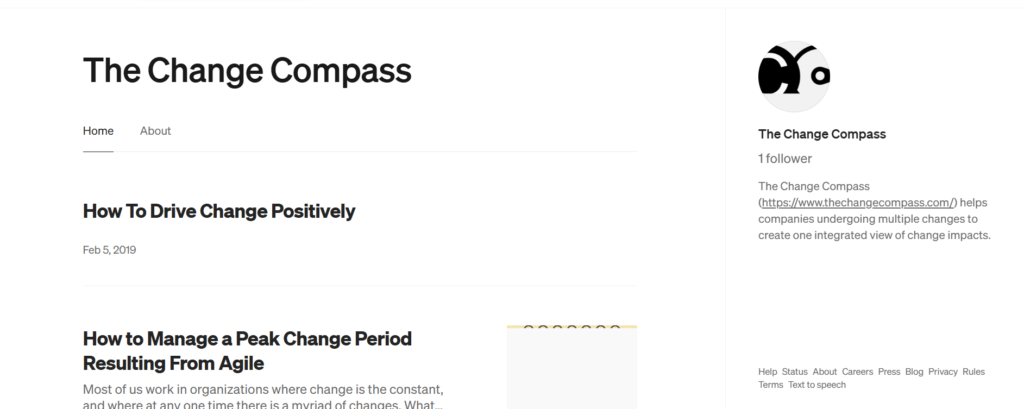
The Change Compass is a specialised platform designed to help organisations visualise transformation initiatives and understand how multiple change programmes interact across departments.
Among enterprise-level change management tools, The Change Compass focuses on mapping change impact across business units, making it valuable for organisations running multiple initiatives simultaneously.
The Change Compass reviews often highlight its ability to prevent change fatigue by identifying overlapping transformation activities across teams.
The Change Compass pricing is typically customised depending on organisation size and portfolio complexity. When comparing The Change Compass vs OCM Solution, The Change Compass is often preferred for visual mapping capability.
Companies researching The Change Compass alternatives frequently evaluate Prosci ADKAR Platform or Smartsheet depending on reporting needs.
Key Features
Change Impact Visualisation Maps
The Change Compass allows organisations to visualise how transformation initiatives affect departments, roles, and workflows. The Change Compass features provide visibility into overlapping changes that may create resistance or implementation delays.
Portfolio Change Tracking
Portfolio dashboards allow programme managers to monitor multiple change initiatives simultaneously. Many The Change Compass review insights highlight improved coordination between departments managing concurrent projects.
Stakeholder Impact Insights
The platform helps identify which teams are most affected by transformation initiatives. This allows change leaders to prioritise communication planning and reduce resistance.
Scenario Planning Tools
Scenario planning tools allow organisations to test potential change timelines before implementation begins. Compared with many The Change Compass alternatives, scenario modelling provides stronger decision support.
Reporting for Leadership Teams
Executive dashboards provide high-level visibility into change saturation risk and programme progress. This allows leadership teams to adjust implementation timelines when required.
Pros and Cons
| Pros | Cons |
| visual change maps | enterprise pricing |
| portfolio visibility | niche platform |
| stakeholder insights | setup time |
| scenario modelling | training required |
Pricing
The Change Compass pricing varies depending on:
- number of transformation programmes
- dashboard requirements
- implementation scope
- reporting depth
Pricing is typically available via consultation.
Best For Organisations Managing Multiple Transformation Initiatives
The Change Compass works particularly well for enterprises coordinating several change programmes at the same time.
- programme directors managing portfolio initiatives — visual change mapping
- enterprise HR teams coordinating restructuring — change impact visibility
- consulting firms delivering transformation programmes — stakeholder insights
- government organisations implementing policy changes — scenario planning support
Verdict:
The Change Compass is one of the most specialised change management tools for organisations needing visibility across multiple transformation initiatives.
Hidden Tip for Preventing Change Fatigue
Use change saturation dashboards to identify departments experiencing multiple transformation initiatives at the same time. Adjust timelines to reduce resistance and maintain productivity levels.
Best Alternative Tool
OCM Solution is frequently compared when organisations require deeper stakeholder tracking capability.
Viima Review 2026
Viima is a platform designed for organisations focusing on continuous improvement, innovation initiatives, and structured idea implementation across departments.
Among flexible change management tools, Viima stands out for its focus on collecting employee ideas, prioritising improvements, and converting feedback into actionable change initiatives.
Viima reviews often highlight its usefulness in organisations encouraging employee participation in operational improvement programmes.
Viima pricing starts at an accessible level compared with enterprise-only platforms. When comparing Viima vs Monday.com, Viima is often selected for innovation-focused change initiatives.
Organisations reviewing Viima alternatives frequently evaluate ClickUp or Process Street depending on workflow automation requirements.
Key Features
Idea Collection Portals
Viima allows organisations to gather improvement suggestions from employees across departments. Viima features provide structured categorisation tools that help prioritise initiatives aligned with business goals.
Innovation Pipeline Tracking
Viima includes visual pipelines that track ideas from submission to implementation. Many Viima review insights highlight improved transparency when managing innovation-driven change initiatives.
Voting and Feedback Tools
Employees can vote and comment on proposed initiatives, helping leadership identify high-impact improvement opportunities. Compared with many Viima alternatives, participatory feedback increases engagement levels.
Change Initiative Prioritisation
Viima provides scoring tools that evaluate ideas based on impact, feasibility, and alignment with organisational goals. This helps change leaders prioritise projects efficiently.
Reporting Dashboards
Viima dashboards allow teams to monitor adoption progress and track implemented improvements across departments.
Pros and Cons
| Pros | Cons |
| strong idea tracking | limited IT governance |
| affordable pricing | fewer enterprise features |
| easy collaboration | reporting depth limits |
| innovation focus | niche use cases |
Pricing
Viima pricing typically starts from approximately £6 per user per month depending on:
- number of submitted ideas
- reporting requirements
- collaboration features
- enterprise integrations
Higher-tier plans include advanced analytics capability.
Best For Organisations Encouraging Employee-Led Change
Viima works particularly well for companies aiming to improve internal processes through staff-driven initiatives.
- HR teams running improvement programmes — structured feedback collection
- operations teams refining workflows — prioritisation scoring
- SMEs encouraging innovation culture — idea pipelines
- consulting firms managing improvement initiatives — progress tracking
Verdict:
Viima is one of the more practical change management tools for organisations prioritising continuous improvement and employee participation.
Hidden Tip for Better Engagement
Create themed idea campaigns such as cost reduction or workflow efficiency to encourage targeted feedback that aligns with business priorities.
Best Alternative Tool
Process Street is frequently compared when organisations require structured workflow documentation alongside improvement tracking.
Axero Review 2026
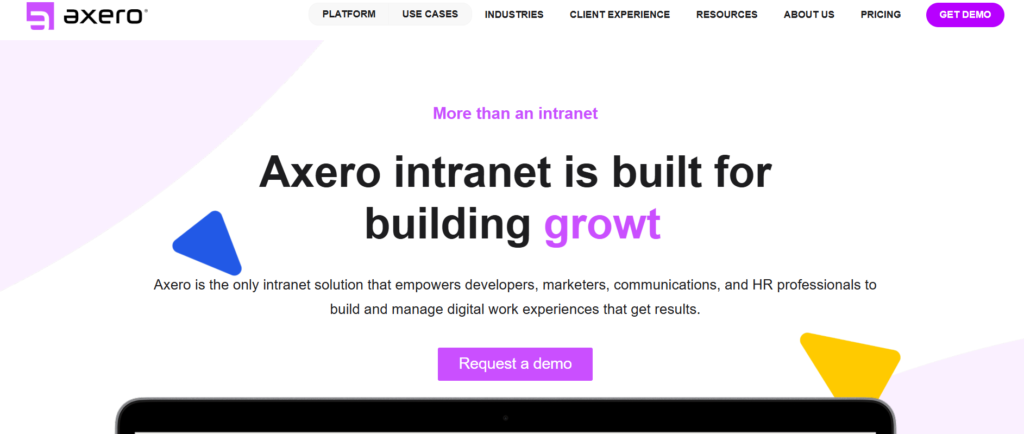
Axero is an intranet and internal communication platform used by organisations managing change initiatives that require consistent messaging, employee alignment, and knowledge sharing.
Among collaborative change management tools, Axero focuses on improving communication clarity across departments during restructuring, policy implementation, and digital transformation programmes.
Axero reviews frequently highlight improved employee awareness through centralised announcements, document sharing, and knowledge portals.
Axero pricing is typically customised depending on organisation size and deployment requirements. When comparing Axero vs Trainual, Axero is often selected for internal communication and engagement capability.
Organisations researching Axero alternatives frequently consider Monday.com or Process Street depending on workflow complexity.
Key Features
Centralised Communication Hub
Axero provides an intranet environment where organisations can publish updates, policy changes, and transformation announcements. Axero features allow employees to access relevant change information without relying on scattered communication channels.
Knowledge Base Management
Axero includes document libraries for SOPs, policy documentation, and onboarding resources. Many Axero review insights highlight reduced confusion when employees can access change-related information in one location.
Employee Engagement Tools
Axero includes discussion forums, surveys, and feedback tools that allow organisations to measure employee sentiment during transformation initiatives.
Content Permissions Control
Role-based access ensures sensitive information is shared with relevant teams only. Compared with many Axero alternatives, structured permissions support compliance requirements.
Integration Capability
Axero integrates with collaboration tools, HR platforms, and enterprise software environments. Axero review comparisons often highlight compatibility with existing internal systems.
Pros and Cons
| Pros | Cons |
| strong communication tools | pricing transparency limited |
| knowledge sharing capability | setup configuration |
| employee engagement features | limited IT workflow tools |
| scalable platform | niche focus |
Pricing
Axero pricing depends on:
- number of users
- intranet configuration requirements
- integration scope
- enterprise deployment needs
Pricing is typically available via customised quotation.
Best For Organisations Managing Internal Communication During Change
Axero works particularly well for organisations prioritising communication clarity during transformation initiatives.
- HR teams managing policy updates — central communication hub
- enterprises coordinating restructuring — knowledge sharing portals
- consulting firms managing change communication — document visibility
- government organisations implementing procedural updates — controlled messaging
Verdict:
Axero remains one of the most useful change management tools for organisations focusing on structured communication and employee alignment.
Hidden Tip for Stronger Adoption Communication
Create dedicated change announcement hubs inside Axero so employees can easily locate updates related to ongoing transformation initiatives.
Best Alternative Tool
Trainual is frequently compared when organisations prioritise structured training documentation alongside change communication.
Process Street Review 2026
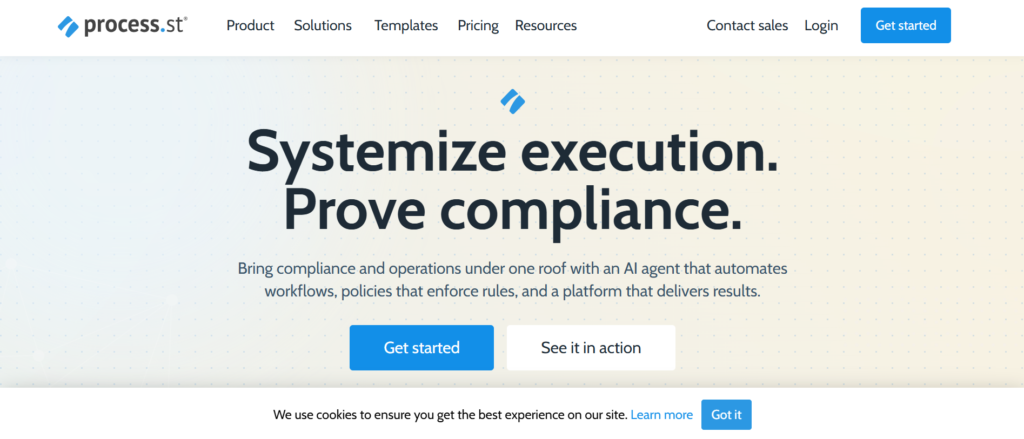
Process Street is a workflow and process documentation platform used by organisations implementing structured operational change, policy updates, and standard operating procedures.
Among practical change management tools, Process Street focuses on repeatable workflows that ensure change initiatives follow consistent steps across departments.
Process Street reviews frequently highlight strong usability for documenting procedures and maintaining process consistency during organisational transformation initiatives.
Process Street pricing is mid-range compared with enterprise-only platforms. When comparing Process Street vs ClickUp, Process Street is often preferred for structured SOP management and checklist-driven change execution.
Organisations researching Process Street alternatives frequently consider Trainual or Monday.com depending on documentation requirements.
Key Features
SOP Workflow Templates
Process Street allows organisations to create repeatable workflow templates that guide teams through structured change implementation. Process Street features allow consistent execution across departments handling policy updates or operational improvements.
Checklist Automation
Checklist workflows ensure each stage of a change initiative is completed in the correct order. Many Process Street review insights highlight reduced operational errors when teams follow structured checklists.
Approval Process Tracking
Approval workflows allow managers to verify compliance before implementation steps are completed. Compared with many Process Street alternatives, structured approvals improve governance visibility.
Document and Knowledge Storage
Process Street allows teams to store documentation related to process updates, training material, and implementation guidelines. This helps maintain consistency during organisational change programmes.
Integration Capability
Process Street integrates with CRM platforms, collaboration tools, and project management systems. Process Street review comparisons often highlight flexibility across operational environments.
Pros and Cons
| Pros | Cons |
| strong SOP templates | limited portfolio reporting |
| easy to use | fewer enterprise analytics |
| structured workflows | integration setup time |
| checklist automation | niche focus |
Pricing
Process Street pricing typically starts from approximately £20 per user per month depending on:
- workflow complexity
- number of templates
- automation rules
- integration requirements
Higher-tier plans include advanced reporting and permissions controls.
Best For Organisations Standardising Operational Change Processes
Process Street works particularly well for organisations requiring consistent workflows across teams.
- operations teams implementing process changes — structured SOP workflows
- HR departments updating policies — checklist visibility
- consulting firms managing client onboarding — repeatable frameworks
- SMEs improving internal procedures — predictable workflow structure
Verdict:
Process Street is one of the most structured change management tools for organisations prioritising repeatable processes and consistent implementation steps.
Hidden Tip for Process Consistency
Create master workflow templates for recurring organisational changes such as onboarding updates or compliance procedures. This reduces manual preparation time.
Best Alternative Tool
Trainual is frequently compared when organisations want structured documentation combined with employee training modules.
Trainual Review 2026
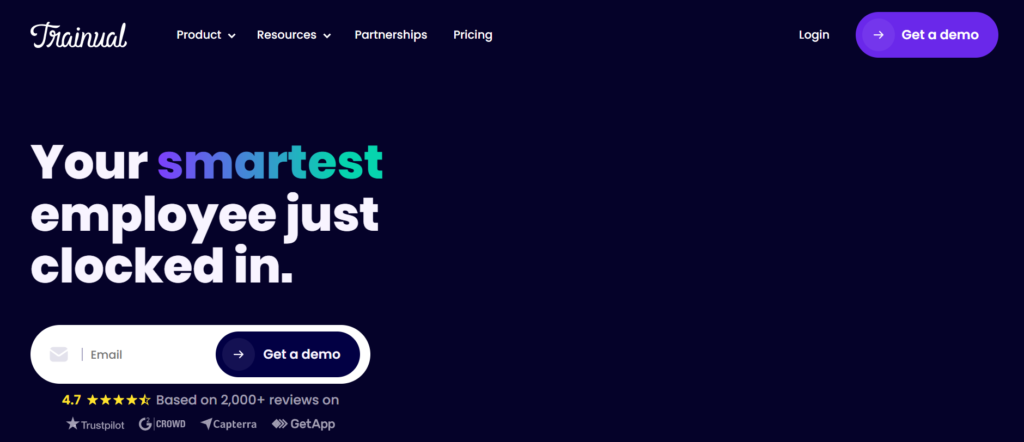
Trainual is a knowledge management and employee training platform designed to support organisations implementing operational changes, onboarding programmes, and process standardisation initiatives.
Among practical change management tools, Trainual helps organisations document procedures, train employees on updated workflows, and ensure consistent adoption of new policies.
Trainual reviews frequently highlight its usefulness when companies need structured training programmes during restructuring, expansion, or system transitions.
Trainual pricing is accessible for SMEs compared with enterprise-only platforms. When comparing Trainual vs Process Street, Trainual is often selected for employee onboarding and knowledge transfer initiatives.
Organisations researching Trainual alternatives frequently evaluate Axero or ClickUp depending on documentation flexibility requirements.
Key Features
Centralised Training Library
Trainual allows organisations to store training modules, onboarding guides, and process documentation in one structured environment. Trainual features support consistent communication of organisational changes.
Role-Based Learning Paths
Learning paths allow organisations to assign training material based on employee roles. Many Trainual review insights highlight improved onboarding clarity during process transitions.
Process Documentation Tools
Trainual enables teams to document workflows step-by-step, ensuring operational consistency across departments implementing change initiatives.
Progress Tracking Dashboards
Training progress dashboards allow managers to monitor employee readiness during transformation initiatives. Compared with many Trainual alternatives, this visibility improves accountability.
Integration Capability
Trainual integrates with HR platforms, collaboration tools, and knowledge systems. Trainual review comparisons often highlight compatibility with existing internal systems.
Pros and Cons
| Pros | Cons |
| structured training paths | limited workflow automation |
| easy onboarding | reporting depth limits |
| knowledge centralisation | fewer IT governance tools |
| scalable documentation | niche use case |
Pricing
Trainual pricing typically starts from approximately £10 per user per month depending on:
- number of users
- training modules required
- reporting depth
- integration scope
Higher tier plans include advanced reporting features.
Best For Organisations Training Employees During Operational Change
Trainual works particularly well for organisations introducing new procedures or onboarding new teams.
- HR teams managing employee onboarding — structured training paths
- SMEs implementing operational updates — documentation clarity
- consulting firms managing client training programmes — progress tracking
- enterprises standardising processes — knowledge consistency
Verdict:
Trainual is one of the most practical change management tools for organisations needing structured employee training during organisational change.
Hidden Tip for Faster Knowledge Adoption
Break training modules into short lessons focused on specific workflow changes. This improves completion rates and helps employees absorb new procedures more effectively.
Best Alternative Tool
Process Street is frequently compared when organisations require stronger workflow automation alongside documentation tools.
ManageEngine ServiceDesk Plus Review 2026
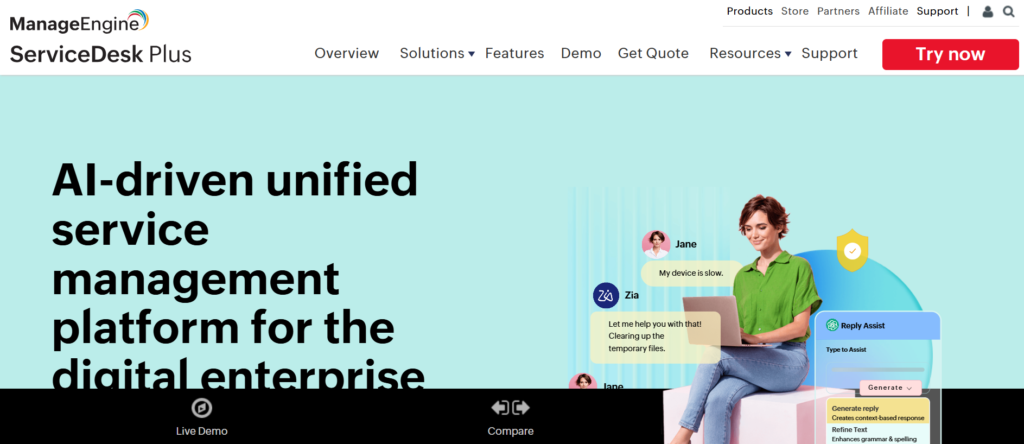
ManageEngine ServiceDesk Plus is a widely used IT service management solution supporting organisations managing system updates, infrastructure changes, and operational improvements requiring approval governance.
Among established change management tools, ManageEngine ServiceDesk Plus provides structured workflows, automation capability, and reporting dashboards aligned with ITIL frameworks.
ManageEngine ServiceDesk Plus reviews frequently highlight strong functionality at a competitive price point compared with enterprise platforms.
ManageEngine ServiceDesk Plus pricing is typically more accessible than ServiceNow or BMC Helix. When comparing ManageEngine ServiceDesk Plus vs Freshservice, organisations often evaluate differences in reporting depth and configuration flexibility.
Companies researching ManageEngine ServiceDesk Plus alternatives frequently consider ChangeGear or Jira Service Management depending on workflow complexity requirements.
Key Features
ITIL-Aligned Change Workflows
ManageEngine ServiceDesk Plus includes structured workflows that support change request tracking, approval routing, and implementation monitoring. ManageEngine ServiceDesk Plus features provide consistent governance across infrastructure updates.
Automation and Approval Routing
Automated approval chains ensure high-risk changes receive appropriate review before implementation begins. Many ManageEngine ServiceDesk Plus review insights highlight improved efficiency when coordinating change advisory board approvals.
Change Impact Tracking
Impact assessment tools allow organisations to evaluate potential service disruption risks before deploying updates. Compared with many ManageEngine ServiceDesk Plus alternatives, built-in templates simplify change classification.
Incident and Problem Linking
The platform connects incidents with related change requests, allowing IT teams to analyse root causes and reduce future disruptions.
Reporting Dashboards
ManageEngine ServiceDesk Plus dashboards provide visibility into implementation progress, risk levels, and operational performance metrics.
Pros and Cons
| Pros | Cons |
| competitive pricing | UI learning curve |
| ITIL compatibility | configuration effort |
| strong automation | limited advanced analytics |
| flexible deployment | setup time |
Pricing
ManageEngine ServiceDesk Plus pricing typically starts from approximately £13 per technician per month depending on:
- deployment environment
- automation requirements
- reporting capability
- enterprise integrations
Higher tier plans include advanced governance features.
Best For IT Teams Needing Structured Change Governance at Lower Cost
ManageEngine ServiceDesk Plus works particularly well for organisations seeking structured workflows without enterprise-level pricing barriers.
- SMEs managing infrastructure updates — structured approval workflows
- IT teams coordinating software rollouts — change tracking dashboards
- enterprises seeking ITIL alignment — governance capability
- managed service providers supporting clients — multi-project visibility
Verdict:
ManageEngine ServiceDesk Plus remains one of the most cost-efficient change management tools for organisations needing ITIL-aligned workflow control.
Hidden Tip for Faster Implementation
Use built-in change templates to standardise approval processes for recurring infrastructure updates. This reduces setup time and improves governance consistency.
Best Alternative Tool
Freshservice is frequently compared when organisations want similar ITSM capability with a simpler interface.
ComplianceQuest Review 2026
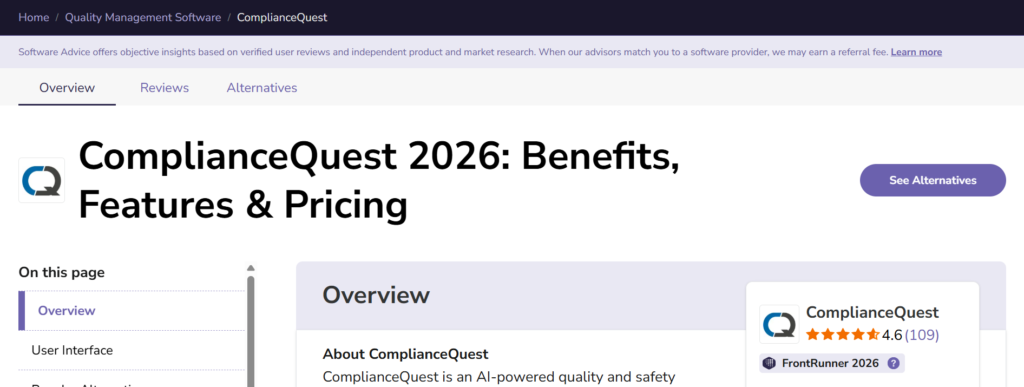
ComplianceQuest is a cloud-based quality and compliance management platform designed for organisations managing regulated change initiatives across healthcare, manufacturing, life sciences, and financial services.
Among enterprise-grade change management tools, ComplianceQuest focuses on governance, audit readiness, and risk mitigation when implementing operational or procedural changes.
ComplianceQuest reviews frequently highlight strong regulatory workflow tracking that helps organisations maintain documentation integrity during audits.
ComplianceQuest pricing is typically customised depending on deployment complexity. When comparing ComplianceQuest vs BMC Helix, ComplianceQuest is often preferred by organisations prioritising compliance management rather than IT-focused change workflows.
Companies researching ComplianceQuest alternatives frequently evaluate ServiceNow or ChangeGear depending on governance scope.
Key Features
Compliance Workflow Automation
ComplianceQuest allows organisations to configure approval workflows aligned with regulatory requirements. ComplianceQuest features ensure that procedural changes follow documented validation steps before implementation.
Audit Trail Documentation
Detailed audit logs track every change decision, approval stage, and implementation outcome. Many ComplianceQuest review insights highlight improved audit readiness across regulated industries.
Risk and Impact Assessment
Risk scoring tools allow organisations to evaluate how operational changes affect compliance requirements. Compared with several ComplianceQuest alternatives, structured risk classification simplifies governance processes.
Document Control Management
ComplianceQuest enables version-controlled documentation for policies, SOPs, and regulatory submissions. This ensures teams always reference the latest approved procedures.
Integration with Enterprise Systems
ComplianceQuest integrates with ERP, CRM, and quality management platforms. ComplianceQuest review comparisons often highlight compatibility with regulated operational environments.
Pros and Cons
| Pros | Cons |
| strong compliance tracking | enterprise pricing |
| audit visibility | implementation time |
| document version control | niche focus |
| risk classification | training required |
Pricing
ComplianceQuest pricing depends on:
- number of users
- compliance modules required
- workflow configuration complexity
- integration requirements
Pricing is typically available via consultation.
Best For Regulated Industries Managing Compliance-Sensitive Changes
ComplianceQuest works particularly well for organisations needing structured regulatory documentation during transformation initiatives.
- healthcare organisations implementing policy updates — audit trail visibility
- pharmaceutical companies managing validation processes — compliance workflows
- financial services firms implementing regulatory changes — governance tracking
- manufacturing firms updating quality procedures — document control systems
Verdict:
ComplianceQuest remains one of the most specialised change management tools for organisations requiring strong compliance governance and regulatory documentation.
Hidden Tip for Audit Preparation
Use version-controlled documentation to maintain a clear record of policy updates across transformation initiatives. This simplifies audit preparation and reduces compliance risk.
Best Alternative Tool
ChangeGear is frequently compared when organisations require structured approval workflows with IT governance capability.
Choosing the Right Change Management Tools in 2026
Selecting the right change management tools can significantly reduce implementation risk, improve employee adoption, and maintain operational continuity during organisational transitions.
Across the UK, enterprises, consultants, HR leaders, and IT departments rely on structured change frameworks to manage digital transformation, process updates, restructuring initiatives, and compliance requirements.
From enterprise-grade platforms such as ServiceNow and BMC Helix to flexible workflow systems like ClickUp and Monday.com, each solution in this guide serves a specific operational need.
The key is alignment:
- IT teams benefit from ITIL-aligned workflow tools
- HR departments require training and communication platforms
- transformation leaders need stakeholder visibility dashboards
- SMEs often prioritise flexible workflow configuration
- regulated industries require audit-ready governance systems
Choose the platform that fits your implementation scope, stakeholder complexity, and reporting requirements.
Adoption success rarely depends on the tool alone. It depends on how consistently change processes are applied across departments.
Call to Action
Pearl Lemon supports organisations implementing structured transformation initiatives using proven change frameworks and practical implementation roadmaps.
Our team works with HR departments, SaaS companies, IT teams, and enterprise programme leaders to ensure organisational change is introduced with clarity, communication structure, and measurable adoption tracking.
We support:
- organisational restructuring change planning
- digital transformation implementation support
- stakeholder engagement strategy
- workflow documentation frameworks
- internal communication structure
- process improvement change initiatives
Schedule a consultation to discuss how structured change frameworks can improve adoption consistency across your organisation.
FAQs
1. What are change management tools used for?
Change management tools are used to plan, track, and implement organisational change initiatives while reducing disruption and improving employee adoption.
2. Which change management tool is best for IT teams?
ServiceNow, Jira Service Management, and Freshservice are commonly selected by IT departments managing infrastructure updates and software releases.
3. Are change management platforms suitable for SMEs?
Yes. Tools such as ClickUp, Monday.com, and Process Street provide flexible workflow configuration suitable for SMEs managing operational change initiatives.
4. What features should change management software include?
Key features include workflow automation, stakeholder tracking, communication planning, reporting dashboards, and adoption tracking.
5. Do change management tools support compliance requirements?
Platforms such as ComplianceQuest and ChangeGear include audit trail documentation to support regulatory requirements.
6. How long does change management implementation take?
Implementation timelines depend on organisation size, stakeholder complexity, and workflow configuration requirements.
7. What is the difference between project management and change management tools?
Project management tools focus on task execution, while change management tools focus on adoption, communication planning, and stakeholder engagement.
8. Do change management tools integrate with HR software?
Many platforms integrate with HRIS, CRM, and collaboration tools to maintain consistent data flow across departments.
9. Are there free change management tools available?
Some tools provide free trials or entry-level plans suitable for small teams testing change workflows.
10. How do organisations measure change adoption success?
Adoption success is typically measured using employee engagement metrics, workflow completion rates, training progress, and stakeholder feedback.