

According to a 2024 Project Management Institute report, organisations that invest in business roadmapping tools are 33% more likely to hit key milestones on time. Meanwhile, Gartner found that nearly 70% of executives believe visual business planning software directly improves cross-department collaboration.
You want to be one of those benefiting from business roadmapping software. That’s why we’ve analysed, tested, and compared dozens of business roadmapping tools to find the ones that actually make strategic planning practical and actionable.
This guide covers the 20 best tools for business roadmapping in 2025, chosen for their usability, scalability, and impact on long-term execution.
What is Business Roadmapping?
Business roadmapping is the process of visually mapping out your strategic goals, timelines, and milestones to keep everyone aligned across departments. It’s not just a planning exercise. It’s a communication tool that turns vision into actionable steps.
A good roadmap software lets leaders:
- Translate long-term goals into specific initiatives.
- Communicate priorities clearly across teams.
- Monitor progress without getting lost in spreadsheets.
- Adapt quickly as conditions change.
From startups managing product lifecycles to enterprises coordinating multi-year strategies, roadmapping tools simplify how decisions get made and followed through.
Quick Comparison Table of Top Business Roadmapping Tools for 2025
When choosing a roadmapping tool, decision-makers often look at ease of use, visual clarity, integration options, and collaboration features. The table below compares the 20 best platforms based on what matters most for effective planning.
| Tool Name | Best For | Starting Price | Free Trial? | Key Feature | G2 Rating | Platform |
| Aha! | Product Strategy | £47/month | Yes | Custom goal hierarchies | 4.6 | Web |
| ProductPlan | Enterprise Roadmaps | £35/month | Yes | Drag-and-drop timelines | 4.5 | Web |
| Monday.com | Team Collaboration | £8/seat | Yes | Visual project mapping | 4.7 | Web, iOS, Android |
| ClickUp | SMEs | Free–£9/month | Yes | Multi-view dashboards | 4.7 | Web, Mobile |
| Roadmunk | Strategic Planning | £19/month | Yes | Timeline + Swimlane views | 4.6 | Web |
| Asana | Cross-Team Workflows | £9.49/month | Yes | Milestone tracking | 4.5 | Web, Mobile |
| Notion | Flexible Planning | Free–£7/month | Yes | Linked database views | 4.8 | Web, Desktop |
| Trello | Simple Visual Boards | Free–£5/month | Yes | Kanban-based timelines | 4.4 | Web, Mobile |
| Wrike | Enterprise Collaboration | £9.80/month | Yes | Gantt chart integration | 4.4 | Web, Mobile |
| Smartsheet | Corporate PMOs | £6/month | Yes | Spreadsheet + roadmap view | 4.4 | Web |
| Airfocus | Prioritisation | £7/month | Yes | Weighted scoring | 4.6 | Web |
| Craft.io | Product Teams | £19/month | Yes | Story mapping | 4.7 | Web |
| Jira | Software Teams | £6.50/user | Yes | Agile roadmap boards | 4.5 | Web, Mobile |
| Hive | Remote Teams | £10.50/user | Yes | Action templates | 4.6 | Web |
| Lucidspark | Brainstorming & Planning | £7.20/user | Yes | Collaborative whiteboards | 4.7 | Web |
| Miro | Ideation + Strategy | Free–£8/month | Yes | Interactive roadmap templates | 4.8 | Web |
| Coda | Process Builders | Free–£9/month | Yes | Dynamic goal trackers | 4.7 | Web |
| Cascade | Strategy Execution | £25/month | Yes | KPI alignment | 4.8 | Web |
| ClickRoad | Startup Teams | £9/month | Yes | Auto milestone suggestions | 4.5 | Web |
| Roadmap Planner | Visual Mapping | £5/month | Yes | Layered visual plans | 4.3 | Desktop |
Best 20 Business Roadmapping Tools for 2025
Below you’ll find a breakdown of each tool. What it’s best for, key features, and how it fits different business needs.
1. Aha! – Build Strategic Roadmaps with Confidence
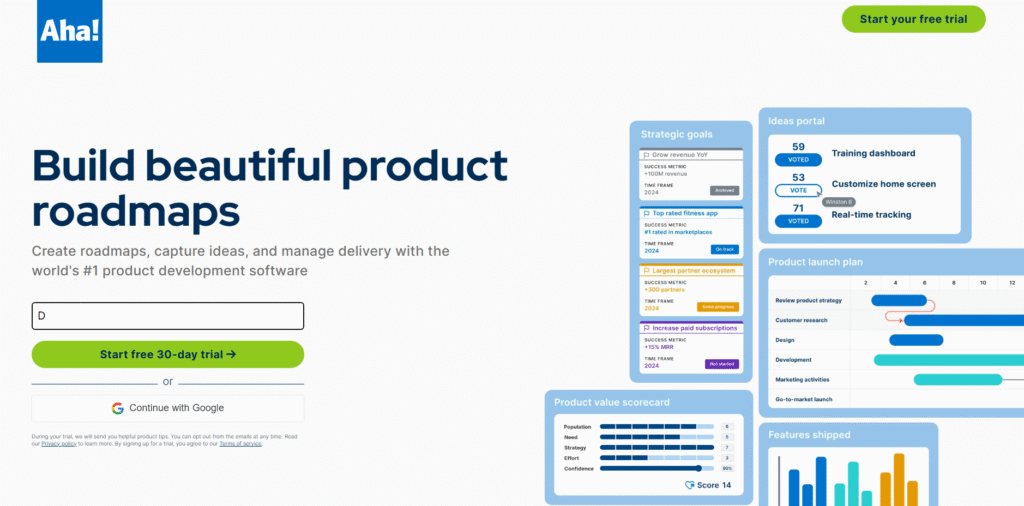
Aha! is one of the most established business roadmapping tools, trusted by product managers, executives, and strategy teams. It helps companies align every initiative with high-level business goals, making it an excellent option for enterprises that prioritise structured planning and measurable progress. Aha! review feedback often highlights its flexibility and in-depth goal hierarchy system that keeps teams focused on outcomes rather than just tasks.
Key Features
Goal Hierarchies
Aha! allows users to connect strategic objectives directly to actionable plans, ensuring every task contributes to business-wide success. This feature is especially useful for leadership teams managing multiple departments with shared priorities.
Custom Roadmap Views
Create visual roadmaps for various audiences—executives, teams, or investors—without duplicating data. Each view presents the same information from a different perspective, allowing better communication and focus.
Idea Management
Collect, evaluate, and prioritise ideas from your team and customers. This helps transform raw suggestions into structured product or business initiatives within the roadmap.
Integrations with Popular Tools
Aha! integrates seamlessly with platforms like Jira, Azure DevOps, and Slack, ensuring real-time updates between planning and execution.
Advanced Analytics and Reporting
Get performance insights that show which initiatives deliver measurable value. Aha! pricing includes analytics features designed to support continuous improvement.
Pros & Cons
| Pros | Cons |
| Strong strategic alignment tools | Learning curve for new users |
| Customisable roadmap views | Higher pricing tier for full features |
| Excellent reporting and analytics | Interface may feel heavy for small teams |
Pricing
Aha! pricing starts at £47 per user per month, billed annually. There’s a 30-day free trial available with full access to all core features.
Best For Large Enterprises with Complex Planning Needs
Aha! is ideal for organisations managing multiple long-term initiatives across departments.
- Enterprise teams – Align high-level goals with tactical execution.
- Product managers – Visualise development timelines alongside business objectives.
- Operations leaders – Gain visibility across interlinked projects.
- Strategy departments – Maintain clarity between milestones and KPIs.
Use Aha!’s custom roadmap views to present strategy updates to different stakeholders. Many users overlook this feature, but it helps personalise communication for investors, teams, and leadership without recreating multiple roadmaps.
How to Use Aha! for Quarterly Planning
Use Aha!’s “Initiatives” section to define your quarterly goals. Then connect each initiative to releases and tasks, linking measurable outcomes to clear timelines. This approach ensures that each department’s work ties directly to the quarter’s priorities.
Best Alternative
ProductPlan is a strong Aha! alternative for teams wanting simpler drag-and-drop functionality with less administrative setup.
2. ProductPlan – Visual Roadmaps That Keep Teams Aligned
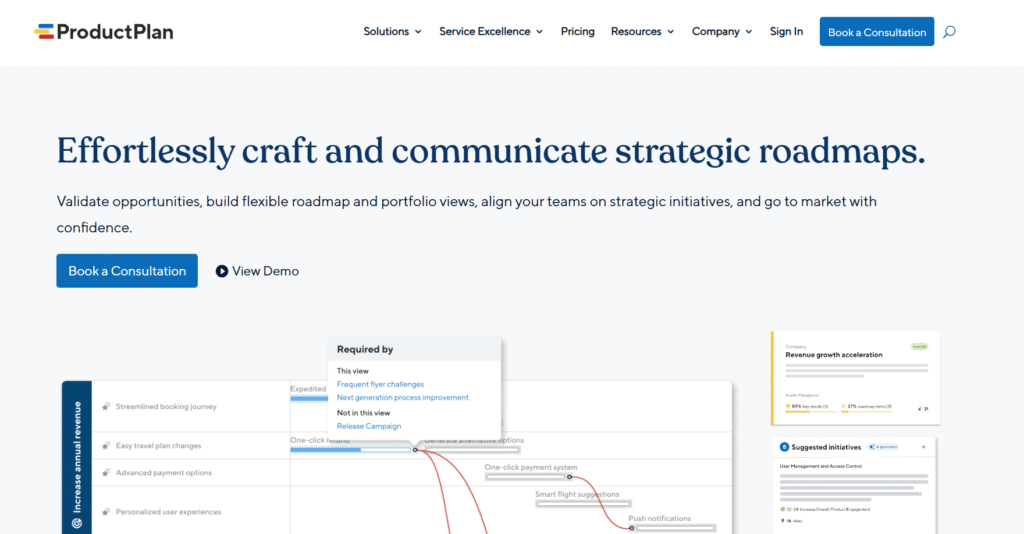
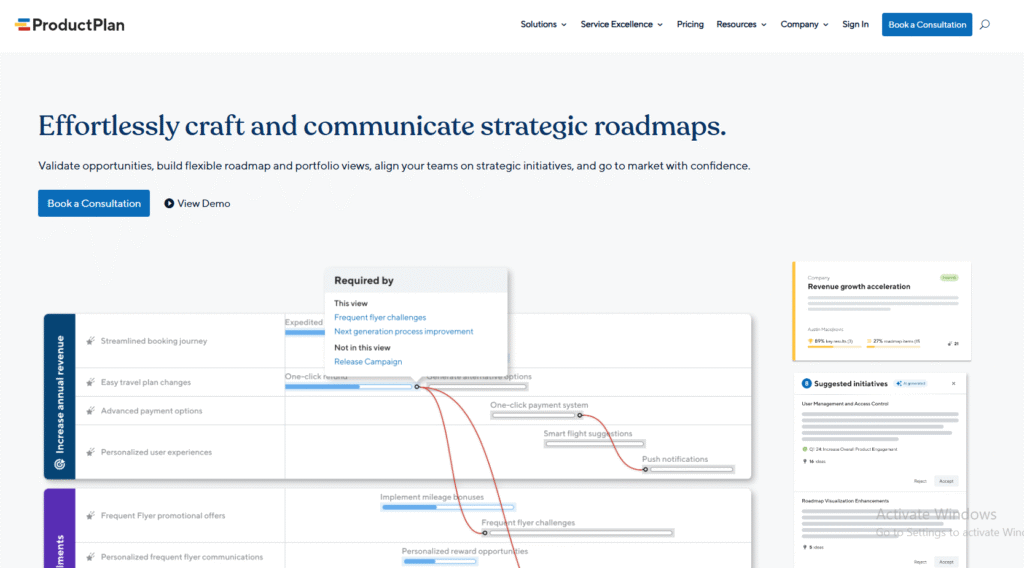
ProductPlan is a dedicated business roadmapping tool designed for clarity, collaboration, and communication. It’s particularly popular among enterprise strategy teams and product managers who need to share roadmaps across departments without complex technical setup. ProductPlan review feedback consistently praises its intuitive interface and drag-and-drop timeline system that makes strategic planning straightforward.
Key Features
Drag-and-Drop Roadmap Builder
ProductPlan simplifies roadmap creation with a visual interface that lets you organise plans and timelines in minutes. It’s perfect for teams that prefer simplicity without compromising structure.
Collaborative Roadmaps
Invite stakeholders to comment, suggest, and track progress directly within the roadmap. This ensures alignment without endless meetings or scattered emails.
Portfolio Management
Manage multiple roadmaps under one portfolio view, providing executives with a top-level perspective of all ongoing projects and their progress.
Data-Linked Prioritisation
Assign value, effort, and priority scores to initiatives. ProductPlan automatically visualises these weightings, helping decision-makers focus on high-impact items first.
Integrations and Embeds
Easily embed ProductPlan roadmaps into tools like Jira, Confluence, or Slack. These integrations help teams keep communication centralised and updates transparent.
Pros & Cons
| Pros | Cons |
| Easy to use for non-technical users | Limited advanced reporting |
| Clean and professional visual design | Pricing increases with larger teams |
| Excellent sharing and collaboration tools | Fewer analytics options than Aha! |
Pricing
ProductPlan pricing starts at approximately £35 per user per month, billed annually. It offers a free 14-day trial, giving teams time to test the full suite of features before committing.
Best For Cross-Functional Teams Needing Visual Clarity
ProductPlan works best for companies that value clear visual communication and cross-department visibility.
- Strategy leads – Present high-level plans to executives in an understandable format.
- Product teams – Link releases and features to overarching goals.
- Marketing teams – Align campaign timelines with business initiatives.
- Start-ups – Maintain strategic focus while scaling.
Use the “Portfolio View” feature to display how each department contributes to the same overarching strategy. This view is especially useful for quarterly executive reviews and planning sessions.
How to Use ProductPlan for Annual Strategy Planning
Create separate lanes for each department and map their key objectives for the year. Use the colour-coding feature to differentiate between initiatives. By doing this, leadership can instantly see dependencies and resource overlaps, ensuring smoother execution.
Best Alternative
Roadmunk is an excellent ProductPlan alternative for those seeking more custom visual layouts, such as swimlanes and timeline views that can be toggled instantly.
3. Monday.com – Flexible Business Roadmapping for Every Team
Monday.com has become one of the most versatile tools for business roadmapping, offering visual clarity and strong collaboration features. Its flexibility makes it suitable for teams of all sizes, from start-ups to large organisations managing multiple projects. Monday.com review summaries often highlight its ease of use, automation capabilities, and clean visual layout that replaces traditional spreadsheets and Gantt charts.
Key Features
Visual Dashboards
Monday.com offers fully customisable dashboards that display timelines, progress, and dependencies in one place. These dashboards make it easier to track business goals and ensure alignment across departments.
Automations and Triggers
You can automate repetitive actions such as notifying team members, changing statuses, or moving items when deadlines approach. This saves time and reduces human error in complex plans.
Multiple View Modes
Choose between Kanban, Gantt, calendar, or timeline views depending on your team’s preference. Each mode offers different visibility levels for planning and tracking.
Integrations with Popular Tools
Monday.com integrates with over 200 platforms, including Slack, Teams, and Google Workspace. It also connects with CRM and finance tools, making it easy to keep business planning in sync.
Team Collaboration Tools
Built-in communication features like tagging, commenting, and file attachments keep discussions directly tied to tasks. This helps teams stay organised without relying on scattered messages or external documents.
Pros & Cons
| Pros | Cons |
| Highly visual and user-friendly | Can feel complex for first-time users |
| Strong automation and integrations | Pricing scales quickly with team size |
| Great for both strategic and tactical planning | Some advanced reports require higher-tier plans |
Pricing
Monday.com pricing starts at £8 per seat per month, billed annually. It includes a free plan for small teams and a 14-day trial for premium features.
Best For Mid-Sized Teams and Agencies Managing Multiple Projects
Monday.com is particularly useful for teams needing both big-picture strategy and daily task tracking in one platform.
- Marketing agencies – Plan client campaigns and track milestones.
- Product teams – Manage roadmaps and feature releases visually.
- Operations managers – Monitor timelines and adjust priorities easily.
- HR and internal departments – Map hiring or internal project roadmaps.
Take advantage of Monday.com’s automation recipes to trigger updates and reminders when milestones shift. This feature ensures no task slips through the cracks and keeps everyone accountable.
How to Use Monday.com for Quarterly Goal Tracking
Create a “Goal Tracker” board with columns for objectives, metrics, responsible team members, and status. Automate reminders so progress updates are prompted weekly. This helps keep leadership aligned with measurable progress throughout the quarter.
Best Alternative
ClickUp is an excellent alternative to Monday.com for teams wanting a similar level of flexibility but with more built-in document collaboration and goal-tracking templates.
4. ClickUp – All-in-One Business Roadmapping and Productivity Platform
ClickUp is a powerhouse tool that combines project management, business roadmapping, and goal tracking into one unified workspace. It’s designed for teams that want to consolidate planning, execution, and reporting without switching between multiple apps. ClickUp review feedback consistently mentions its adaptability, advanced automation, and cost-effective pricing model, making it ideal for small and medium-sized enterprises.
Key Features
Multi-View Dashboards
ClickUp offers a range of visual formats including List, Board, Gantt, and Mind Map views. Teams can switch between these modes to see the same roadmap data from different perspectives without losing context.
Goals and OKRs Tracking
Set measurable goals and link them to actionable tasks. Each key result automatically updates as tasks progress, allowing teams to monitor outcomes in real time.
Custom Automations
Automate repetitive workflows like status changes, alerts, and task assignments. These automation rules save time and reduce the need for manual coordination between departments.
Templates and Roadmap Frameworks
ClickUp provides pre-built roadmap templates for marketing, operations, product, and strategy teams. These templates make it quick to start planning even for teams new to structured business roadmapping.
Collaboration and Communication Tools
The built-in chat and document system allows you to hold discussions directly within tasks and projects. This keeps collaboration centralised and reduces communication gaps.
Pros & Cons
| Pros | Cons |
| Feature-rich at an affordable price | Can feel overwhelming for beginners |
| Flexible for multiple use cases | Some automations require higher plans |
| Strong goal-tracking and analytics | Requires setup time for customisation |
Pricing
ClickUp pricing starts with a free plan that includes core features, while paid plans begin at £9 per user per month. Premium tiers add goal tracking, automation, and advanced dashboard options.
Best For SMEs and Growing Teams Seeking Centralised Planning
ClickUp is best suited for teams that want everything including strategy, execution, and collaboration, in a single workspace.
- Small business owners – Manage strategy and execution in one place.
- Operations teams – Track multi-department initiatives without spreadsheets.
- Marketing teams – Align content calendars and campaign milestones.
- Product teams – Build agile roadmaps linked to development goals.
Use ClickUp’s “Goals” feature alongside dashboards to connect long-term company objectives to ongoing projects. This visual alignment ensures every department’s work directly contributes to measurable results.
How to Use ClickUp for Strategic Planning
Start by creating a Space called “Company Roadmap.” Within that, add Lists for each department and link their quarterly objectives to high-level company goals. The Gantt view helps visualise timelines and dependencies, keeping planning consistent across teams.
Best Alternative
Monday.com is a great ClickUp alternative for teams that prioritise simplicity and visual design over extensive customisation.
5. Roadmunk – Purpose-Built Business Roadmapping Software

Roadmunk is a specialist business roadmapping tool focused on strategic alignment and visual communication. It allows teams to create detailed, presentation-ready roadmaps with minimal setup. Many Roadmunk review summaries highlight its dual-view flexibility, enabling users to switch between timeline and swimlane layouts for different audience needs. It’s well-suited for executives and product leaders who want clarity without clutter.
Key Features
Timeline and Swimlane Views
Roadmunk’s standout feature is the ability to toggle between timeline and swimlane formats instantly. This lets you visualise projects by time period or by department, making it easier to present to diverse stakeholders.
Idea and Feedback Management
Collect and organise ideas from teams or customers in a single place. Link them to roadmap initiatives to ensure that business priorities are influenced by real feedback.
Custom Fields and Colour Coding
Users can tag initiatives by goal, department, or priority using colour-coded custom fields. This feature gives a clear overview of progress across the entire organisation.
Data Import and Integrations
Roadmunk integrates smoothly with Jira, Azure DevOps, and Excel. You can import existing project data and visualise it instantly in roadmap form without starting from scratch.
Collaboration and Sharing Options
Share live, interactive roadmap links or export presentation-ready visuals for stakeholder meetings. These sharing tools keep everyone informed and aligned at all times.
Pros & Cons
| Pros | Cons |
| Easy to create and customise roadmaps | Limited automation features |
| Dual-view layout flexibility | Fewer integrations than larger platforms |
| Ideal for executive presentations | May lack advanced analytics for large enterprises |
Pricing
Roadmunk pricing starts at around £19 per user per month, with a 14-day free trial available. Enterprise pricing includes advanced security and administrative controls.
Best For Strategic Teams and Product Leaders
Roadmunk is ideal for teams that need to present strategy visually to senior leadership or investors.
- Product leaders – Present development plans and dependencies clearly.
- Strategy teams – Map out company objectives by department.
- Executives – Review timelines and resource alignment visually.
- Project managers – Communicate progress with minimal formatting work.
Leverage the “Feedback” module to turn user insights into tangible roadmap initiatives. It’s an underused feature that ensures decisions are data-informed and connected to real stakeholder needs.
How to Use Roadmunk for Strategic Reviews
Create two roadmap views per quarter: a timeline view for internal tracking and a swimlane view for board or investor meetings. This makes it easy to highlight both the progress and strategic distribution of work without building separate reports.
Best Alternative
Aha! is an excellent Roadmunk alternative for teams wanting deeper strategic goal tracking, analytics, and integration capabilities across large organisations.
6. Asana – Structured Roadmapping for Team Coordination
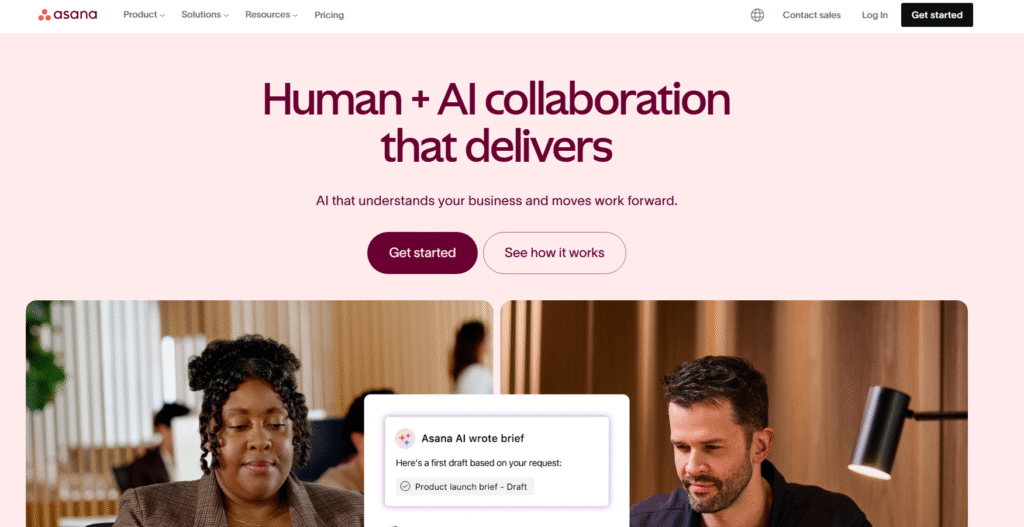
Asana is one of the most widely used project and business roadmapping tools for teams seeking structured planning combined with intuitive collaboration. It helps businesses set clear goals, track milestones, and maintain accountability across departments. Asana review summaries frequently mention its user-friendly layout, goal alignment tools, and excellent task visibility, making it a reliable option for teams that value transparency and precision.
Key Features
Timeline View for Strategic Planning
Asana’s timeline view transforms your project list into a visual roadmap, making it easier to track dependencies and adjust plans in real time without losing context.
Goal and Milestone Alignment
You can set company-wide objectives and break them down into smaller milestones. Each milestone updates automatically as teams complete tasks, keeping leadership informed of progress.
Workload Management
Get an overview of how tasks are distributed among team members to prevent overload and ensure fair allocation of work, a feature that makes Asana especially valuable for large, cross-functional teams.
Automation and Rules
Use automation to assign tasks, update statuses, and send alerts when deadlines approach. This reduces repetitive manual coordination and ensures tasks remain on schedule.
Integrations and Reporting
Asana integrates with over 100 applications, including Slack, Google Drive, and Microsoft Teams. Its reporting tools give visual insights into performance, helping leaders assess whether the business is on track.
Pros & Cons
| Pros | Cons |
| User-friendly with minimal setup | Some features locked behind premium plans |
| Excellent for cross-team collaboration | Can feel limited for complex dependencies |
| Effective goal and milestone tracking | Limited customisation compared to Aha! or ClickUp |
Pricing
Asana pricing starts at £9.49 per user per month for the Premium plan, with a free tier for small teams. Larger organisations can opt for the Business plan for more advanced reporting and workflow automation.
Best For Teams That Value Structure and Accountability
Asana suits organisations that want a clean and reliable planning framework without the learning curve of more complex software.
- Marketing departments – Plan campaigns and align launch dates.
- HR teams – Build hiring and onboarding roadmaps.
- Operations leaders – Oversee project timelines and resource balance.
- Start-ups – Keep fast-moving teams aligned around priorities.
Use Asana’s “Goals” section to tie every project directly to company objectives. This ensures that day-to-day actions contribute to measurable business outcomes, an essential step for scaling with clarity.
How to Use Asana for Departmental Roadmaps
Set up one project per department and connect them using Asana’s “Portfolio” feature. This lets senior management see every department’s progress in a single consolidated view, ensuring transparency across the organisation.
Best Alternative
Monday.com is a strong Asana alternative for teams that want more flexibility in visuals and automation while retaining straightforward usability.
7. Notion – Flexible Business Roadmapping and Knowledge Management
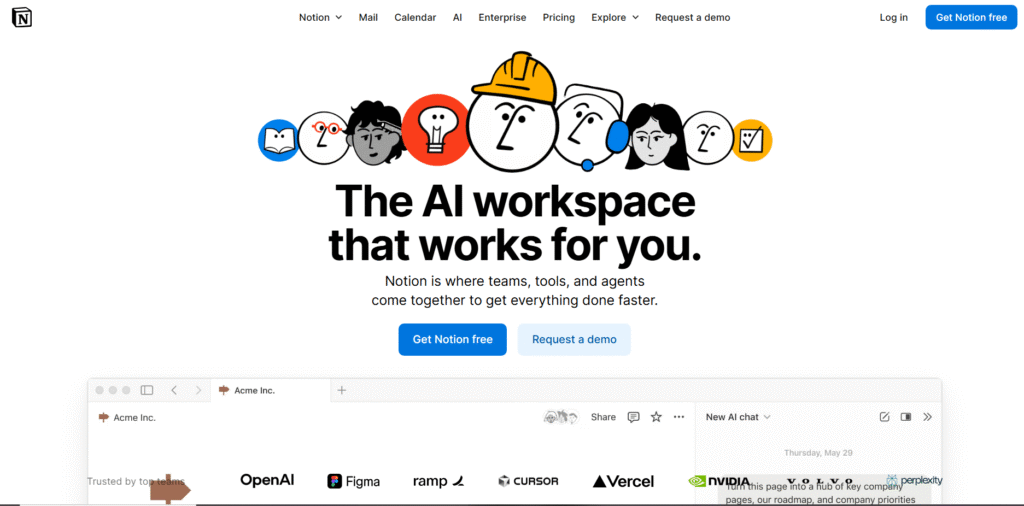
Notion has quickly become a favourite for teams wanting an adaptable workspace that combines documentation, planning, and visual roadmapping. It offers unmatched flexibility for customising workflows, making it a great choice for creative teams and startups. Notion review feedback highlights how easily users can build interactive business roadmaps that link goals, milestones, and notes in one intuitive interface.
Key Features
Linked Database Views
Notion allows you to create databases for goals, projects, and deliverables, then display them in multiple formats like tables, boards, and calendars. Updates in one view automatically sync across all others.
Custom Roadmap Templates
With pre-designed templates for OKRs, quarterly goals, and project timelines, Notion helps you start roadmapping immediately. You can easily modify these templates to suit your business structure.
Collaboration and Comments
Team members can comment, tag, and edit pages simultaneously. This turns every roadmap into a living document where updates and feedback happen in real time.
Integration with Other Tools
Notion integrates with apps like Slack, Google Calendar, and Zapier, ensuring that your planning system remains connected to daily workflows.
Embedding and Documentation
Embed charts, visuals, and dashboards directly inside your roadmap. This allows decision-makers to view everything they need without switching between tools.
Pros & Cons
| Pros | Cons |
| Extremely customisable and adaptable | Can feel unstructured for large enterprises |
| Combines documents and project tracking | No advanced analytics built-in |
| Affordable for small teams | Learning curve for advanced setups |
Pricing
Notion pricing starts at £7 per user per month for team plans, with a generous free version available for individuals and small groups. Larger businesses can opt for the Business plan with added permissions and admin controls.
Best For Start-Ups, Creators, and Agile Teams
Notion is perfect for teams that want to build a flexible business roadmap while maintaining creative freedom in how they plan and execute.
- Founders – Create a single space for goals, metrics, and progress tracking.
- Content teams – Align editorial calendars with business priorities.
- Product designers – Map user journeys alongside roadmap milestones.
- Remote teams – Centralise communication and strategy documents.
Use Notion’s “Relation” property to link roadmap items with tasks and documentation. It’s a subtle feature that allows full visibility across planning and execution layers without duplicating data.
How to Use Notion for Annual Roadmaps
Create a “Company Roadmap” database, then add views for each quarter. Use filters to show only active projects or high-priority goals. You can embed a progress bar for each milestone, helping teams visualise completion at a glance.
Best Alternative
Coda is an excellent Notion alternative for users seeking similar flexibility but with deeper automation and spreadsheet-like functionality for data-heavy teams.
8. Trello – Simple Visual Roadmapping for Teams of Any Size
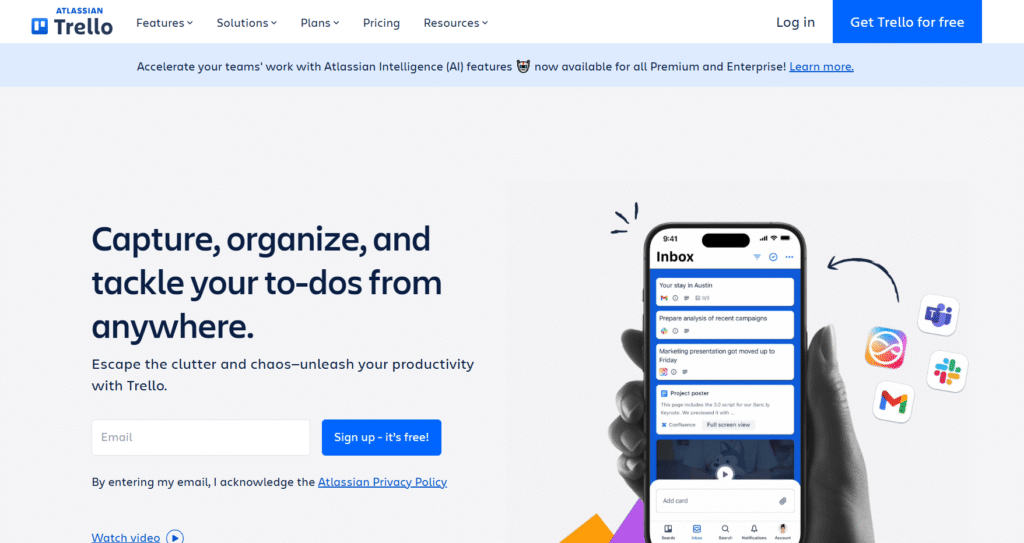
Trello is one of the easiest business roadmapping tools to use, built around a visual card-and-board system that helps teams manage projects at a glance. It’s especially useful for smaller businesses and creative teams that want to keep things simple without sacrificing organisation. Trello review feedback often praises its minimal learning curve, clear layout, and affordability for teams just starting to formalise their planning process.
Key Features
Kanban-Based Boards
Trello uses boards, lists, and cards to create a clear visual overview of projects. This makes it ideal for simple business roadmaps, where each list can represent a phase or department.
Timeline and Calendar Views
With Trello Premium, you can switch to timeline and calendar views. These modes turn your Kanban board into a lightweight roadmap suitable for scheduling and tracking milestones.
Power-Ups and Integrations
Trello supports a wide range of Power-Ups, mini integrations that extend functionality. Popular ones include Google Drive, Slack, and Calendar Sync, allowing teams to connect roadmaps with daily workflows.
Automation (Butler)
Trello’s Butler automation engine allows you to automate repetitive actions, like moving cards when due dates change or sending reminders for upcoming tasks.
Team Collaboration
Assign members to cards, set deadlines, attach files, and track updates. Everything stays visible on one screen, making coordination straightforward.
Pros & Cons
| Pros | Cons |
| Very easy to learn and use | Limited strategic or analytical depth |
| Affordable and scalable | Complex projects may require Power-Ups |
| Excellent for visual learners | Reporting options are basic |
Pricing
Trello pricing starts with a free plan for unlimited boards and cards, with paid plans beginning at around £5 per user per month. Upgrading unlocks advanced views and automation.
Best For Small Teams and Simple Strategic Plans
Trello is perfect for teams that want a straightforward way to organise ideas, initiatives, and timelines without the need for heavy setup.
- Small business owners – Track goals and tasks in an easy visual format.
- Creative agencies – Plan campaigns and project stages at a glance.
- Freelancers – Organise client roadmaps and deadlines.
- Non-profits – Manage initiatives and volunteer activities clearly.
Use colour-coded labels to group roadmap items by priority or department. When combined with Trello’s timeline view, this gives a surprisingly powerful strategic snapshot for quick reviews.
How to Use Trello for Business Roadmapping
Set up lists for each quarter or department, then use cards to represent specific goals or initiatives. Add due dates, checklists, and attachments for complete transparency. This method creates a simple, accessible roadmap for everyone on the team.
Best Alternative
Notion is a strong Trello alternative for teams that outgrow basic Kanban systems and need a more connected environment with embedded documentation and database-style planning.
9. Wrike – Scalable Business Roadmapping for Large Teams
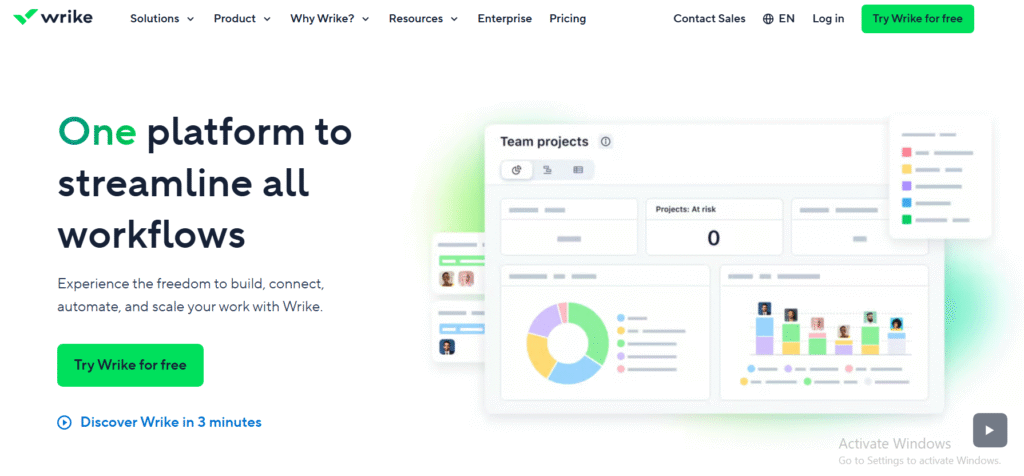
Wrike is a powerful work management and business roadmapping platform designed for large teams that handle complex, multi-departmental projects. It offers high visibility across tasks, teams, and timeframes while supporting advanced reporting and automation. Wrike review insights frequently highlight its robust Gantt charts, real-time updates, and adaptability across industries such as marketing, product development, and operations.
Key Features
Advanced Gantt Charts
Wrike’s Gantt charts provide a clear, interactive timeline for all projects. Users can adjust schedules and dependencies directly from the chart, which automatically updates across the roadmap.
Custom Workflows
You can define workflows that reflect your organisation’s unique approval or review process. This is ideal for teams that need structured oversight at each stage of delivery.
Cross-Department Collaboration
Wrike makes it easy for different departments to align their efforts. Shared dashboards display progress, ensuring everyone works toward the same strategic goals.
Detailed Reporting and Analytics
Wrike’s analytics dashboards present data on task completion rates, project progress, and team efficiency. These insights help decision-makers identify bottlenecks and measure performance against strategic objectives.
Integration and Security Options
With integrations for over 400 tools including Salesforce, Microsoft Teams, and Google Workspace, Wrike fits seamlessly into enterprise ecosystems. Its enterprise-level security options make it suitable for regulated industries.
Pros & Cons
| Pros | Cons |
| Ideal for large or complex projects | Can feel overwhelming for smaller teams |
| Strong reporting and automation | Premium features only on higher tiers |
| Excellent collaboration and visibility | Setup requires time and onboarding |
Pricing
Wrike pricing starts at around £9.80 per user per month, with a free version available for small teams. Custom enterprise pricing is available for organisations needing advanced permissions and analytics.
Best For Enterprises and Cross-Functional Teams
Wrike suits businesses that need to manage numerous projects simultaneously while maintaining strategic alignment across departments.
- Project managers – Keep all initiatives visible and on schedule.
- Marketing operations – Plan campaign launches with interdependent tasks.
- IT and product teams – Manage complex timelines and technical dependencies.
- Leadership teams – Access consolidated reports for informed decisions.
Use Wrike’s “Work Intelligence” features to automatically flag potential risks and missed deadlines. It’s an underused capability that can save time on manual progress tracking.
How to Use Wrike for Business Roadmapping
Create a top-level folder for your strategic initiatives, then add projects for each department beneath it. Use Wrike’s dashboards to track progress by priority and adjust timelines from the Gantt chart view as plans evolve.
Best Alternative
Smartsheet is a strong Wrike alternative for teams that prefer a spreadsheet-style interface while still maintaining advanced project and roadmap management functionality.
10. Smartsheet – Spreadsheet-Style Roadmapping with Enterprise Power
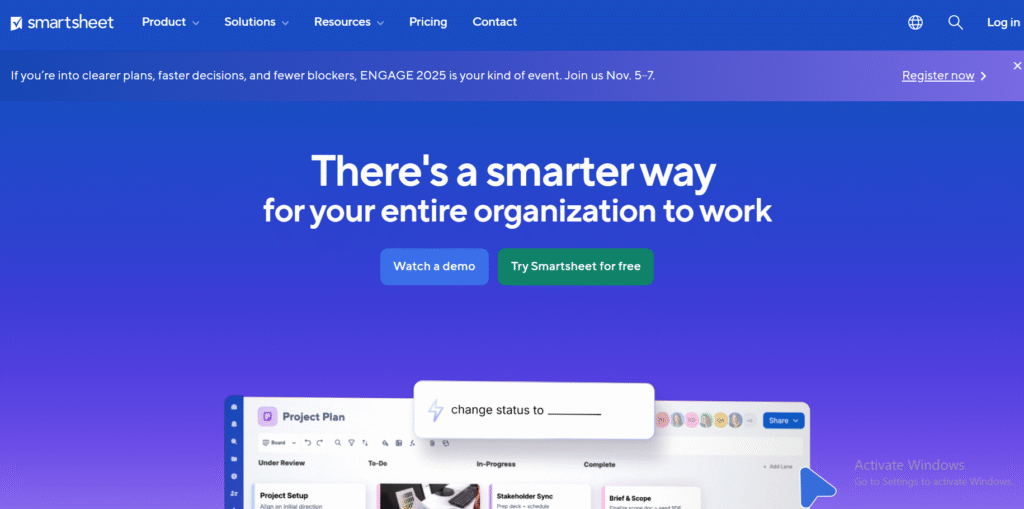
Smartsheet is a versatile business roadmapping tool that bridges the gap between spreadsheets and project management platforms. It’s designed for companies that want structure and flexibility while maintaining a familiar grid layout. Smartsheet review feedback consistently highlights its scalability, ease of adoption, and ability to handle both operational tracking and strategic planning within one platform.
Key Features
Grid and Gantt Views
Smartsheet allows teams to toggle between grid, Gantt, and card views seamlessly. This helps businesses plan visually while retaining the data depth of a spreadsheet for detailed tracking.
Automated Workflows
Set up conditional rules to trigger alerts, approvals, or updates based on task progress. This automation keeps projects moving without manual intervention.
Dashboards and Reporting
Create executive dashboards that show KPIs, timelines, and task progress in one view. These dashboards are customisable and suitable for board-level reviews or weekly updates.
Collaboration and File Sharing
Attach files, assign roles, and comment directly within rows or cells. This feature keeps all related information in one place, reducing the need for external communication tools.
Enterprise Integrations
Smartsheet connects with tools such as Microsoft Teams, Google Workspace, and Salesforce. Its integration with Power BI enhances reporting for data-driven decision-making.
Pros & Cons
| Pros | Cons |
| Familiar interface for spreadsheet users | Interface may feel less modern than newer tools |
| Strong automation and dashboard features | Learning curve for advanced formulas |
| Scales well across departments | Limited built-in chat or discussion features |
Pricing
Smartsheet pricing starts at about £6 per user per month. A free 30-day trial allows full access to all features, and enterprise plans include advanced governance and compliance tools.
Best For Corporate PMOs and Data-Driven Teams
Smartsheet is ideal for companies that prefer structured planning but want the flexibility of Excel-style editing.
- PMOs – Consolidate multiple department roadmaps into one master view.
- Finance teams – Align budgeting data with business initiatives.
- Marketing departments – Track campaign timelines with measurable KPIs.
- Operations teams – Manage complex workflows using formulas and automation.
Use Smartsheet’s “Cell Linking” feature to connect KPIs and updates across multiple sheets. This gives leadership a live view of overall progress without duplicating reports.
How to Use Smartsheet for Business Roadmapping
Start by creating a sheet for each strategic goal. Link them together in a master roadmap using the Gantt view. Assign responsible owners and automate reminders so updates flow directly to dashboards.
Best Alternative
Wrike is an excellent Smartsheet alternative for teams seeking more advanced collaboration tools and real-time communication built into their planning environment.
11. Airfocus – Prioritisation-Driven Business Roadmapping
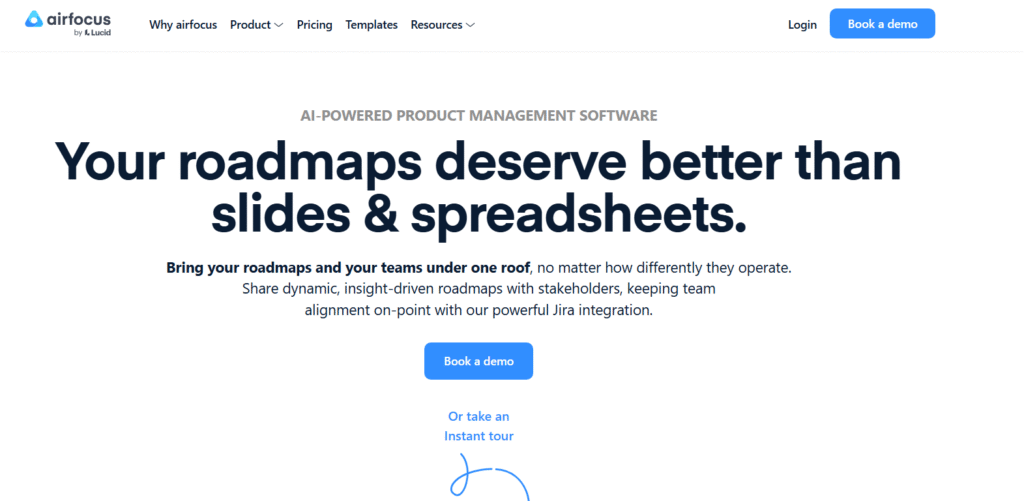
Airfocus is a business roadmapping tool designed to help teams prioritise what truly matters. It combines strategy, scoring, and visual planning in one clean interface, making it an excellent choice for businesses that need to balance competing priorities. Airfocus review comments often praise its scoring framework and integrations that connect strategic planning with execution platforms like Jira and Trello.
Key Features
Customisable Scoring Framework
Airfocus lets you build weighted scoring systems to assess initiatives based on factors such as impact, effort, and cost. This helps teams decide what to focus on first and supports transparent prioritisation.
Modular Roadmap Views
You can switch between Kanban, timeline, and chart views to present plans from different perspectives. Each module updates automatically when priorities shift.
Strategic Alignment Tools
Define company objectives and link initiatives directly to them. This ensures every roadmap item is connected to measurable business outcomes.
Integrations with Leading Tools
Airfocus integrates seamlessly with Jira, Trello, Azure DevOps, and Asana. These integrations ensure updates flow between strategic and operational planning systems without manual syncing.
Collaboration and Feedback Collection
Gather feedback from stakeholders and turn it into actionable roadmap items. This helps align decision-making across departments while maintaining visibility.
Pros & Cons
| Pros | Cons |
| Excellent prioritisation features | Limited built-in task management |
| Clean and intuitive interface | Smaller ecosystem than Monday.com or ClickUp |
| Integrates easily with existing workflows | Custom scoring setup may take time |
Pricing
Airfocus pricing starts at approximately £7 per editor per month, with a 14-day free trial available. Higher tiers include portfolio roadmaps, custom permissions, and advanced integrations.
Best For Strategy Teams and Product-Focused Businesses
Airfocus is ideal for companies that make frequent trade-offs between initiatives and need to defend their decisions with data.
- Product managers – Prioritise feature development with impact-based scoring.
- Strategy teams – Align long-term objectives with resource capacity.
- Operations leaders – Rank and schedule internal improvement projects.
- Start-ups – Allocate limited resources toward the highest-value outcomes.
Use Airfocus’s weighted scoring system to hold quarterly planning sessions. Present the results visually to demonstrate which initiatives deliver the greatest return on investment, a powerful tool for executive decision-making.
How to Use Airfocus for Business Planning
Start by defining scoring criteria that reflect your business goals. Add projects and assign scores for each factor. Use the timeline view to visualise when top-priority items will be executed, ensuring clarity across departments.
Best Alternative
Craft.io is a great Airfocus alternative for teams that want built-in task tracking and story mapping while maintaining strong strategic planning capabilities.
12. Craft.io – End-to-End Product and Business Roadmapping
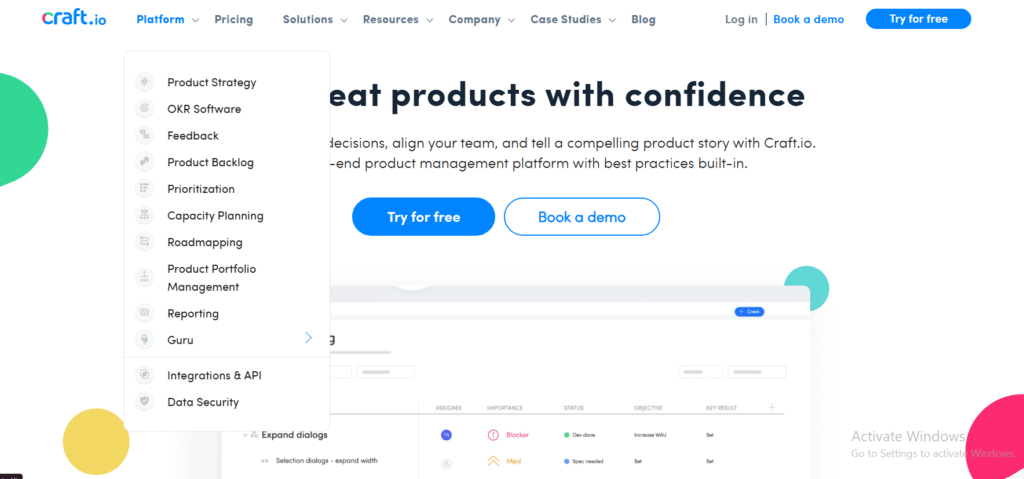
Craft.io is a great platform for strategic planning and roadmap management, purpose-built for product managers and cross-functional teams. It brings together product vision, customer feedback, and execution planning under one roof. Many Craft.io review summaries emphasise how it combines storytelling, prioritisation, and agile development tools to help organisations stay aligned on business direction.
Key Features
Story Mapping and Feature Planning
Craft.io provides a visual story mapping feature that helps teams see the customer journey while aligning it with roadmap items. This feature bridges the gap between user needs and business goals.
Integrated Prioritisation Frameworks
You can apply popular prioritisation models like RICE or MoSCoW directly within the platform. These frameworks support data-backed decision-making and consistent evaluation across teams.
Collaborative Editor
Multiple users can edit roadmaps simultaneously, leave feedback, and add notes. This keeps everyone on the same page and fosters smoother alignment between departments.
Customer Feedback Management
Collect feedback from users and link it directly to roadmap initiatives. This ensures your long-term strategy stays grounded in customer needs and expectations.
Custom Dashboards and Reports
Craft.io includes configurable dashboards for tracking progress, KPIs, and performance metrics. These dashboards make it simple to present executive-level insights.
Pros & Cons
| Pros | Cons |
| Great balance of strategy and execution | Slightly higher learning curve for new teams |
| Built-in story mapping and prioritisation | Premium pricing for full functionality |
| Strong collaboration and reporting | Limited offline access |
Pricing
Craft.io pricing begins at around £19 per user per month, with a free trial available. Enterprise plans include enhanced permissions, API access, and security options.
Best For Product Teams and Strategic Planners
Craft.io suits product-led organisations and teams that require clear alignment between customer insight, product development, and overall business strategy.
- Product managers – Combine vision, strategy, and execution in one place.
- Strategy leads – Use frameworks to prioritise high-impact initiatives.
- Customer success teams – Feed user feedback directly into roadmap planning.
- Executive teams – Review performance data and forecasts in structured dashboards.
Take advantage of Craft.io’s “Feedback Portal” to turn customer suggestions into prioritised roadmap items. This feature ensures every decision connects directly to real-world input and strategic outcomes.
How to Use Craft.io for Integrated Roadmapping
Begin by mapping your product vision and linking it to long-term goals. Then, add features, assign scores, and connect them to timelines. Use dashboards to monitor how each initiative contributes to quarterly targets.
Best Alternative
Airfocus is a strong Craft.io alternative for teams focused on flexible prioritisation and simpler visual layouts rather than in-depth customer data management.
13. Jira – Agile Roadmapping for Technical and Business Teams
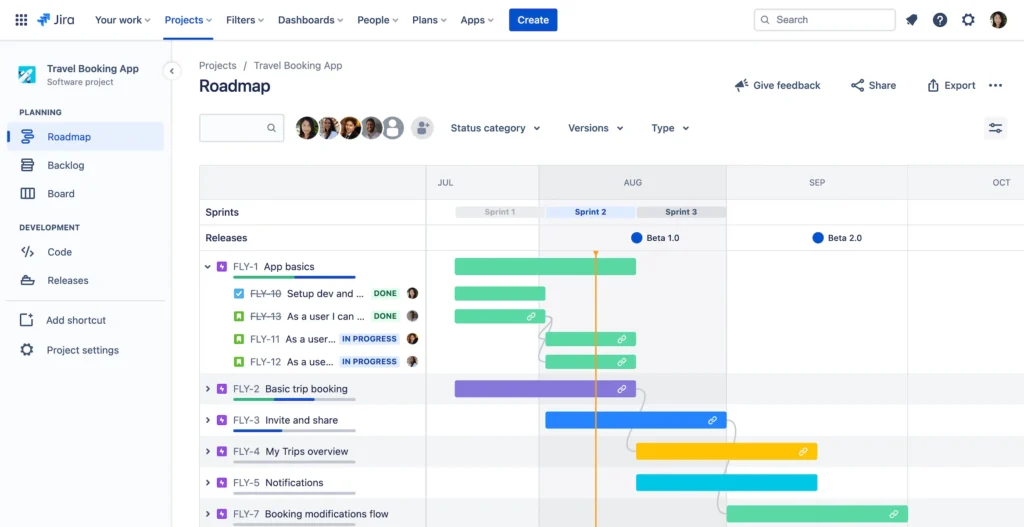
Jira, developed by Atlassian, is a leading platform for agile project management and business roadmapping, particularly for technology and software-driven teams. While it’s well known for development workflows, Jira also provides a powerful structure for mapping business strategies, tracking dependencies, and ensuring transparency across large-scale operations. Jira review summaries often note its deep customisation and integration ecosystem, which make it suitable for both technical and strategic planning.
Key Features
Advanced Agile Roadmaps (Jira Advanced Roadmaps)
This feature allows teams to visualise long-term plans, align multiple projects, and manage dependencies across departments. You can easily adjust timelines and reassign resources as priorities shift.
Custom Workflow Builder
Define workflows that match your business processes. Whether for finance, HR, or product, Jira supports multiple project types and status stages, ensuring adaptability to any department.
Powerful Integrations
Jira integrates with over 3,000 tools, including Confluence, Slack, GitHub, and Trello. These integrations keep planning, collaboration, and execution seamlessly connected.
Automation Rules
Save time by automating updates, reminders, and task assignments. The “If-This-Then-That” automation system allows teams to manage large-scale projects efficiently without manual effort.
Comprehensive Reporting and Dashboards
Create live dashboards that display sprint velocity, milestone progress, or strategic goal alignment. This visibility supports both tactical and executive-level decision-making.
Pros & Cons
| Pros | Cons |
| Excellent for agile and technical teams | Steeper learning curve for non-technical users |
| Highly customisable with thousands of add-ons | Interface can feel complex at first |
| Great scalability for large organisations | Some reports require configuration knowledge |
Pricing
Jira pricing starts at approximately £6.50 per user per month, with a free plan available for up to ten users. Premium and enterprise tiers unlock advanced roadmapping and automation tools.
Best For Agile Teams and Enterprise-Level Planning
Jira is best suited for organisations that operate across multiple teams or departments and require deep visibility into complex workflows.
- Technology teams – Plan sprints, releases, and long-term development roadmaps.
- Business operations – Align cross-department initiatives with technical deliverables.
- Product managers – Balance backlog priorities with strategic company goals.
- Executives – Access real-time progress reports across divisions.
Use the “Advanced Roadmaps” feature to create different roadmap views for technical teams and executives. This helps communicate strategy effectively at every level of the organisation.
How to Use Jira for Business Roadmapping
Create a top-level roadmap project that represents your overall business goals. Link departmental boards (marketing, product, operations) under it, and use filters to view timelines and dependencies across all projects at once.
Best Alternative
Wrike is a good Jira alternative for businesses that want a balance between structured planning and user-friendlier interfaces, especially for non-technical teams.
14. Hive – Collaborative Business Roadmapping for Remote and Hybrid Teams
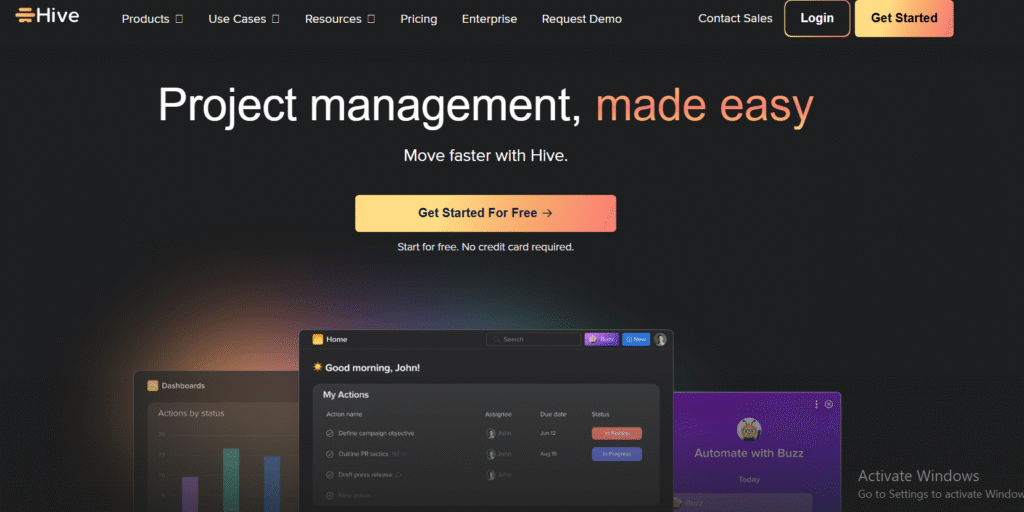
Hive is a powerful collaboration and business roadmapping tool designed to connect strategy, execution, and communication. It’s particularly effective for distributed teams that need central visibility across projects and deadlines. Hive review feedback often praises its balance between usability and functionality, especially the ability to toggle between Gantt, Kanban, and calendar views, making it a flexible choice for modern organisations.
Key Features
Multiple Project Views
Hive allows users to switch between different views, Gantt, Kanban, Table, and Calendar, with a single click. This flexibility helps teams visualise both strategy and execution without duplication.
Action Templates
You can create templates for recurring workflows such as quarterly planning or campaign execution. These templates standardise processes and save time during roadmap updates.
Native Messaging and Collaboration
Hive includes built-in chat, comments, and file sharing. This ensures communication happens alongside planning rather than in separate apps.
Time Tracking and Reporting
Track time spent on tasks and generate detailed reports for resource planning. This is particularly valuable for consulting and agency teams managing multiple clients.
Automation and Integrations
Automate updates, approvals, and notifications. Hive integrates with tools like Slack, Salesforce, and Google Workspace, connecting strategic planning with daily operations.
Pros & Cons
| Pros | Cons |
| Excellent collaboration features | Interface can feel busy for first-time users |
| Combines communication and planning | Some automations require paid tiers |
| Customisable views for different teams | Reporting depth limited compared to Wrike |
Pricing
Hive pricing starts at around £10.50 per user per month, with a free plan offering limited functionality. Enterprise packages include additional automation, analytics, and support.
Best For Remote Teams and Agencies Managing Multiple Clients
Hive is ideal for distributed teams that rely on transparent communication and standardised processes to keep everyone aligned.
- Remote teams – Manage shared timelines and daily communication in one place.
- Agencies – Track client roadmaps and deadlines easily.
- Operations managers – Use templates to replicate repeatable workflows.
- Executives – Access unified dashboards to review all project progress.
Take advantage of Hive’s “Action Templates” for quarterly business reviews. Set up repeatable processes for planning sessions so your teams stay consistent every cycle without starting from scratch.
How to Use Hive for Strategic Business Roadmapping
Set up a main project for each department and assign sub-projects for key initiatives. Use Gantt view for leadership presentations and Kanban view for daily task tracking. Automate notifications so stakeholders receive updates on milestones instantly.
Best Alternative
Monday.com is a strong Hive alternative for teams looking for similar collaboration capabilities but with a cleaner interface and more advanced automation options.
15. Lucidspark – Collaborative Whiteboard for Strategic Roadmapping
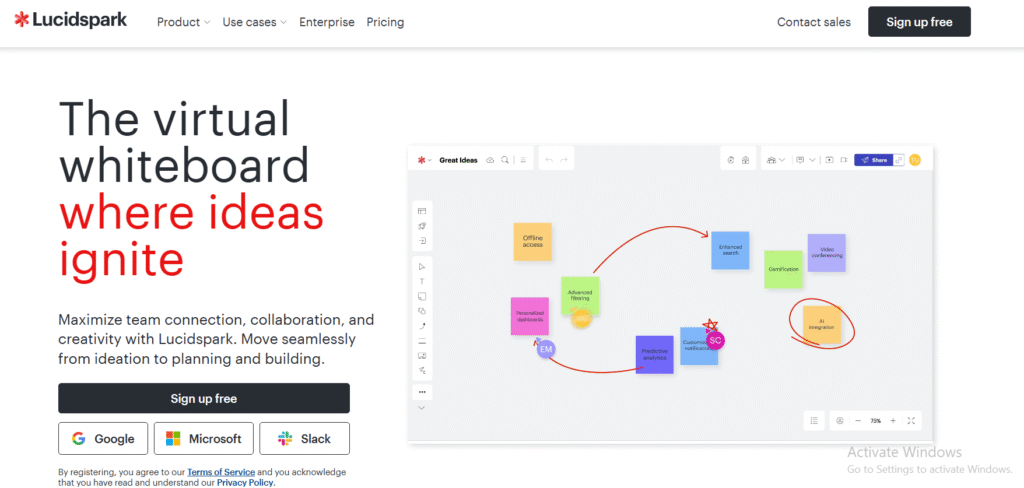
Lucidspark is a digital whiteboard tool designed to make brainstorming and strategic planning more interactive. It’s particularly useful for teams that want to visualise business roadmaps early in the planning phase before moving into detailed execution. Lucidspark review feedback often highlights its ease of use, real-time collaboration, and integration with Lucidchart, allowing seamless movement from brainstorming to structured planning.
Key Features
Interactive Whiteboard Space
Lucidspark provides an open canvas where teams can brainstorm, map dependencies, and visualise goals. You can add sticky notes, shapes, and connectors to build the first draft of a business roadmap visually.
Collaboration in Real Time
Multiple team members can edit, comment, and vote simultaneously. This feature makes it excellent for strategy workshops and planning sessions across remote teams.
Templates for Roadmapping and Goal Setting
Lucidspark includes a wide range of pre-built templates for product roadmaps, OKRs, and timeline visualisations. These templates help teams jump-start planning without building layouts manually.
Integration with Lucidchart and Other Tools
Users can export concepts into Lucidchart to build structured timelines or Gantt charts. Lucidspark also connects with Slack, Google Workspace, and Jira to enhance workflow consistency.
Facilitation Tools
Features like voting, timers, and presentation mode make Lucidspark ideal for workshops. Facilitators can guide sessions smoothly while keeping everyone engaged.
Pros & Cons
| Pros | Cons |
| Excellent for brainstorming and ideation | Not ideal for long-term project management |
| Highly visual and interactive | Requires Lucidchart for structured roadmaps |
| Easy for non-technical users | Limited task tracking functionality |
Pricing
Lucidspark pricing starts at approximately £7.20 per user per month, with a free version for basic collaboration. Business and enterprise plans include advanced facilitation tools and integrations.
Best For Strategy Workshops and Early-Stage Planning
Lucidspark is ideal for businesses that want to start with big-picture thinking before committing to detailed timelines or task management platforms.
- Leadership teams – Host annual strategy or goal-setting workshops.
- Consultants – Visualise client roadmaps collaboratively in real time.
- Marketing departments – Map campaign ideas and dependencies quickly.
- Remote teams – Use visual brainstorming to keep sessions engaging.
Use Lucidspark’s “Voting” and “Timer” features during roadmap prioritisation workshops. These tools keep sessions efficient and ensure every voice is heard when choosing which initiatives to pursue.
How to Use Lucidspark for Strategic Roadmapping
Start by creating a collaborative session with your leadership team. Map out key initiatives using sticky notes, then group related goals into themes. Export the final roadmap to Lucidchart for a structured timeline your team can execute from.
Best Alternative
Miro is an excellent Lucidspark alternative for teams that want more built-in templates, integrations, and workflow continuity between brainstorming and planning phases.
16. Miro – Visual Business Roadmapping for Creative and Strategic Teams
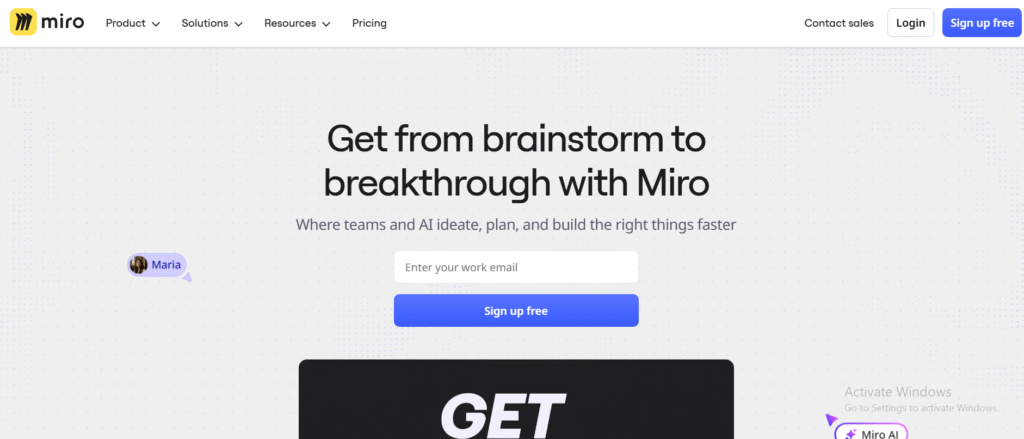
Miro is one of the most popular collaborative tools for business roadmapping, offering an intuitive visual workspace for brainstorming, planning, and aligning strategic initiatives. It’s particularly well-suited for teams that want to combine creativity with structure. Miro review insights highlight its flexibility, ease of use, and ability to transition from ideation to execution seamlessly.
Key Features
Pre-Built Roadmap Templates
Miro provides ready-to-use templates for product roadmaps, OKRs, and annual planning. These templates can be customised to match your business’s specific structure, helping teams get started quickly.
Real-Time Collaboration
Multiple users can edit and comment simultaneously, making it ideal for distributed teams. Built-in video chat and sticky notes make planning sessions highly interactive.
Integration with Project Tools
Miro connects to popular platforms like Jira, Asana, and ClickUp. This integration allows teams to turn brainstormed ideas into actionable tasks without duplicating effort.
Mind Mapping and Dependency Mapping
Use Miro’s drag-and-drop tools to map dependencies and relationships between goals, departments, or deliverables. This visual clarity is perfect for identifying resource overlaps and bottlenecks.
Presentation and Sharing Modes
Miro allows teams to present roadmaps directly from the board in meeting-ready mode. You can also export boards as PDFs or share interactive links for asynchronous collaboration.
Pros & Cons
| Pros | Cons |
| User-friendly and visually engaging | May lack deep reporting tools |
| Excellent for team ideation and planning | Large boards can become cluttered |
| Integrates with most project management tools | Needs structured setup for ongoing tracking |
Pricing
Miro pricing starts at around £8 per user per month, with a robust free plan for small teams. Paid plans include advanced templates, integrations, and admin features suitable for larger organisations.
Best For Creative Teams and Strategic Collaborations
Miro is perfect for teams that value visual collaboration and want a fluid transition from brainstorming to actionable planning.
- Strategy teams – Map quarterly or annual objectives visually.
- Design teams – Plan creative projects alongside product goals.
- Marketing departments – Outline campaign timelines with dependencies.
- Remote teams – Conduct planning sessions that feel interactive and connected.
Use Miro’s “Frames” feature to structure large boards into sections for each department or project phase. It keeps your roadmaps organised and easy to navigate when presenting to stakeholders.
How to Use Miro for Business Roadmapping
Start with a roadmap template and define company goals across key quarters. Use sticky notes for initiatives, connect them with arrows to show dependencies, and assign responsible teams. Export or integrate the roadmap with Jira or Asana to begin execution immediately.
Best Alternative
Lucidspark is a great Miro alternative for teams that prefer lightweight brainstorming sessions with stronger facilitation tools such as voting and breakout areas.
17. Coda – Document-Based Business Roadmapping with Automation
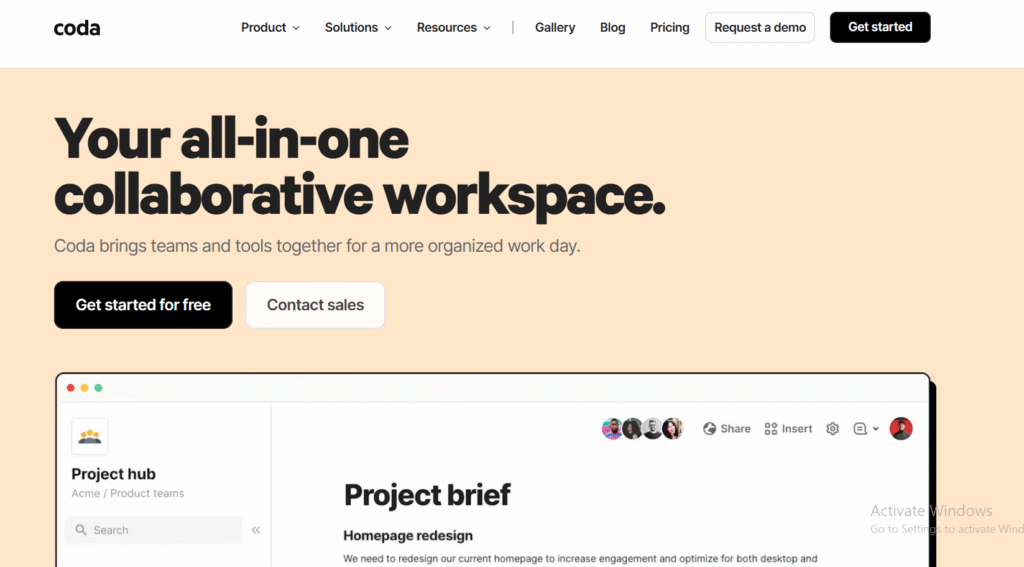
Coda is a hybrid between a document and a spreadsheet, designed for teams that want to plan, track, and execute business roadmaps all within a single interactive workspace. It combines the flexibility of text documents with the logic and automation of databases. Coda review insights often highlight its powerful templates, integrations, and adaptability for different business planning needs.
Key Features
Interactive Documents (“Docs as Apps”)
Coda turns standard documents into dynamic roadmaps with tables, buttons, and formulas. You can create interactive elements that update automatically based on team inputs or progress.
Goal and KPI Tracking
Set objectives and key results directly inside your document. Coda’s formula system updates dashboards and charts in real time as teams complete milestones.
Automation and Integrations
Automate repetitive actions such as sending reminders or updating fields based on status changes. Integrations with Slack, Jira, and Google Calendar keep workflows synchronised.
Custom Templates
Coda offers templates for roadmaps, quarterly OKRs, and product strategies. These can be customised or expanded with built-in formulas to fit any business size or department.
Collaboration and Access Control
Multiple users can edit simultaneously, with comments and revision history available. Role-based permissions make it easy to control who can modify or view specific parts of the roadmap.
Pros & Cons
| Pros | Cons |
| Combines text, data, and automation in one place | Requires initial setup and formula knowledge |
| Strong customisation options | Can feel complex for non-technical users |
| Excellent integration flexibility | Limited offline functionality |
Pricing
Coda pricing starts with a free plan, while paid plans begin around £9 per user per month. Team and enterprise plans include automation credits, admin controls, and advanced integration support.
Best For Data-Driven Teams and Cross-Functional Planning
Coda suits organisations that want full control over how their business roadmap looks, behaves, and updates, all inside a single, dynamic document.
- Strategy departments – Link initiatives with measurable KPIs.
- Product teams – Build live, editable roadmaps that sync with Jira.
- Marketing teams – Track campaigns, budgets, and deadlines in one doc.
- Leadership teams – Maintain a central hub for business performance tracking.
Use Coda’s “Packs” feature to integrate live data from third-party tools. This lets your roadmap pull in real-time updates from platforms like HubSpot, Asana, or Salesforce without manual reporting.
How to Use Coda for Automated Roadmapping
Start with the “Company OKRs” template, customise it with your goals, and embed progress tables for each department. Use automations to notify stakeholders when objectives reach certain thresholds or deadlines approach.
Best Alternative
Notion is a good Coda alternative for teams seeking a more intuitive, document-first experience with slightly less setup but greater design flexibility.
18. Cascade – Strategy Execution and Business Roadmapping Platform
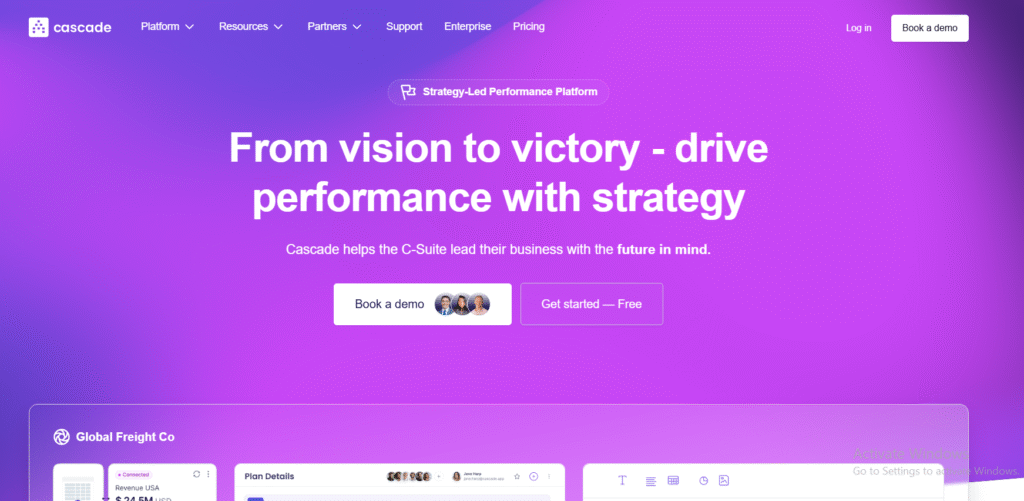
Cascade is a purpose-built platform for aligning strategy, goals, and performance across an entire organisation. It helps teams connect company vision with measurable outcomes. Cascade review feedback often highlights its ability to make strategic planning data-driven and transparent, giving leaders a real-time overview of execution progress across departments.
Key Features
Goal Alignment Framework
Cascade allows you to connect high-level strategic objectives to departmental and individual goals. Every task is linked to measurable outcomes, providing visibility into how daily activities contribute to the broader business vision.
KPI Dashboards and Analytics
Real-time dashboards display progress on key performance indicators. You can filter by department, initiative, or time frame, making executive reporting straightforward and accurate.
Strategy Mapping Templates
Pre-built templates guide users through the process of setting, tracking, and reviewing strategy. These templates help leadership teams maintain clarity and accountability during planning cycles.
Integrations with Popular Tools
Cascade integrates with Microsoft Teams, Google Workspace, Salesforce, and Power BI. This ensures that roadmap updates reflect real-time operational data.
Scenario Planning and Forecasting
Test different business scenarios by adjusting variables like resources or timelines. This capability is valuable for risk management and future forecasting.
Pros & Cons
| Pros | Cons |
| Strong focus on strategy alignment | Higher price point than lightweight tools |
| Real-time KPI dashboards | May be more advanced than small teams need |
| Excellent enterprise reporting | Limited creative visual customisation |
Pricing
Cascade pricing starts at around £25 per user per month, with custom enterprise options for larger organisations. A free trial is available, giving access to core strategic planning features.
Best For Executives and Strategy-Driven Organisations
Cascade is ideal for companies that want a structured framework for linking strategy to execution and monitoring performance against measurable results.
- Executive teams – Maintain visibility across departments in one dashboard.
- Strategy officers – Track business goals with live KPIs.
- HR and leadership – Align team objectives with company outcomes.
- Enterprises – Standardise strategic planning and reporting organisation-wide.
Use Cascade’s “Alignment Map” to visually display how every initiative ties to strategic goals. This feature simplifies board presentations and highlights accountability across the business.
How to Use Cascade for Business Strategy Reviews
Start by importing company objectives and breaking them down into department-level goals. Assign ownership, link measurable KPIs, and review progress through Cascade’s analytics dashboard during quarterly reviews.
Best Alternative
Aha! is an excellent Cascade alternative for teams that prefer more flexibility in roadmap design while maintaining goal alignment and analytics depth.
19. ClickRoad – Smart Roadmapping for Start-Ups and Growing Teams
ClickRoad is a modern business roadmapping tool created for fast-moving teams that want structure without complexity. It focuses on automation, simplicity, and smart milestone tracking, perfect for start-ups and small businesses establishing consistent planning processes. ClickRoad review feedback often praises its clean interface and intelligent milestone suggestions that adapt based on previous project data.
Key Features
Automated Milestone Suggestions
ClickRoad uses AI-driven insights to suggest milestones and timelines based on your project type and scope. This feature helps small teams set realistic targets quickly without extensive manual input.
Simple Drag-and-Drop Interface
Users can build visual roadmaps in minutes by dragging and dropping initiatives into timelines. It’s intuitive, reducing the learning curve often associated with planning software.
Goal Tracking and Analytics
Track objectives using built-in progress indicators. The dashboard provides summaries of ongoing, completed, and delayed tasks, making performance reviews straightforward.
Collaboration and Notifications
Invite team members to comment, update statuses, or attach files. Automated notifications ensure everyone stays informed of changes to the roadmap.
Integrations with Popular Tools
ClickRoad integrates with Slack, Trello, and Google Workspace, keeping updates connected with day-to-day operations without additional setup.
Pros & Cons
| Pros | Cons |
| Easy setup and user-friendly | Limited advanced reporting |
| Affordable for small businesses | Fewer integrations than enterprise tools |
| Smart milestone recommendations | Lacks deep customisation features |
Pricing
ClickRoad pricing starts at around £9 per user per month, with a 14-day free trial available. Its straightforward pricing model makes it accessible for small teams and start-ups.
Best For Start-Ups and Small Businesses Seeking Simple Planning
ClickRoad is best for teams that want quick, intuitive roadmapping without the steep learning curve of larger platforms.
- Founders – Build clear company roadmaps without complex setup.
- Small teams – Plan and adjust goals in real time.
- Marketing managers – Create campaign schedules and share updates instantly.
- Operations leads – Track deliverables and milestones across projects.
Use ClickRoad’s automated milestone recommendations when setting up quarterly plans. The tool analyses past completion times and task complexity, offering realistic scheduling suggestions that prevent overcommitting resources.
How to Use ClickRoad for Quarterly Planning
Start by adding key business goals for the quarter. Use the AI milestone feature to generate estimated timelines. Assign responsibilities and review the roadmap weekly, updating milestones directly from the dashboard as tasks progress.
Best Alternative
Roadmunk is a great ClickRoad alternative for teams looking for more visual presentation options and dual roadmap views for different stakeholders.
20. Roadmap Planner – Visual Planning for Strategic Simplicity
Roadmap Planner is a straightforward desktop-based business roadmapping tool designed for teams that value clarity and focus in their strategic planning. It’s ideal for small organisations or department heads who prefer offline access and minimal distraction. Roadmap Planner review insights often mention its layered visual approach, making it easier to separate short-term objectives from long-term vision.
Key Features
Layered Visual Roadmaps
Roadmap Planner allows users to structure multiple layers in one clean visual. This hierarchy helps teams maintain perspective while focusing on actionable priorities.
Offline Capability
Unlike most cloud tools, Roadmap Planner works offline, letting teams continue planning during travel or in secure environments without internet access.
Timeline and Dependency Mapping
Create clear, timeline-based visualisations that show dependencies and scheduling relationships between different projects or business units.
Team Collaboration
Although it’s desktop-based, Roadmap Planner supports local file sharing so teams can review and edit plans collaboratively when synced through shared drives.
Focus and Presentation Mode
This mode hides all editing elements and distractions, allowing teams to present plans to leadership directly within the app.
Pros & Cons
| Pros | Cons |
| Simple, distraction-free interface | No cloud collaboration or automation |
| Great for visual presentation | Limited integrations |
| Works offline | Not ideal for large enterprises |
Pricing
Roadmap Planner pricing starts at about £5 per user per month, with a one-time licence option for desktop users. It’s one of the most budget-friendly roadmapping tools available.
Best For Small Teams and Individual Strategic Planning
Roadmap Planner is suited to consultants, small business owners, and department managers who want an offline, easy-to-use planning tool.
- Small business owners – Plan strategy without a steep learning curve.
- Consultants – Build clean, shareable visual roadmaps for clients.
- Department heads – Organise team priorities for upcoming quarters.
- Freelancers – Map project timelines and personal business goals.
Use the layered roadmap view to separate business objectives into yearly, quarterly, and monthly categories. This simple visual hierarchy helps clarify focus areas during strategy sessions.
How to Use Roadmap Planner for Strategic Visualisation
Start by creating three main layers: objectives, initiatives, and tasks. Assign colours to differentiate timelines and export the roadmap as an image for presentations. This makes it easy to communicate progress and alignment with stakeholders.
Best Alternative
ClickRoad is an excellent alternative for users who prefer a modern, cloud-based interface with smart milestone tracking and automation.
Why These Business Roadmapping Tools Stand Out in 2025
Each of these twenty business roadmapping tools offers a unique balance of strategy, clarity, and practicality. Whether your team values structured execution (like Aha! or Cascade) or flexibility and creativity (like Miro and Notion), the right software can bridge the gap between planning and doing.
At Pearl Lemon Consulting, we’ve seen firsthand how the right tool transforms decision-making. Businesses that visualise their goals are quicker to adapt, communicate better across teams, and consistently outperform those managing strategy through static spreadsheets. The key is choosing a platform that matches your workflow, team size, and growth ambitions.
How Pearl Lemon Consulting Helps You Build and Execute Business Roadmaps
Building a roadmap is only the first step. Executing it is where real growth happens. At Pearl Lemon Consulting, we work with organisations to turn their vision into measurable results using proven frameworks and the right technology stack.
Our consultants help you:
- Identify the ideal roadmapping tool based on your team’s needs.
- Develop a data-backed strategy that links your business goals to actionable milestones.
- Implement systems for performance tracking and progress reviews.
- Train your leadership and project teams to use these tools effectively.
If you want clarity in business roadmap planning and execution that delivers consistent outcomes, schedule a consultation with Pearl Lemon Consulting today. Let’s make your business roadmap the foundation of sustained growth.
FAQs
1. How does Pearl Lemon Consulting approach business roadmapping?
We start by assessing your current strategic framework, then help you design a roadmap that connects high-level goals to specific, measurable outcomes. Our consultants guide you through planning, execution, and performance tracking.
2. Can you recommend the right tool for my organisation?
Yes. We evaluate your company’s size, processes, and goals to recommend and implement the most suitable business roadmapping software for you, whether that’s Aha!, ClickUp, or Cascade.
3. Do you provide training on how to use these roadmapping tools?
Absolutely. We offer in-depth onboarding and training sessions to ensure your leadership team and staff know how to use the selected tool efficiently for strategic alignment and ongoing execution.
4. How long does your business roadmapping consultation take?
It depends on your business’s complexity, but most projects range from two to six weeks. This covers assessment, tool setup, and rollout, ensuring the roadmap is ready for immediate use.
5. Do you assist with implementation or just strategy?
We handle both. Our consultants not only design your roadmap but also implement the software, configure automation, and create tracking dashboards for measurable results.
6. Can you integrate our chosen roadmapping tool with our existing systems?
Yes. We integrate platforms like Jira, Slack, Salesforce, and Microsoft Teams so your roadmap connects seamlessly with daily operations.
7. What types of businesses benefit most from your consulting services?
We work with start-ups, SMEs, and large enterprises — especially those looking to improve decision-making, streamline planning, and improve accountability through structured business roadmaps.
8. How can a business roadmap improve performance?
A clear roadmap keeps teams focused on priorities, aligns departmental efforts, and ensures progress can be tracked against key objectives — reducing wasted time and resources.
9. Do you offer remote consulting sessions?
Yes. Our team delivers business roadmapping services virtually or on-site, depending on your preference and location.
10. How do I start working with Pearl Lemon Consulting?
You can book a consultation through our website to discuss your goals. We’ll evaluate your business needs and recommend the most effective roadmapping and strategy approach for immediate impact.


