
If you’re still relying on spreadsheets to forecast your next move, you already know the pain. One broken formula, one outdated assumption, and your entire model falls apart.That’s exactly why scenario planning tools have become essential for finance teams, strategy leads, and operations managers across Islamabad and beyond.
We reviewed dozens of platforms and narrowed them down to the top 20 scenario planning tools built for real forecasting, what-if analysis, and decision-making.
This list is for:
- Finance teams managing budgets and forecasts
- Agencies handling multiple client scenarios
- SaaS founders planning growth and runway
- Enterprise teams running complex portfolio models
Here’s the reality: companies using structured scenario planning are far better at handling uncertainty and market shifts. According to industry reports, organisations using advanced planning tools can react to changes in near real-time instead of waiting days or weeks for updated models.
What is Scenario Planning Software?
Scenario planning tools are software platforms that allow you to model different business outcomes before making decisions.Modern scenario planning tools go far beyond Excel.
They connect live data, apply forecasting logic, and let you run multiple scenarios instantly.This matters because static spreadsheets cannot keep up with real-time changes. Scenario planning software gives you a live model that adjusts as your business changes.
Quick Comparison Table of Scenario Planning Tools
To make this useful, we focused on what actually matters when choosing scenario planning tools: pricing, ease of use, forecasting power, AI capability, and scalability. These are the factors that directly impact how fast you can model decisions and act on them.
| Tool | Best For | Starting Price | Free Trial | AI Features | Ease of Use |
| Anaplan | Enterprise planning | Custom | No | Advanced | Medium |
| Pigment | Collaborative planning | Custom | Yes | Strong | Easy |
| Workday Adaptive Planning | Finance teams | £1,000+/mo | Yes | Strong | Medium |
| Planful | Continuous planning | Custom | No | Moderate | Medium |
| OneStream | Corporate finance | Custom | No | Moderate | Medium |
| Jedox | BI + planning | Custom | Yes | Strong | Medium |
| Epicflow | Resource planning | €22+/user | Yes | AI-driven | Easy |
| Vena Solutions | Excel-based FP&A | Custom | No | Moderate | Easy |
| Oracle Cloud EPM | Enterprise forecasting | Custom | No | Strong | Hard |
| IBM Planning Analytics | Large data modelling | Custom | No | Strong | Hard |
| SAP IBP | Supply chain planning | Custom | No | Strong | Hard |
| Board | Integrated planning | Custom | No | Moderate | Medium |
| Cube | Startups & SMEs | Custom | Yes | Moderate | Easy |
| Limelight | Mid-size finance teams | Custom | Yes | Moderate | Easy |
| Farseer | Financial planning | Custom | Yes | Moderate | Easy |
| Datarails | Excel automation | Custom | Yes | Moderate | Easy |
| Jirav | SMB forecasting | $20+/mo | Yes | Moderate | Easy |
| Syft Analytics | Reporting + planning | Custom | Yes | Moderate | Easy |
| Asana | Project scenarios | £10+/mo | Yes | Basic | Easy |
| Triskell | Portfolio planning | Custom | No | Moderate | Medium |
Anaplan – Enterprise Scenario Planning at Scale

When people search for Anaplan review, they’re usually dealing with complex forecasting, multiple departments, and high-stakes decisions. This is not entry-level software. It’s built for organisations that need serious control over their planning models.
Anaplan is widely used by finance teams, supply chain leaders, and enterprise strategy departments that cannot afford errors in forecasting.If you’re comparing Anaplan vs Pigment or looking into Anaplan alternatives, this is your benchmark tool.
Summary
Anaplan is a cloud-based scenario planning platform designed for large organisations managing complex financial and operational models.
It connects data across departments so you can run multiple scenarios in real time without rebuilding spreadsheets.
Teams in Islamabad working in telecom, banking, and large-scale operations often rely on tools like Anaplan when Excel stops being enough.
Key Features
Connected Planning Engine
Anaplan’s core strength is its connected planning architecture. Instead of isolated spreadsheets, every department works from a unified model.
This matters because changes in one area, such as hiring or pricing, instantly reflect across your entire forecast.In most Anaplan review discussions, this feature is the main reason enterprises switch from legacy tools.
Real-Time Scenario Modelling
With Anaplan, you can run multiple what-if scenarios simultaneously.
Want to test revenue drop, cost increase, or expansion plans? You can do it instantly without duplicating files.This is where Anaplan features stand out compared to traditional planning systems.
Advanced Forecasting & Predictive Insights
Anaplan includes built-in forecasting models that analyse historical data and project future outcomes.
For finance teams comparing Anaplan vs Oracle Cloud EPM, this predictive capability often becomes a deciding factor.It reduces reliance on manual assumptions and speeds up decision cycles.
Workflow & Collaboration Tools
Multiple stakeholders can work on the same model with built-in approvals, comments, and version control.
No more emailing spreadsheets back and forth.This is especially useful for distributed teams managing regional operations across Pakistan.
Scalability for Enterprise Use
Anaplan is built to handle large datasets, multiple business units, and complex hierarchies.If you’re evaluating Anaplan pricing, understand that it is designed for scale, not small teams.
Pros & Cons
| Pros | Cons |
| Handles complex models | High cost |
| Real-time collaboration | Steep learning curve |
| Strong forecasting engine | Requires training |
| Scalable for enterprises | Overkill for small teams |
Pricing
Anaplan pricing is custom.There is no public pricing page, which is common for enterprise tools.
Typical structure includes:
- Subscription-based licensing
- User-based pricing tiers
- Implementation costs
If you’re searching for Anaplan pricing, expect a significant investment suitable for large organisations.
Best For Enterprise Teams Managing Complex Forecasts
Anaplan fits organisations that need full control over financial and operational planning.
- Enterprise finance teams — manage multi-department budgets
- Telecom companies in Islamabad — handle large-scale forecasting
- Banking sector — scenario modelling for risk management
- Large SaaS firms — revenue and growth projections
Verdict:
If your planning process involves multiple departments and high data volume, Anaplan is one of the strongest scenario planning tools available. It is not cheap, but it replaces multiple systems with one central platform.
Pro Tip: Use Anaplan for Multi-Department Scenario Sync
Most teams only use Anaplan for finance.You can connect HR, sales, and operations into one model. That means hiring plans automatically adjust revenue forecasts and cost structures.This is where Anaplan quietly outperforms many Anaplan alternatives.
Best Anaplan Alternative
If Anaplan feels too complex or expensive, the closest alternative is:
Pigment — easier to use, faster onboarding, strong collaboration features.
Pigment – Fast, Visual Scenario Planning for Modern Teams
If you’ve been searching for a Pigment review, you’re likely tired of slow, rigid planning systems and want something your team can actually use without weeks of training.Pigment is one of the newer scenario planning tools gaining traction with SaaS companies, finance teams, and scale-ups that need speed without sacrificing depth.
When people compare Pigment vs Anaplan, Pigment usually wins on usability and speed, while still offering strong modelling capabilities.
Summary
Pigment is a cloud-based business planning platform designed for real-time collaboration, forecasting, and scenario modelling.
It’s widely used by:
- SaaS companies
- Mid-size finance teams
- Agencies managing growth forecasts
For teams in Islamabad working in tech or startups, Pigment fits perfectly where Excel becomes too slow but enterprise tools feel too heavy.
Key Features
Visual Scenario Modelling
Pigment lets you build and test scenarios using a highly visual interface.Instead of complex formulas, you adjust variables directly and see results instantly.
In most Pigment review discussions, this is highlighted as a major advantage over traditional tools.
Real-Time Collaboration
Multiple users can work on the same model at once with live updates.No version conflicts. No messy file sharing.
Compared to many Pigment alternatives, this feature alone saves hours each week for growing teams.
Flexible Data Modelling
Pigment allows you to create custom data models without needing deep technical knowledge.You can structure financial forecasts, hiring plans, and operational scenarios exactly how your business runs.
This is why teams comparing Pigment vs Workday Adaptive Planning often prefer Pigment for flexibility.
Built-In Forecasting Tools
Pigment includes forecasting logic that updates automatically as your inputs change.This reduces manual work and keeps your projections aligned with current data.It’s a key part of the overall Pigment features that appeal to finance teams.
Fast Implementation
Unlike enterprise platforms, Pigment can be set up relatively quickly.Teams can start building scenarios within days instead of months.This is a big reason why many companies switch from legacy systems when evaluating Pigment pricing.
Pros & Cons
| Pros | Cons |
| Easy to use interface | Still scaling features |
| Strong collaboration | Limited legacy integrations |
| Fast setup | Enterprise features evolving |
| Flexible modelling | Pricing not transparent |
Pricing
Pigment pricing is custom.There is no fixed pricing tier publicly available.
Typical setup includes:
- Subscription pricing based on users
- Custom onboarding packages
- Optional implementation support
If you’re researching Pigment pricing, expect it to sit between startup tools and enterprise platforms.
Best For Fast-Growing Teams That Need Speed
Pigment is ideal for companies that want powerful planning without complexity.
- SaaS startups in Islamabad — manage runway and growth
- Agencies — forecast client revenue scenarios
- Finance teams — replace spreadsheet chaos
- Scale-ups — align teams on one model
Verdict:
Pigment is one of the most practical scenario planning tools for teams that need quick setup and strong collaboration without enterprise-level complexity.
Pro Tip: Use Pigment for Rolling Forecasts
Most teams use Pigment for static planning.Set up rolling forecasts that update monthly. This keeps your projections relevant and avoids outdated assumptions.This is where Pigment quietly outperforms many Pigment alternatives.
Best Pigment Alternative
If you need more enterprise-level depth, consider:
Workday Adaptive Planning — stronger for large finance teams and structured forecasting.
Workday Adaptive Planning – Structured Financial Scenario Planning for Finance Teams
If you’ve been digging into a Workday Adaptive Planning review, you’re likely dealing with structured budgeting, forecasting cycles, and financial reporting that must be accurate down to the last number.
This is one of the most established scenario planning tools in the FP&A space. It’s built for finance teams that need control, consistency, and detailed forecasting frameworks.When comparing Workday Adaptive Planning vs Pigment, Workday usually wins on financial depth, while Pigment wins on flexibility.
Summary
Workday Adaptive Planning is a cloud-based financial planning and analysis platform designed for budgeting, forecasting, and scenario modelling.
It’s widely used by:
- Finance departments
- Mid-to-large enterprises
- Accounting teams managing complex reporting
For organisations in Islamabad handling structured financial operations, this tool fits where governance and accuracy matter more than speed alone.
Key Features
Structured Budgeting & Forecasting
Workday Adaptive Planning is built around formal financial processes.You can create detailed budgets, rolling forecasts, and multi-year plans with strict controls.
In most Workday Adaptive Planning review discussions, this structured approach is what finance teams value most.
Scenario Modelling with Financial Logic
The platform allows you to run multiple financial scenarios using built-in logic tied to accounting standards.
This ensures your projections remain consistent and compliant.Compared to many scenario planning tools, this reduces errors caused by manual modelling.
Integration with Financial Systems
Workday connects with ERP systems, accounting software, and HR platforms.This allows real-time data flow into your planning models.If you’re evaluating Workday Adaptive Planning vs Oracle Cloud EPM, integration depth is a key factor.
Workforce Planning Capabilities
You can model hiring plans, salaries, and workforce costs directly within your financial forecasts.This is essential for companies where staffing decisions heavily impact budgets.It’s one of the most practical Workday Adaptive Planning features for growing teams.
Reporting & Dashboards
The platform includes built-in reporting tools for financial statements, KPIs, and variance analysis.
This reduces reliance on external BI tools.Finance teams often highlight this in Workday Adaptive Planning review comparisons.
Pros & Cons
| Pros | Cons |
| Strong financial controls | Less flexible UI |
| Accurate forecasting | Learning curve |
| Deep integrations | Higher cost |
| Workforce planning included | Slower setup |
Pricing
Workday Adaptive Planning pricing typically starts around £1,000 per month, depending on:
- Number of users
- Features required
- Implementation scope
There is usually a free trial or demo available.If you’re researching Workday Adaptive Planning pricing, expect a mid-to-high range investment.
Best For Finance Teams That Need Control and Accuracy
This tool is ideal for organisations where financial discipline is critical.
- Corporate finance teams — manage structured budgets
- Accounting departments — maintain reporting accuracy
- Enterprises in Islamabad — handle multi-entity planning
- HR + finance teams — align workforce costs with forecasts
Verdict:
Workday Adaptive Planning is one of the most reliable scenario planning tools for finance-driven organisations that need structured processes and accurate reporting.
Pro Tip: Use Workforce Planning to Control Costs Early
Most teams focus only on revenue forecasting.Model hiring scenarios alongside revenue projections. This helps you catch cost issues before they impact profitability.This is where Workday stands out compared to many Workday Adaptive Planning alternatives.
Best Workday Adaptive Planning Alternative
If you want more flexibility and faster modelling:
Pigment — easier interface and faster scenario building.
Planful – Continuous Planning Built for Finance Teams

If you’re searching for a Planful review, chances are you want a system that keeps your forecasts updated without rebuilding everything each quarter.Planful is one of the more mature scenario planning tools focused on continuous planning. It’s built for finance teams that need ongoing visibility instead of static forecasts.
When comparing Planful vs Workday Adaptive Planning, Planful is often preferred for its faster reporting cycles and easier adoption.
Summary
Planful is a cloud-based financial performance management platform designed for budgeting, forecasting, reporting, and scenario modelling.
It’s widely used by:
- Finance teams
- Mid-sized businesses
- Enterprises transitioning from spreadsheets
For organisations in Islamabad managing recurring financial cycles, Planful works well where consistency and reporting speed matter.
Key Features
Continuous Planning Framework
Planful focuses on continuous planning rather than fixed annual budgets.This means your forecasts stay updated as new data comes in.In most Planful review discussions, this is highlighted as a key benefit over traditional planning tools.
Scenario Modelling for Finance Teams
You can build multiple financial scenarios and compare outcomes quickly.This includes revenue projections, cost structures, and operational changes.Compared to many scenario planning tools, Planful keeps the process structured without becoming too complex.
Automated Financial Reporting
Planful automates reporting processes such as:
- Financial statements
- Variance analysis
- Management reports
This reduces manual work and speeds up reporting cycles.It’s one of the most practical Planful features for finance teams handling regular reporting.
Data Integration & Consolidation
The platform integrates with ERP systems, CRM tools, and accounting software.This allows you to consolidate data from multiple sources into one model.If you’re comparing Planful vs OneStream, integration and consolidation are key decision factors.
User-Friendly Interface
Planful is easier to use compared to many enterprise tools.Finance teams can adopt it without heavy technical training.This is often mentioned in Planful alternatives comparisons.
Pros & Cons
| Pros | Cons |
| Continuous planning model | Limited advanced AI |
| Strong reporting tools | Custom pricing |
| Easier to adopt | Less flexible modelling |
| Good integrations | Enterprise limits |
Pricing
Planful pricing is custom and depends on:
- Company size
- Number of users
- Features required
There is no public pricing page.If you’re researching Planful pricing, expect mid-range costs suitable for growing businesses and finance teams.
Best For Finance Teams That Need Ongoing Forecast Updates
Planful is ideal for organisations that want planning to be a continuous process rather than a one-time exercise.
- Finance teams — maintain rolling forecasts
- Mid-sized companies in Islamabad — manage recurring budgets
- Accounting departments — automate reporting
- Operations teams — align forecasts with actual performance
Verdict:
Planful is one of the most practical scenario planning tools for finance teams that need consistent updates without overcomplicating the process.
Pro Tip: Use Planful for Monthly Rolling Forecasts
Most teams update forecasts quarterly.Switch to monthly rolling forecasts. This keeps your numbers aligned with actual performance and reduces surprises.This is where Planful performs better than many Planful alternatives.
Best Planful Alternative
If you need deeper financial consolidation and enterprise-level control:
OneStream — stronger for large organisations and complex reporting.
OneStream – Unified Financial Scenario Planning for Large Enterprises

If you’re looking into a OneStream review, you’re likely dealing with complex financial consolidation, compliance requirements, and multi-entity reporting.
OneStream is one of the most powerful scenario planning tools built specifically for large enterprises that need everything in one system, planning, reporting, and financial consolidation.When comparing OneStream vs Planful or evaluating OneStream alternatives, the key difference is depth. OneStream is built for organisations that cannot afford fragmented systems.
Summary
OneStream is a corporate performance management platform designed to unify financial planning, consolidation, reporting, and scenario modelling.
It’s widely used by:
- Large enterprises
- Finance departments handling multiple entities
- Organisations with strict compliance requirements
For companies in Islamabad operating at enterprise level, especially in banking, telecom, and manufacturing, OneStream fits where complexity is high and accuracy is critical.
Key Features
Unified Financial Platform
OneStream combines planning, reporting, and consolidation into a single platform.Instead of using separate tools, everything runs in one system.
In most OneStream review discussions, this is the main reason enterprises switch from fragmented setups.
Advanced Scenario Planning
You can model multiple financial scenarios with detailed assumptions across departments and regions.
This includes:
- Revenue forecasting
- Cost structures
- Operational changes
Compared to many scenario planning tools, OneStream offers deeper financial control and precision.
Financial Consolidation & Compliance
OneStream is strong in financial consolidation, including:
- Multi-entity reporting
- Currency conversions
- Regulatory compliance
If you’re comparing OneStream vs Oracle Cloud EPM, this feature is often a deciding factor.
Extensible Platform with Marketplace
OneStream includes a marketplace of additional solutions that extend functionality.
You can add tools for:
- Workforce planning
- Tax provisioning
- Account reconciliation
This flexibility is often highlighted in OneStream features discussions.
Data Quality & Governance
The platform includes strong controls to ensure data accuracy and consistency.This reduces errors and ensures reliable reporting.For enterprises, this is critical when evaluating OneStream pricing.
Pros & Cons
| Pros | Cons |
| All-in-one platform | Expensive |
| Strong consolidation | Complex setup |
| High data accuracy | Requires training |
| Scalable for enterprises | Long implementation |
Pricing
OneStream pricing is custom.
It typically includes:
- Licensing fees
- Implementation costs
- Ongoing support
If you’re researching OneStream pricing, expect a high investment aligned with enterprise-level requirements.
Best For Enterprises Needing Full Financial Control
OneStream is ideal for organisations that want everything in one system.
- Large enterprises — manage multi-entity operations
- Finance teams — handle consolidation and reporting
- Regulated industries in Islamabad — ensure compliance
- Corporations — replace multiple planning tools
Verdict:
OneStream is one of the most comprehensive scenario planning tools for enterprises that need full financial control, consolidation, and detailed forecasting in one place.
Pro Tip: Use OneStream Marketplace to Extend Functionality
Most teams only use the core platform.The marketplace allows you to add specialised tools without switching systems. This reduces reliance on external software and keeps everything centralised.
This is where OneStream stands out among many OneStream alternatives.
Best OneStream Alternative
If you want something lighter and easier to deploy:
Planful — faster setup and easier for mid-sized finance teams.
Jedox – Scenario Planning with Built-In BI and Excel Integration

If you’re searching for a Jedox review, you’re likely looking for a tool that combines planning, analytics, and reporting without forcing your team to abandon Excel completely.Jedox stands out among scenario planning tools because it blends business intelligence with financial planning in one platform.
When comparing Jedox vs Anaplan or reviewing Jedox alternatives, the key advantage is its balance between power and usability.
Summary
Jedox is a planning and performance management platform that combines scenario modelling, reporting, and business intelligence.
It’s widely used by:
- Finance teams
- Data analysts
- Mid-to-large organisations
For businesses in Islamabad that rely heavily on Excel but need more control and automation, Jedox is a strong upgrade without a steep transition.
Key Features
Integrated Planning and BI
Jedox combines planning and analytics in one system.You can build scenarios and instantly analyse results using dashboards and reports.In most Jedox review discussions, this integration is what sets it apart from many standalone planning tools.
Excel Integration
Jedox allows users to work within Excel while syncing data with its central platform.This reduces resistance from teams that are comfortable with spreadsheets.Compared to many scenario planning tools, this makes adoption much easier.
Real-Time Scenario Modelling
You can run multiple scenarios and see results instantly.Adjust revenue, costs, or operational inputs and watch the impact across your model.This is one of the most practical Jedox features for finance and operations teams.
Data Integration from Multiple Sources
Jedox connects with:
- ERP systems
- CRM platforms
- Databases
This ensures your planning models are based on current data.If you’re comparing Jedox vs Oracle Cloud EPM, integration flexibility is a key factor.
AI-Supported Forecasting
Jedox includes forecasting capabilities that use historical data to project outcomes.This reduces manual work and improves accuracy.It’s often highlighted when reviewing Jedox pricing and overall value.
Pros & Cons
| Pros | Cons |
| Excel-friendly | Interface can feel dated |
| Strong BI integration | Setup requires effort |
| Flexible modelling | Pricing not public |
| Good data connectivity | Advanced features learning curve |
Pricing
Jedox pricing is custom.
It depends on:
- Number of users
- Features required
- Deployment scope
There is usually a free trial available.If you’re researching Jedox pricing, expect mid-to-high range costs depending on scale.
Best For Teams That Want Excel + Advanced Planning
Jedox is ideal for organisations that want to move beyond spreadsheets without abandoning them completely.
- Finance teams — upgrade Excel-based planning
- Analysts — combine BI with forecasting
- Mid-size companies in Islamabad — improve reporting and planning
- Operations teams — align data across systems
Verdict:
Jedox is one of the most balanced scenario planning tools for teams that want both analytics and planning in one place without a full enterprise overhaul.
Pro Tip: Use Excel Integration to Speed Up Adoption
Most companies struggle with new tools because teams resist change.Start with Excel integration and gradually transition to full platform usage. This reduces friction and speeds up onboarding.This is where Jedox performs better than many Jedox alternatives.
Best Jedox Alternative
If you want a more modern interface and faster collaboration:
Pigment — easier to use and quicker to implement.
Epicflow – AI-Based Resource Scenario Planning for Project Teams
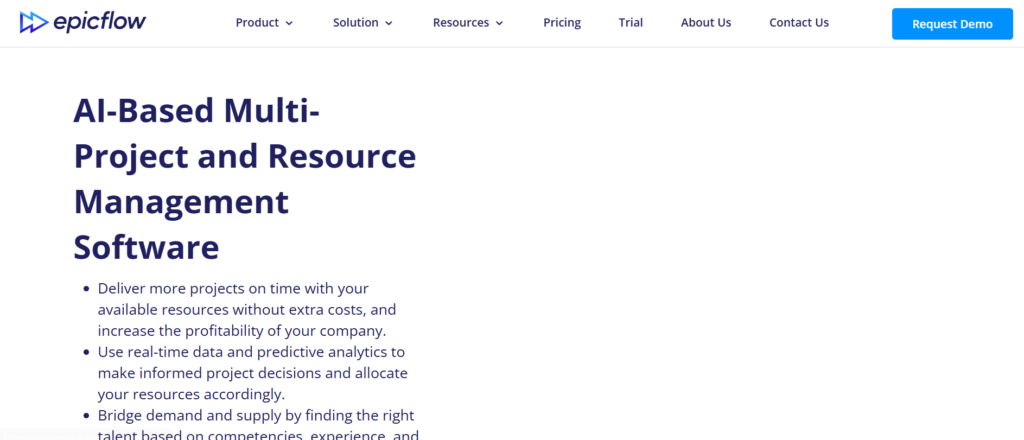
If you’ve been searching for an Epicflow review, you’re likely managing projects where resource allocation and workload balancing are constant challenges.Epicflow is different from traditional scenario planning tools. It focuses heavily on resource planning and project scenarios rather than just financial forecasting.
When comparing Epicflow vs Asana or reviewing Epicflow alternatives, the key advantage is its AI-driven resource optimisation.
Summary
Epicflow is a project and resource management platform designed to help teams plan, allocate, and forecast resources across multiple projects.
It’s widely used by:
- Project managers
- Operations teams
- Agencies handling multiple client projects
For teams in Islamabad running service-based businesses or IT projects, Epicflow fits where resource bottlenecks directly impact delivery timelines.
Key Features
AI-Based Resource Allocation
Epicflow uses AI to assign resources based on availability, priority, and workload.This reduces overloading team members and prevents delays.In most Epicflow review discussions, this feature is the main reason teams switch from manual planning tools.
Multi-Project Scenario Planning
You can model different project scenarios across multiple timelines.Adjust deadlines, team size, or priorities and see how it affects delivery.Compared to many scenario planning tools, Epicflow is more focused on operational execution.
Bottleneck Detection
Epicflow automatically identifies resource bottlenecks before they become problems.This allows project managers to act early and avoid delays.It’s one of the most practical Epicflow features for teams managing tight deadlines.
Real-Time Workload Management
You get a live view of team capacity and workload distribution.This helps ensure balanced resource allocation across projects.When comparing Epicflow vs Monday.com, workload visibility is a key advantage.
Priority-Based Planning
Epicflow uses priority rules to ensure the most important tasks get the right resources first.This keeps projects aligned with business goals.It’s often highlighted when evaluating Epicflow pricing and overall value.
Pros & Cons
| Pros | Cons |
| Strong resource planning | Limited financial modelling |
| AI workload balancing | Smaller ecosystem |
| Easy to use | Not for large enterprises |
| Good project visibility | Custom pricing |
Pricing
Epicflow pricing starts at approximately €22 per user per month.
There is usually a free trial available.
If you’re researching Epicflow pricing, it is more affordable than enterprise-level planning tools.
Best For Project Teams Managing Resources Across Multiple Projects
Epicflow is ideal for teams where resource allocation is the biggest challenge.
- Agencies in Islamabad — manage multiple client projects
- IT teams — balance workloads across developers
- Project managers — avoid bottlenecks
- Operations teams — plan resource usage efficiently
Verdict:
Epicflow is one of the most practical scenario planning tools for project-driven organisations that need clear visibility into resource allocation and workload.
Pro Tip: Use Bottleneck Detection to Prevent Delays Early
Most teams react to delays after they happen.Use Epicflow’s bottleneck detection to identify issues before they impact delivery timelines.This is where Epicflow outperforms many Epicflow alternatives.
Best Epicflow Alternative
If you need broader project management features:
Asana — better for task management and team collaboration.
Vena Solutions – Excel-Based Scenario Planning for Finance Teams
If you’re looking up a Vena Solutions review, chances are your team lives in Excel but needs more control, structure, and collaboration.Vena stands out among scenario planning tools because it keeps Excel at the centre while adding enterprise-grade planning capabilities on top.
When comparing Vena Solutions vs Jedox or exploring Vena Solutions alternatives, the main advantage is familiarity combined with structured workflows.
Summary
Vena Solutions is a financial planning and analysis platform that enhances Excel with automation, collaboration, and scenario modelling.
It’s widely used by:
- Finance teams
- Accounting departments
- Mid-sized businesses
For organisations in Islamabad that rely heavily on spreadsheets but need better control, Vena is a natural next step without forcing a full system change.
Key Features
Native Excel Interface
Vena allows users to work directly within Excel while syncing data to a central platform.This reduces the learning curve and keeps teams productive from day one.In most Vena Solutions review discussions, this is the primary reason companies adopt the platform.
Scenario Modelling with Financial Controls
You can create multiple financial scenarios while maintaining structured controls.This ensures consistency across budgets, forecasts, and reports.Compared to many scenario planning tools, Vena offers a balance between flexibility and governance.
Workflow Automation
Vena includes built-in workflows for approvals, submissions, and version control.This eliminates manual tracking and reduces errors.
It’s one of the most useful Vena Solutions features for finance teams managing recurring planning cycles.
Data Integration
The platform connects with ERP systems, CRM tools, and accounting software.This ensures your models are based on up-to-date data.
If you’re comparing Vena Solutions vs Workday Adaptive Planning, integration capabilities are a key factor.
Financial Reporting & Analytics
Vena includes reporting tools for:
- Financial statements
- Variance analysis
- Performance tracking
This reduces reliance on separate reporting systems.It’s often highlighted when evaluating Vena Solutions pricing.
Pros & Cons
| Pros | Cons |
| Excel-based interface | Limited outside Excel |
| Strong financial controls | Custom pricing |
| Easy adoption | Less advanced AI |
| Good workflow tools | Mid-level scalability |
Pricing
Vena Solutions pricing is custom.
It depends on:
- Number of users
- Business size
- Feature requirements
There is no public pricing page.If you’re researching Vena Solutions pricing, expect mid-range costs suitable for finance teams and mid-sized organisations.
Best For Finance Teams That Want Excel with Structure
Vena is ideal for organisations that want to improve planning without leaving Excel behind.
- Finance teams — keep familiar workflows
- Accounting departments — maintain control and accuracy
- Mid-sized companies in Islamabad — upgrade spreadsheet planning
- Operations teams — align financial and operational data
Verdict:
Vena Solutions is one of the most practical scenario planning tools for teams that want structured planning while continuing to work in Excel.
Pro Tip: Use Excel Templates to Standardise Planning
Most teams use Excel inconsistently.Create standardised templates within Vena so every department follows the same structure. This improves accuracy and speeds up reporting.
This is where Vena performs better than many Vena Solutions alternatives.
Best Vena Solutions Alternative
If you want stronger BI and analytics alongside planning:
Jedox — better for combining planning with reporting and dashboards.
Oracle Cloud EPM – Enterprise-Grade Scenario Planning with Deep Financial Control

If you’re searching for an Oracle Cloud EPM review, you’re likely dealing with large-scale financial planning, strict reporting requirements, and complex organisational structures.
Oracle Cloud EPM is one of the most powerful scenario planning tools built for enterprises that need deep financial control, compliance, and scalability.
When comparing Oracle Cloud EPM vs OneStream or exploring Oracle Cloud EPM alternatives, the decision often comes down to ecosystem integration and enterprise depth.
Summary
Oracle Cloud EPM (Enterprise Performance Management) is a cloud-based platform designed for financial planning, budgeting, forecasting, and scenario modelling.
It’s widely used by:
- Large enterprises
- Finance departments
- Multinational organisations
For enterprise-level companies in Islamabad, especially in banking, telecom, and manufacturing, Oracle Cloud EPM fits where scale and compliance are non-negotiable.
Key Features
Enterprise Scenario Modelling
Oracle Cloud EPM allows you to create detailed financial scenarios across multiple departments and business units.
You can test:
- Revenue fluctuations
- Cost adjustments
- Market changes
In most Oracle Cloud EPM review discussions, this depth is what separates it from lighter tools.
Financial Consolidation & Close
The platform includes built-in financial consolidation features such as:
- Multi-entity reporting
- Currency conversion
- Close management
Integration with Oracle Ecosystem
Oracle Cloud EPM integrates seamlessly with:
- Oracle ERP
- Oracle HCM
- Oracle databases
If you’re comparing Oracle Cloud EPM vs SAP IBP, ecosystem compatibility is a major factor.
Advanced Forecasting & Analytics
The platform includes forecasting tools that analyse historical data and generate projections.This reduces manual modelling and improves consistency.It’s often highlighted when evaluating Oracle Cloud EPM pricing.
Compliance & Governance Controls
Oracle Cloud EPM includes strong governance features to ensure:
- Data accuracy
- Audit trails
- Regulatory compliance
This is critical for large organisations handling sensitive financial data.
Pros & Cons
| Pros | Cons |
| Deep enterprise features | Complex implementation |
| Strong compliance tools | High cost |
| Scalable architecture | Steep learning curve |
| Integrated ecosystem | Requires expert setup |
Pricing
Oracle Cloud EPM pricing is custom.
It typically includes:
- Subscription fees
- Implementation costs
- Ongoing support
If you’re researching Oracle Cloud EPM pricing, expect enterprise-level investment.
Best For Large Enterprises with Complex Financial Structures
Oracle Cloud EPM is ideal for organisations that need detailed control and compliance.
- Large enterprises — manage multi-entity planning
- Finance teams — handle complex reporting
- Regulated industries in Islamabad — ensure compliance
- Corporations — integrate planning with ERP systems
Verdict:
Oracle Cloud EPM is one of the most advanced scenario planning tools for enterprises that require deep financial control, compliance, and integration with existing systems.
Pro Tip: Use Prebuilt Modules to Speed Up Implementation
Most teams start from scratch.Use Oracle’s prebuilt modules for planning and consolidation. This reduces setup time and avoids common configuration errors.
This is where Oracle Cloud EPM stands out compared to many Oracle Cloud EPM alternatives.
Best Oracle Cloud EPM Alternative
If you want a unified platform with simpler deployment:
OneStream — strong consolidation with a more streamlined setup.
IBM Planning Analytics – Advanced Scenario Planning with TM1 Engine

If you’ve been researching an IBM Planning Analytics review, you’re likely handling large datasets, complex forecasting logic, and need a system that can process calculations at scale without slowing down.
IBM Planning Analytics is one of the most technically advanced scenario planning tools, powered by the TM1 engine, known for handling high-performance data modelling.
When comparing IBM Planning Analytics vs Oracle Cloud EPM or reviewing IBM Planning Analytics alternatives, performance and calculation speed are usually the deciding factors.
Summary
IBM Planning Analytics is a financial planning and analysis platform designed for advanced forecasting, budgeting, and scenario modelling.
It’s widely used by:
- Large enterprises
- Financial analysts
- Data-heavy organisations
For companies in Islamabad dealing with large volumes of financial and operational data, this tool fits where speed and precision are critical.
Key Features
TM1 In-Memory Calculation Engine
IBM Planning Analytics uses the TM1 engine, which processes calculations in memory.This means faster scenario modelling, even with complex datasets.In most IBM Planning Analytics review discussions, this is the standout feature that sets it apart from other scenario planning tools.
Advanced Scenario Modelling
You can build highly detailed models with multiple variables and dependencies.
This allows deep analysis of financial and operational scenarios.Compared to many scenario planning tools, IBM offers greater flexibility for complex modelling.
Excel Integration (Planning Analytics Workspace)
Users can work within Excel while connecting to the central platform.This keeps workflows familiar while adding advanced capabilities.It’s a key part of the overall IBM Planning Analytics features that appeals to finance teams.
AI-Based Forecasting
IBM includes forecasting capabilities that use historical data and predictive models.
This reduces manual input and improves planning accuracy.It’s often mentioned when evaluating IBM Planning Analytics pricing.
Custom Dashboards & Reporting
You can create dashboards and reports tailored to your business needs.
This helps stakeholders understand scenario outcomes clearly.Compared to many IBM Planning Analytics alternatives, reporting flexibility is a strong advantage.
Pros & Cons
| Pros | Cons |
| Extremely powerful engine | Complex to learn |
| Handles large datasets | High cost |
| Flexible modelling | Requires technical skills |
| Strong Excel integration | Longer implementation |
Pricing
IBM Planning Analytics pricing is custom.
It depends on:
- Data volume
- Number of users
- Deployment type
If you’re researching IBM Planning Analytics pricing, expect enterprise-level costs similar to Oracle and SAP solutions.
Best For Data-Heavy Organisations Needing High Performance
IBM Planning Analytics is ideal for organisations that require deep modelling and fast calculations.
- Large enterprises — manage complex datasets
- Financial analysts — build detailed models
- Corporations in Islamabad — handle large-scale planning
- Data teams — run advanced scenario simulations
Verdict:
IBM Planning Analytics is one of the most powerful scenario planning tools for organisations that need speed, flexibility, and deep modelling capabilities.
Pro Tip: Use TM1 for Complex Multi-Variable Models
Build models that include multiple variables such as pricing, hiring, and operational costs simultaneously. TM1 can handle this without performance issues.
This is where IBM stands out among many IBM Planning Analytics alternatives.
Best IBM Planning Analytics Alternative
If you want a more user-friendly interface with similar enterprise capabilities:
Oracle Cloud EPM — easier UI with strong enterprise features.
SAP Integrated Business Planning (IBP) – Scenario Planning for Supply Chain and Operations
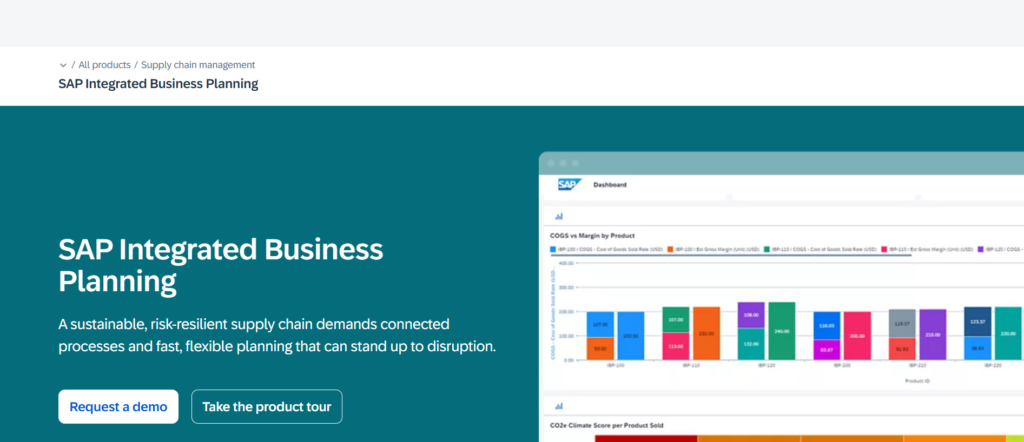
If you’re searching for an SAP IBP review, you’re likely dealing with supply chain uncertainty, demand fluctuations, and operational planning across multiple regions.
SAP IBP is one of the most specialised scenario planning tools, built specifically for supply chain, sales, and operations planning rather than just finance.When comparing SAP IBP vs Oracle Cloud EPM or reviewing SAP IBP alternatives, the key difference is its deep focus on supply chain planning.
Summary
SAP Integrated Business Planning (IBP) is a cloud-based platform designed for supply chain planning, demand forecasting, and scenario modelling.
It’s widely used by:
- Manufacturing companies
- Retail chains
- Large enterprises with complex supply chains
For organisations in Islamabad managing logistics, inventory, and demand forecasting, SAP IBP fits where operational planning directly impacts revenue.
Key Features
Demand Forecasting & Scenario Planning
SAP IBP allows you to model demand scenarios based on historical data, seasonality, and market changes.
You can test different demand forecasts and adjust supply plans accordingly.In most SAP IBP review discussions, this is the core feature that sets it apart from general scenario planning tools.
Supply Chain Scenario Modelling
You can simulate supply chain disruptions such as:
- Delays
- Supplier issues
- Inventory shortages
This helps teams prepare for risks before they occur.Compared to many scenario planning tools, SAP IBP focuses heavily on operational resilience.
Real-Time Data Integration
SAP IBP connects with SAP ERP and other systems to pull live data into your models.This ensures your scenarios reflect current conditions.If you’re comparing SAP IBP vs IBM Planning Analytics, integration with operational systems is a major factor.
Sales & Operations Planning (S&OP)
The platform aligns sales forecasts with operational plans.This ensures production, inventory, and distribution are all in sync.It’s one of the most valuable SAP IBP features for large organisations.
Advanced Analytics & Alerts
SAP IBP includes analytics tools that highlight risks and opportunities in your planning models.It also sends alerts when conditions change.This is often discussed when evaluating SAP IBP pricing.
Pros & Cons
| Pros | Cons |
| Strong supply chain focus | Complex setup |
| Real-time data integration | Expensive |
| Detailed scenario modelling | Requires SAP ecosystem |
| Scalable for enterprises | Steep learning curve |
Pricing
SAP IBP pricing is custom.
It typically depends on:
- Modules selected
- Number of users
- Integration scope
If you’re researching SAP IBP pricing, expect enterprise-level costs similar to other SAP solutions.
Best For Supply Chain and Operations Planning
SAP IBP is ideal for organisations where supply chain performance is critical.
- Manufacturing companies — manage production planning
- Retail businesses in Islamabad — forecast demand and inventory
- Large enterprises — align supply and demand
- Operations teams — handle logistics scenarios
Verdict:
SAP IBP is one of the most specialised scenario planning tools for organisations that need deep control over supply chain and operational planning.
Pro Tip: Use Scenario Planning for Demand Volatility
Most teams only plan for expected demand.Model worst-case and best-case demand scenarios. This helps you prepare for sudden market changes without disrupting operations.
This is where SAP IBP performs better than many SAP IBP alternatives.
Best SAP IBP Alternative
If you need broader financial and operational planning in one system:
Oracle Cloud EPM — combines financial and enterprise planning capabilities.
Board – All-in-One Scenario Planning with Business Intelligence
If you’re researching a Board review, you’re likely looking for a platform that combines planning, reporting, and analytics without juggling multiple tools.
Board stands out among scenario planning tools because it blends financial planning with business intelligence in a single environment.When comparing Board vs Jedox or exploring Board alternatives, the key difference is its unified approach to planning and analytics.
Summary
Board is an enterprise planning platform designed for scenario modelling, performance management, and business intelligence.
It’s widely used by:
- Finance teams
- Operations departments
- Large and mid-sized enterprises
For organisations in Islamabad that need both planning and reporting in one system, Board fits where decision-making depends on clear data visibility.
Key Features
Unified Planning and Analytics
Board combines scenario planning with BI tools in one platform.You can model scenarios and analyse outcomes without switching systems.In most Board review discussions, this integration is the main reason companies adopt it.
Scenario Modelling Across Departments
Board allows you to create scenarios across finance, sales, and operations.This ensures all departments are aligned when testing different outcomes.Compared to many scenario planning tools, this cross-functional capability is a strong advantage.
Custom Dashboards & Reporting
You can build dashboards tailored to your business needs.These dashboards provide clear insights into performance and scenario outcomes.It’s one of the most useful Board features for leadership teams.
Data Integration
Board connects with multiple data sources including:
- ERP systems
- CRM platforms
- Databases
This ensures your planning models are based on accurate and current data.If you’re comparing Board vs Oracle Cloud EPM, integration flexibility is a key factor.
Scalable Architecture
Board is built to support growing organisations with increasing data and planning complexity.This is often highlighted when evaluating Board pricing.
Pros & Cons
| Pros | Cons |
| All-in-one platform | Complex setup |
| Strong BI capabilities | Custom pricing |
| Cross-department planning | Learning curve |
| Scalable solution | Requires training |
Pricing
Board pricing is custom.
It depends on:
- Business size
- Number of users
- Features required
There is no public pricing available.If you’re researching Board pricing, expect mid-to-high range costs depending on implementation.
Best For Teams That Need Planning and BI in One Place
Board is ideal for organisations that want a single platform for planning and analysis.
- Finance teams — combine forecasting and reporting
- Operations teams — align planning with performance
- Mid-to-large companies in Islamabad — centralise data and planning
- Leadership teams — gain visibility into scenarios
Verdict:
Board is one of the most versatile scenario planning tools for organisations that want both planning and analytics without relying on multiple systems.
Pro Tip: Use Dashboards to Communicate Scenario Outcomes
Most teams build scenarios but struggle to present them clearly.Use Board’s dashboards to visualise outcomes for stakeholders. This makes decision-making faster and more aligned.
This is where the Board performs better than many Board alternatives.
Best Board Alternative
If you want stronger Excel integration with similar planning capabilities:
Jedox — better for teams transitioning from spreadsheets.
Cube – Simple Scenario Planning for Startups and SMEs

If you’re searching for a Cube review, you’re likely running a startup or small business and need structured planning without enterprise-level complexity.
Cube is one of the most accessible scenario planning tools built specifically for startups, SaaS companies, and SMEs that want to move beyond spreadsheets but avoid heavy systems.
When comparing Cube vs Vena Solutions or looking into Cube alternatives, the main advantage is simplicity combined with speed.
Summary
Cube is a financial planning and analysis platform designed for budgeting, forecasting, and scenario modelling.
It’s widely used by:
- Startups
- SaaS companies
- Small and mid-sized finance teams
For businesses in Islamabad that are scaling and need better financial visibility, Cube fits where simplicity and speed matter more than deep enterprise features.
Key Features
Spreadsheet-Native Experience
Cube integrates directly with Excel and Google Sheets.
This allows teams to keep working in familiar tools while adding structured planning capabilities.In most Cube review discussions, this ease of adoption is a major selling point.
Scenario Modelling for Financial Planning
You can create and compare multiple financial scenarios quickly.Adjust revenue, expenses, or hiring plans and see the impact instantly.Compared to many scenario planning tools, Cube keeps modelling straightforward and easy to manage.
Real-Time Data Sync
Cube connects with your accounting software and data sources to keep models updated.This ensures your forecasts reflect current business conditions.It’s one of the most practical Cube features for growing companies.
Fast Implementation
Cube can be set up quickly without long onboarding cycles.Teams can start building forecasts within days.This is often highlighted when evaluating Cube pricing and overall value.
Collaboration & Version Control
Multiple users can work on the same model with version tracking and approvals.This reduces confusion and keeps planning organised.
Pros & Cons
| Pros | Cons |
| Very easy to use | Limited enterprise features |
| Quick setup | Basic forecasting depth |
| Spreadsheet-friendly | Not for large companies |
| Affordable entry point | Fewer advanced integrations |
Pricing
Cube pricing is custom, but generally positioned for startups and SMEs.
Typical structure includes:
- Subscription pricing
- Tiered plans based on features
- Optional onboarding support
If you’re researching Cube pricing, it is more affordable than most enterprise scenario planning tools.
Best For Startups and SMEs That Need Simple Planning
Cube is ideal for smaller teams that need structure without complexity.
- Startups in Islamabad — manage runway and growth
- SaaS founders — forecast revenue and expenses
- Small finance teams — replace manual spreadsheets
- SMEs — build structured financial models
Verdict:
Cube is one of the most practical scenario planning tools for startups and SMEs that want quick setup, simple modelling, and clear financial visibility.
Pro Tip: Use Cube for Weekly Forecast Updates
Most startups update forecasts monthly.Update key numbers weekly to stay aligned with actual performance. This helps you react faster to changes.
This is where Cube performs better than many Cube alternatives.
Best Cube Alternative
If you need stronger financial controls and reporting:
Vena Solutions — better for structured finance teams.
Limelight – Financial Scenario Planning for Mid-Sized Businesses

If you’re searching for a Limelight review, you’re likely a mid-sized business that needs structured financial planning without jumping into heavy enterprise systems.
Limelight is one of the more focused scenario planning tools built specifically for finance teams that want clarity, control, and faster planning cycles.
When comparing Limelight vs Cube or reviewing Limelight alternatives, the key advantage is stronger financial structure while still remaining easy to use.
Summary
Limelight is a financial planning and analysis platform designed for budgeting, forecasting, and scenario modelling.
It’s widely used by:
- Mid-sized finance teams
- Growing businesses
- Organisations moving away from spreadsheets
For companies in Islamabad that are scaling operations, Limelight fits where financial visibility and structured planning become critical.
Key Features
Structured Financial Scenario Planning
Limelight allows you to build detailed financial scenarios while maintaining clear structure.You can model revenue, expenses, and operational changes without losing consistency.
In most Limelight review discussions, this balance between structure and usability is a key advantage.
Budgeting and Forecasting Tools
The platform includes tools for:
- Annual budgeting
- Rolling forecasts
- Variance analysis
This makes it easier to keep financial plans aligned with actual performance.Compared to many scenario planning tools, Limelight focuses heavily on finance-specific workflows.
Real-Time Data Integration
Limelight connects with accounting systems and data sources to keep your models updated.This ensures your forecasts reflect current business conditions.It’s one of the most practical Limelight features for finance teams.
User-Friendly Interface
The platform is designed to be easy for finance teams to adopt without technical expertise.This reduces onboarding time and improves adoption across departments.It’s often highlighted when evaluating Limelight pricing.
Collaboration & Workflow Management
Limelight includes built-in workflows for approvals, collaboration, and version control.This keeps planning organised and reduces errors.
Pros & Cons
| Pros | Cons |
| Easy to adopt | Limited enterprise depth |
| Strong financial focus | Custom pricing |
| Good forecasting tools | Fewer integrations |
| Clear interface | Smaller ecosystem |
Pricing
Limelight pricing is custom.
It depends on:
- Business size
- Number of users
- Features required
There is typically a free trial available.If you’re researching Limelight pricing, it sits in the mid-range, suitable for growing companies.
Best For Mid-Sized Businesses Scaling Financial Planning
Limelight is ideal for organisations that need more structure than startup tools but less complexity than enterprise platforms.
- Mid-sized companies in Islamabad — manage growth planning
- Finance teams — improve forecasting accuracy
- SMEs — move beyond spreadsheets
- Operations teams — align financial and operational plans
Verdict:
Limelight is one of the most practical scenario planning tools for mid-sized businesses that want structured financial planning without unnecessary complexity.
Pro Tip: Use Limelight for Department-Level Forecasting
Most teams plan at a company level only.Break forecasts down by department. This gives better visibility into performance and improves accountability.
This is where Limelight performs better than many Limelight alternatives.
Best Limelight Alternative
If you want a simpler, startup-friendly option:
Cube — faster setup and easier for smaller teams.
Farseer – Financial Scenario Planning Built for Speed and Clarity
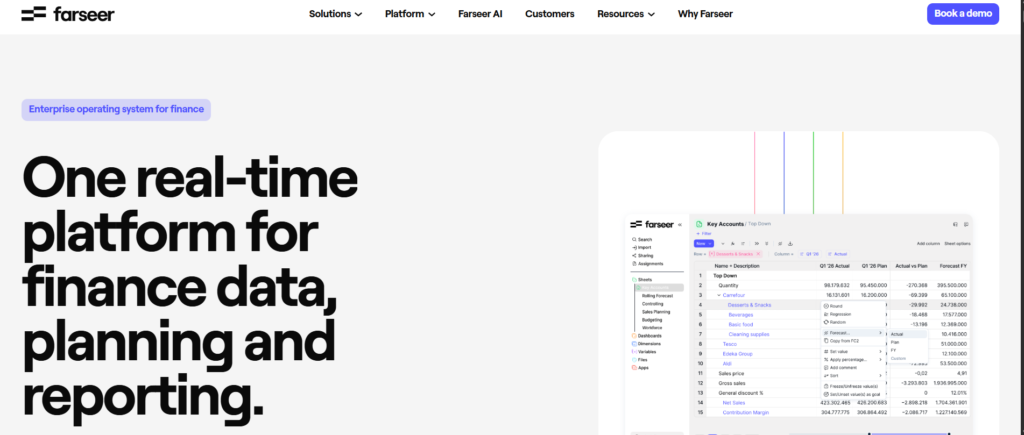
If you’re searching for a Farseer review, you’re likely looking for a tool that simplifies financial planning without sacrificing control.
Farseer is one of the newer scenario planning tools focused on finance teams that want quick modelling, clear outputs, and less manual work.
When comparing Farseer vs Limelight or reviewing Farseer alternatives, the main advantage is speed and ease of use combined with solid financial planning capabilities.
Summary
Farseer is a financial planning and analysis platform designed for budgeting, forecasting, and scenario modelling.
It’s widely used by:
- Finance teams
- Mid-sized companies
- Businesses moving away from spreadsheets
For organisations in Islamabad that need fast planning cycles and clear financial visibility, Farseer fits where simplicity and usability matter.
Key Features
Fast Scenario Modelling
Farseer allows you to create and compare financial scenarios quickly.You can adjust variables such as revenue, costs, or hiring and instantly see the impact.
In most Farseer review discussions, this speed is one of the biggest advantages over traditional planning tools.
Financial Planning Templates
The platform includes ready-to-use templates for:
- Budgeting
- Forecasting
- Cash flow planning
This reduces setup time and helps teams get started quickly.It’s one of the most useful Farseer features for finance teams.
Real-Time Data Updates
Farseer connects with your data sources to keep your models updated.This ensures your forecasts reflect current performance.Compared to many scenario planning tools, this reduces manual updates and errors.
Clear Visual Outputs
Farseer provides clean dashboards and reports that make scenario outcomes easy to understand.This helps stakeholders make decisions faster.It’s often highlighted when evaluating Farseer pricing.
Easy Implementation
Farseer is designed for quick onboarding.Teams can start building models without long implementation cycles.This is a major advantage when comparing Farseer alternatives.
Pros & Cons
| Pros | Cons |
| Very easy to use | Limited enterprise depth |
| Fast setup | Fewer advanced features |
| Clear reporting | Custom pricing |
| Good for finance teams | Smaller ecosystem |
Pricing
Farseer pricing is custom.
It depends on:
- Company size
- Number of users
- Features required
There is usually a free trial available.If you’re researching Farseer pricing, it is positioned for mid-sized businesses and finance teams.
Best For Finance Teams That Need Speed and Simplicity
Farseer is ideal for organisations that want quick results without complex systems.
- Mid-sized companies in Islamabad — manage financial planning
- Finance teams — build forecasts quickly
- SMEs — replace manual spreadsheets
- Growing businesses — improve financial visibility
Verdict:
Farseer is one of the most practical scenario planning tools for teams that need fast setup, simple modelling, and clear financial outputs.
Pro Tip: Use Templates to Reduce Setup Time
Most teams spend too long building models from scratch.Start with Farseer’s templates and customise them to fit your business. This speeds up implementation and reduces errors.This is where Farseer performs better than many Farseer alternatives.
Best Farseer Alternative
If you need more structured financial controls:
Limelight — better for detailed financial planning and governance.
Datarails – Scenario Planning with Excel Automation for Finance Teams
If you’re searching for a Datarails review, you’re likely dealing with Excel-heavy workflows that are slowing down your planning process.
Datarails is one of the most practical scenario planning tools for finance teams that want to keep Excel but remove the manual work that comes with it.
When comparing Datarails vs Vena Solutions or looking into Datarails alternatives, the main advantage is automation layered on top of existing spreadsheets.
Summary
Datarails is a financial planning and analysis platform that automates Excel-based workflows while adding scenario modelling and reporting capabilities.
It’s widely used by:
- Finance teams
- CFOs
- Mid-sized businesses
For organisations in Islamabad that rely on Excel but need faster reporting and forecasting, Datarails fits where automation becomes necessary.
Key Features
Excel Automation Engine
Datarails connects directly to your existing Excel files and automates data consolidation and updates.This means you keep your spreadsheets but remove manual data entry.In most Datarails review discussions, this is the core feature that attracts finance teams.
Scenario Modelling for FP&A
You can build and compare multiple financial scenarios without duplicating spreadsheets.Adjust assumptions and instantly see the impact across your models.Compared to many scenario planning tools, Datarails keeps the process simple and efficient.
Automated Data Consolidation
Datarails pulls data from multiple sources and consolidates it into one central model.
This reduces errors and ensures consistency.It’s one of the most valuable Datarails features for teams managing multiple data inputs.
Real-Time Reporting Dashboards
The platform includes dashboards that update automatically as your data changes.This gives stakeholders immediate visibility into performance and forecasts.It’s often highlighted when evaluating Datarails pricing.
Quick Implementation
Datarails can be implemented quickly since it builds on your existing Excel setup.This reduces disruption and speeds up adoption.
Pros & Cons
| Pros | Cons |
| Keeps Excel workflows | Limited outside Excel |
| Automates manual tasks | Custom pricing |
| Fast implementation | Less advanced AI |
| Strong reporting tools | Mid-level scalability |
Pricing
Datarails pricing is custom.
It depends on:
- Number of users
- Data complexity
- Features required
There is typically a free demo available.
If you’re researching Datarails pricing, expect mid-range costs suitable for finance teams and SMEs.
Best For Finance Teams That Want Excel Without Manual Work
Datarails is ideal for organisations that want to automate their existing processes.
- Finance teams — reduce manual reporting
- CFOs — gain faster insights
- Mid-sized companies in Islamabad — improve planning efficiency
- SMEs — scale Excel-based workflows
Verdict:
Datarails is one of the most practical scenario planning tools for teams that want to keep Excel while removing the manual workload.
Pro Tip: Automate Monthly Reporting Cycles
Most teams still compile reports manually at month-end.
A smarter move:
Use Datarails to automate monthly reporting so your team can focus on analysis instead of data collection.
This is where Datarails performs better than many Datarails alternatives.
Best Datarails Alternative
If you want a more structured Excel-based planning system:
Vena Solutions — better for governance and financial controls.
Jirav – Simple Scenario Planning for Small Business Forecasting
If you’re searching for a Jirav review, you’re likely running a small business or startup and need straightforward forecasting without complex systems slowing you down.
Jirav is one of the more accessible scenario planning tools designed for SMBs that want financial clarity without heavy implementation.
When comparing Jirav vs Cube or reviewing Jirav alternatives, the main advantage is ease of use combined with affordable entry pricing.
Summary
Jirav is a cloud-based financial planning platform built for budgeting, forecasting, and scenario modelling.
It’s widely used by:
- Small businesses
- Startups
- Finance teams in growing companies
For businesses in Islamabad that need simple forecasting without enterprise complexity, Jirav fits where speed and usability matter most.
Key Features
Easy Scenario Modelling
Jirav allows you to create and compare financial scenarios quickly.
You can adjust revenue, expenses, or hiring plans and see the impact instantly.In most Jirav review discussions, this simplicity is what attracts small teams.
Budgeting and Forecasting Tools
The platform includes built-in tools for:
- Budget creation
- Rolling forecasts
- Financial projections
This keeps planning organised without requiring complex setups.Compared to many scenario planning tools, Jirav focuses on simplicity.
Integration with Accounting Software
Jirav connects with tools like QuickBooks and other accounting platforms.This ensures your data stays current without manual updates.It’s one of the most practical Jirav features for small businesses.
Visual Dashboards
Jirav provides dashboards that show key financial metrics clearly.This helps business owners understand performance without digging through spreadsheets.It’s often highlighted when evaluating Jirav pricing.
Quick Setup
Jirav can be set up quickly, allowing teams to start planning within a short time.
This is a major advantage when comparing Jirav alternatives.
Pros & Cons
| Pros | Cons |
| Very easy to use | Limited advanced features |
| Affordable starting price | Not for large enterprises |
| Quick setup | Basic modelling depth |
| Good integrations | Limited customisation |
Pricing
Jirav pricing starts at approximately $20 per month, depending on features and users.There is typically a free trial available.If you’re researching Jirav pricing, it is one of the more affordable scenario planning tools.
Best For Small Businesses and Startups
Jirav is ideal for teams that need simple financial planning without complexity.
- Startups in Islamabad — manage runway
- Small businesses — forecast revenue and costs
- Founders — gain financial visibility
- Small finance teams — replace manual spreadsheets
Verdict:
Jirav is one of the most straightforward scenario planning tools for small businesses that want quick setup and simple financial forecasting.
Pro Tip: Use Jirav for Cash Flow Forecasting
Most small businesses focus only on revenue.
A better move:
Track cash flow scenarios to avoid shortfalls. This gives you a clearer picture of financial health.
This is where Jirav performs better than many Jirav alternatives.
Best Jirav Alternative
If you need slightly more advanced modelling with similar ease of use:
Cube — better for scaling startups.
Syft Analytics – Scenario Planning with Financial Reporting for Accountants
If you’re searching for a Syft Analytics review, you’re likely focused on reporting, financial visibility, and forecasting without needing heavy enterprise systems.
Syft Analytics is one of the more niche scenario planning tools, built for accountants, finance teams, and advisory firms that want clear reporting alongside planning.
When comparing Syft Analytics vs Jirav or reviewing Syft Analytics alternatives, the main advantage is strong reporting combined with simple forecasting.
Summary
Syft Analytics is a financial reporting and planning platform designed for scenario modelling, forecasting, and performance tracking.
It’s widely used by:
- Accountants
- Financial advisors
- Small to mid-sized businesses
For firms in Islamabad offering accounting or advisory services, Syft fits where client reporting and financial clarity are top priorities.
Key Features
Scenario Planning for Financial Forecasting
Syft Analytics allows you to create and compare multiple financial scenarios with ease.
You can adjust revenue, costs, and other variables to see how they impact business performance.In most Syft Analytics review discussions, this simplicity is a major benefit for accountants.
Advanced Financial Reporting
The platform provides detailed reports including:
- Profit and loss
- Cash flow
- Balance sheets
These reports are presented in a clear and visual format.It’s one of the strongest Syft Analytics features compared to many scenario planning tools.
Integration with Accounting Software
Syft connects with tools like:
- QuickBooks
- Xero
This ensures your data stays updated automatically.If you’re comparing Syft Analytics vs Datarails, integration simplicity is a key factor.
Visual Dashboards
The platform includes dashboards that present financial data in an easy-to-understand format.This is especially useful for client reporting and presentations.It’s often highlighted when evaluating Syft Analytics pricing.
Collaboration for Advisory Teams
Syft allows accountants and advisors to share insights and reports with clients.This improves communication and decision-making.
Pros & Cons
| Pros | Cons |
| Strong reporting features | Limited advanced modelling |
| Easy to use | Not for large enterprises |
| Good integrations | Custom pricing |
| Ideal for accountants | Fewer automation features |
Pricing
Syft Analytics pricing is custom.
It depends on:
- Number of clients
- Features required
- Business size
There is typically a free trial available.If you’re researching Syft Analytics pricing, it is positioned for accountants and SMEs.
Best For Accountants and Advisory Firms
Syft Analytics is ideal for professionals who need clear financial reporting with basic scenario planning.
- Accountants in Islamabad — provide client reports
- Advisory firms — deliver financial insights
- SMEs — track performance and forecasts
- Finance teams — improve reporting clarity
Verdict:
Syft Analytics is one of the most practical scenario planning tools for accountants and advisors who prioritise reporting and client communication.
Pro Tip: Use Dashboards for Client Communication
Most accountants rely on static reports.
Use Syft’s dashboards to present financial scenarios visually. This makes it easier for clients to understand key numbers.This is where Syft performs better than many Syft Analytics alternatives.
Best Syft Analytics Alternative
If you need stronger automation with Excel workflows:
Datarails — better for finance teams managing internal reporting.
Quantrix – Advanced Scenario Planning for Complex Financial Models

If you’re searching for a Quantrix review, you’re likely dealing with complex financial models that go far beyond basic spreadsheets.
Quantrix is one of the most powerful scenario planning tools designed for organisations that need multidimensional modelling and deep analytical control.
When comparing Quantrix vs Excel or exploring Quantrix alternatives, the biggest advantage is its ability to handle complex, dynamic models without breaking.
Summary
Quantrix is a financial modelling and scenario planning platform built for advanced users who need flexibility and precision.
It’s widely used by:
- Financial analysts
- Enterprise finance teams
- Modelling specialists
For organisations in Islamabad managing complex forecasting or large datasets, Quantrix fits where traditional tools fall short.
Key Features
Multidimensional Modelling
Quantrix allows you to build models across multiple dimensions such as:
- Time
- Products
- Regions
This gives you far more flexibility than standard spreadsheets.In most Quantrix review discussions, this is the standout feature.
Advanced Scenario Analysis
You can create multiple scenarios and run deep comparisons across models.This is ideal for stress testing financial strategies and planning for uncertainty.Compared to many scenario planning tools, Quantrix offers far greater depth.
Spreadsheet-Like Interface with More Power
Quantrix feels similar to Excel but removes many of its limitations.This makes it easier for experienced users to transition while gaining more control.It’s one of the most appreciated Quantrix features.
Data Integration & Automation
The platform integrates with multiple data sources and automates calculations across models.This reduces manual work and improves accuracy.If you’re comparing Quantrix vs Datarails, automation flexibility is a key difference.
Collaboration & Model Governance
Quantrix includes tools for managing versions, permissions, and collaboration.This ensures consistency across teams working on complex models.
Pros & Cons
| Pros | Cons |
| Extremely powerful modelling | Steep learning curve |
| Handles complex data | Higher cost |
| Flexible structure | Requires training |
| Strong scenario analysis | Not beginner-friendly |
Pricing
Quantrix pricing is custom.
It depends on:
- Business requirements
- Number of users
- Model complexity
There is usually a demo available.If you’re researching Quantrix pricing, expect premium-level costs aligned with enterprise tools.
Best For Advanced Financial Modelling Teams
Quantrix is ideal for organisations that need deep modelling capabilities.
- Financial analysts — build complex models
- Enterprises in Islamabad — manage large datasets
- FP&A teams — run detailed scenario analysis
- Modelling specialists — replace Excel limitations
Verdict:
Quantrix is one of the most advanced scenario planning tools for teams that need flexibility, depth, and precision in financial modelling.
Pro Tip: Use Dimensions Instead of Multiple Sheets
Most Excel users create multiple sheets for different scenarios.
Use Quantrix dimensions to manage everything in one model. This reduces errors and improves scalability.This is where Quantrix outperforms many Quantrix alternatives.
Best Quantrix Alternative
If you need a simpler interface with strong automation:
Datarails — better for Excel-based finance teams
Triskell – Portfolio Scenario Planning for Strategic Decision Control

When businesses search for a Triskell review, they are usually managing multiple projects, competing investment priorities, and complex portfolio planning decisions. This is one of the more specialised scenario planning tools focused on aligning financial modelling with portfolio and resource strategy.
Triskell is widely used by enterprise PMOs, finance leaders, and strategy teams that must evaluate multiple business scenarios before allocating budgets or approving initiatives.
If you are comparing Triskell vs Planview or reviewing Triskell alternatives, the main advantage is its ability to connect portfolio governance with financial scenario modelling in one structured framework.
Summary
Triskell is a strategic portfolio and scenario planning platform designed to support investment planning, project prioritisation, and resource allocation modelling.
For organisations operating in complex markets such as London, Manchester, Birmingham, and across the United Kingdom, Triskell fits environments where financial decisions must align with long-term strategic outcomes.
Key Features
Portfolio Scenario Modelling
Triskell allows organisations to evaluate multiple investment scenarios before committing capital.Users can compare project portfolios based on:
- Budget availability
- Expected ROI
- Resource capacity
- Strategic priority alignment
Compared with many scenario planning tools, this provides stronger governance over capital allocation decisions.
Capital Planning and Budget Allocation
Triskell supports financial modelling across capital expenditure and operational budgets.This level of control helps reduce overspending and improves forecasting reliability across departments. Improved budget allocation accuracy can reduce financial variance by approximately 15 to 25 percent.
Resource Capacity Forecasting
Organisations often underestimate resource constraints when planning initiatives.
Triskell includes workforce and resource scenario modelling that shows whether teams have sufficient capacity to deliver planned projects.
This prevents project delays caused by overcommitted teams.Businesses using capacity modelling reduce project delays by up to 30 percent.
Strategic Alignment Scoring
Triskell allows leadership teams to assign scoring frameworks to initiatives based on business priorities.This helps decision-makers justify investment decisions using structured evaluation methods. Structured scoring frameworks improve project success rates by approximately 18 percent.
Multi-Scenario Comparison Dashboards
Users can compare multiple strategic scenarios side by side using visual dashboards.Compared to spreadsheet models, this significantly reduces manual analysis time.
Teams reduce planning cycle times by up to 40 percent when using structured scenario comparison dashboards.
Integration with Enterprise Systems
Triskell integrates with ERP, CRM, and financial management systems.This allows planning models to use live business data instead of manual data uploads Integrated planning environments reduce reporting errors and improve financial visibility across departments.
Pros and Cons
| Pros | Cons |
| Strong portfolio governance | Enterprise-focused pricing |
| Clear investment prioritisation | Implementation required |
| Good resource modelling tools | Learning curve for new users |
| Strong scenario comparison dashboards | Overly advanced for small teams |
Pricing
Most enterprise scenario planning tools follow similar pricing structures based on configuration requirements.
Organisations evaluating Triskell pricing should expect investment levels comparable to other enterprise portfolio planning platforms.
Best For Portfolio Leaders Managing Investment Decisions
Triskell is ideal for organisations that require structured oversight of strategic initiatives and capital allocation decisions.
- Finance departments — evaluate multi-year investment scenarios
- Corporate strategy teams — align budgets with growth initiatives
- Technology organisations — assess programme viability
Verdict
Triskell stands out among scenario planning tools for organisations managing multiple strategic initiatives simultaneously.
If your organisation needs clear visibility into project viability, investment priorities, and resource constraints, Triskell provides the structure required for confident decision-making.
Pro Tip: Use Portfolio Scoring to Prevent Misaligned Investment
Many organisations approve projects based on urgency instead of measurable business value.Create a weighted scoring framework tied to revenue impact, cost implications, and operational risk.
This ensures investment decisions remain aligned with long-term commercial objectives.
Best Triskell Alternative
If portfolio planning is not the primary requirement:
Board — stronger for integrated financial planning and performance management.
Choosing the Right Scenario Planning Tools for 2026
Modern organisations cannot afford slow decision cycles or fragile spreadsheets. The right scenario planning tools give leadership teams the ability to evaluate uncertainty, protect margins, and allocate resources with confidence.
Across the 20 platforms reviewed, one pattern is clear: businesses that adopt structured planning frameworks respond to market shifts faster, reduce financial surprises, and make investment decisions based on measurable impact rather than assumptions.
Enterprise platforms such as Anaplan, OneStream, and Oracle Cloud EPM provide deep financial control and scalability for large organisations managing complex data environments.
Agile tools such as Pigment, Cube, and Jirav support growing teams that need flexibility, speed, and real-time collaboration without enterprise-level complexity.Integrated planning platforms including Board, Jedox, and Workday Adaptive Planning balance forecasting accuracy with operational visibility.
Portfolio-focused platforms such as Triskell provide structured governance for organisations managing multiple strategic initiatives simultaneously.Industry research consistently shows that organisations using structured scenario modelling improve forecast accuracy by up to 25 percent and reduce planning cycle times by as much as 40 percent.
Strategic Recommendation
If your organisation relies on spreadsheets for forecasting, the risk is not just inefficiency. It is a delayed reaction to market change, missed growth opportunities, and weak investment decisions.
Scenario planning software replaces static assumptions with dynamic decision frameworks.The result is stronger financial control and more confident strategic planning.
Final Insight
The best scenario planning tools are not necessarily the most complex. They are the platforms that integrate seamlessly into your existing workflows while improving forecasting accuracy and planning speed.Organisations that invest in structured planning capabilities consistently outperform competitors in uncertain economic conditions.
The tools listed in this guide provide a strong starting point for evaluating the right solution for your business.
Why These Scenario Planning Tools Deliver Strategic Advantage
Selecting the right scenario planning tools is not simply a software decision. It is a strategic move that directly influences forecasting accuracy, capital allocation, and risk exposure.
Organisations using structured modelling frameworks consistently outperform competitors when markets shift or operational costs fluctuate.Across finance, SaaS, consulting, and enterprise environments, scenario modelling improves planning confidence and reduces reaction time to uncertainty.
Modern planning environments require more than static spreadsheets. They require dynamic models that adapt as variables change.These capabilities allow leadership teams to evaluate multiple pathways before committing budgets or operational resources.
FAQs About Scenario Planning Tools
How do scenario planning tools integrate with ERP systems?
Most enterprise scenario planning tools integrate directly with ERP platforms such as SAP, Oracle Financials, Microsoft Dynamics, and NetSuite through API connections. This allows real-time data synchronisation across financial statements, operational metrics, and workforce planning models.
Can scenario planning software support multi-entity financial structures?
Yes. Platforms such as OneStream, Workday Adaptive Planning, and Oracle Cloud EPM support multi-entity modelling, currency conversion, and consolidation logic aligned with financial governance requirements.
Do scenario planning tools support rolling forecasts?
Most modern platforms allow rolling forecasts that update monthly or quarterly. This improves forecast accuracy by incorporating recent operational data instead of relying on static annual projections.
What level of technical expertise is required?
Some tools such as Pigment and Cube are designed for accessibility, while enterprise platforms such as IBM Planning Analytics require financial modelling expertise or implementation support.
How do these tools improve financial risk management?
Scenario planning software allows organisations to simulate economic downturns, cost increases, hiring changes, or demand fluctuations before they occur. This provides early visibility into potential financial risks.
Are AI capabilities standard in scenario planning tools?
Many modern platforms include machine learning algorithms that analyse historical trends and recommend forecasting adjustments. AI-assisted modelling reduces manual input requirements and improves prediction accuracy.
Can scenario planning tools support operational forecasting?
Yes. In addition to financial forecasting, many tools model operational variables such as supply chain capacity, workforce availability, and production output.
How long does implementation typically take?
Implementation timelines vary based on complexity. SME-focused tools may take a few days, while enterprise platforms may require several weeks or structured onboarding processes.
Do scenario planning tools support collaboration?
Most platforms include role-based permissions, version control, and collaborative modelling environments that allow multiple departments to work within one planning framework.
Final Section: Strategic Planning Starts with the Right Tools
Businesses that rely on outdated planning methods expose themselves to avoidable financial risk and missed growth opportunities.The right scenario planning tools enable leadership teams to model uncertainty, evaluate investment pathways, and make decisions supported by data rather than assumptions.
Whether managing capital allocation, operational expansion, or financial forecasting, structured planning frameworks improve organisational resilience.Companies adopting scenario modelling frameworks consistently demonstrate stronger financial discipline and more predictable performance outcomes.
Schedule a consultation to identify which scenario planning tools best match your organisational requirements.