
If you run a consulting firm, you already know the pressure. Clients expect measurable results. Teams need clear targets. And leadership wants accurate reporting without chasing spreadsheets all day.
That is exactly where Best KPI Tracking Tools for Consulting Firm come in.
We reviewed dozens of KPI tracking platforms used by consulting firms across Pakistan, the UK, and global agencies. What you will see here is a filtered list built for consultants, strategy firms, management advisors, and boutique agencies who rely on KPI dashboards, performance tracking software, and business intelligence tools.
Here is something most firms overlook. According to recent industry reports, firms that actively track KPIs in real time see up to 28 percent higher client retention and 32 percent faster project delivery cycles. Yet many consulting firms still rely on manual reporting.
This guide fixes that.
If you want clean dashboards, better client reporting, and tighter performance control, these Best KPI Tracking Tools for Consulting Firm will put you ahead.
What is KPI Tracking for Consulting Firms
KPI tracking for consulting firms is the process of monitoring performance metrics tied to client outcomes, internal productivity, and revenue targets.
These KPIs usually include:
- Billable utilisation rate
- Client acquisition cost
- Project delivery timelines
- Revenue per consultant
- Client satisfaction score
For consulting firms in Pakistan and globally, KPI tracking tools act as a central control panel. Instead of scattered reports, everything sits in one dashboard.
Why it matters:
- You spot underperforming projects early
- You present clearer reports to clients
- You improve team accountability
- You make faster decisions based on numbers
Without proper KPI tracking, consulting firms rely on assumptions. With the right tool, you operate with clarity.
Quick Comparison Table
Before choosing, consulting firms usually care about pricing, reporting depth, integrations, and ease of use. That is why the table below focuses on those decision factors.
| Tool Name | Best For | Starting Price USD | Free Trial | Key Feature | Rating |
| Databox | Real-time dashboards | 47 | Yes | KPI visualisation | 4.7 |
| Klipfolio | Custom dashboards | 60 | Yes | Data integrations | 4.6 |
| Geckoboard | Simple KPI boards | 39 | Yes | Live dashboards | 4.5 |
| Tableau | Advanced analytics | 70 | Yes | Data modelling | 4.8 |
| Power BI | Microsoft users | 10 | Yes | Deep reporting | 4.7 |
| Zoho Analytics | SMEs | 24 | Yes | AI insights | 4.5 |
| Domo | Enterprise firms | 83 | Yes | Cloud BI | 4.6 |
| Sisense | Embedded analytics | 99 | Yes | Custom dashboards | 4.6 |
| Grow.com | Business dashboards | 60 | Yes | Data blending | 4.4 |
| Qlik Sense | Data exploration | 30 | Yes | Associative engine | 4.7 |
| ClickUp | KPI + project | 7 | Yes | Task tracking | 4.6 |
| Monday.com | Team tracking | 9 | Yes | Workflow boards | 4.7 |
| Asana | Project KPIs | 10 | Yes | Task analytics | 4.6 |
| Smartsheet | Enterprise tracking | 25 | Yes | Spreadsheet hybrid | 4.5 |
| Scoro | Consulting firms | 26 | Yes | End-to-end management | 4.7 |
| Profit.co | OKR tracking | 7 | Yes | KPI alignment | 4.6 |
| Cascade | Strategy execution | 24 | Yes | KPI mapping | 4.5 |
| ClearPoint | Performance mgmt | 75 | Yes | Reporting automation | 4.6 |
| SimpleKPI | Small firms | 29 | Yes | Easy dashboards | 4.3 |
| AgencyAnalytics | Client reporting | 12 | Yes | Automated reports | 4.7 |
Best KPI Tracking Tools for Consulting Firm
Here are the top tools you should be looking at:
- Databox
- Klipfolio
- Geckoboard
- Tableau
- Power BI
- Zoho Analytics
- Domo
- Sisense
- Grow.com
- Qlik Sense
- ClickUp
- Monday.com
- Asana
- Smartsheet
- Scoro
- Profit.co
- Cascade
- ClearPoint Strategy
- SimpleKPI
- AgencyAnalytics
Got it. Fixed structure exactly as you asked.
1. Databox
If you want instant visibility across client performance, internal metrics, and revenue targets, Databox is one of the Best KPI Tracking Tools for Consulting Firm.
Consulting firms use Databox to replace slow spreadsheets with live dashboards. In most Databox review discussions, the biggest advantage is speed. You see what is happening now, not last week.
Key Features
Databox is built for consulting firms that need clarity without complexity. It focuses on real-time KPI tracking, automated reporting, and simple dashboards that clients actually understand.
Real-Time KPI Dashboard Tracking
Databox connects your data sources and updates KPIs instantly. This allows consulting firms to track utilisation rates, revenue, and delivery timelines without waiting. When performance shifts, you see it immediately and can act before it affects client outcomes.
Multi-Source Data Integration
Databox pulls data from CRMs, analytics tools, finance systems, and project management platforms into one dashboard. This removes manual reporting work and gives consulting firms a central place to monitor all KPIs without switching between tools.
Custom KPI Scorecards
You can build KPI scorecards for each client or department. This is critical for consulting firms managing multiple industries. Each dashboard reflects specific goals, making reporting more relevant and easier to present during client meetings.
Automated Client Reporting
Databox allows scheduled reports to be sent directly to clients. Consulting firms save hours every week by removing repetitive reporting tasks. It also keeps clients receiving consistent updates without delays.
Performance Alerts and Benchmarks
Set KPI targets and receive alerts when performance drops or exceeds expectations. This helps consulting firms stay proactive instead of reacting late. It is especially useful for tracking project delivery and revenue goals.
Pros & Cons
| Pros | Cons |
| Simple dashboard setup | Limited advanced analytics |
| Strong integrations | Some custom limits |
| Great for client reporting | Pricing increases with scale |
| Real-time updates | Setup takes time initially |
Pricing
- Free Plan available
- Starter: 47 USD per month
- Professional: 135 USD per month
- Growth: 319 USD per month
When comparing Databox pricing vs alternatives, it is easier to adopt than tools like Tableau but less advanced in analytics depth.
Best For Consulting Firms That Need Fast Reporting
Databox works best for consulting firms that need quick reporting without technical setup.
- Small consulting firms — want quick KPI dashboards
- Marketing consultants — need automated client reports
- Strategy teams — track multiple KPIs easily
- Growing agencies — centralise performance tracking
Verdict: If reporting is slowing your consulting firm down, Databox removes that bottleneck.
How to Use Databox for Consulting KPI Tracking
Set up dashboards for each client and combine them with internal KPIs like billable hours and revenue per consultant. This gives consulting firms a full view of both performance and profitability.
Best Databox Alternative
If you need deeper analytics and advanced reporting, Tableau is a strong alternative. It offers more complex data modelling but requires more technical expertise.
2. Klipfolio
When consulting firms start looking beyond basic dashboards, Klipfolio becomes a serious contender in the Best KPI Tracking Tools for Consulting Firm category.
It is built for firms that want deeper control over how KPIs are displayed, calculated, and shared. In most Klipfolio review discussions, users highlight flexibility as the biggest advantage.
If Databox is about simplicity, Klipfolio is about control.
Key Features
Klipfolio is designed for consulting firms that need custom KPI dashboards, deeper data connections, and more control over reporting logic. It works well for firms handling complex client data across multiple sources.
Advanced Dashboard Customisation
Klipfolio allows consulting firms to build dashboards from scratch. You are not limited to templates. You can design KPI dashboards that match exactly how your consulting firm operates. This is useful when presenting data to high-value clients who expect reporting.
Powerful Data Integration Capabilities
One of the strongest Klipfolio features is its ability to connect with hundreds of data sources. From CRMs to spreadsheets and APIs, everything can be pulled into one place. Consulting firms benefit by eliminating data silos and creating unified performance views.
Custom KPI Calculations
Klipfolio gives you full control over how KPIs are calculated. You can create formulas based on your consulting firm’s internal metrics. This is critical when standard metrics do not reflect your actual performance or profitability.
Client-Focused Reporting Dashboards
Consulting firms can create separate dashboards for each client with unique KPIs. This improves communication and makes reporting more relevant. Clients see exactly what matters to them without unnecessary data.
White-Label Reporting
Klipfolio allows you to brand dashboards with your consulting firm’s identity. This is important for agencies and consulting firms that want to present reports as their own system rather than a third-party tool.
Pros & Cons
| Pros | Cons |
| Highly customisable dashboards | Steeper learning curve |
| Strong data integrations | Setup takes time |
| Flexible KPI calculations | Interface can feel complex |
| White-label reporting | Pricing increases with scale |
Pricing
- Starter: 60 USD per month
- Pro: 145 USD per month
- Custom plans available
When comparing Klipfolio pricing vs alternatives, it sits slightly above basic tools like Geckoboard but below enterprise tools like Domo or Sisense.
Best For Consulting Firms That Need Custom KPI Control
Klipfolio is ideal for consulting firms that want full control over KPI structure and reporting logic.
- Data-heavy consulting firms — need complex KPI calculations
- Strategy consultants — require customised dashboards
- Agencies managing multiple clients — need white-label reports
- Mid-size consulting firms — want scalable reporting systems
Verdict: If your consulting firm has outgrown simple dashboards, Klipfolio gives you the control needed to handle complex reporting.
How to Use Klipfolio for Consulting KPI Tracking
Create separate dashboards for each client and connect them to live data sources. Then build custom KPIs based on consulting firm goals like profitability per project or consultant utilisation. This gives a clearer view than standard metrics.
Best Klipfolio Alternative
If you want similar flexibility but with stronger visual analytics, Power BI is a solid alternative. It offers deeper reporting but requires more technical expertise.
3. Geckoboard
If your consulting firm wants clean, simple KPI dashboards without complexity, Geckoboard is a strong pick in the Best KPI Tracking Tools for Consulting Firm category.
In many Geckoboard review discussions, the biggest selling point is clarity. It strips away complexity and focuses only on the KPIs that matter.
For consulting firms that need quick visibility for teams and clients, Geckoboard does the job without slowing you down.
Key Features
Geckoboard is built for consulting firms that want straightforward KPI tracking, live dashboards, and easy sharing across teams without technical setup.
Live KPI Dashboards
Geckoboard displays KPIs in real time using simple visual widgets. Consulting firms can track revenue, project timelines, and utilisation rates as they change. This makes it easier to keep teams aligned without digging into reports.
Easy Dashboard Setup
Unlike complex tools, Geckoboard allows consulting firms to build dashboards quickly using pre-built templates. This reduces onboarding time and helps teams start tracking KPIs immediately.
Data Integrations
Geckoboard connects with tools like Google Analytics, CRMs, and spreadsheets. Consulting firms can pull key metrics into one dashboard without manual updates, making reporting more efficient.
Shareable KPI Boards
Dashboards can be shared via links or displayed on office screens. Consulting firms use this feature to keep teams focused on performance targets throughout the day.
Goal Tracking and Targets
You can set KPI targets and track progress visually. This helps consulting firms measure performance against goals and keep projects on track.
Pros & Cons
| Pros | Cons |
| Very easy to use | Limited customisation |
| Quick setup | Basic analytics only |
| Clean dashboards | Fewer advanced features |
| Good for team visibility | Not ideal for complex data |
Pricing
- Essential: 39 USD per month
- Pro: 79 USD per month
- Scale: Custom pricing
When comparing Geckoboard pricing vs alternatives, it is more affordable than tools like Klipfolio but less powerful in terms of data handling.
Best For Consulting Firms That Want Simplicity
Geckoboard is ideal for consulting firms that prioritise clarity over complexity.
- Small consulting firms — need quick KPI visibility
- Teams with non-technical staff — prefer simple dashboards
- Agencies — want client-facing KPI boards
- Startups — track performance without heavy tools
Verdict: If your consulting firm wants a clean dashboard without technical setup, Geckoboard is a practical choice.
How to Use Geckoboard for Consulting KPI Tracking
Set up dashboards for daily KPIs such as revenue targets, project deadlines, and consultant utilisation. Display them on shared screens so teams stay focused on performance throughout the day.
Best Geckoboard Alternative
If you need more advanced customisation and deeper KPI control, Klipfolio is a better option.
4. Tableau

When consulting firms need deep analytics and powerful data visualisation, Tableau stands out in the Best KPI Tracking Tools for Consulting Firm list.
In most Tableau review insights, the platform is known for handling complex data and turning it into detailed visual reports.
This is not a beginner tool. It is built for consulting firms that deal with large datasets and need advanced analysis.
Key Features
Tableau is designed for consulting firms that require advanced analytics, detailed reporting, and strong data visualisation capabilities.
Advanced Data Visualisation
Tableau allows consulting firms to create highly detailed charts, graphs, and dashboards. This makes it easier to present complex data to clients in a clear and structured way.
Deep Data Analysis
One of the most powerful Tableau features is its ability to analyse large datasets. Consulting firms can uncover trends, patterns, and performance gaps that basic tools cannot show.
Multiple Data Source Integration
Tableau connects with databases, spreadsheets, cloud platforms, and more. Consulting firms can combine multiple data sources into a single report for better insights.
Interactive Dashboards
Users can interact with dashboards by filtering and drilling into data. This is useful during client presentations where deeper analysis is required on the spot.
Scalable Reporting System
Tableau works for both small consulting firms and large enterprises. As your firm grows, the platform scales with your data and reporting needs.
Pros & Cons
| Pros | Cons |
| Powerful analytics | Steep learning curve |
| Advanced visualisation | Higher pricing |
| Handles large data | Requires training |
| Highly scalable | Setup complexity |
Pricing
- Creator: 70 USD per user per month
- Explorer: 42 USD per user per month
- Viewer: 15 USD per user per month
When comparing Tableau pricing vs alternatives, it is more expensive than tools like Power BI but offers stronger visualisation capabilities.
Best For Consulting Firms Handling Complex Data
Tableau is ideal for consulting firms that require deep analysis and detailed reporting.
- Large consulting firms — manage big datasets
- Strategy consultants — need detailed insights
- Data-focused teams — require advanced analytics
- Enterprise agencies — need scalable solutions
Verdict: If your consulting firm needs serious analytics power, Tableau delivers unmatched depth.
How to Use Tableau for Consulting KPI Tracking
Build dashboards that combine financial data, project metrics, and client KPIs. Use interactive filters to analyse performance during meetings and identify gaps quickly.
Best Tableau Alternative
Power BI is a strong alternative with similar capabilities but at a lower price point.
5. Power BI
For consulting firms already using Microsoft tools, Power BI is one of the most practical options in the Best KPI Tracking Tools for Consulting Firm category.
In many Power BI review discussions, users highlight its affordability combined with strong analytics.
It offers a balance between cost and capability, making it popular among consulting firms.
Key Features
Power BI is built for consulting firms that want strong reporting capabilities, deep data analysis, and seamless integration with Microsoft tools.
Advanced Data Analytics
Power BI allows consulting firms to analyse large datasets and uncover trends. This helps identify performance gaps, track KPIs accurately, and improve decision-making.
Seamless Microsoft Integration
Power BI integrates with Excel, Azure, and other Microsoft tools. Consulting firms already using Microsoft ecosystems benefit from smoother workflows and easier data management.
Interactive KPI Dashboards
Dashboards in Power BI are interactive and allow users to drill down into specific data points. This is useful for consulting firms presenting detailed reports to clients.
Automated Data Updates
Power BI can refresh data automatically, ensuring dashboards always reflect the latest performance metrics. This reduces manual work and improves reporting accuracy.
Custom Report Building
Consulting firms can create customised reports to specific client needs. This makes reporting more relevant and easier to understand
Pros & Cons
| Pros | Cons |
| Affordable pricing | Requires setup knowledge |
| Strong analytics | Interface learning curve |
| Microsoft integration | Limited outside ecosystem |
| Scalable | Customisation takes time |
Pricing
- Power BI Pro: 10 USD per user per month
- Power BI Premium: 20 USD per user per month
When comparing Power BI pricing vs Tableau, it is significantly more affordable while still offering strong analytics capabilities.
Best For Consulting Firms Using Microsoft Ecosystem
Power BI is ideal for consulting firms already using Microsoft tools.
- Microsoft-based consulting firms — seamless integration
- Mid-size firms — need cost-effective analytics
- Data-focused teams — require detailed reporting
- Growing agencies — want scalable KPI tracking
Verdict: If your consulting firm wants strong analytics without high costs, Power BI is a smart choice.
How to Use Power BI for Consulting KPI Tracking
Connect Power BI with your CRM, financial tools, and Excel data. Build dashboards that track utilisation rates, revenue, and project performance in one place.
Best Power BI Alternative
Tableau is the closest competitor, offering deeper visualisation but at a higher cost.
6. Zoho Analytics
If your consulting firm wants a balance between affordability, reporting depth, and AI-powered insights, Zoho Analytics is a strong contender in the Best KPI Tracking Tools for Consulting Firm space.
In many Zoho Analytics review discussions, users highlight one thing consistently. It gives consulting firms advanced reporting without the heavy cost of enterprise tools like Tableau or Domo.
For consulting firms in Pakistan and growing global agencies, this matters. You get serious reporting capability without stretching your budget.
Key Features
Zoho Analytics is built for consulting firms that need detailed KPI tracking, automated reporting, and intelligent insights without relying on complex setups or high-cost infrastructure.
AI-Powered Insights and Predictions
Zoho Analytics includes built-in AI that analyses your KPI data and highlights trends, anomalies, and patterns. This allows consulting firms to identify performance gaps early. Instead of manually analysing spreadsheets, you get automated insights that guide better decision-making across projects and client engagements.
Advanced Data Visualisation
The platform offers a wide range of charts, pivot tables, and dashboards. Consulting firms can present KPIs such as revenue growth, consultant productivity, and client performance in a clear format. This makes client reporting more structured and easier to understand.
Multi-Source Data Integration
Zoho Analytics connects with CRMs, finance tools, cloud apps, and databases. Consulting firms can pull all performance metrics into one central dashboard. This removes data silos and improves reporting accuracy across departments.
Automated Reporting and Scheduling
Reports can be generated and sent automatically to clients or internal teams. Consulting firms benefit by reducing manual reporting work while maintaining consistent communication. This is especially useful when managing multiple clients with different reporting needs.
Self-Service BI for Teams
Zoho Analytics allows non-technical users to create reports and dashboards. Consulting firms do not need dedicated data teams to manage KPIs. Consultants and managers can access and build reports on their own.
Pros & Cons
| Pros | Cons |
| Affordable pricing | UI can feel dated |
| AI insights included | Setup takes time |
| Strong integrations | Learning curve for beginners |
| Good for scaling firms | Limited deep customisation |
Pricing
- Basic: 24 USD per month
- Standard: 48 USD per month
- Premium: 115 USD per month
- Enterprise: 455 USD per month
When comparing Zoho Analytics pricing vs alternatives, it is more affordable than Tableau and Domo while offering more advanced features than basic tools like Geckoboard.
Best For Consulting Firms That Want Affordable Advanced Reporting
Zoho Analytics works best for consulting firms that need deeper insights without enterprise-level pricing.
- Small to mid-size consulting firms — want strong reporting at lower cost
- Strategy consultants — need AI-backed insights
- Agencies managing multiple clients — require automated reporting
- Growing firms — want scalable KPI tracking
Verdict: If your consulting firm wants intelligent reporting without high costs, Zoho Analytics is a practical and scalable option.
How to Use Zoho Analytics for Consulting KPI Tracking
Connect your CRM, financial data, and project management tools into Zoho Analytics. Then build dashboards for key consulting KPIs such as billable utilisation, revenue per consultant, and project timelines. Use AI insights to identify performance gaps early and adjust strategies accordingly.
Best Zoho Analytics Alternative
If you want deeper visualisation and more advanced analytics, Tableau is a strong alternative. If you prefer an easier setup with simpler dashboards, Databox is another option.
7. Domo
When consulting firms start dealing with large-scale operations, multiple teams, and complex KPI structures, Domo enters the conversation as one of the most powerful platforms in the Best KPI Tracking Tools for Consulting Firm category.
In most Domo review insights, the platform is known for handling enterprise-level reporting with speed and flexibility. It is not built for small teams. It is built for consulting firms that need full control over data, reporting, and business performance at scale.
Key Features
Domo is designed for consulting firms that need a complete business intelligence platform with strong data handling, real-time reporting, and enterprise scalability.
Cloud-Based KPI Management System
Domo operates entirely in the cloud, allowing consulting firms to access KPI dashboards from anywhere. This is critical for firms managing remote teams or multiple client locations. You can monitor performance, revenue, and project metrics in real time without relying on local systems.
Advanced Data Integration Engine
One of the strongest Domo features is its ability to connect with hundreds of data sources including databases, CRMs, APIs, and cloud tools. Consulting firms can unify all their data into a single platform, removing silos and improving reporting accuracy across departments.
Real-Time Data Processing
Domo processes data instantly, which allows consulting firms to track KPIs as they change. This is especially useful for monitoring client campaigns, financial performance, and operational metrics without delays.
Custom App Creation
Domo allows consulting firms to build custom apps directly within the platform. This means you can create KPI tracking solutions based on your firm’s exact requirements rather than relying only on pre-built features.
Enterprise-Level Security and Governance
Domo provides strong data security controls and user permissions. Consulting firms working with sensitive client data can control who sees what, ensuring confidentiality and compliance.
Pros & Cons
| Pros | Cons |
| Enterprise-level capabilities | High pricing |
| Strong integrations | Complex setup |
| Real-time data processing | Requires training |
| Custom app creation | Not ideal for small firms |
Pricing
- Starting at 83 USD per user per month
- Custom enterprise pricing available
When comparing Domo pricing vs alternatives, it is significantly higher than tools like Zoho Analytics or Power BI but offers more enterprise-level capabilities.
Best For Large Consulting Firms Managing Complex Data
Domo is ideal for consulting firms that operate at scale and need full business intelligence capabilities.
- Enterprise consulting firms — manage large datasets
- Global agencies — need centralised KPI systems
- Data-heavy teams — require advanced integrations
- Large operations — need custom reporting apps
Verdict: If your consulting firm operates at enterprise level, Domo gives you the infrastructure to manage everything in one place.
How to Use Domo for Consulting KPI Tracking
Connect all your data sources including CRM, finance systems, and project tools. Build central dashboards that track revenue, consultant productivity, and client performance across all departments.
Best Domo Alternative
If you need similar capabilities but at a lower cost, Power BI is a strong alternative with good analytics depth.
8. Sisense
For consulting firms that need embedded analytics and highly customised KPI tracking systems, Sisense is a strong option within the Best KPI Tracking Tools for Consulting Firm.
In many Sisense review discussions, the platform is known for flexibility. It allows consulting firms to embed dashboards directly into their own systems or client portals.
Key Features
Sisense is built for consulting firms that want deep customisation, embedded analytics, and strong performance when handling complex data.
Embedded Analytics Capabilities
Sisense allows consulting firms to embed dashboards into internal tools or client-facing platforms. This means clients can view KPIs directly within your system rather than logging into separate tools.
High-Performance Data Processing
Sisense uses an in-chip technology that processes large datasets quickly. Consulting firms working with heavy data benefit from faster reporting and smoother dashboard performance.
Custom Dashboard Development
You can build highly customised dashboards to specific consulting needs. This allows firms to present KPIs exactly how clients expect to see them.
Strong API and Developer Tools
Sisense provides APIs that allow consulting firms to build custom integrations and workflows. This is useful for firms with technical teams that want full control over KPI systems.
Scalable Architecture
Sisense grows with your consulting firm. Whether you manage a few clients or thousands, the platform can handle increasing data and reporting demands.
Pros & Cons
| Pros | Cons |
| Highly customisable | Requires technical knowledge |
| Strong performance | Expensive |
| Embedded analytics | Setup complexity |
| Scalable | Not beginner-friendly |
Pricing
- Starting around 99 USD per month
- Custom enterprise pricing available
When comparing Sisense pricing vs alternatives, it is positioned alongside Domo in the higher pricing range.
Best For Consulting Firms Needing Embedded KPI Systems
Sisense is ideal for consulting firms that want to integrate KPI dashboards into their own platforms.
- Tech-driven consulting firms — need embedded analytics
- Enterprise firms — require scalability
- Data teams — want full customisation
- Agencies building client portals — need integrated dashboards
Verdict: If your consulting firm wants full control and embedded KPI tracking, Sisense is a strong option.
How to Use Sisense for Consulting KPI Tracking
Embed KPI dashboards into your client portal so clients can log in and view performance metrics directly. This improves transparency and client experience.
Best Sisense Alternative
Domo is a strong alternative for enterprise firms that want a full BI platform without focusing on embedded analytics.
9. Grow.com
If your consulting firm wants business dashboards without heavy complexity, Grow.com is a solid option in the Best KPI Tracking Tools for Consulting Firm list.
In most Grow.com review feedback, users highlight simplicity combined with useful data visualisation.
Key Features
Grow.com is built for consulting firms that want clear dashboards, easy integrations, and simple KPI tracking without technical barriers.
Easy Dashboard Creation
Grow.com allows consulting firms to build dashboards quickly using drag-and-drop tools. This makes it easier for non-technical teams to track KPIs without relying on developers.
Data Blending Capabilities
The platform allows you to combine data from multiple sources into one dashboard. Consulting firms can merge financial data, CRM data, and project metrics to get a complete performance view.
Real-Time KPI Tracking
Grow.com updates data automatically, allowing consulting firms to monitor KPIs in real time. This improves decision-making and keeps teams aligned with performance goals.
Visual Reporting Tools
The platform offers charts, graphs, and visual widgets that make KPI reporting easier to understand for both teams and clients.
User-Friendly Interface
Grow.com is designed for ease of use. Consulting firms can onboard teams quickly without long training sessions.
Pros & Cons
| Pros | Cons |
| Easy to use | Limited advanced analytics |
| Quick setup | Fewer integrations than competitors |
| Good visual dashboards | Not ideal for enterprise use |
| Affordable | Customisation limits |
Pricing
- Starting at 60 USD per month
- Custom pricing for larger teams
When comparing Grow.com pricing vs alternatives, it sits in the mid-range and is more affordable than enterprise tools.
Best For Consulting Firms That Want Simplicity with Flexibility
Grow.com is ideal for consulting firms that want easy KPI tracking with some flexibility.
- Small consulting firms — need simple dashboards
- Growing agencies — want better reporting
- Non-technical teams — prefer easy tools
- Mid-size firms — need balanced features
Verdict: If your consulting firm wants a balance between simplicity and functionality, Grow.com is a reliable choice.
How to Use Grow.com for Consulting KPI Tracking
Build dashboards that combine financial metrics, client KPIs, and operational data. Use visual charts to track performance trends over time.
Best Grow.com Alternative
Geckoboard is a simpler alternative if you want a faster setup with fewer features.
10. Qlik Sense
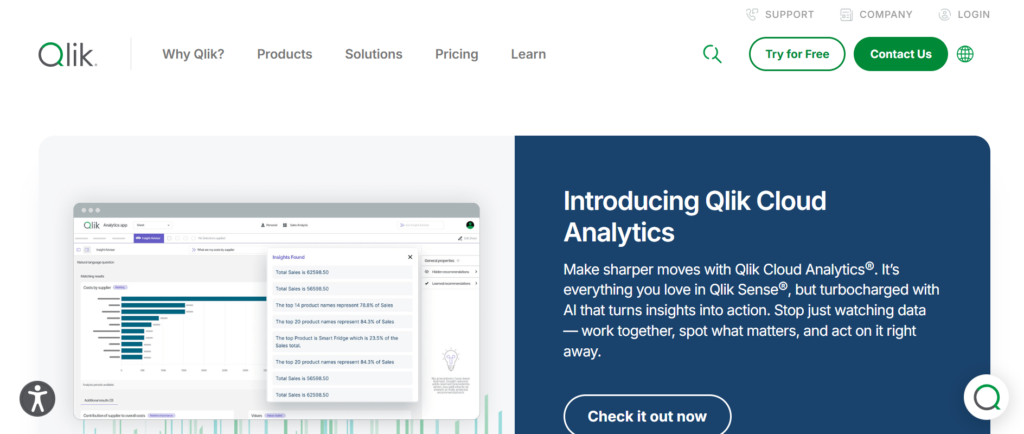
For consulting firms that need advanced data exploration and flexible analytics, Qlik Sense is a powerful option in the Best KPI Tracking Tools for Consulting Firm category.
In many Qlik Sense review insights, the platform is recognised for its associative data engine, which allows users to explore data freely.
Key Features
Qlik Sense is built for consulting firms that want deep data exploration, flexible reporting, and strong analytics capabilities.
Associative Data Engine
Qlik Sense allows consulting firms to explore data relationships freely. Instead of fixed dashboards, you can analyse data from multiple angles and uncover hidden insights.
Interactive Dashboards
Dashboards are highly interactive, allowing users to drill down into specific data points. This is useful during client meetings where detailed analysis is required.
Strong Data Integration
Qlik Sense connects with multiple data sources including databases, cloud tools, and APIs. Consulting firms can centralise all KPI data in one platform.
AI-Assisted Insights
The platform includes AI features that highlight trends and patterns. Consulting firms can identify performance gaps and opportunities more efficiently.
Scalable Analytics Platform
Qlik Sense works for both small teams and large consulting firms. It scales as your data and reporting needs grow.
Pros & Cons
| Pros | Cons |
| Powerful data exploration | Learning curve |
| Strong analytics | Higher pricing |
| Interactive dashboards | Setup complexity |
| Scalable | Requires training |
Pricing
- Starting at 30 USD per user per month
- Enterprise pricing available
When comparing Qlik Sense pricing vs alternatives, it sits between Power BI and Tableau in terms of cost and capability.
Best For Consulting Firms That Need Deep Data Exploration
Qlik Sense is ideal for consulting firms that want to analyse data beyond standard dashboards.
- Data-focused consulting firms — need deep analysis
- Strategy consultants — require flexible reporting
- Mid to large firms — want scalable analytics
- Teams handling complex KPIs — need exploration tools
Verdict: If your consulting firm wants deeper control over data analysis, Qlik Sense offers strong capabilities.
How to Use Qlik Sense for Consulting KPI Tracking
Use Qlik Sense to analyse relationships between KPIs such as revenue, utilisation, and client performance. This helps consulting firms identify patterns and improve decision-making.
Best Qlik Sense Alternative
Tableau is a strong alternative with more advanced visualisation but similar complexity.
11. ClickUp
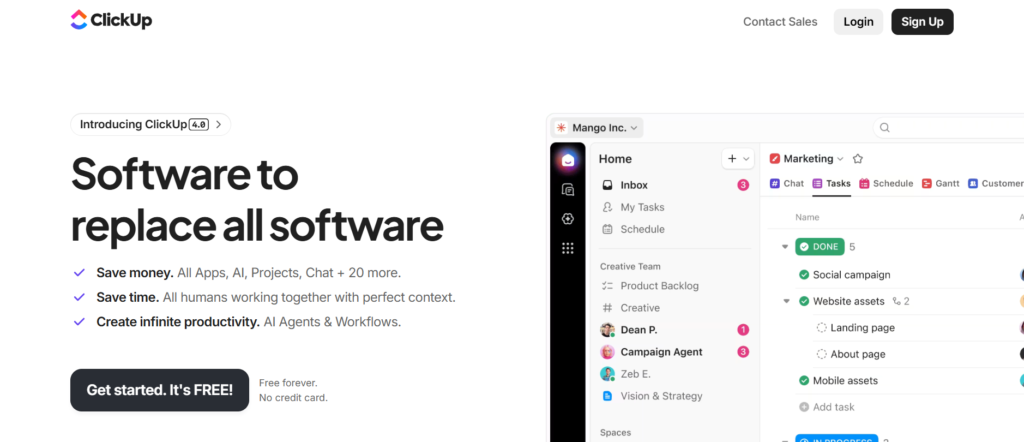
If your consulting firm wants KPI tracking combined with project management, ClickUp is one of the most practical options in the Best KPI Tracking Tools for Consulting Firm list.
In most ClickUp review discussions, the platform stands out because it combines task management, KPI tracking, and reporting in one place. Instead of using separate tools, consulting firms can manage everything inside a single system.
Key Features
ClickUp is designed for consulting firms that want KPI tracking tightly connected with daily operations, project workflows, and team performance.
KPI Tracking with Goals Feature
ClickUp allows consulting firms to set measurable goals and link them directly to tasks and projects. This means KPIs are not just numbers on a dashboard. They are tied to actual work being done by consultants, making performance tracking more practical and actionable.
Custom Dashboards for Performance Monitoring
ClickUp dashboards allow consulting firms to track KPIs such as billable hours, project progress, and revenue. These dashboards can be customised based on team, client, or project, giving flexibility in reporting.
Task and KPI Alignment
One of the strongest ClickUp features is the ability to align tasks with KPIs. Consulting firms can see how daily activities contribute to larger business goals, which improves accountability across teams.
Time Tracking and Productivity Metrics
ClickUp includes built-in time tracking. Consulting firms can monitor how much time consultants spend on tasks and compare it with billable hours. This helps improve utilisation rates and profitability.
Automation for Workflow Efficiency
ClickUp allows automation of repetitive tasks such as status updates and reporting. Consulting firms save time and reduce manual work, especially when managing multiple projects.
Pros & Cons
| Pros | Cons |
| All-in-one platform | Can feel overwhelming |
| Affordable pricing | Setup takes time |
| Strong customisation | Learning curve |
| Good for teams | Performance can lag |
Pricing
- Free Plan available
- Unlimited: 7 USD per user per month
- Business: 12 USD per user per month
- Enterprise: Custom pricing
When comparing ClickUp pricing vs alternatives, it is more affordable than most KPI tools while offering additional project management features.
Best For Consulting Firms That Want KPI + Project Management
ClickUp is ideal for consulting firms that want to combine KPI tracking with daily operations.
- Small consulting firms — want one tool for everything
- Project-based consultants — need task and KPI alignment
- Growing agencies — manage multiple clients
- Teams tracking utilisation — monitor productivity
Verdict: If your consulting firm wants KPI tracking inside your workflow, ClickUp is a strong choice.
How to Use ClickUp for Consulting KPI Tracking
Set up goals for each KPI such as revenue targets or utilisation rates. Then link those goals to tasks and projects so your consulting firm can track progress directly through daily work.
Best ClickUp Alternative
Monday.com is a strong alternative if you prefer a more visual workflow system with simpler setup.
12. Monday.com
For consulting firms that prefer visual workflows and structured tracking, Monday.com is a strong contender in the Best KPI Tracking Tools for Consulting Firm category.
In many Monday.com review insights, users highlight its visual boards and ease of use. It turns KPI tracking into something teams can actually follow without confusion.
Key Features
Monday.com is built for consulting firms that want structured workflows, visual KPI tracking, and team collaboration in one place.
Visual Workflow Boards
Monday.com uses visual boards to track tasks, projects, and KPIs. Consulting firms can see progress at a glance, which makes it easier to manage multiple projects and clients.
KPI Tracking Through Dashboards
The platform allows consulting firms to create dashboards that track key performance metrics. These dashboards combine data from different boards to give a clear overview of business performance.
Automation for Task Management
Monday.com includes automation features that reduce manual work. Consulting firms can automate status updates, notifications, and reporting processes.
Team Collaboration Tools
Teams can communicate, share updates, and collaborate within the platform. This improves coordination across consulting projects and reduces reliance on external communication tools.
Integration with Business Tools
Monday.com connects with CRMs, email platforms, and other tools. Consulting firms can centralise operations and KPI tracking in one place.
Pros & Cons
| Pros | Cons |
| Visual and easy to use | Limited advanced analytics |
| Strong collaboration | Pricing increases with users |
| Good automation | Customisation limits |
| Quick setup | Not ideal for deep data |
Pricing
- Basic: 9 USD per user per month
- Standard: 12 USD per user per month
- Pro: 19 USD per user per month
- Enterprise: Custom pricing
When comparing Monday.com pricing vs alternatives, it is slightly higher than ClickUp but offers a more visual interface.
Best For Consulting Firms That Prefer Visual Tracking
Monday.com is ideal for consulting firms that want simple, visual KPI tracking.
- Consulting teams — prefer visual workflows
- Small to mid-size firms — need structured tracking
- Agencies — manage multiple projects
- Teams needing collaboration — work closely together
Verdict: If your consulting firm prefers visual clarity over complex dashboards, Monday.com is a solid option.
How to Use Monday.com for Consulting KPI Tracking
Create boards for each client or project and track KPIs alongside tasks. Use dashboards to combine data and monitor overall performance across the consulting firm.
Best Monday.com Alternative
ClickUp is a strong alternative if you want more features at a lower cost.
13. Asana
If your consulting firm focuses heavily on project execution while still tracking KPIs, Asana fits well into the Best KPI Tracking Tools for Consulting Firm list.
In most Asana review discussions, users highlight its simplicity and strong task management capabilities. While it is not a traditional KPI tool, it becomes powerful when used correctly.
Key Features
Asana is designed for consulting firms that want to track KPIs alongside project execution and team workflows.
Project-Based KPI Tracking
Asana allows consulting firms to track KPIs within projects. You can measure progress against goals such as deadlines, deliverables, and team productivity.
Timeline and Workflow Management
The timeline feature helps consulting firms visualise project progress. This makes it easier to track whether projects are meeting KPI targets related to delivery and timelines.
Goal Tracking System
Asana includes a goals feature where consulting firms can define business objectives and track progress. This connects high-level KPIs with everyday work.
Task Assignment and Accountability
Tasks can be assigned to team members with deadlines. Consulting firms can track who is responsible for each part of a project, improving accountability.
Integration with Other Tools
Asana integrates with tools like Slack, Google Workspace, and CRM systems. Consulting firms can bring KPI-related data into one workflow.
Pros & Cons
| Pros | Cons |
| Easy to use | Limited KPI depth |
| Strong task management | Not a full BI tool |
| Good collaboration | Reporting is basic |
| Quick onboarding | Less customisation |
Pricing
- Basic: Free
- Premium: 10 USD per user per month
- Business: 24 USD per user per month
- Enterprise: Custom pricing
When comparing Asana pricing vs alternatives, it is affordable but lacks advanced KPI tracking features compared to tools like Power BI or Tableau.
Best For Consulting Firms Focused on Project Delivery
Asana is ideal for consulting firms that want KPI tracking tied closely to project execution.
- Project-based consulting firms — track delivery KPIs
- Small teams — need simple tools
- Agencies — manage multiple client tasks
- Teams focused on deadlines — track timelines
Verdict: If your consulting firm prioritises execution and task management, Asana is a practical choice.
How to Use Asana for Consulting KPI Tracking
Set up goals for key KPIs such as project deadlines and client deliverables. Link those goals to tasks so your consulting firm can track progress through daily work.
Best Asana Alternative
ClickUp is a strong alternative if you want deeper KPI tracking along with project management.
14. Smartsheet
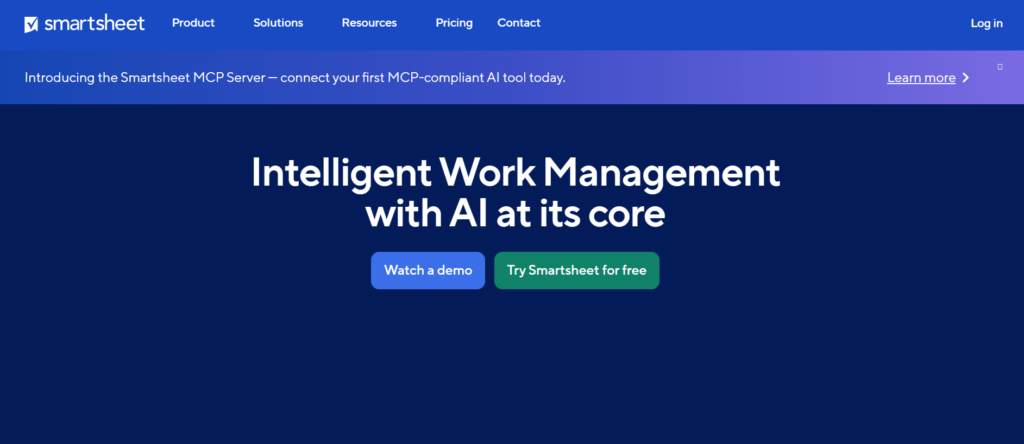
When consulting firms want spreadsheet-style control combined with structured KPI tracking, Smartsheet stands out in the Best KPI Tracking Tools for Consulting Firm category.
In many Smartsheet review insights, users highlight its familiarity. It feels like Excel but works like a full KPI and project management system. For consulting firms already comfortable with spreadsheets, this reduces the learning curve significantly.
Key Features
Smartsheet is built for consulting firms that want structured KPI tracking, workflow management, and reporting inside a spreadsheet-style interface.
Spreadsheet-Based KPI Tracking
Smartsheet allows consulting firms to track KPIs within a familiar grid layout. This makes it easy to manage financial metrics, project timelines, and utilisation rates without learning a completely new system.
Automated Workflows
You can automate processes such as approvals, status updates, and reporting. Consulting firms save time by reducing manual follow-ups and keeping projects moving efficiently.
Dashboard and Reporting Tools
Smartsheet includes dashboards that pull data from multiple sheets into a single view. Consulting firms can track key metrics across projects and clients in one place.
Collaboration and File Sharing
Teams can collaborate directly within sheets, attach files, and leave comments. This improves communication across consulting projects and reduces reliance on email.
Integration with Business Tools
Smartsheet integrates with tools like Salesforce, Microsoft Office, and Google Workspace. Consulting firms can centralise KPI tracking and operations.
Pros & Cons
| Pros | Cons |
| Familiar interface | Limited advanced analytics |
| Strong workflow automation | Can feel cluttered |
| Good collaboration | Pricing increases with users |
| Flexible use cases | Setup requires planning |
Pricing
- Pro: 25 USD per user per month
- Business: 32 USD per user per month
- Enterprise: Custom pricing
When comparing Smartsheet pricing vs alternatives, it sits in the mid-range and offers more structure than tools like Asana but less analytical depth than Power BI.
Best For Consulting Firms That Prefer Spreadsheet Systems
Smartsheet is ideal for consulting firms that want KPI tracking with a familiar interface.
- Consulting firms using Excel — want structured upgrade
- Project-driven teams — manage timelines and KPIs
- Mid-size firms — need workflow automation
- Teams handling multiple clients — track everything in one grid
Verdict: If your consulting firm prefers spreadsheet-style control with added automation, Smartsheet is a practical option.
How to Use Smartsheet for Consulting KPI Tracking
Create sheets for each project or client and track KPIs such as revenue, deadlines, and utilisation. Use dashboards to combine data and monitor performance across the consulting firm.
Best Smartsheet Alternative
ClickUp is a strong alternative if you want more flexibility beyond spreadsheet-style tracking.
15. Scoro
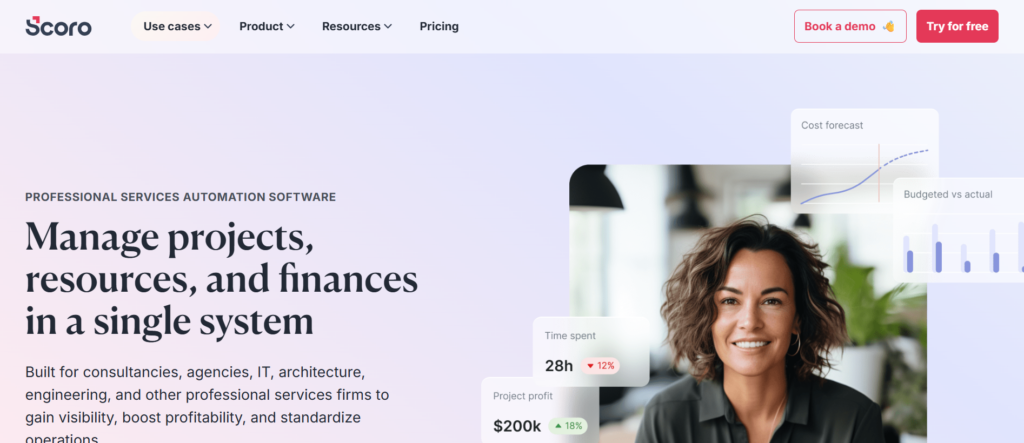
If you want a platform built specifically for consulting firms, Scoro is one of the most relevant tools in the Best KPI Tracking Tools for Consulting Firm list.
In most Scoro review discussions, it is positioned as an all-in-one system designed for professional service firms. Unlike generic tools, Scoro focuses directly on consulting operations, including billing, project tracking, and KPI reporting.
Key Features
Scoro is built for consulting firms that want complete control over projects, finances, and KPIs within one platform.
End-to-End Business Management
Scoro combines project management, CRM, billing, and KPI tracking in one system. Consulting firms can manage the entire business without switching between multiple tools.
Financial KPI Tracking
One of the strongest Scoro features is financial tracking. Consulting firms can monitor revenue, profit margins, and billable utilisation in real time, which is critical for maintaining profitability.
Project and Resource Management
Scoro allows consulting firms to allocate resources, manage workloads, and track project progress. This keeps projects stay on schedule and within budget.
Custom KPI Dashboards
You can create dashboards to your consulting firm’s KPIs. This includes financial metrics, project performance, and team productivity.
Automated Billing and Invoicing
Scoro automates invoicing based on project data. Consulting firms can generate accurate invoices quickly, reducing administrative work.
Pros & Cons
| Pros | Cons |
| Built for consulting firms | Higher pricing |
| Strong financial tracking | Setup complexity |
| All-in-one platform | Learning curve |
| Good reporting tools | May feel heavy for small teams |
Pricing
- Essential: 26 USD per user per month
- Standard: 37 USD per user per month
- Pro: 63 USD per user per month
- Ultimate: Custom pricing
When comparing Scoro pricing vs alternatives, it is higher than tools like ClickUp but offers more consulting-specific features.
Best For Consulting Firms That Want an All-in-One System
Scoro is ideal for consulting firms that want everything in one platform.
- Consulting firms — need full business control
- Finance-focused teams — track revenue and profit
- Agencies — manage projects and billing
- Growing firms — want scalable systems
Verdict: If your consulting firm wants one system to manage everything, Scoro is a strong fit.
How to Use Scoro for Consulting KPI Tracking
Track KPIs such as revenue per consultant, project profitability, and utilisation rates directly within Scoro dashboards. Combine financial and operational data for better decision-making.
Best Scoro Alternative
Monday.com is a lighter alternative if you prefer simpler workflow tracking without full financial management.
16. Profit.co
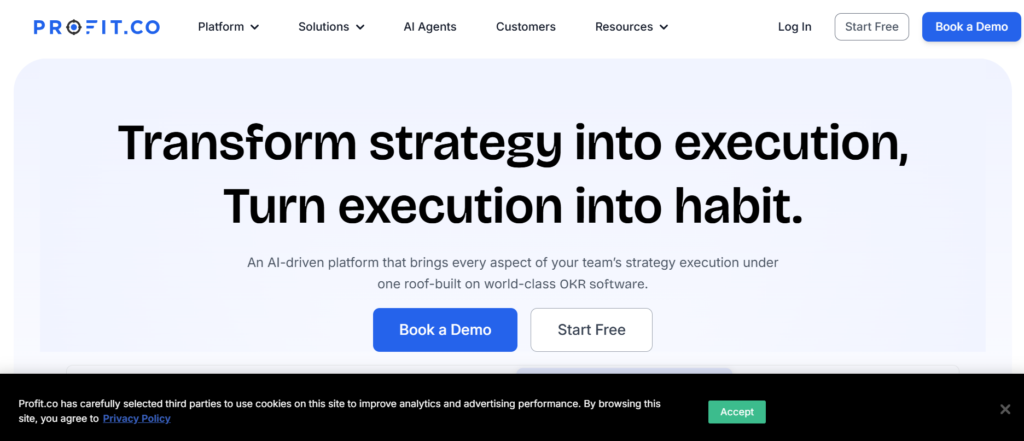
For consulting firms focused on aligning KPIs with business goals, Profit.co is a strong option in the Best KPI Tracking Tools for Consulting Firm category.
In many Profit.co review discussions, the platform is known for its OKR (Objectives and Key Results) framework. This makes it particularly useful for consulting firms that want structured goal tracking alongside KPIs.
Key Features
Profit.co is built for consulting firms that want to connect KPIs directly with strategic goals and organisational performance.
OKR-Based KPI Tracking
Profit.co allows consulting firms to define objectives and link them to measurable KPIs. This keeps that every KPI contributes to a larger business goal, improving alignment across teams.
Performance Tracking Dashboards
The platform provides dashboards that track progress against KPIs and objectives. Consulting firms can monitor performance at team, project, and organisational levels.
Employee Performance Management
Profit.co includes performance management tools that track individual contributions. Consulting firms can evaluate consultants based on KPI achievement and productivity.
Task and Goal Alignment
Tasks can be linked directly to objectives. Consulting firms can see how daily work contributes to strategic goals, improving accountability and focus.
Reporting and Analytics
Profit.co provides reports that track KPI progress over time. Consulting firms can analyse performance trends and identify areas that need improvement.
Pros & Cons
| Pros | Cons |
| Strong OKR framework | Limited visual dashboards |
| Good goal alignment | Less flexible than BI tools |
| Affordable pricing | Basic integrations |
| Easy to use | Not ideal for complex data |
Pricing
- Starter: 7 USD per user per month
- Growth: 11 USD per user per month
- Enterprise: Custom pricing
When comparing Profit.co pricing vs alternatives, it is one of the most affordable tools focused on KPI and goal alignment.
Best For Consulting Firms Focused on Goal Alignment
Profit.co is ideal for consulting firms that want structured KPI tracking tied to business goals.
- Strategy consulting firms — align KPIs with objectives
- Small to mid-size firms — need affordable tracking
- Leadership teams — track organisational performance
- Teams focused on accountability — measure results clearly
Verdict: If your consulting firm wants to align KPIs with strategic goals, Profit.co is a strong and cost-effective option.
How to Use Profit.co for Consulting KPI Tracking
Define objectives such as revenue growth or client retention, then link them to measurable KPIs. Track progress regularly to keep your consulting firm stays aligned with its goals.
Best Profit.co Alternative
Cascade is a strong alternative if you want more advanced strategy execution and KPI mapping.
17. Cascade
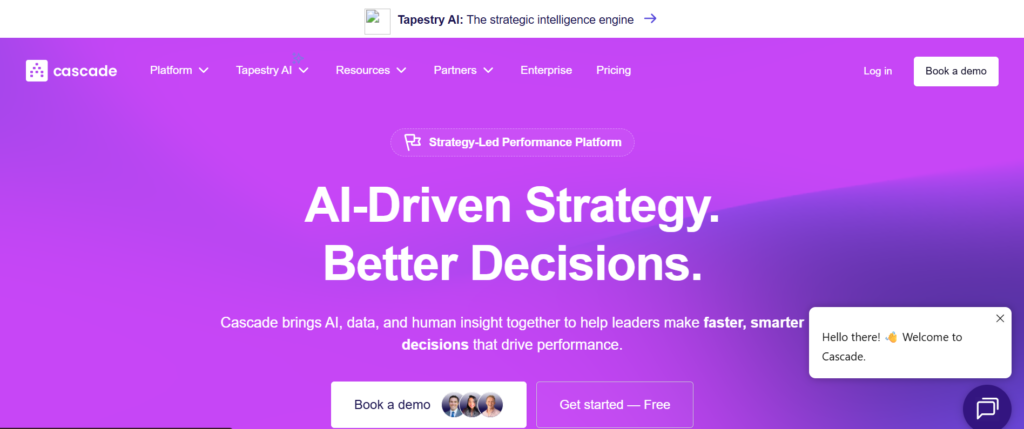
When consulting firms need structured strategy execution alongside KPI tracking, Cascade becomes a serious option in the Best KPI Tracking Tools for Consulting Firm category.
In many Cascade review discussions, the platform is recognised for connecting strategy with execution. It is not just about tracking KPIs. It is about ensuring those KPIs actually align with business goals.
Key Features
Cascade is designed for consulting firms that want to connect high-level strategy with measurable KPIs and execution plans.
Strategy-to-KPI Mapping
Cascade allows consulting firms to map strategic objectives directly to KPIs. This keeps every metric tracked has a clear purpose tied to business goals. It removes disconnected reporting and gives clarity across teams.
Centralised Performance Dashboard
Consulting firms can view all KPIs, projects, and strategic initiatives in one dashboard. This creates a single source of truth for performance tracking and decision-making.
Initiative and Project Tracking
Cascade links projects directly to KPIs. Consulting firms can track how each initiative contributes to overall performance, making reporting more meaningful.
Real-Time Progress Monitoring
The platform updates KPI progress in real time. Consulting firms can quickly identify delays or performance gaps and adjust plans accordingly.
Collaboration and Accountability Tools
Teams can assign ownership to KPIs and initiatives. This keeps accountability across consulting projects and improves execution consistency.
Pros & Cons
| Pros | Cons |
| Strong strategy alignment | Less visual dashboards |
| Good KPI mapping | Learning curve |
| Centralised tracking | Limited integrations |
| Improves accountability | Not ideal for small teams |
Pricing
- Starting at 24 USD per user per month
- Custom pricing available
When comparing Cascade pricing vs alternatives, it is more focused on strategy execution than traditional KPI dashboards like Databox or Geckoboard.
Best For Consulting Firms Focused on Strategy Execution
Cascade is ideal for consulting firms that want structured alignment between KPIs and business strategy.
- Strategy consulting firms — align execution with goals
- Leadership teams — track organisational performance
- Mid-size firms — need structured planning
- Consulting firms managing multiple initiatives — require clarity
Verdict: If your consulting firm focuses heavily on strategy execution, Cascade gives you a clear framework to connect KPIs with outcomes.
How to Use Cascade for Consulting KPI Tracking
Define strategic goals, map KPIs to each objective, and track initiatives linked to those KPIs. This keeps your consulting firm operating with a clear direction.
Best Cascade Alternative
Profit.co is a strong alternative if you want a simpler OKR-based approach.
18. ClearPoint Strategy
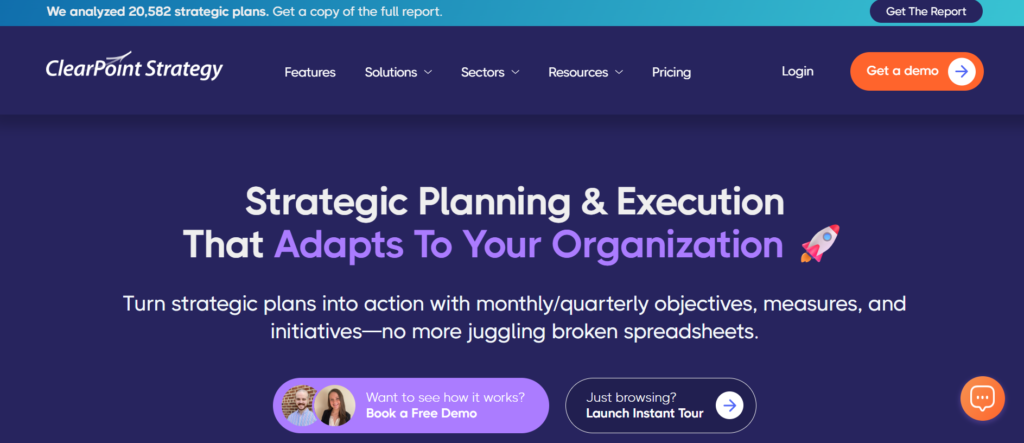
For consulting firms that require structured performance management and formal reporting systems, ClearPoint Strategy is a strong choice in the Best KPI Tracking Tools for Consulting Firm list.
In most ClearPoint Strategy review insights, the platform is known for handling structured reporting frameworks such as Balanced Scorecards.
Key Features
ClearPoint Strategy is built for consulting firms that need formal KPI reporting, structured performance management, and executive-level dashboards.
Structured KPI Reporting Framework
ClearPoint allows consulting firms to organise KPIs into structured frameworks such as scorecards. This makes reporting more organised and easier to present to stakeholders.
Automated Report Generation
Reports can be generated automatically, reducing manual effort. Consulting firms can maintain consistent reporting without spending hours compiling data.
Dashboard and Visual Reporting
The platform provides dashboards that display KPIs clearly. Consulting firms can track performance across departments and projects in one place.
Goal and Initiative Tracking
ClearPoint connects KPIs with organisational goals and initiatives. This improves alignment and keeps performance tracking supporting business objectives.
Collaboration and Workflow Management
Teams can collaborate within the platform, assign responsibilities, and track progress. This improves accountability across consulting projects.
Pros & Cons
| Pros | Cons |
| Strong reporting structure | Higher pricing |
| Automated reports | Setup complexity |
| Good for executives | Learning curve |
| Clear dashboards | Limited flexibility |
Pricing
- Starting at 75 USD per month
- Custom enterprise pricing available
When comparing ClearPoint Strategy pricing vs alternatives, it is positioned for firms that need formal reporting rather than simple dashboards.
Best For Consulting Firms Needing Structured Reporting
ClearPoint Strategy is ideal for consulting firms that require formal KPI reporting systems.
- Enterprise consulting firms — need structured reports
- Strategy teams — use scorecards
- Leadership teams — require clear dashboards
- Firms handling complex reporting — need organisation
Verdict: If your consulting firm needs structured, executive-level reporting, ClearPoint Strategy is a strong option.
How to Use ClearPoint Strategy for Consulting KPI Tracking
Organise KPIs into scorecards and track them against strategic goals. Use automated reports to keep stakeholders informed.
Best ClearPoint Strategy Alternative
Cascade is a strong alternative for firms that want more flexibility in strategy execution.
19. SimpleKPI
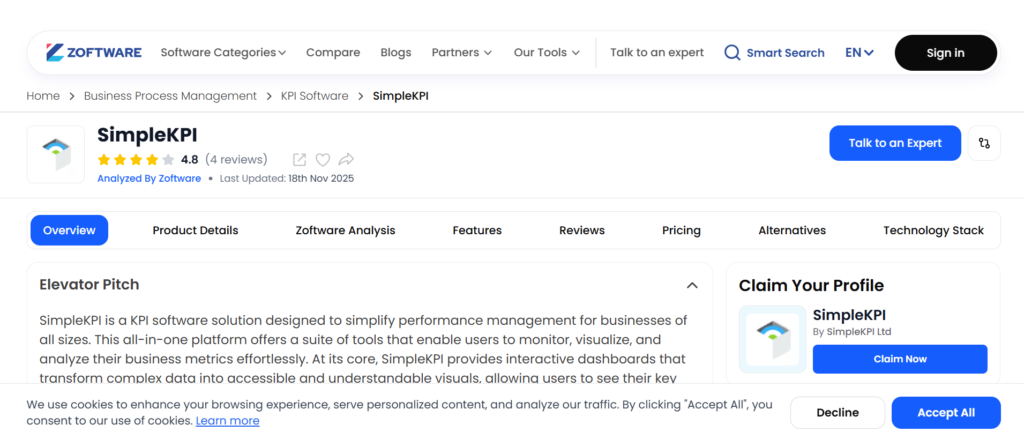
If your consulting firm wants straightforward KPI tracking without complexity, SimpleKPI is a practical option in the Best KPI Tracking Tools for Consulting Firm category.
In many SimpleKPI review discussions, the platform is appreciated for its simplicity and ease of use.
Key Features
SimpleKPI is designed for consulting firms that want basic KPI tracking without advanced analytics or complex setup.
Easy KPI Dashboard Creation
SimpleKPI allows consulting firms to create dashboards quickly. You can track metrics such as revenue, project progress, and team performance without technical knowledge.
Goal Tracking System
Consulting firms can set targets for KPIs and monitor progress over time. This helps maintain focus on business objectives.
Visual Performance Indicators
The platform uses charts and graphs to display KPI data clearly. This makes reporting easier to understand for both teams and clients.
Cloud-Based Access
SimpleKPI is accessible from anywhere. Consulting firms can monitor performance remotely without relying on office systems.
User-Friendly Interface
The platform is designed for ease of use. Consulting firms can onboard teams quickly and start tracking KPIs without long training sessions.
Pros & Cons
| Pros | Cons |
| Very easy to use | Limited features |
| Quick setup | Basic analytics |
| Affordable | Few integrations |
| Good for beginners | Not scalable |
Pricing
- Starting at 29 USD per month
When comparing SimpleKPI pricing vs alternatives, it is one of the most affordable options but lacks advanced capabilities.
Best For Small Consulting Firms Starting KPI Tracking
SimpleKPI is ideal for consulting firms that are just starting with KPI tracking.
- Small consulting firms — need simple tools
- Startups — want affordable solutions
- Non-technical teams — prefer easy systems
- Firms with basic KPI needs — avoid complexity
Verdict: If your consulting firm wants simple KPI tracking without complexity, SimpleKPI is a good starting point.
How to Use SimpleKPI for Consulting KPI Tracking
Create dashboards for key metrics such as revenue and project timelines. Track progress regularly and adjust strategies based on performance.
Best SimpleKPI Alternative
Geckoboard is a better option if you want slightly more advanced dashboards with similar simplicity.
20. AgencyAnalytics
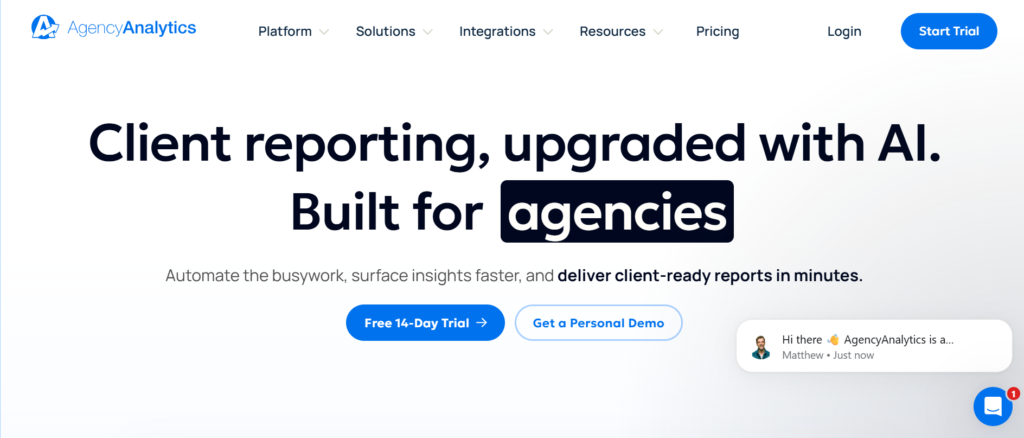
For consulting firms that focus heavily on client reporting, AgencyAnalytics is a strong addition to the Best KPI Tracking Tools for Consulting Firm list.
In most AgencyAnalytics review discussions, the platform is known for automated client reporting and marketing-focused KPI tracking.
Key Features
AgencyAnalytics is built for consulting firms that need automated reporting, client dashboards, and performance tracking across multiple accounts.
Automated Client Reporting
AgencyAnalytics allows consulting firms to generate and send reports automatically. This saves time and keeps clients receiving consistent updates without manual effort.
Multi-Client Dashboard Management
Consulting firms can manage multiple client dashboards from one platform. Each client gets a customised KPI view, improving communication and reporting clarity.
Integration with Marketing and CRM Tools
The platform connects with tools like Google Analytics, SEO platforms, and CRMs. Consulting firms can pull all client data into one dashboard.
White-Label Reporting
AgencyAnalytics allows consulting firms to brand reports with their own identity. This improves professionalism and client trust.
KPI Tracking for Client Performance
Consulting firms can track metrics such as traffic, conversions, and campaign performance. This is particularly useful for marketing and digital consulting firms.
Pros & Cons
| Pros | Cons |
| Excellent client reporting | Limited non-marketing KPIs |
| Easy to use | Fewer advanced analytics |
| White-label features | Not ideal for internal KPIs |
| Good integrations | Scaling costs |
Pricing
- Freelancer: 12 USD per month
- Agency: 18 USD per month
- Enterprise: Custom pricing
When comparing AgencyAnalytics pricing vs alternatives, it is affordable and focused on client reporting rather than internal KPI tracking.
Best For Consulting Firms Focused on Client Reporting
AgencyAnalytics is ideal for consulting firms that prioritise client-facing dashboards.
- Marketing consulting firms — track campaign KPIs
- Agencies — manage multiple clients
- Small consulting teams — need automation
- Firms focused on reporting — save time
Verdict: If your consulting firm focuses on client reporting, AgencyAnalytics simplifies the entire process.
How to Use AgencyAnalytics for Consulting KPI Tracking
Set up dashboards for each client and automate weekly or monthly reports. This keeps consistent communication and reduces manual workload.
Best AgencyAnalytics Alternative
Databox is a strong alternative if you want broader KPI tracking beyond marketing metrics.
Why Consulting Firms Choose Pearl Lemon Consulting for KPI Tracking Systems
If you are serious about implementing the Best KPI Tracking Tools for Consulting Firm, tools alone are not enough. You need the right setup, the right KPI framework, and the right reporting structure.
That is where Pearl Lemon Consulting comes in.
We work directly with consulting firms to build KPI tracking systems that actually reflect how your business operates. Not generic dashboards. Not recycled templates. Systems built around your revenue model, client delivery process, and team structure.
Service-Based FAQs
1. What are the best KPI tracking tools for consulting firms
The best KPI tracking tools for consulting firms include Databox, Klipfolio, Power BI, Tableau, and Scoro depending on your reporting needs and budget.
2. How do consulting firms choose KPI tracking tools
Consulting firms should evaluate tools based on reporting depth, integrations, ease of use, and scalability.
3. What KPIs should consulting firms track
Common KPIs include billable utilisation, revenue per consultant, client acquisition cost, and project delivery timelines.
4. Are KPI tracking tools necessary for small consulting firms
Yes. Even small consulting firms benefit from KPI tracking as it improves decision-making and performance visibility.
5. How long does it take to implement KPI tracking systems
Implementation can take anywhere from a few days to several weeks depending on the complexity of the consulting firm.
6. Can KPI tools integrate with CRM systems
Most KPI tracking tools integrate with CRM systems, allowing consulting firms to track client-related metrics easily.
7. What is the difference between KPI tools and BI tools
KPI tools focus on tracking metrics, while BI tools provide deeper data analysis and reporting capabilities.
8. How do KPI dashboards improve consulting performance
They provide real-time visibility into performance, allowing consulting firms to make quicker and more informed decisions.
9. Are free KPI tracking tools reliable
Free tools can be useful for small consulting firms, but paid tools offer more advanced features and scalability.
10. Do consulting firms need custom KPI dashboards
Yes. Custom dashboards keep that KPIs align with the consulting firm’s specific goals and operations.