
If your team meetings feel scattered, ideas get lost, and collaboration slows down, you are dealing with a common problem across UK businesses.That is exactly where virtual whiteboard tools step in.
We reviewed dozens of platforms used across the UK, from London agencies to distributed startup teams, and narrowed them down to the top 20. This guide is built for product teams, consultants, educators, and remote-first businesses that need clear visual collaboration.
Recent data shows that teams using virtual whiteboards report up to 29 percent improvement in collaboration speed and 23 percent better idea retention. For UK teams working across hybrid setups, that is a serious advantage.
What are Virtual Whiteboard Tools
Virtual whiteboard tools are digital platforms that allow teams to collaborate visually in real time. They replicate the experience of a physical whiteboard but add features like templates, integrations, and remote access.
For UK businesses, virtual whiteboard tools are used for:
- Brainstorming sessions
- Process mapping
- Workshop facilitation
- Agile planning
- Training and onboarding
They are essential for remote teams, hybrid offices, and cross-functional collaboration across the UK.
Quick Comparison Table for Virtual Whiteboard Tools
We focused on pricing, collaboration features, integrations, ease of use, and templates. These factors matter most when selecting virtual whiteboard tools in the UK.
| Tool Name | Best For | Starting Price | Free Trial | Key Feature | Rating | Platform |
| Miro | Teams | £8/mo | Yes | Infinite canvas | 4.6 | Web |
| MURAL | Workshops | £9/mo | Yes | Facilitation tools | 4.5 | Web |
| Microsoft Whiteboard | MS users | Free | Yes | Teams integration | 4.4 | Web |
| FigJam | Designers | £5/mo | Yes | UI collaboration | 4.6 | Web |
| Stormboard | Meetings | £10/mo | Yes | Sticky notes | 4.4 | Web |
| Lucidspark | Teams | £7/mo | Yes | Brainstorming | 4.5 | Web |
| Conceptboard | Enterprises | £6/mo | Yes | Secure boards | 4.4 | Web |
| Ziteboard | Tutors | £5/mo | Yes | Simple drawing | 4.3 | Web |
| Explain Everything | Educators | £8/mo | Yes | Video whiteboard | 4.5 | Web |
| Jamboard | Google users | Free | Yes | Google integration | 4.3 | Web |
| ClickUp Whiteboards | PM teams | £7/mo | Yes | Task linking | 4.5 | Web |
| Whimsical | Startups | £10/mo | Yes | Clean UI | 4.5 | Web |
| Collaboard | Enterprises | £8/mo | Yes | GDPR focus | 4.4 | Web |
| Limnu | Teams | £5/mo | Yes | Real-time drawing | 4.3 | Web |
| InVision Freehand | Designers | Free | Yes | Design flow | 4.4 | Web |
| Milanote | Creatives | £9/mo | Yes | Visual boards | 4.6 | Web |
| Boardmix | SMEs | £6/mo | Yes | Templates | 4.4 | Web |
| Sketchboard | Developers | £8/mo | Yes | UML diagrams | 4.3 | Web |
| AWW App | Simple use | £6/mo | Yes | Fast whiteboard | 4.2 | Web |
| Canva Whiteboard | Marketing | £10/mo | Yes | Design tools | 4.6 | Web |
Miro – Infinite Canvas for Real-Time UK Team Collaboration
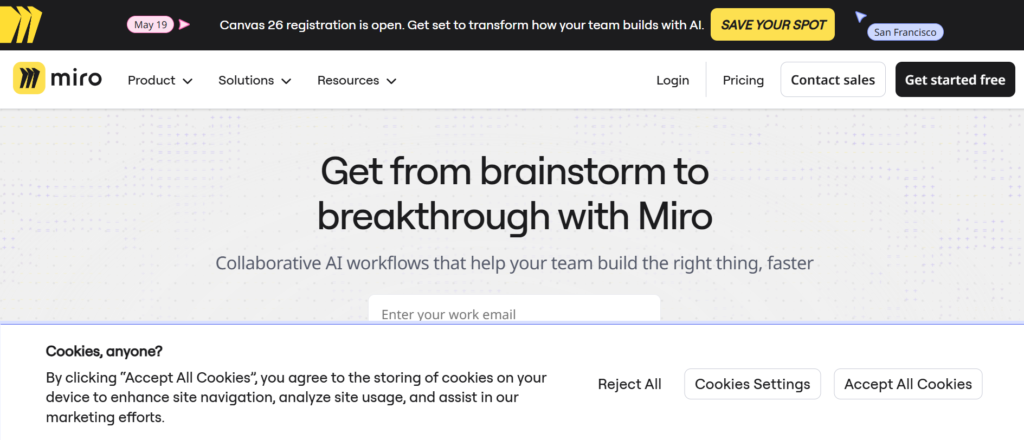
Miro is one of the most widely adopted virtual whiteboard tools across the UK. From London-based agencies to distributed product teams, it is known for its flexibility and strong collaboration features.
In this Miro review, it stands out for giving teams a shared visual space where ideas, workflows, and plans come together in real time. In the Miro vs MURAL comparison, Miro is often preferred for its ease of use and broader feature set.
Key Features
Infinite Canvas Workspace
Miro features an unlimited canvas where UK teams can map ideas, workflows, and strategies without constraints. This is useful for large brainstorming sessions, product planning, and workshops where space matters.
Real-Time Collaboration
Multiple users can work on the same board simultaneously. UK teams can add comments, edit content, and track changes live, which improves alignment across remote and hybrid environments.
Extensive Template Library
Miro includes templates for agile workflows, mind maps, user journeys, and process diagrams. These templates save time for UK teams running structured sessions or documenting ideas.
Integration with Business Tools
Miro integrates with Slack, Jira, Microsoft Teams, and Google Workspace. This allows UK organisations to connect whiteboard sessions directly with project execution.
Presentation Mode
You can turn boards into presentations. This is useful for UK consultants and managers who need to present ideas to stakeholders without switching tools.
Pros and Cons
| Pros | Cons |
| Strong collaboration | Can feel cluttered |
| Easy to use | Pricing increases with team size |
| Flexible canvas | Performance dips on large boards |
| Wide integrations | Learning curve for new users |
Pricing
Miro pricing in the UK typically includes:
- Free plan with limited boards
- Starter plan from around £8 per user per month
- Business and enterprise plans available
Compared to Miro alternatives like MURAL or FigJam, it is competitively priced for UK teams.
Best for UK Teams Running Workshops and Brainstorming Sessions
Miro is ideal for teams that rely on visual collaboration.
- UK startups — idea generation and planning
- Agencies — client workshops
- Product teams — user journey mapping
- Remote teams — collaborative sessions
Verdict: If your team needs flexible, real-time collaboration, Miro is one of the strongest virtual whiteboard tools available in the UK.
How to Use Miro for Virtual Whiteboard Sessions in the UK
Start with a template for brainstorming or planning. Invite your team and build ideas using sticky notes, diagrams, and comments.
For UK teams running workshops, structure boards into sections to keep sessions organised and focused.
Quick tip: Use timers and voting features in Miro to manage workshop sessions efficiently.
Best Miro Alternative
If you are exploring Miro alternatives, MURAL is a close competitor. In the Miro vs MURAL comparison, MURAL offers stronger facilitation tools, while Miro provides a broader feature set.
MURAL – Structured Workshop Whiteboarding for UK Teams
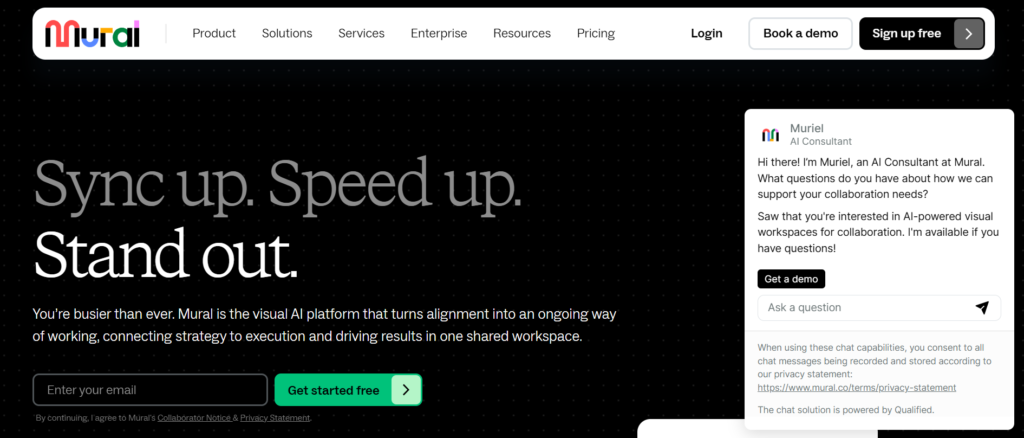
MURAL is a leading choice among virtual whiteboard tools in the UK, particularly for teams that run structured workshops and facilitated sessions.
In this MURAL review, the platform stands out for its facilitation-first approach. It is designed to guide teams through workshops, brainstorming sessions, and collaborative planning. In the MURAL vs Miro comparison, MURAL is often preferred for structured sessions, while Miro offers more flexibility.
For UK consultants, facilitators, and enterprise teams, MURAL is a strong option.
Key Features
Facilitation Tools for Workshops
MURAL features built-in facilitation tools such as timers, voting, and private mode. These tools help UK teams run structured sessions, keeping participants focused and engaged during workshops.
Pre-Built Workshop Templates
The platform includes templates for design thinking, agile planning, and brainstorming. UK teams can quickly set up sessions without creating frameworks from scratch.
Real-Time Collaboration
Multiple users can work together on the same board. UK teams can share ideas, leave feedback, and collaborate live, making it suitable for remote and hybrid environments.
Visual Organisation Tools
MURAL allows users to group ideas, create sections, and organise content clearly. This helps UK teams keep large boards structured during complex sessions.
Integration with Business Tools
MURAL integrates with Slack, Microsoft Teams, Jira, and other tools. This ensures whiteboard sessions connect with project execution for UK organisations.
Pros and Cons
| Pros | Cons |
| Strong facilitation tools | Slight learning curve |
| Good for workshops | Less flexible than Miro |
| Clear organisation features | Pricing higher for teams |
| Real-time collaboration | Interface can feel complex |
Pricing
MURAL pricing in the UK typically includes:
- Free plan with limited features
- Team plans starting from around £9 per user per month
- Enterprise plans with advanced controls
Compared to MURAL alternatives like Miro or Lucidspark, it is slightly higher priced but offers strong workshop features.
Best for UK Teams Running Structured Workshops
MURAL is ideal for organisations that rely on guided collaboration sessions.
- UK consultants — client workshops
- Enterprise teams — structured collaboration
- Product teams — design sprints
- Remote teams — facilitated sessions
Verdict: If your focus is running structured, high-quality workshops, MURAL is one of the top virtual whiteboard tools available in the UK.
How to Use MURAL for Virtual Whiteboard Sessions in the UK
Start by selecting a workshop template and setting up sections for each activity. Use timers and voting to keep sessions on track.
For UK facilitators, plan sessions in advance and guide participants through each step to maintain structure.
Quick tip: Use private mode to let participants add ideas independently before sharing them with the group.
Best MURAL Alternative
If you are reviewing MURAL alternatives, Miro is the closest competitor. In the MURAL vs Miro comparison, Miro offers more flexibility, while MURAL focuses on structured facilitation.
Microsoft Whiteboard – Simple Collaboration for UK Microsoft Users
Microsoft Whiteboard is a straightforward option among virtual whiteboard tools in the UK, especially for teams already using Microsoft 365.
In this Microsoft Whiteboard review, the key advantage is tight integration with Microsoft Teams and other Microsoft tools. In the Microsoft Whiteboard vs Miro comparison, it is simpler and more accessible, while Miro offers more advanced features.
For UK businesses already within the Microsoft ecosystem, it fits naturally into daily workflows.
Key Features
Integration with Microsoft Teams
Microsoft Whiteboard features direct integration with Teams. UK teams can launch whiteboards during meetings, making collaboration immediate and part of existing workflows.
Simple and Clean Interface
The interface is minimal, allowing users to focus on ideas rather than tools. UK teams can quickly sketch, write, and organise thoughts without training.
Real-Time Collaboration
Multiple participants can contribute simultaneously. This is useful for UK teams running meetings, brainstorming sessions, or planning discussions.
Ink and Drawing Tools
The platform supports freehand drawing, which works well with touch devices and styluses. UK users can sketch ideas naturally during sessions.
Cloud-Based Access
Whiteboards are stored in the cloud, allowing UK teams to access and edit them anytime across devices.
Pros and Cons
| Pros | Cons |
| Free with Microsoft | Limited advanced features |
| Easy to use | Fewer templates |
| Strong Teams integration | Basic functionality |
| Quick setup | Not ideal for complex sessions |
Pricing
Microsoft Whiteboard pricing in the UK:
- Free with Microsoft 365
- No standalone paid plans
- Included in Teams and other Microsoft services
Compared to Microsoft Whiteboard alternatives like Miro or MURAL, it is more basic but cost-effective.
Best for UK Teams Using Microsoft Ecosystem
Microsoft Whiteboard is ideal for teams that want simple collaboration within existing tools.
- UK corporates — Teams-based meetings
- SMEs — quick brainstorming sessions
- Remote teams — instant collaboration
- Educators — simple teaching tools
Verdict: If your team already uses Microsoft 365, Microsoft Whiteboard is a convenient entry into virtual whiteboard tools without extra cost.
How to Use Microsoft Whiteboard for UK Collaboration
Start a whiteboard directly inside a Teams meeting. Use drawing tools and sticky notes to capture ideas during discussions.
For UK teams running regular meetings, this keeps collaboration simple and accessible without switching platforms.
Quick tip: Use Whiteboard alongside Team recordings to capture both discussion and visual notes for later review.
Best Microsoft Whiteboard Alternative
If you are exploring Microsoft Whiteboard alternatives, Miro is a strong option. In the Microsoft Whiteboard vs Miro comparison, Miro offers more advanced collaboration features.
FigJam – Visual Collaboration for UK Design and Product Teams

FigJam is a focused option among virtual whiteboard tools in the UK, built by Figma for teams that prioritise design, product planning, and visual collaboration.
In this FigJam review, the platform stands out for its clean interface and tight connection with design workflows. In the FigJam vs Miro comparison, FigJam is simpler and more design-focused, while Miro offers broader functionality.
For UK product teams and designers, FigJam fits naturally into existing workflows.
Key Features
Seamless Integration with Figma
FigJam features direct integration with Figma. UK design teams can move from brainstorming to design without switching platforms, keeping workflows connected and efficient.
Real-Time Collaboration
Multiple users can edit boards simultaneously. UK teams can brainstorm, plan, and share ideas in real time, which is essential for remote and hybrid work setups.
Interactive Widgets
FigJam includes tools like voting, timers, and emojis to keep sessions engaging. These features are useful for UK teams running workshops or sprint planning sessions.
Simple and Clean Interface
The platform is designed for ease of use. UK users can start creating diagrams and ideas quickly without dealing with complex menus or settings.
Templates for Product Workflows
FigJam offers templates for user journeys, wireframes, and agile workflows. This helps UK product teams structure their sessions effectively.
Pros and Cons
| Pros | Cons |
| Clean UI | Limited advanced features |
| Strong for design teams | Not ideal for complex mapping |
| Easy collaboration | Fewer integrations than Miro |
| Figma integration | Less suitable for enterprises |
Pricing
FigJam pricing in the UK typically includes:
- Free plan with basic features
- Paid plans starting from around £5 per user per month
- Team plans for collaboration
Compared to FigJam alternatives like Miro or MURAL, it is more affordable and simpler.
Best for UK Design and Product Teams
FiagJam is ideal for teams that need quick and visual collaboration.
- UK product teams — sprint planning
- Designers — wireframing sessions
- Startups — idea validation
- Remote teams — collaborative brainstorming
Verdict: If your workflow revolves around design and product development, FigJam is one of the most practical virtual whiteboard tools for UK teams.
How to Use FigJam for Virtual Whiteboard Sessions in the UK
Start with a template for brainstorming or user journeys. Invite your team and build ideas using sticky notes and diagrams.
For UK product teams, connect FigJam boards with Figma designs to maintain continuity between planning and execution.
Quick tip: Use FigJam widgets like voting to prioritise ideas during sprint planning sessions.
Best FigJam Alternative
If you are reviewing FigJam alternatives, Miro is a strong competitor. In the FigJam vs Miro comparison, Miro offers more features, while FigJam focuses on simplicity and design workflows.
Stormboard – Structured Brainstorming with Action Tracking for UK Teams
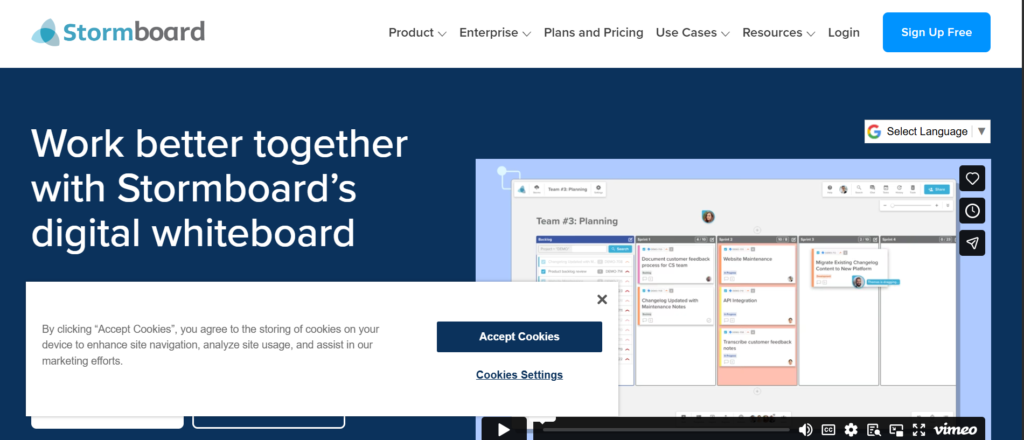
Stormboard is a focused option among virtual whiteboard tools in the UK, designed for teams that want structured brainstorming with built-in reporting and action tracking.
In this Stormboard review, the platform stands out for turning ideas into organised workflows. In the Stormboard vs Miro comparison, Stormboard is more structured, while Miro offers greater flexibility.
For UK teams that need accountability after brainstorming sessions, Stormboard is a strong choice.
Key Features
Digital Sticky Notes System
Stormboard features a structured sticky note system where ideas can be categorised, grouped, and prioritised. UK teams can organise brainstorming sessions without losing clarity as boards grow.
Built-In Reporting
One of the key highlights in this Stormboard review is reporting. UK users can generate reports from whiteboard sessions, making it easier to document outcomes and share insights with stakeholders.
Real-Time Collaboration
Multiple participants can contribute at once. UK teams can run brainstorming sessions, workshops, and planning meetings with live input from all participants.
Task and Action Tracking
Stormboard allows teams to assign tasks directly from ideas. This connects brainstorming with execution, which is valuable for UK teams managing projects.
Templates for Structured Sessions
The platform includes templates for agile workflows, SWOT analysis, and planning sessions. UK teams can run structured sessions without starting from scratch.
Pros and Cons
| Pros | Cons |
| Structured brainstorming | Less flexible canvas |
| Built-in reporting | Interface feels dated |
| Task tracking included | Limited integrations |
| Easy idea organisation | Smaller template library |
Pricing
Stormboard pricing in the UK typically includes:
- Free plan with limited features
- Paid plans starting from around £10 per user per month
- Business plans with reporting features
When comparing Stormboard pricing vs alternatives like Miro or MURAL, it is slightly higher but includes structured features.
Best for UK Teams That Need Structured Brainstorming
Stormboard is ideal for organisations that want clear outcomes from whiteboard sessions.
- UK consultants — client workshops
- Project managers — action tracking
- SMEs — structured brainstorming
- Operations teams — planning sessions
Verdict: If your sessions need structure and follow-through, Stormboard is one of the most practical virtual whiteboard tools in the UK.
How to Use Stormboard for Virtual Whiteboard Sessions in the UK
Start by selecting a structured template such as SWOT or brainstorming. Add ideas using sticky notes and group them into categories.
For UK teams, assign actions directly from ideas to ensure follow-through after sessions.
Quick tip: Use Stormboard’s reporting feature to share session outcomes with stakeholders quickly.
Best Stormboard Alternative
If you are reviewing Stormboard alternatives, MURAL is a strong option. In the Stormboard vs MURAL comparison, MURAL offers better facilitation tools, while Stormboard focuses on structured outputs.
Lucidspark – Flexible Brainstorming for UK Teams

Lucidspark is a strong contender among virtual whiteboard tools in the UK, built specifically for brainstorming, ideation, and collaborative planning.
In this Lucidspark review, the platform stands out for combining ease of use with structured collaboration. In the Lucidspark vs Miro comparison, Lucidspark is more focused on brainstorming, while Miro offers broader use cases.
For UK teams that want a balance between flexibility and structure, Lucidspark is a reliable choice.
Key Features
Infinite Canvas for Brainstorming
Lucidspark features an open canvas where UK teams can freely map ideas, workflows, and discussions. This flexibility is ideal for brainstorming sessions and early-stage planning.
Real-Time Collaboration
Multiple users can contribute simultaneously. UK teams can add sticky notes, comments, and drawings in real time, improving alignment across remote and hybrid environments.
Built-In Voting and Sorting
Lucidspark includes voting and grouping tools. UK teams can prioritise ideas quickly and organise them into clear categories after brainstorming sessions.
Integration with Lucidchart
Lucidspark connects directly with Lucidchart. UK teams can turn brainstorming ideas into structured diagrams, making it easier to move from planning to execution.
Templates for Workshops
The platform includes templates for agile planning, mind mapping, and retrospectives. These templates help UK teams run structured sessions efficiently.
Pros and Cons
| Pros | Cons |
| Easy brainstorming tools | Limited advanced features |
| Strong collaboration | Not ideal for complex mapping |
| Voting and sorting features | Requires Lucidchart for diagrams |
| Clean interface | Fewer integrations |
Pricing
Lucidspark pricing in the UK typically includes:
- Free plan with basic features
- Paid plans starting from around £7 per user per month
- Team plans available
Compared to Lucidspark alternatives like Miro or MURAL, it is competitively priced for UK users.
Best for UK Teams Focused on Brainstorming
Lucidspark is ideal for organisations that prioritise idea generation and planning.
- UK startups — idea validation
- Product teams — brainstorming sessions
- Remote teams — collaborative planning
- SMEs — simple whiteboarding
Verdict: If your focus is brainstorming and idea organisation, Lucidspark is one of the most practical virtual whiteboard tools in the UK.
How to Use Lucidspark for Virtual Whiteboard Sessions in the UK
Start with a brainstorming template and invite your team. Add ideas using sticky notes and organise them into categories.
For UK teams, use voting features to prioritise ideas and move forward with clear decisions.
Quick tip: Convert your Lucidspark board into a Lucidchart diagram to formalise ideas into structured workflows.
Best Lucidspark Alternative
If you are reviewing Lucidspark alternatives, Miro is a strong option. In the Lucidspark vs Miro comparison, Miro offers more features, while Lucidspark focuses on simplicity.
Conceptboard – Secure Collaboration for UK Enterprise Teams
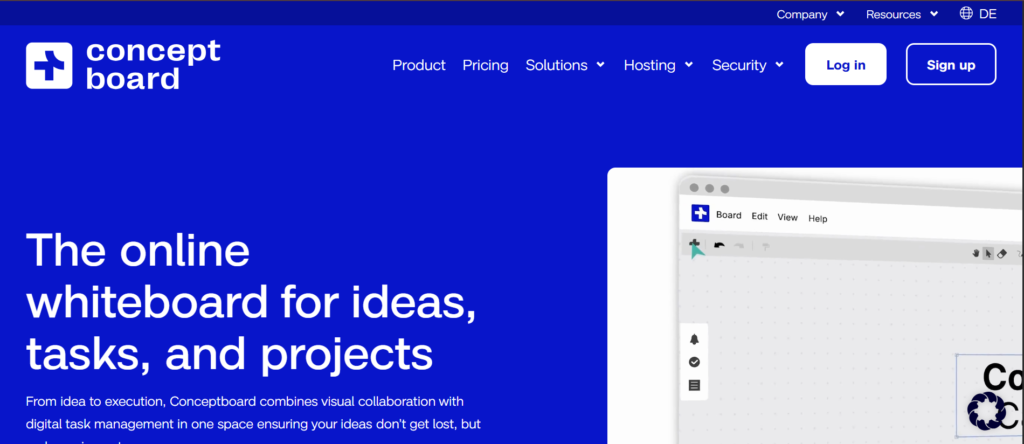
Conceptboard is a reliable option among virtual whiteboard tools in the UK, particularly for organisations that prioritise security and structured collaboration.
In this Conceptboard review, the platform stands out for its focus on data protection and enterprise-grade collaboration. In the Conceptboard vs Miro comparison, Conceptboard is preferred for security and compliance, while Miro offers more flexibility.
For UK enterprises handling sensitive data, Conceptboard is a strong fit.
Key Features
Secure Collaboration Environment
Conceptboard features strong security measures, including GDPR compliance. UK organisations can collaborate on sensitive projects while maintaining strict data protection standards.
Real-Time Team Collaboration
Multiple users can work on boards simultaneously. UK teams can brainstorm, review designs, and collaborate without delays, even across distributed teams.
Visual Feedback and Commenting
Users can leave comments directly on boards. This is useful for UK teams reviewing documents, designs, or workflows, improving clarity and communication.
Integration with Business Tools
Conceptboard integrates with tools like Microsoft Teams and project management platforms. This helps UK organisations connect whiteboard sessions with daily workflows.
Structured Workspace
Boards are organised and easy to navigate. UK teams can manage large projects without the clutter often seen in other virtual whiteboard tools.
Pros and Cons
| Pros | Cons |
| Strong security | Less flexible canvas |
| GDPR compliant | Smaller template library |
| Good collaboration | Not ideal for creative sessions |
| Clear structure | Limited advanced features |
Pricing
Conceptboard pricing in the UK typically includes:
- Free plan with limited features
- Paid plans starting from around £6 per user per month
- Enterprise plans available
Compared to Conceptboard alternatives like Miro or MURAL, it is more focused on security than flexibility.
Best for UK Enterprises Needing Secure Collaboration
Conceptboard is ideal for organisations handling sensitive information.
- UK corporates — secure collaboration
- Legal teams — document reviews
- Compliance teams — regulated workflows
- Remote teams — structured communication
Verdict: If security and compliance are priorities, Conceptboard is one of the most dependable virtual whiteboard tools in the UK.
How to Use Conceptboard for Virtual Whiteboard Sessions in the UK
Start by creating a structured board and inviting your team. Use comments and annotations to review ideas or documents collaboratively.
For UK organisations handling compliance, maintain organised boards for audit and documentation purposes.
Quick tip: Use Conceptboard for design reviews where feedback needs to be clear, structured, and documented.
Best Conceptboard Alternative
If you are reviewing Conceptboard alternatives, Miro is a strong option. In the Conceptboard vs Miro comparison, Miro offers more flexibility, while Conceptboard focuses on security.
Ziteboard – Lightweight Whiteboard for UK Tutors and Small Teams
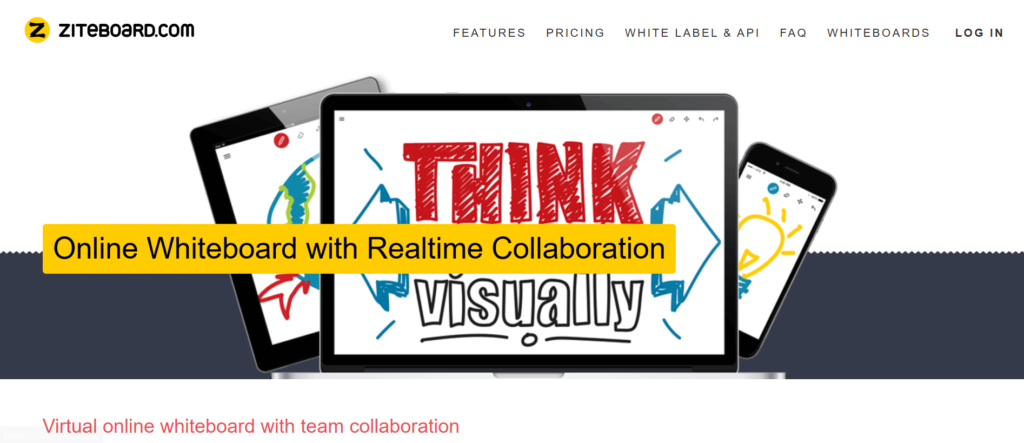
Ziteboard is a simple and responsive option among virtual whiteboard tools in the UK, designed for users who want fast, no-frills collaboration.
In this Ziteboard review, the platform stands out for its low-latency drawing and simplicity. In the Ziteboard vs Miro comparison, Ziteboard is much lighter and easier to use, while Miro offers more advanced features.
For UK tutors, freelancers, and small teams, Ziteboard is a practical choice.
Key Features
Real-Time Drawing with Low Latency
Ziteboard features ultra-fast drawing performance. UK users can write and sketch in real time without lag, which is especially useful for teaching, tutoring, and quick idea sharing.
Simple and Clean Interface
The platform is minimal and easy to navigate. UK teams can start using it immediately without training or setup, making it ideal for quick sessions.
Voice and Video Integration
Ziteboard includes built-in voice and video chat. UK users can communicate while collaborating on the same board, reducing the need for external tools.
PDF and Image Annotation
Users can upload PDFs or images and annotate them directly. This is useful for UK educators and professionals reviewing documents or presentations.
Browser-Based Access
Ziteboard runs entirely in the browser. UK users can access it instantly without downloads, making it convenient for quick collaboration.
Pros and Cons
| Pros | Cons |
| Very fast drawing | Limited advanced features |
| Easy to use | Basic templates |
| Built-in communication | Not for large teams |
| No setup required | Minimal integrations |
Pricing
Ziteboard pricing in the UK typically includes:
- Free plan with limited features
- Paid plans starting from around £5 per month
- Affordable for individuals and small teams
Compared to Ziteboard alternatives like Miro or Lucidspark, it is more lightweight and cost-effective.
Best for UK Tutors and Small Teams
Ziteboard is ideal for users who need quick and responsive collaboration.
- UK tutors — online teaching
- Freelancers — quick idea sharing
- Small teams — simple collaboration
- Consultants — client sessions
Verdict: If you want a fast and simple solution, Ziteboard is one of the most accessible virtual whiteboard tools in the UK.
How to Use Ziteboard for Virtual Whiteboard Sessions in the UK
Start a session directly in your browser and invite participants via a link. Use drawing tools to explain ideas or concepts in real time.
For UK educators, combine Ziteboard with live teaching sessions for better engagement.
Quick tip: Use Ziteboard’s annotation feature to review documents interactively during calls.
Best Ziteboard Alternative
If you are exploring Ziteboard alternatives, Microsoft Whiteboard is a strong option. In the Ziteboard vs Microsoft Whiteboard comparison, Microsoft offers better integration, while Ziteboard focuses on speed and simplicity.
Explain Everything – Interactive Whiteboard for UK Educators and Trainers

Explain Everything is a specialised option among virtual whiteboard tools in the UK, built for teaching, training, and presentations.
In this Explain Everything review, the platform stands out for combining whiteboarding with video creation and interactive lessons. In the Explain Everything vs Ziteboard comparison, Explain Everything offers more advanced teaching features, while Ziteboard focuses on simplicity.
For UK educators, trainers, and coaches, this tool delivers more than just a whiteboard.
Key Features
Interactive Whiteboard with Multimedia Support
Explain Everything features allow UK users to combine drawings, images, videos, and documents on one board. This makes lessons and presentations more engaging compared to static whiteboards.
Recording and Playback
One standout feature in this Explain Everything review is recording. UK educators can record whiteboard sessions and share them later, making it ideal for online courses and training materials.
Real-Time Collaboration
Multiple users can collaborate live on the same board. UK teams and classrooms can interact during sessions, improving engagement and participation.
Cloud-Based Storage
Boards are saved in the cloud, allowing UK users to access and reuse materials anytime. This is useful for ongoing training programmes and lesson planning.
Annotation Tools
Users can annotate PDFs, images, and presentations. This helps UK professionals explain concepts clearly during meetings or teaching sessions.
Pros and Cons
| Pros | Cons |
| Great for teaching | Less suited for business use |
| Recording feature | Slight learning curve |
| Multimedia support | Pricing higher than basic tools |
| Interactive sessions | Limited integrations |
Pricing
Explain Everything pricing in the UK typically includes:
- Free plan with limited features
- Paid plans starting from around £8 per month
- Education-focused pricing available
Compared to Explain Everything alternatives like Ziteboard or Microsoft Whiteboard, it offers more advanced teaching capabilities.
Best for UK Educators and Trainers
Explain Everything is ideal for users who need interactive teaching tools.
- UK teachers — online lessons
- Trainers — corporate training
- Coaches — visual explanations
- Educational institutions — remote learning
Verdict: If your focus is teaching or training, Explain Everything is one of the most powerful virtual whiteboard tools in the UK.
How to Use Explain Everything for Virtual Whiteboard Sessions in the UK
Start by creating a board and adding your teaching materials. Use drawing tools and annotations to explain concepts step by step.
For UK educators, record sessions to create reusable learning content for students.
Quick tip: Use the recording feature to build a library of training videos for onboarding or education.
Best Explain Everything Alternative
If you are reviewing Explain Everything alternatives, Ziteboard is a simpler option. In the Explain Everything vs Ziteboard comparison, Explain Everything offers advanced features, while Ziteboard focuses on speed.
Jamboard – Simple Whiteboarding for UK Google Workspace Users
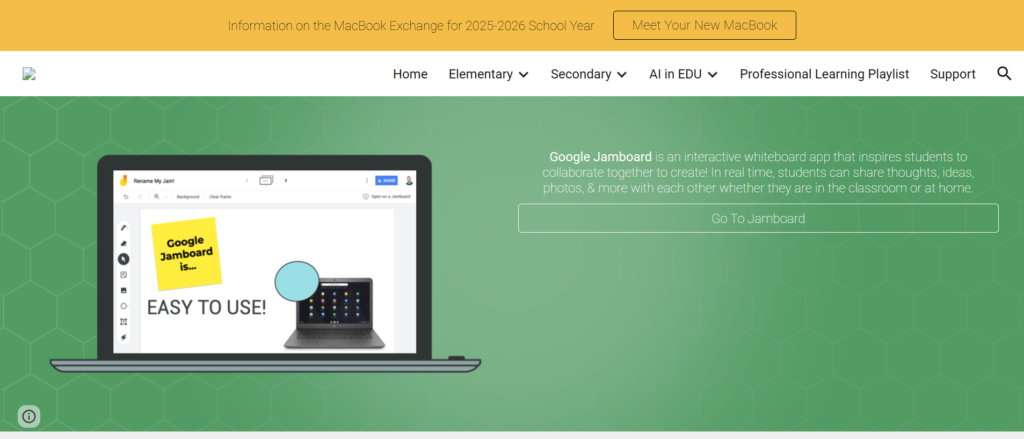
Jamboard is a basic yet accessible option among virtual whiteboard tools in the UK, especially for teams already using Google Workspace.
In this Jamboard review, the platform is known for its simplicity and ease of use. In the Jamboard vs Miro comparison, Jamboard is far more limited but easier for quick sessions.
For UK teams that want a no-friction entry into virtual whiteboard tools, Jamboard is a practical starting point.
Key Features
Integration with Google Workspace
Jamboard features seamless integration with Google Drive, Docs, and Meet. UK teams can launch whiteboards directly within their existing workflow without switching tools.
Simple Sticky Notes and Drawing Tools
The platform includes basic sticky notes, drawing tools, and shapes. UK users can quickly capture ideas during meetings or brainstorming sessions.
Real-Time Collaboration
Multiple users can work on the same board simultaneously. UK teams can collaborate during meetings or remote sessions without delays.
Cloud-Based Access
Boards are automatically saved in Google Drive. UK users can access, edit, and share whiteboards from anywhere.
Easy Sharing and Permissions
Sharing is straightforward with Google-style permissions. UK teams can control who can view or edit boards with minimal setup.
Pros and Cons
| Pros | Cons |
| Free to use | Very limited features |
| Easy integration | No advanced tools |
| Simple interface | Not for complex sessions |
| Quick setup | Limited templates |
Pricing
Jamboard pricing in the UK:
- Free with Google account
- Included in Google Workspace
- No premium tiers
Compared to Jamboard alternatives like Miro or Lucidspark, it is the most basic option.
Best for UK Teams Using Google Workspace
Jamboard is ideal for teams that need simple collaboration without complexity.
- UK SMEs — quick brainstorming
- Remote teams — simple sessions
- Educators — basic teaching tools
- Google users — integrated workflows
Verdict: If you need a simple and free option, Jamboard is one of the easiest virtual whiteboard tools to adopt in the UK.
How to Use Jamboard for Virtual Whiteboard Sessions in the UK
Start a Jamboard directly from Google Drive or Google Meet. Use sticky notes and drawing tools to capture ideas.
For UK teams, this works well for quick meetings where advanced features are not required.
Quick tip: Use Jamboard during Google Meet calls to keep discussions visual and interactive.
Best Jamboard Alternative
If you are reviewing Jamboard alternatives, Microsoft Whiteboard is a strong option. In the Jamboard vs Microsoft Whiteboard comparison, Microsoft offers better integration for Office users.
ClickUp Whiteboards – Visual Planning Meets Task Execution for UK Teams
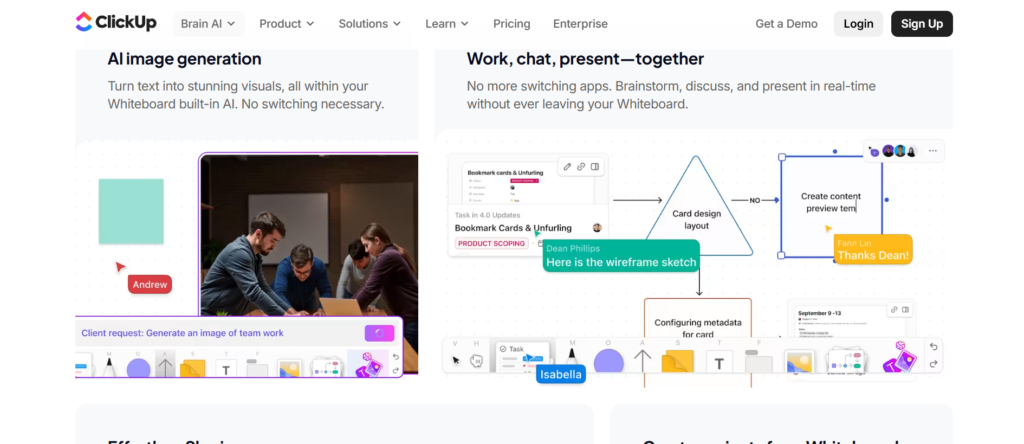
ClickUp Whiteboards is a powerful option among virtual whiteboard tools in the UK, designed for teams that want to connect brainstorming directly with task management.
In this ClickUp Whiteboards review, the standout feature is its integration with the broader ClickUp platform. In the ClickUp Whiteboards vs Miro comparison, ClickUp focuses more on execution, while Miro offers more flexible whiteboarding.
For UK teams managing projects and workflows, this tool bridges planning and action.
Key Features
Whiteboards Connected to Tasks
ClickUp Whiteboards features allow UK users to convert ideas directly into tasks. This removes the gap between brainstorming and execution, making workflows more efficient.
Real-Time Collaboration
Multiple team members can edit boards simultaneously. UK teams can brainstorm, plan, and organise ideas in real time, supporting remote and hybrid work environments.
Integration with ClickUp Workspace
Whiteboards are fully integrated into ClickUp. UK users can link documents, tasks, and dashboards directly to visual boards, creating a central hub for work.
Templates for Workflow Planning
The platform includes templates for project planning, agile workflows, and brainstorming. UK teams can quickly structure sessions without starting from scratch.
Drag-and-Drop Interface
Users can easily move elements around the board. This makes it simple for UK teams to organise ideas and adjust workflows during sessions.
Pros and Cons
| Pros | Cons |
| Task integration | Requires ClickUp ecosystem |
| Good for project teams | Learning curve |
| Real-time collaboration | Not pure whiteboarding tool |
| Workflow-focused | Can feel complex |
Pricing
ClickUp Whiteboards pricing in the UK typically includes:
- Free plan with basic features
- Paid plans starting from around £7 per user per month
- Business and enterprise plans available
Compared to ClickUp Whiteboards alternatives like Miro or Lucidspark, it offers more workflow integration.
Best for UK Teams Managing Projects and Workflows
ClickUp Whiteboards is ideal for organisations that want visual planning tied to execution.
- UK project managers — workflow planning
- SMEs — task organisation
- Marketing teams — campaign planning
- Operations teams — process mapping
Verdict: If your team needs virtual whiteboard tools that connect directly to task management, ClickUp Whiteboards is a strong choice in the UK.
How to Use ClickUp Whiteboards for Virtual Whiteboard Sessions in the UK
Start by creating a whiteboard within ClickUp. Add ideas and convert them into tasks directly on the board.
For UK teams, this ensures that brainstorming sessions lead to clear actions without needing another tool.
Quick tip: Use ClickUp Whiteboards to map workflows and instantly assign responsibilities to team members.
Best ClickUp Whiteboards Alternative
If you are reviewing ClickUp Whiteboards alternatives, Miro is a strong option. In the ClickUp Whiteboards vs Miro comparison, Miro offers more flexibility, while ClickUp focuses on execution.
Whimsical – Clean and Fast Whiteboarding for UK Teams
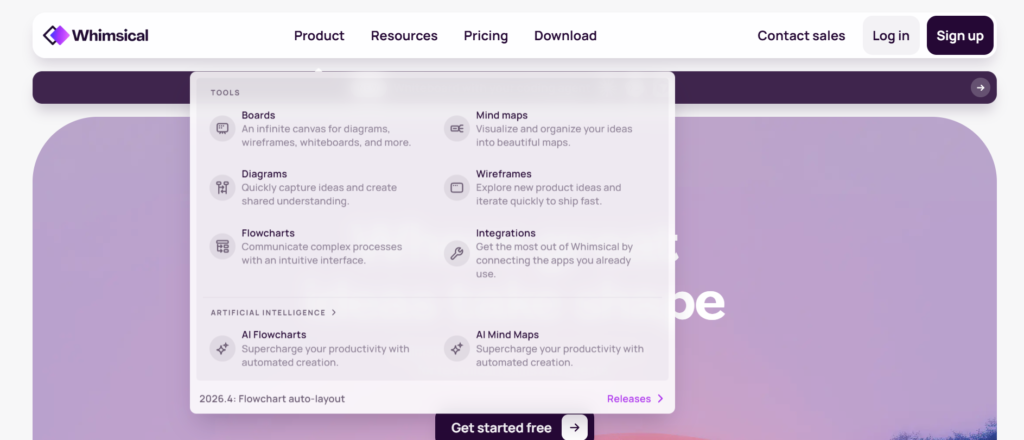
Whimsical is a lightweight yet powerful option among virtual whiteboard tools in the UK, designed for teams that value speed, clarity, and simplicity.
In this Whimsical review, the platform stands out for its clean interface and fast performance. In the Whimsical vs Miro comparison, Whimsical is more streamlined and focused, while Miro offers broader functionality.
For UK startups, product teams, and small businesses, Whimsical is a practical choice.
Key Features
Clean and Distraction-Free Interface
Whimsical features a minimalist design that keeps the focus on ideas. UK teams can create flowcharts, mind maps, and whiteboards without dealing with cluttered menus.
Fast Flowchart and Diagram Creation
The platform allows rapid creation of diagrams and workflows. UK users can map ideas quickly during meetings or brainstorming sessions without delays.
Real-Time Collaboration
Multiple users can collaborate simultaneously. UK teams can share ideas, edit boards, and align in real time, making it ideal for remote and hybrid work.
Built-In Visual Tools
Whimsical includes flowcharts, wireframes, sticky notes, and mind maps. This makes it suitable for UK teams handling both planning and execution.
Cloud-Based Access
Whimsical runs entirely in the browser. UK users can access boards from anywhere, supporting flexible work environments.
Pros and Cons
| Pros | Cons |
| Clean interface | Limited advanced features |
| Fast performance | Not enterprise-focused |
| Easy to use | Fewer integrations |
| Good collaboration | Limited customisation |
Pricing
Whimsical pricing in the UK typically includes:
- Free plan with limited boards
- Paid plans starting from around £10 per month
- Team plans available
Compared to Whimsical alternatives like Miro or Lucidspark, it is similarly priced but more focused on simplicity.
Best for UK Startups and Small Teams
Whimsical is ideal for teams that want simple and fast collaboration.
- UK startups — quick idea mapping
- Product teams — workflow planning
- Designers — wireframes and flows
- SMEs — simple whiteboarding
Verdict: If you want virtual whiteboard tools that are fast, clean, and easy to use, Whimsical is a strong fit for UK teams.
How to Use Whimsical for Virtual Whiteboard Sessions in the UK
Start by creating a flowchart or whiteboard. Add ideas using sticky notes and organise them visually.
For UK teams, keep boards simple and structured to maintain clarity during sessions.
Quick tip: Use Whimsical’s mind maps to break down complex ideas into clear visual structures.
Best Whimsical Alternative
If you are reviewing Whimsical alternatives, Lucidspark is a strong option. In the Whimsical vs Lucidspark comparison, Lucidspark offers more collaboration features, while Whimsical focuses on simplicity.
Collaboard – Secure Whiteboarding for UK Enterprise Collaboration
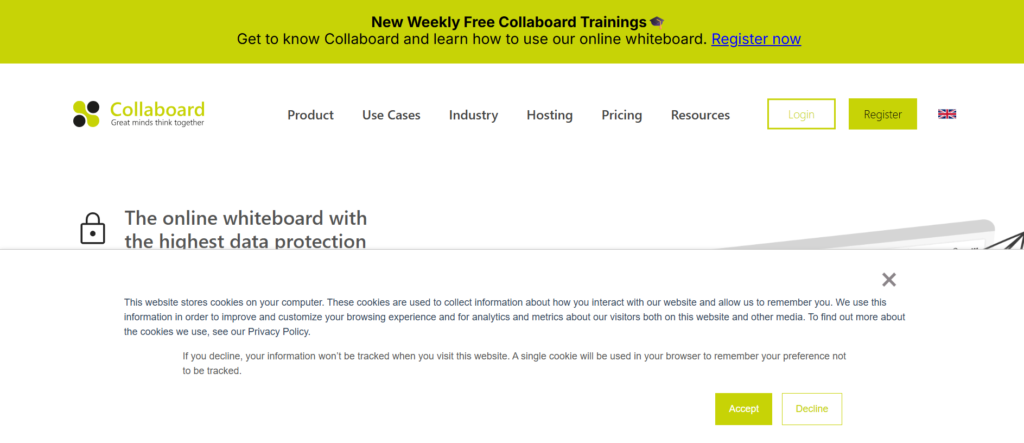
Collaboard is a privacy-focused option among virtual whiteboard tools in the UK, designed for organisations that require strong data protection and compliance.
In this Collaboard review, the platform stands out for its GDPR-compliant infrastructure and secure collaboration environment. In the Collaboard vs Miro comparison, Collaboard is preferred for data security, while Miro offers more flexibility.
For UK enterprises and regulated industries, Collaboard is a reliable choice.
Key Features
GDPR-Compliant Data Security
Collaboard features strong data protection measures aligned with GDPR requirements. UK organisations handling sensitive data can collaborate with confidence while meeting compliance standards.
Real-Time Collaboration
Multiple users can work on the same board simultaneously. UK teams can brainstorm, plan, and share ideas in real time across distributed teams.
Infinite Canvas Workspace
The platform provides an expandable canvas for mapping ideas, workflows, and strategies. UK users can manage large-scale sessions without space limitations.
Integration with Business Tools
Collaboard integrates with Microsoft Teams and other enterprise tools. This helps UK organisations embed whiteboarding into existing workflows.
Templates for Workshops and Planning
Collaboard includes templates for brainstorming, agile planning, and workshops. UK teams can run structured sessions efficiently.
Pros and Cons
| Pros | Cons |
| Strong data security | Less flexible than Miro |
| GDPR compliant | Smaller template library |
| Good collaboration | Interface less modern |
| Enterprise focus | Limited integrations |
Pricing
Collaboard pricing in the UK typically includes:
- Free plan with limited features
- Paid plans starting from around £8 per user per month
- Enterprise plans available
Compared to Collaboard alternatives like Conceptboard or Miro, it is more focused on compliance and security.
Best for UK Enterprises Requiring Secure Collaboration
Collaboard is ideal for organisations that prioritise data protection.
- UK corporates — secure collaboration
- Government teams — compliance workflows
- Legal firms — confidential sessions
- Remote teams — protected environments
Verdict: If security and compliance are your top priorities, Collaboard is one of the most dependable virtual whiteboard tools in the UK.
How to Use Collaboard for Virtual Whiteboard Sessions in the UK
Start by creating a board and inviting participants. Use templates to structure sessions and organise ideas clearly.
For UK enterprises, ensure boards are organised and access-controlled to maintain compliance.
Quick tip: Use Collaboard for sensitive strategy sessions where data privacy is critical.
Best Collaboard Alternative
If you are reviewing Collaboard alternatives, Conceptboard is a close option. In the Collaboard vs Conceptboard comparison, both focus on security, with slight differences in interface and features.
Limnu – Real-Time Drawing Whiteboard for UK Teams

Limnu is a specialised option among virtual whiteboard tools in the UK, designed for teams that want a natural, hand-drawn whiteboard experience.
In this Limnu review, the platform stands out for its realistic drawing feel and simplicity. In the Limnu vs Miro comparison, Limnu focuses on real-time sketching, while Miro offers broader collaboration features.
For UK teams that prefer a traditional whiteboard experience in a digital format, Limnu is a strong fit.
Key Features
Real-Time Hand-Drawn Experience
Limnu features a smooth drawing interface that closely mimics a physical whiteboard. UK users can sketch ideas naturally, making it ideal for brainstorming and teaching sessions.
Instant Collaboration
Multiple users can draw and interact on the board simultaneously. UK teams can collaborate in real time without lag, improving engagement during meetings.
Unlimited Canvas
The platform provides an expandable whiteboard space. UK users can continue adding ideas without worrying about running out of room during sessions.
Easy Sharing and Access
Boards can be shared instantly via links. UK teams can invite participants quickly without complicated setup or onboarding.
Integration with Communication Tools
Limnu integrates with tools like Zoom and Slack. This allows UK teams to use it alongside video calls and team communication platforms.
Pros and Cons
| Pros | Cons |
| Natural drawing feel | Limited advanced features |
| Easy to use | No complex templates |
| Real-time collaboration | Not ideal for large teams |
| Quick setup | Minimal integrations |
Pricing
Limnu pricing in the UK typically includes:
- Free trial available
- Paid plans starting from around £5 per user per month
- Team plans for collaboration
Compared to Limnu alternatives like Ziteboard or Miro, it is more focused on drawing rather than structured whiteboarding.
Best for UK Teams That Prefer Hand-Drawn Collaboration
Limnu is ideal for teams that want a simple, natural whiteboarding experience.
- UK educators — teaching and explanations
- Consultants — quick idea sketching
- Small teams — brainstorming sessions
- Freelancers — visual communication
Verdict: If you want virtual whiteboard tools that feel like a real whiteboard, Limnu is one of the most intuitive options in the UK.
How to Use Limnu for Virtual Whiteboard Sessions in the UK
Start a board and invite participants via a link. Use drawing tools to sketch ideas, diagrams, or workflows in real time.
For UK teams, this works well during live discussions where visual explanation is key.
Quick tip: Use Limnu during video calls to explain complex ideas visually instead of relying on slides.
Best Limnu Alternative
If you are reviewing Limnu alternatives, Ziteboard is a strong option. In the Limnu vs Ziteboard comparison, Ziteboard offers similar simplicity with added features like annotation.
InVision Freehand – Collaborative Whiteboarding for UK Design Teams
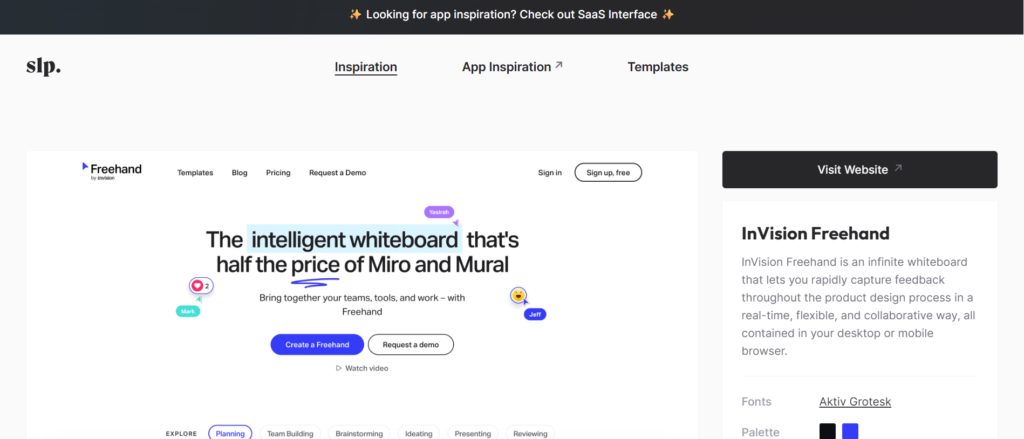
InVision Freehand is a popular choice among virtual whiteboard tools in the UK, especially for design teams and creative collaboration.
In this InVision Freehand review, the platform stands out for its simplicity and strong focus on design workflows. In the InVision Freehand vs FigJam comparison, both target designers, but Freehand is often preferred for quick collaboration.
For UK creative teams, it is a practical and accessible option.
Key Features
Simple and Intuitive Interface
InVision Freehand features a clean interface that allows UK users to start collaborating immediately. There is no steep learning curve, making it ideal for fast-paced design sessions.
Real-Time Collaboration
Multiple users can contribute simultaneously. UK teams can brainstorm ideas, sketch concepts, and provide feedback in real time, improving team alignment.
Integration with Design Tools
Freehand integrates with InVision and design workflows. UK designers can connect whiteboarding sessions with prototypes and design projects.
Templates for Brainstorming
The platform includes templates for brainstorming, planning, and design thinking. UK teams can structure sessions quickly without building boards from scratch.
Commenting and Feedback
Users can leave comments directly on boards. This helps UK teams provide clear and actionable feedback during design reviews.
Pros and Cons
| Pros | Cons |
| Easy to use | Limited advanced features |
| Strong for design teams | Not ideal for complex workflows |
| Real-time collaboration | Fewer integrations |
| Clean interface | Limited customisation |
Pricing
InVision Freehand pricing in the UK typically includes:
- Free plan available
- Paid plans for advanced features
- Suitable for small teams and creatives
Compared to InVision Freehand alternatives like FigJam or Miro, it is simpler and more focused on design collaboration.
Best for UK Design and Creative Teams
InVision Freehand is ideal for teams that need quick and visual collaboration.
- UK designers — concept sketching
- Creative agencies — brainstorming
- Product teams — early-stage ideas
- Startups — quick collaboration
Verdict: If your focus is design collaboration and quick brainstorming, InVision Freehand is a strong option among virtual whiteboard tools in the UK.
How to Use InVision Freehand for Virtual Whiteboard Sessions in the UK
Start a board and invite your team. Use sticky notes, sketches, and comments to share ideas and feedback.
For UK design teams, use Freehand during early-stage ideation before moving into detailed design tools.
Quick tip: Use Freehand to gather feedback from stakeholders before finalising designs.
Best InVision Freehand Alternative
If you are reviewing InVision Freehand alternatives, FigJam is a strong competitor. In the InVision Freehand vs FigJam comparison, FigJam offers more interactive features, while Freehand focuses on simplicity.
Milanote – Visual Thinking Workspace for UK Creative Teams
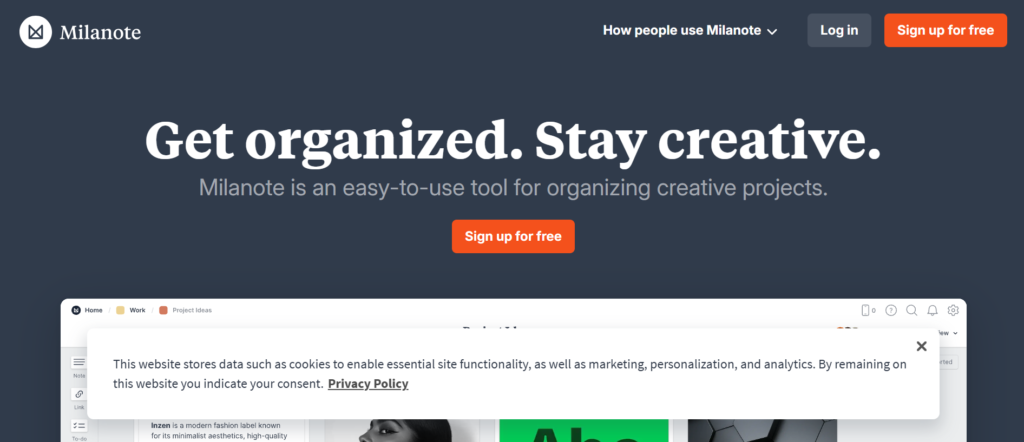
Milanote is a creative-first option among virtual whiteboard tools in the UK, designed for teams that think visually and work with ideas, content, and design.
In this Milanote review, the platform stands out for its flexible, freeform layout that feels more like a creative board than a structured whiteboard. In the Milanote vs Miro comparison, Milanote is more visual and less rigid, while Miro offers more structured collaboration.
For UK creatives, marketers, and designers, Milanote is a natural fit.
Key Features
Freeform Visual Boards
Milanote features a flexible canvas where UK users can arrange notes, images, links, and tasks freely. This makes it ideal for brainstorming, mood boards, and creative planning.
Drag-and-Drop Simplicity
The platform allows users to quickly add and organise content. UK teams can build boards without dealing with complex tools or settings.
Multimedia Support
Users can add images, videos, documents, and links directly onto boards. This helps UK creatives bring ideas together in one place.
Collaboration and Sharing
Teams can collaborate in real time and share boards with clients or stakeholders. UK agencies can use Milanote to present ideas visually.
Templates for Creative Workflows
Milanote includes templates for mood boards, storyboards, and campaign planning. These are particularly useful for UK marketing and design teams.
Pros and Cons
| Pros | Cons |
| Highly visual | Limited structured tools |
| Easy to use | Not ideal for complex workflows |
| Great for creatives | Fewer integrations |
| Flexible layout | Limited automation |
Pricing
Milanote pricing in the UK typically includes:
- Free plan with limited boards
- Paid plans starting from around £9 per month
- Team plans available
Compared to Milanote alternatives like Miro or Whimsical, it is more focused on creative workflows.
Best for UK Creative and Marketing Teams
Milanote is ideal for teams that work visually.
- UK designers — mood boards
- Marketing teams — campaign planning
- Creative agencies — client presentations
- Content teams — idea organisation
Verdict: If your workflow is visual and creative, Milanote is one of the most effective virtual whiteboard tools in the UK.
How to Use Milanote for Virtual Whiteboard Sessions in the UK
Start by creating a board and adding visual elements like images and notes. Arrange them freely to build ideas or concepts.
For UK creative teams, use Milanote to present ideas to clients in a visually engaging way.
Quick tip: Use Milanote boards as live presentations during client pitches.
Best Milanote Alternative
If you are reviewing Milanote alternatives, Whimsical is a strong option. In the Milanote vs Whimsical comparison, Whimsical offers more structure, while Milanote focuses on creative flexibility.
Boardmix – Versatile Whiteboarding for UK Teams and SMEs

Boardmix is an emerging option among virtual whiteboard tools in the UK, designed for teams that want a mix of simplicity, templates, and collaboration features.
In this Boardmix review, the platform stands out for offering a balance between ease of use and functionality. In the Boardmix vs Miro comparison, Boardmix is more beginner-friendly, while Miro offers deeper capabilities.
For UK SMEs and growing teams, Boardmix is a practical and affordable choice.
Key Features
Template-Rich Workspace
Boardmix features a wide range of templates for brainstorming, mind mapping, and workflow planning. UK teams can quickly start sessions without building boards from scratch.
Real-Time Collaboration
Multiple users can work together on the same board. UK teams can brainstorm, plan, and organise ideas in real time, making it suitable for remote and hybrid work.
AI-Assisted Tools
Boardmix includes AI features that help generate ideas, summaries, and content. This is useful for UK teams looking to speed up brainstorming and planning sessions.
Drag-and-Drop Interface
The platform is designed for simplicity. UK users can easily move elements around and organise ideas without a learning curve.
Cloud-Based Access
Boardmix runs in the browser, allowing UK teams to access boards from anywhere and collaborate without installation.
Pros and Cons
| Pros | Cons |
| Easy to use | Less advanced than Miro |
| Good templates | Limited integrations |
| Affordable pricing | Smaller ecosystem |
| AI features included | Not enterprise-focused |
Pricing
Boardmix pricing in the UK typically includes:
- Free plan with basic features
- Paid plans starting from around £6 per month
- Team plans available
Compared to Boardmix alternatives like Miro or Lucidspark, it is more budget-friendly.
Best for UK SMEs and Growing Teams
Boardmix is ideal for businesses that want simple but effective whiteboarding.
- UK SMEs — affordable collaboration
- Startups — idea generation
- Product teams — planning sessions
- Remote teams — brainstorming
Verdict: If you want a cost-effective and easy-to-use option, Boardmix is one of the most accessible virtual whiteboard tools in the UK.
How to Use Boardmix for Virtual Whiteboard Sessions in the UK
Start with a template and invite your team. Add ideas using sticky notes and organise them visually.
For UK teams, use AI features to generate ideas quickly during brainstorming sessions.
Quick tip: Use Boardmix templates to standardise team brainstorming processes.
Best Boardmix Alternative
If you are reviewing Boardmix alternatives, Lucidspark is a strong option. In the Boardmix vs Lucidspark comparison, Lucidspark offers more advanced collaboration features.
Sketchboard – Technical Whiteboarding for UK Developers and Teams

Sketchboard is a specialised option among virtual whiteboard tools in the UK, built for software teams that need structured diagrams alongside collaboration.
In this Sketchboard review, the platform stands out for its support of UML diagrams and technical workflows. In the Sketchboard vs Miro comparison, Sketchboard is more focused on developers, while Miro serves broader use cases.
For UK development teams, this tool fills a specific gap.
Key Features
UML and Technical Diagram Support
Sketchboard features built-in support for UML diagrams, flowcharts, and system design. UK developers can map architectures and workflows clearly without switching tools.
Real-Time Collaboration
Multiple users can work on the same board simultaneously. UK teams can collaborate on technical designs, making it easier to align during development cycles.
Sketch-Style Interface
The platform uses a hand-drawn style that makes diagrams feel more natural. UK users can quickly sketch ideas without worrying about perfect formatting.
Integration with Development Tools
Sketchboard integrates with GitHub and other developer tools. This helps UK teams connect whiteboarding sessions with actual development workflows.
Cloud-Based Access
Boards are accessible from anywhere. UK teams can collaborate remotely without installing additional software.
Pros and Cons
| Pros | Cons |
| Great for developers | Limited non-technical use |
| UML support | Smaller template library |
| Real-time collaboration | Less flexible than Miro |
| Easy to use | Limited integrations |
Pricing
Sketchboard pricing in the UK typically includes:
- Free trial available
- Paid plans starting from around £8 per month
- Team plans available
Compared to Sketchboard alternatives like Miro or Lucidspark, it is more niche but valuable for technical teams.
Best for UK Developers and Technical Teams
Sketchboard is ideal for teams working on software and system design.
- UK developers — system architecture
- Tech startups — product planning
- IT teams — workflow diagrams
- Engineering teams — technical collaboration
Verdict: If your team needs virtual whiteboard tools tailored for technical diagrams, Sketchboard is a strong choice in the UK.
How to Use Sketchboard for Virtual Whiteboard Sessions in the UK
Start by selecting a UML or diagram template. Build your system design step by step while collaborating with your team.
For UK development teams, use Sketchboard during sprint planning or architecture discussions.
Quick tip: Link Sketchboard diagrams with GitHub issues to connect design with development tasks.
Best Sketchboard Alternative
If you are reviewing Sketchboard alternatives, Miro is a broader option. In the Sketchboard vs Miro comparison, Miro offers more flexibility, while Sketchboard focuses on technical diagrams.
AWW App – Fast and Simple Whiteboarding for UK Teams
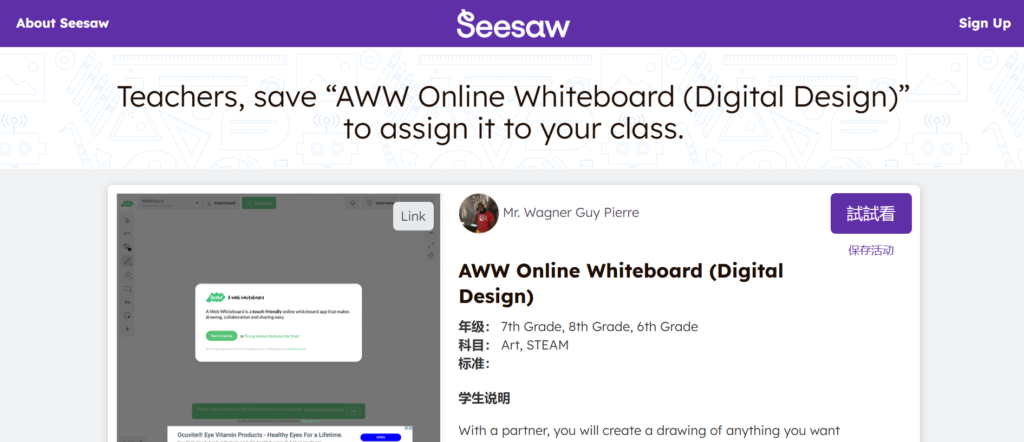
AWW App is a straightforward option among virtual whiteboard tools in the UK, designed for users who need quick collaboration without complexity.
In this AWW App review, the platform stands out for its speed and ease of access. In the AWW App vs Miro comparison, AWW App is much simpler and faster to start, while Miro offers more advanced features.
For UK freelancers, small teams, and quick sessions, AWW App is a practical choice.
Key Features
Instant Whiteboard Access
AWW App features allow users to start a whiteboard instantly without sign-up. UK teams can jump into collaboration quickly, which is ideal for spontaneous meetings.
Real-Time Drawing
Multiple users can draw and interact on the board simultaneously. UK teams can brainstorm and sketch ideas together without lag.
Simple Interface
The platform is minimal and easy to use. UK users can focus on ideas instead of navigating complex features or menus.
File and Image Uploads
Users can upload images and annotate them directly. This is useful for UK teams reviewing designs or documents during sessions.
Browser-Based Collaboration
AWW App runs entirely in the browser. UK teams can access it from any device without installation.
Pros and Cons
| Pros | Cons |
| No signup needed | Very limited features |
| Fast and simple | No advanced tools |
| Easy collaboration | Not scalable |
| Quick setup | Minimal integrations |
Pricing
AWW App pricing in the UK typically includes:
- Free version available
- Paid plans starting from around £6 per month
- Suitable for individuals and small teams
Compared to AWW App alternatives like Ziteboard or Limnu, it is one of the simplest options available.
Best for UK Freelancers and Quick Sessions
AWW App is ideal for users who need instant collaboration.
- UK freelancers — quick client sessions
- Small teams — fast brainstorming
- Consultants — on-the-go collaboration
- Educators — simple explanations
Verdict: If you want virtual whiteboard tools that require zero setup and immediate use, AWW App is one of the fastest options in the UK.
How to Use AWW App for Virtual Whiteboard Sessions in the UK
Start a whiteboard instantly and share the link with participants. Use drawing tools to sketch ideas in real time.
For UK teams, this works well for quick discussions where advanced features are not required.
Quick tip: Use AWW App for rapid brainstorming when time is limited and speed matters most.
Best AWW App Alternative
If you are reviewing AWW App alternatives, Ziteboard is a strong option. In the AWW App vs Ziteboard comparison, Ziteboard offers more features while maintaining simplicity.
Canva Whiteboard – Visual Collaboration for UK Marketing and Creative Teams
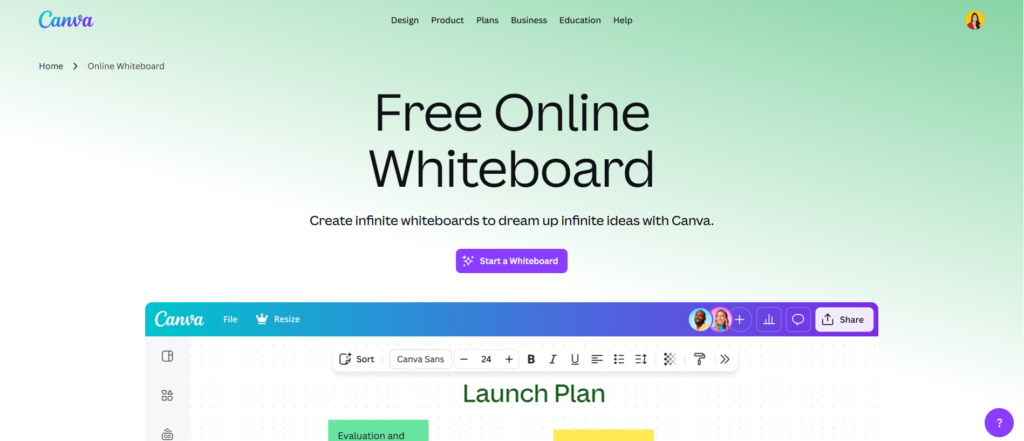
Canva Whiteboard is a highly visual option among virtual whiteboard tools in the UK, designed for teams that want to combine brainstorming with design.
In this Canva Whiteboard review, the platform stands out for integrating whiteboarding with Canva’s design ecosystem. In the Canva Whiteboard vs Miro comparison, Canva is more design-focused, while Miro offers broader collaboration features.
For UK marketing teams and content creators, Canva Whiteboard is a natural extension of their workflow.
Key Features
Drag-and-Drop Visual Design
Canva Whiteboard features an intuitive drag-and-drop interface. UK users can easily add elements, images, and text to create visually appealing boards without design experience.
Integration with Canva Templates
The platform provides access to thousands of Canva templates. UK teams can quickly turn ideas into polished visuals, presentations, or marketing assets.
Real-Time Collaboration
Multiple users can collaborate on the same board simultaneously. UK teams can brainstorm, design, and refine ideas together in real time.
Multimedia Content Support
Users can add images, videos, icons, and graphics directly to boards. This makes Canva Whiteboard ideal for visual storytelling and campaign planning.
Easy Sharing and Export
Boards can be shared via links or exported as presentations. UK teams can present ideas directly to clients or stakeholders without switching tools.
Pros and Cons
| Pros | Cons |
| Strong design tools | Not for complex workflows |
| Easy to use | Limited technical features |
| Great templates | Less structured mapping |
| Visual collaboration | Can feel basic for advanced users |
Pricing
Canva Whiteboard pricing in the UK typically includes:
- Free plan with basic features
- Canva Pro starting from around £10 per month
- Team plans available
Compared to Canva Whiteboard alternatives like Milanote or Miro, it is more design-oriented.
Best for UK Marketing and Creative Teams
Canva Whiteboard is ideal for teams focused on visual content.
- UK marketing teams — campaign planning
- Designers — visual brainstorming
- Agencies — client presentations
- Content creators — idea organisation
Verdict: If your workflow combines brainstorming with design, Canva Whiteboard is one of the most practical virtual whiteboard tools in the UK.
How to Use Canva Whiteboard for Virtual Whiteboard Sessions in the UK
Start with a blank board or template. Add ideas, visuals, and design elements to build your concept.
For UK teams, this is especially useful when turning brainstorming sessions into client-ready presentations.
Quick tip: Use Canva Whiteboard to go from idea to polished design in one session.
Best Canva Whiteboard Alternative
If you are reviewing Canva Whiteboard alternatives, Milanote is a strong option. In the Canva Whiteboard vs Milanote comparison, Milanote offers more creative flexibility, while Canva focuses on design output.
Choosing the Right Virtual Whiteboard Tools in the UK
Now you have the full picture of the top 20 virtual whiteboard tools used across the UK.The right virtual whiteboard tools are not the most advanced. They are the ones your team will use daily without friction.
Here is the shortcut:
- For flexibility and all-in-one use, Miro or MURAL lead the market
- For simple collaboration, Microsoft Whiteboard or Jamboard work well
- For design-focused teams, FigJam, Milanote, or Canva Whiteboard stand out
- For structured workflows, ClickUp Whiteboards or Stormboard are better
- For security and compliance, Conceptboard or Collaboard are strong picks
Start small. Run one session. Build momentum.That is how UK teams turn scattered ideas into structured execution.
Call to Action
If your team in the UK is struggling with messy brainstorming sessions, unclear ideas, or poor collaboration, this is where [Company Name] comes in.We work with UK businesses to implement virtual whiteboard tools that actually get used across teams.
Our approach includes:
- Selecting the right virtual whiteboard tools based on your workflow
- Setting up structured collaboration systems for teams
- Training your staff to run effective sessions
- Integrating whiteboards into your daily operations
If your meetings feel unproductive or ideas never turn into action, now is the time to fix that.
FAQs
1. What are virtual whiteboard tools used for
They are used for brainstorming, planning, collaboration, and visual communication across teams.
2. Which virtual whiteboard tools are best for UK teams
Miro, MURAL, and FigJam are among the most widely used in the UK.
3. Are virtual whiteboard tools suitable for remote teams
Yes, they are designed for real-time collaboration across remote and hybrid environments.
4. Can virtual whiteboard tools replace physical whiteboards
In most cases, yes. They offer more flexibility, storage, and collaboration features.
5. Are free virtual whiteboard tools enough for UK businesses
Free tools are useful for basic needs, but paid tools offer better collaboration and integrations.
6. Do these tools integrate with UK business software
Yes, most tools integrate with platforms like Microsoft Teams, Slack, and Google Workspace.
7. How secure are virtual whiteboard tools
Enterprise tools offer strong security and GDPR compliance for UK organisations.
8. Which industries in the UK benefit most
Marketing, education, IT, consulting, and product teams use them extensively.
9. How quickly can teams adopt these tools
Most teams can start using them within a few hours due to simple interfaces.
10. What is the biggest benefit of using virtual whiteboard tools
They improve collaboration, clarity, and idea execution across teams.
Meta Title and Meta Description
Meta Title:
Best Virtual Whiteboard Tools UK 2026
Meta Description:
Comparison of 20 virtual whiteboard tools used in the UK, focused on real team usage, pricing expectations, and where each tool performs best in business environments.