
If your workflows feel messy, slow, or full of manual gaps, you are not alone. Many UK businesses still rely on outdated diagrams or disconnected systems. That is exactly where the right business process mapping tools change the game.
We reviewed dozens of platforms used across the UK, from London-based agencies to regional SMEs, and narrowed them down to the top 20. This guide is built for operations managers, consultants, IT teams, and founders who want clear workflows, better compliance, and tighter execution.
Recent industry data shows that organisations using structured process mapping see up to 30 percent reduction in operational inefficiencies and 25 percent faster onboarding times. That matters if you are scaling in the UK market where efficiency directly impacts margins.
What is Business Process Mapping
Business process mapping is the practice of visually documenting workflows, systems, and decision paths inside your organisation. Think flowcharts, BPMN diagrams, and operational frameworks that show how work actually gets done.
For UK companies dealing with compliance, ISO standards, or regulated industries, business process mapping is not optional. It is essential.
Key benefits include:
- Clear visibility across teams
- Faster onboarding for UK staff
- Better compliance with UK regulations
- Reduced operational errors
- Stronger process standardisation
Whether you are mapping customer journeys, internal SOPs, or service delivery pipelines, business process mapping tools give you control.
Quick Comparison Table for Business Process Mapping Tools
To make this useful for UK buyers, we focused on pricing, usability, collaboration, integrations, and diagram types. These are the factors that matter when selecting business process mapping tools in the UK.
| Tool Name | Best For | Starting Price | Free Trial | Key Feature | Rating | Platform |
| Lucidchart | Teams | £7.95/mo | Yes | Real-time editing | 4.7 | Web |
| Microsoft Visio | Enterprises | £12.40/mo | Yes | MS integration | 4.5 | Windows/Web |
| Miro | Collaboration | £8/mo | Yes | Infinite canvas | 4.6 | Web |
| Creately | SMEs | £5/mo | Yes | Visual database | 4.5 | Web |
| SmartDraw | Professionals | £7.95/mo | Yes | Auto diagrams | 4.4 | Web |
| Bizagi | BPMN users | Free | Yes | BPMN focus | 4.6 | Desktop |
| Gliffy | Atlassian users | £6/mo | Yes | Jira integration | 4.3 | Web |
| EdrawMax | All users | £79/year | Yes | Templates | 4.5 | Desktop/Web |
| Draw.io | Free users | Free | Yes | Open-source | 4.6 | Web |
| ProcessMaker | Automation | Custom | Yes | Workflow engine | 4.4 | Web |
| Nintex | Enterprises | Custom | Yes | Process automation | 4.5 | Web |
| Signavio | SAP users | Custom | Yes | Process intelligence | 4.6 | Web |
| ARIS | Corporates | Custom | Yes | Deep analytics | 4.5 | Web |
| Pipefy | SMEs | Free | Yes | Workflow tracking | 4.4 | Web |
| Kissflow | SMBs | £12/user | Yes | Low-code BPM | 4.5 | Web |
| Tallyfy | Process tracking | £5/user | Yes | Task tracking | 4.3 | Web |
| Cacoo | Teams | £5/mo | Yes | Collaboration | 4.4 | Web |
| Whimsical | Startups | £10/mo | Yes | Simple UX | 4.5 | Web |
| Camunda | Developers | Free | Yes | Workflow engine | 4.6 | Web |
| Monday.com | Teams | £9/mo | Yes | Visual workflows | 4.6 | Web |
Lucidchart – Visual Process Mapping for Fast-Moving UK Teams
Lucidchart is one of the most widely used business process mapping tools across the UK. From London agencies to enterprise IT teams, it is known for real-time collaboration and clean diagramming.
In this Lucidchart review, you will see why teams rely on it for workflow diagrams, SOP documentation, and system mapping. It fits operations managers, consultants, and product teams who need clarity without technical friction.
When comparing Lucidchart vs Microsoft Visio, many UK users prefer Lucidchart for its browser-based access and faster onboarding.
Key Features
Real-Time Collaboration
Lucidchart features allow multiple team members to edit the same process map at once. This is critical for UK teams working across offices or remote setups. Comments, mentions, and live cursors keep everyone aligned, reducing delays in process approvals and revisions.
Extensive Template Library
Lucidchart review insights often highlight its ready-made templates for BPMN diagrams, flowcharts, and org charts. These templates save time and give UK businesses a structured starting point, especially when documenting compliance-heavy workflows.
Integration with Business Tools
Lucidchart integrates with platforms like Google Workspace, Microsoft 365, and Slack. This makes it easier for UK teams to embed business process mapping directly into daily operations without switching systems constantly.
Drag-and-Drop Interface
The interface is simple enough for non-technical users. You can build complex process maps without needing BPMN expertise. This lowers the barrier for teams across UK departments such as HR, finance, and operations.
Data Linking and Visualisation
Lucidchart allows you to connect diagrams to live data. This means your process maps can reflect real-time metrics, which is useful for UK companies tracking KPIs or operational performance.
Pros and Cons
| Pros | Cons |
| Easy to use | Limited offline mode |
| Strong collaboration | Advanced features gated |
| Wide integrations | Pricing scales quickly |
| Large template library | Can lag on large files |
Pricing
Lucidchart pricing in the UK typically includes:
- Free plan with limited features
- Individual plan from around £7.95 per month
- Team plans with advanced collaboration features
- Enterprise pricing on request
When comparing Lucidchart pricing vs alternatives like Miro or Visio, it sits in the mid-range for UK buyers.
Best for UK Teams Needing Fast Visual Workflows
Lucidchart is ideal for UK organisations that need quick, clear, and collaborative business process mapping.
- SMEs in the UK — quick setup without IT dependency
- Remote UK teams — real-time editing across locations
- Consultants — client-ready process diagrams
- Operations managers — SOP and workflow clarity
Verdict: If you need a tool that your whole team can adopt quickly, Lucidchart is a strong choice. It balances usability with enough depth for serious process mapping.
How to Use Lucidchart for UK Business Process Mapping
Start with a BPMN template and map your current workflow step by step. Then layer in decision points, roles, and dependencies.
A useful approach for UK compliance teams is to map both current and future state processes side by side. This makes audits and internal reviews far easier.
Quick tip: Use Lucidchart’s data linking to connect your diagrams with spreadsheets. This turns static diagrams into working operational tools.
Best Lucidchart Alternative
If you are comparing Lucidchart alternatives, the closest competitor is Microsoft Visio. The Lucidchart vs Visio debate usually comes down to ease of use versus advanced enterprise features.
Microsoft Visio – Enterprise-Grade Process Mapping for UK Organisations
Microsoft Visio is a long-standing player in the business process mapping tools space, widely used across UK enterprises, government bodies, and regulated industries.
In this Microsoft Visio review, it stands out for structured diagramming, deep Microsoft ecosystem integration, and advanced process modelling capabilities. It is often compared in the Microsoft Visio vs Lucidchart debate, where Visio wins on control and depth.
If your UK organisation already runs on Microsoft 365, Visio fits straight into your workflow.
Key Features
Advanced Diagramming Capabilities
Microsoft Visio features include detailed BPMN diagrams, UML diagrams, and technical flowcharts. This level of control is ideal for UK enterprises handling complex systems, compliance workflows, or IT infrastructure mapping.
Microsoft Ecosystem Integration
Visio connects directly with Excel, Teams, SharePoint, and Power BI. UK teams can pull in live data from spreadsheets or collaborate through Teams, keeping business process mapping aligned with daily operations.
Data-Driven Visualisation
One of the strongest Microsoft Visio features is linking diagrams to live data sources. This allows UK businesses to visualise performance metrics within workflows, which is valuable for operations and reporting.
Desktop and Web Versions
Visio offers both a desktop application and a web-based version. UK users who prefer offline work or need advanced features often use the desktop version, while teams lean on the web version for collaboration.
Extensive Shape Libraries
Visio includes thousands of shapes and templates tailored to industries such as finance, healthcare, and engineering. This makes it easier for UK professionals to create accurate process maps without building everything from scratch.
Pros and Cons
| Pros | Cons |
| Deep Microsoft integration | Steeper learning curve |
| Advanced diagram control | Higher pricing |
| Strong for enterprise use | Less intuitive UI |
| Data-linked diagrams | Limited collaboration vs rivals |
Pricing
Microsoft Visio pricing in the UK typically includes:
- Visio Plan 1 from around £12.40 per user per month
- Visio Plan 2 with full desktop access at a higher cost
- One-time purchase options available for desktop versions
When comparing Microsoft Visio pricing vs Lucidchart alternatives, Visio is often more expensive but offers greater technical depth.
Best for UK Enterprises with Complex Workflows
Microsoft Visio is best suited for organisations that require detailed, structured process mapping.
- Large UK enterprises — complex systems and compliance
- IT departments — technical diagrams and infrastructure mapping
- Government organisations — standardised documentation
- Regulated industries — audit-ready workflows
Verdict: If your business process mapping requires precision, structure, and Microsoft integration, Visio remains a top-tier choice.
How to Use Microsoft Visio for UK Business Process Mapping
Start by selecting a BPMN template and defining your process flow. Use swimlanes to assign responsibilities across departments, which is particularly useful for UK organisations with layered structures.
For compliance-heavy sectors in the UK, map approval stages clearly and link them to documentation stored in SharePoint.
Quick tip: Use Visio with Excel data imports to automatically update process diagrams based on operational changes.
Best Microsoft Visio Alternative
If you are evaluating Microsoft Visio alternatives, Lucidchart is often the first comparison. In the Microsoft Visio vs Lucidchart discussion, Lucidchart wins on ease of use, while Visio leads in advanced functionality.
Miro – Collaborative Whiteboard for Flexible Process Mapping
Miro is one of the most popular business process mapping tools for UK teams that prioritise collaboration and flexibility.
In this Miro review, it stands out for its infinite canvas and real-time teamwork features. It is widely used by UK startups, agencies, and product teams that need to map workflows, brainstorm processes, and iterate quickly.
When comparing Miro vs Lucidchart, Miro is often preferred for ideation and early-stage process mapping, while Lucidchart leans more towards structured diagrams.
Key Features
Infinite Canvas Workspace
Miro features an open-ended canvas where UK teams can map entire business processes without space limits. This is useful when working on complex workflows, customer journeys, or multi-department operations.
Real-Time Collaboration Tools
Multiple users can work on the same board simultaneously. Comments, sticky notes, and live editing make it easier for UK teams to align quickly, especially in remote or hybrid work environments.
Pre-Built Process Templates
Miro includes templates for flowcharts, BPMN diagrams, and value stream mapping. These templates provide a quick starting point for UK businesses documenting processes or refining workflows.
Integration with Popular Tools
Miro integrates with Slack, Jira, Microsoft Teams, and Google Workspace. This allows UK organisations to connect business process mapping with project management and communication tools.
Presentation Mode
You can turn process maps into presentations directly within Miro. This is valuable for UK consultants and managers who need to present workflows to stakeholders or clients.
Pros and Cons
| Pros | Cons |
| Strong collaboration | Less structured BPMN |
| Easy to use | Can get cluttered |
| Flexible canvas | Limited advanced controls |
| Good integrations | Performance dips on large boards |
Pricing
Miro pricing in the UK typically includes:
- Free plan with limited boards
- Starter plan from around £8 per user per month
- Business and enterprise plans with advanced controls
Compared to Miro alternatives like Lucidchart or Creately, it is competitively priced for collaboration-focused teams.
Best for UK Teams Focused on Collaboration and Ideation
Miro is ideal for UK businesses that need flexible, team-driven process mapping.
- Startups in the UK — brainstorming and workflow planning
- Marketing agencies — campaign and funnel mapping
- Product teams — user journey visualisation
- Remote teams — collaborative workshops
Verdict: If your process mapping starts with discussion and evolves over time, Miro is a strong fit. It works best when flexibility matters more than strict diagram standards.
How to Use Miro for UK Business Process Mapping
Start by mapping your workflow using sticky notes and basic flowchart shapes. Then refine the structure into a formal process map once your team agrees on the flow.
For UK teams running workshops, use Miro boards to gather input from multiple stakeholders before finalising the process.
Quick tip: Combine Miro with Jira integration to connect your mapped workflows directly to task execution.
Best Miro Alternative
If you are looking at Miro alternatives, Lucidchart is a strong option for more structured diagrams. In the Miro vs Lucidchart comparison, Lucidchart offers more control, while Miro offers more flexibility.
Creately – Visual Process Mapping with Built-In Data Layer
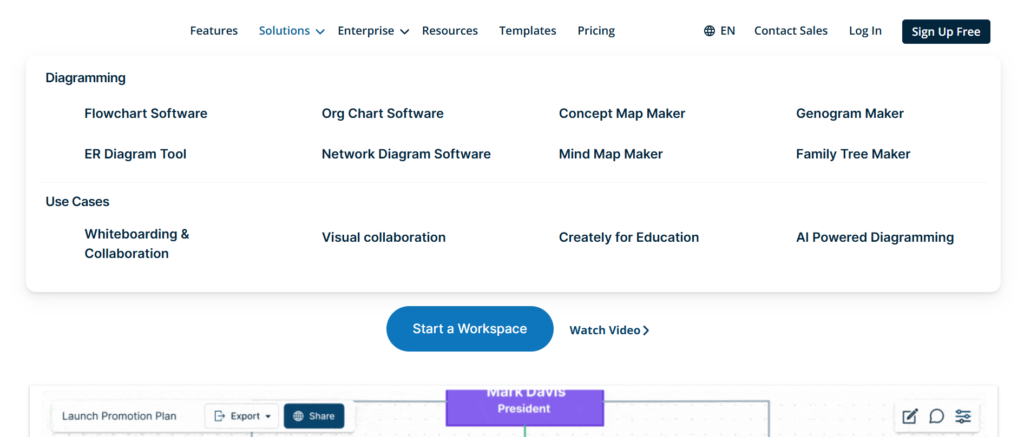
Creately is a rising choice among business process mapping tools in the UK, especially for SMEs and growing teams that want more than just diagrams.
In this Creately review, what stands out is its ability to combine visual process mapping with a built-in data layer. That means your workflows are not just diagrams, they carry structured information behind them.
When comparing Creately vs Miro or Lucidchart, Creately sits in the middle, offering both flexibility and structured mapping.
Key Features
Visual Database Integration
Creately features a built-in database that links directly to your diagrams. This allows UK teams to attach data to each step in a process, making workflows more actionable rather than just visual references.
Real-Time Collaboration
Multiple users can edit and comment on diagrams at the same time. This is useful for UK teams working across departments such as operations, HR, and compliance, where input from multiple stakeholders is required.
Pre-Built Templates for Process Mapping
Creately includes templates for flowcharts, BPMN diagrams, and organisational workflows. These templates help UK businesses quickly map processes without starting from scratch.
Drag-and-Drop Interface
The interface is clean and easy to use. Even non-technical staff in UK organisations can create and update process maps without training, which speeds up adoption across teams.
Multi-Purpose Workspaces
Creately allows teams to combine diagrams, notes, and data in one workspace. This is particularly useful for UK companies managing complex projects alongside process documentation.
Pros and Cons
| Pros | Cons |
| Combines data + diagrams | Smaller ecosystem |
| Easy to use | Fewer advanced BPMN tools |
| Good collaboration | Limited enterprise features |
| Affordable pricing | Less brand recognition |
Pricing
Creately pricing in the UK typically includes:
- Free plan with basic features
- Personal plan from around £5 per month
- Team plans with collaboration features
- Enterprise plans on request
When comparing Creately pricing vs Lucidchart alternatives, it is more affordable for UK SMEs.
Best for UK SMEs Wanting Data-Driven Process Mapping
Creately is ideal for UK businesses that want to go beyond static diagrams.
- SMEs in the UK — affordable and scalable
- Operations teams — linking workflows with data
- HR departments — process documentation
- Project managers — combining tasks and workflows
Verdict: If you want business process mapping tools that combine visuals with structured data, Creately is a smart choice for growing UK teams.
How to Use Creately for UK Business Process Mapping
Start by creating a process map using a template, then attach data fields to each step such as owner, status, or timeline.
For UK compliance workflows, this makes it easier to track responsibilities and audit trails within the same system.
Quick tip: Use Creately’s database feature to turn your process maps into living documents that update as your business changes.
Best Creately Alternative
If you are exploring Creately alternatives, Lucidchart is the closest competitor. In the Creately vs Lucidchart comparison, Lucidchart offers stronger integrations, while Creately provides built-in data structuring.
SmartDraw – Automated Diagramming for Fast Process Mapping
SmartDraw is a strong contender among business process mapping tools in the UK, especially for professionals who want quick results without manual diagram building.
In this SmartDraw review, the standout feature is automation. It automatically aligns shapes, builds diagrams, and adjusts layouts as you work. This makes it appealing for UK consultants, engineers, and operations teams who value speed.
When comparing SmartDraw vs Visio, SmartDraw is often easier to use, while Visio offers deeper technical control.
Key Features
Automated Diagram Creation
SmartDraw features automatic formatting that builds diagrams as you add elements. UK users can create structured process maps without manually adjusting every shape, which saves time during documentation and workflow planning.
Extensive Template Library
SmartDraw includes templates for flowcharts, BPMN diagrams, org charts, and more. These templates are useful for UK businesses needing consistent process documentation across departments.
Integration with Microsoft and Google Tools
SmartDraw connects with Microsoft Office, Google Workspace, and tools like Trello. This allows UK teams to insert diagrams directly into reports, presentations, or project workflows.
Intelligent Formatting Engine
The software automatically adjusts spacing, alignment, and connections. This ensures process maps remain clean and readable, even as workflows become more complex.
Cloud and Desktop Access
SmartDraw offers both online and desktop versions. UK professionals can choose between cloud-based collaboration or offline work depending on their needs.
Pros and Cons
| Pros | Cons |
| Fast diagram creation | Limited collaboration |
| Easy to use | Fewer advanced BPMN tools |
| Strong templates | UI feels dated |
| Works offline | Less flexible than Miro |
Pricing
SmartDraw pricing in the UK typically includes:
- Subscription from around £7.95 per month
- Team plans for collaboration
- No permanent free plan
When comparing SmartDraw pricing vs alternatives like Lucidchart or Creately, it sits in the mid-range for UK buyers.
Best for UK Professionals Who Need Speed and Simplicity
SmartDraw is ideal for users who want quick, structured diagrams without a steep learning curve.
- UK consultants — fast client deliverables
- Engineers — technical diagrams
- Operations teams — workflow documentation
- SMEs — simple process mapping
Verdict: If speed matters more than deep customisation, SmartDraw is a practical choice among business process mapping tools in the UK.
How to Use SmartDraw for UK Business Process Mapping
Start with a template and input your workflow steps. Let SmartDraw handle alignment and formatting automatically.
For UK teams handling multiple processes, standardise templates across departments to maintain consistency in documentation.
Quick tip: Use SmartDraw’s export feature to insert process maps directly into Word or PowerPoint for reporting.
Best SmartDraw Alternative
If you are considering SmartDraw alternatives, Lucidchart is a popular option. In the SmartDraw vs Lucidchart comparison, Lucidchart offers better collaboration, while SmartDraw focuses on automation.
Bizagi – BPMN-Focused Process Mapping for Structured UK Workflows
Bizagi is a specialist in business process mapping tools, widely used in the UK by organisations that need strict BPMN (Business Process Model and Notation) standards.
In this Bizagi review, the key strength is its focus on structured process modelling rather than general diagramming. It is often compared in the Bizagi vs Visio discussion, where Bizagi stands out for BPMN accuracy and workflow simulation.
For UK businesses dealing with compliance, audits, or regulated industries, Bizagi is a serious option.
Key Features
BPMN 2.0 Compliance
Bizagi features full support for BPMN 2.0 standards. This allows UK organisations to create precise, standardised process maps that align with compliance requirements and internal governance frameworks.
Process Simulation
One standout feature in this Bizagi review is simulation. UK teams can test workflows before implementation, identifying bottlenecks, delays, and inefficiencies without risking real operations.
Drag-and-Drop Modelling Interface
Despite its technical depth, Bizagi offers a user-friendly interface. UK professionals can build complex process diagrams without needing advanced coding or modelling expertise.
Workflow Automation Integration
Bizagi connects process mapping with automation. This allows UK businesses to move from visual workflows to executable processes, improving operational consistency.
Collaboration and Documentation
Bizagi allows teams to share process models, add documentation, and maintain version control. This is useful for UK organisations managing audits or maintaining ISO standards.
Pros and Cons
| Pros | Cons |
| Strong BPMN support | Less flexible design |
| Free modelling tool | Steeper learning curve |
| Process simulation | Limited integrations |
| Good for compliance | Not ideal for beginners |
Pricing
Bizagi pricing in the UK typically includes:
- Free version for process modelling
- Paid plans for automation and enterprise features
- Custom pricing for large organisations
Compared to Bizagi alternatives like Visio or Lucidchart, Bizagi offers more specialised BPM capabilities.
Best for UK Organisations Requiring Structured BPMN Modelling
Bizagi is ideal for businesses that need formal, standardised process mapping.
- UK financial services — compliance workflows
- Government departments — structured documentation
- Enterprise IT teams — system process mapping
- Regulated industries — audit-ready diagrams
Verdict: If your priority is BPMN accuracy and process validation, Bizagi is one of the strongest business process mapping tools available in the UK.
How to Use Bizagi for UK Business Process Mapping
Start by defining your process using BPMN elements such as events, gateways, and tasks. Then simulate the workflow to identify inefficiencies.
For UK compliance teams, document each step with supporting notes and attach relevant policies to ensure audit readiness.
Quick tip: Use Bizagi simulation reports to present process improvements to stakeholders before implementation.
Best Bizagi Alternative
If you are exploring Bizagi alternatives, Microsoft Visio is a common comparison. In the Bizagi vs Visio debate, Visio offers broader diagramming, while Bizagi focuses on BPMN precision.
Gliffy – Simple Diagramming for Atlassian-Based UK Teams
Gliffy is a lightweight option among business process mapping tools, commonly used by UK teams already working within Atlassian products like Jira and Confluence.
In this Gliffy review, the main appeal is simplicity and tight integration. It is not built for complex BPMN modelling, but it works well for straightforward workflows and documentation.
When comparing Gliffy vs Lucidchart, Gliffy is easier for basic use, while Lucidchart offers more advanced capabilities.
Key Features
Native Atlassian Integration
Gliffy features deep integration with Jira and Confluence. UK teams can create and embed process maps directly into project tickets or documentation pages, keeping workflows connected to daily operations.
Drag-and-Drop Diagram Builder
The interface is straightforward. UK users can quickly create flowcharts, diagrams, and process maps without training, making it suitable for non-technical teams.
Cloud-Based Access
Gliffy runs fully in the browser, allowing UK teams to access diagrams from anywhere. This is useful for distributed teams or organisations using cloud-first systems.
Version Control and Revision History
Gliffy keeps track of changes made to diagrams. This helps UK teams manage updates and maintain accurate documentation over time, especially for internal processes.
Template Library
The platform includes basic templates for flowcharts and process diagrams. While not as extensive as some competitors, they are sufficient for standard business process mapping tasks.
Pros and Cons
| Pros | Cons |
| Easy to use | Limited advanced features |
| Strong Atlassian integration | Basic templates |
| Quick setup | Not ideal for BPMN |
| Cloud-based | Less customisation |
Pricing
Gliffy pricing in the UK typically includes:
- Plans starting from around £6 per user per month
- Free trial available
- Pricing scales with team size
Compared to Gliffy alternatives like Draw.io, Gliffy offers more polished integration but fewer free features.
Best for UK Teams Using Jira and Confluence
Gliffy is ideal for organisations already embedded in the Atlassian ecosystem.
- UK software teams — Jira-based workflows
- Project managers — Confluence documentation
- SMEs — simple process mapping
- Non-technical teams — easy diagram creation
Verdict: If your UK team already uses Atlassian tools, Gliffy fits naturally into your workflow without adding complexity.
How to Use Gliffy for UK Business Process Mapping
Start by creating a simple flowchart inside Confluence or Jira. Map out your process steps and link them to relevant tasks or documentation.
For UK project teams, embedding diagrams directly into tickets improves clarity and reduces miscommunication.
Quick tip: Use Gliffy inside Confluence pages to build a central knowledge base for all internal processes.
Best Gliffy Alternative
If you are considering Gliffy alternatives, Draw.io is a popular choice. In the Gliffy vs Draw.io comparison, Draw.io offers more flexibility and is free, while Gliffy provides smoother integration with Atlassian tools.
EdrawMax – All-in-One Diagramming for Versatile UK Teams
EdrawMax is a versatile option among business process mapping tools in the UK, designed for users who want a wide range of diagram types in one platform.
In this EdrawMax review, it stands out for its massive template library and cross-platform support. It is often compared in the EdrawMax vs Visio discussion, where it offers similar functionality at a lower price point.
For UK businesses that need flexibility across departments, EdrawMax is a practical choice.
Key Features
Extensive Template Library
EdrawMax features thousands of templates covering flowcharts, BPMN diagrams, org charts, and technical diagrams. This allows UK teams to quickly create structured process maps without building from scratch.
Cross-Platform Compatibility
EdrawMax works on Windows, macOS, Linux, and web browsers. UK teams can access and edit process maps across devices, which is useful for hybrid work environments.
Drag-and-Drop Interface
The platform offers a simple interface that suits both beginners and experienced users. UK professionals can create detailed business process mapping diagrams without a steep learning curve.
File Format Compatibility
EdrawMax supports multiple file formats, including Visio files. This makes it easier for UK organisations to switch tools or collaborate with partners using different systems.
Offline and Online Access
Users can work offline using the desktop version or collaborate online. This flexibility is valuable for UK teams that require both secure offline work and cloud collaboration.
Pros and Cons
| Pros | Cons |
| Huge template library | Interface can feel busy |
| Cross-platform support | Limited collaboration vs Miro |
| Affordable pricing | Some features behind paywall |
| Works offline | Less known brand |
Pricing
EdrawMax pricing in the UK typically includes:
- Subscription from around £79 per year
- Lifetime licence option available
- Free trial with limited features
When comparing EdrawMax pricing vs alternatives like Visio, it is more cost-effective for UK users.
Best for UK Teams Needing Multi-Purpose Diagramming
EdrawMax is ideal for organisations that require more than just process mapping.
- UK SMEs — cost-effective diagramming
- Consultants — multiple diagram types
- IT teams — technical and process diagrams
- Educators — teaching workflows
Verdict: If you want one tool for all diagram types, EdrawMax offers strong value among business process mapping tools in the UK.
How to Use EdrawMax for UK Business Process Mapping
Start by selecting a BPMN or flowchart template. Then customise the diagram based on your workflow and organisational structure.
For UK teams working across departments, use consistent templates to standardise process documentation.
Quick tip: Import existing Visio files into EdrawMax to continue working without rebuilding diagrams.
Best EdrawMax Alternative
If you are exploring EdrawMax alternatives, Microsoft Visio is the closest competitor. In the EdrawMax vs Visio comparison, Visio offers deeper enterprise features, while EdrawMax provides better value.
Draw.io – Free and Flexible Process Mapping for UK Teams
Draw.io, also known as diagrams.net, is one of the most widely used business process mapping tools in the UK for teams that want flexibility without upfront cost.
In this Draw.io review, its biggest advantage is that it is completely free while still offering strong diagramming capabilities. It is often compared in the Draw.io vs Lucidchart discussion, where Draw.io appeals to cost-conscious UK users.
For startups, SMEs, and technical teams in the UK, it is a practical choice.
Key Features
Completely Free to Use
Draw.io features a fully functional free version. UK businesses can create unlimited diagrams without subscription costs, making it attractive for startups and smaller teams managing tight budgets.
Integration with Cloud Storage
Draw.io integrates with Google Drive, OneDrive, and Dropbox. UK teams can store and manage process maps within their existing file systems, keeping documentation centralised.
Wide Range of Diagram Types
The platform supports flowcharts, BPMN diagrams, network diagrams, and more. This makes it suitable for UK organisations handling both business and technical workflows.
Customisable Interface
Users can customise shapes, layouts, and diagram styles. This allows UK teams to create process maps that match internal documentation standards.
Offline and Online Modes
Draw.io can be used in the browser or as a desktop app. UK professionals who need offline access can still work on diagrams without internet connectivity.
Pros and Cons
| Pros | Cons |
| Free to use | Basic UI |
| Flexible diagramming | Limited collaboration |
| Cloud integrations | No advanced automation |
| Works offline | Fewer templates |
Pricing
Draw.io pricing in the UK:
- Completely free
- No paid tiers required
- Optional integrations with paid platforms
Compared to Draw.io alternatives like Lucidchart or Miro, it is the most cost-effective option.
Best for UK Startups and Cost-Conscious Teams
Draw.io is ideal for businesses that need reliable process mapping without ongoing costs.
- UK startups — zero-cost entry
- SMEs — simple workflow diagrams
- Developers — technical diagrams
- Internal teams — documentation
Verdict: If budget is a concern, Draw.io delivers strong value among business process mapping tools in the UK.
How to Use Draw.io for UK Business Process Mapping
Start with a blank canvas or basic template. Build your process map step by step using standard flowchart symbols.
For UK teams managing documentation in Google Drive or OneDrive, store diagrams alongside SOPs for easy access.
Quick tip: Use Draw.io desktop mode for sensitive workflows that require offline access.
Best Draw.io Alternative
If you are reviewing Draw.io alternatives, Lucidchart is a common upgrade path. In the Draw.io vs Lucidchart comparison, Lucidchart offers better collaboration, while Draw.io remains free and flexible.
ProcessMaker – Workflow Automation Meets Process Mapping
ProcessMaker is a powerful option among business process mapping tools in the UK, built for organisations that want to go beyond diagrams and move into execution.
In this ProcessMaker review, it stands out for combining process mapping with workflow automation. It is often compared in the ProcessMaker vs Kissflow discussion, where both focus on low-code workflow management.
For UK businesses aiming to connect process design with actual task execution, ProcessMaker is a strong contender.
Key Features
Low-Code Process Automation
ProcessMaker features a low-code environment that allows UK teams to design workflows and automate them without heavy development work. This is useful for operations teams that want faster deployment of internal processes.
BPMN Process Modelling
The platform supports BPMN standards, allowing UK organisations to create structured and compliant process maps. This is particularly relevant for regulated sectors such as finance and healthcare.
Workflow Execution Engine
Unlike basic diagramming tools, ProcessMaker allows you to run workflows directly. UK businesses can assign tasks, set approvals, and monitor execution within the same platform.
Integration with Business Systems
ProcessMaker integrates with CRMs, ERPs, and other systems. This allows UK companies to connect process mapping with real business operations rather than keeping diagrams separate.
Reporting and Analytics
The platform includes reporting tools to track workflow performance. UK teams can identify delays, inefficiencies, and bottlenecks within their processes.
Pros and Cons
| Pros | Cons |
| Combines mapping + automation | Higher complexity |
| BPMN support | Setup takes time |
| Strong integrations | Pricing not transparent |
| Workflow execution | Requires training |
Pricing
ProcessMaker pricing in the UK typically includes:
- Custom pricing based on usage
- Free trial available
- Enterprise-level plans for large organisations
When comparing ProcessMaker pricing vs alternatives like Nintex or Kissflow, it sits within the enterprise automation category.
Best for UK Businesses Moving from Mapping to Automation
ProcessMaker is ideal for organisations that want their process maps to actually run workflows.
- UK enterprises — workflow automation
- Operations teams — process execution
- IT departments — system integration
- Regulated industries — compliance workflows
Verdict: If your goal is not just to map processes but to execute them, ProcessMaker is one of the most capable business process mapping tools available in the UK.
How to Use ProcessMaker for UK Business Process Mapping
Start by mapping your process using BPMN elements. Then configure workflows with task assignments, approvals, and triggers.
For UK organisations handling compliance, ensure each step includes documentation and audit trails within the system.
Quick tip: Use ProcessMaker’s automation features to replace manual approval chains and reduce delays in internal workflows.
Best ProcessMaker Alternative
If you are exploring ProcessMaker alternatives, Kissflow is a strong option. In the ProcessMaker vs Kissflow comparison, Kissflow is easier to adopt, while ProcessMaker offers deeper automation capabilities.
Nintex – Enterprise Workflow and Process Management for UK Teams
Nintex is a well-established name among business process mapping tools in the UK, particularly for enterprises that need structured workflows and document-heavy processes.
In this Nintex review, the platform stands out for combining process mapping, workflow automation, and document generation in one system. It is often compared in the Nintex vs ProcessMaker discussion, where both focus on enterprise-level automation.
For UK organisations dealing with approvals, compliance, and multi-step workflows, Nintex is a serious option.
Key Features
Workflow Automation Engine
Nintex features a powerful workflow engine that allows UK teams to design, manage, and execute processes without relying heavily on developers. This is useful for departments handling approvals, onboarding, or internal operations.
Process Mapping and Visualisation
The platform includes tools for mapping workflows visually. UK businesses can document processes clearly and align them with automation, ensuring consistency across teams.
Document Generation
Nintex allows users to create automated documents based on workflow data. This is particularly valuable for UK organisations managing contracts, reports, or compliance documentation.
Integration with Microsoft Ecosystem
Nintex integrates with SharePoint, Office 365, and other Microsoft tools. For UK companies already using Microsoft systems, this creates a smooth workflow between process mapping and execution.
Analytics and Reporting
The platform provides insights into workflow performance. UK teams can monitor bottlenecks, approval times, and process efficiency across departments.
Pros and Cons
| Pros | Cons |
| Strong automation features | Higher cost |
| Good for document workflows | Setup complexity |
| Microsoft integration | Learning curve |
| Scalable for enterprises | Not SME-friendly |
Pricing
Nintex pricing in the UK typically includes:
- Custom pricing based on business size
- Enterprise-level packages
- Free trial or demo available
When comparing Nintex pricing vs alternatives like ProcessMaker or Kissflow, Nintex is positioned at the higher end of the market.
Best for UK Enterprises Managing Complex Workflows
Nintex is ideal for organisations that rely heavily on structured processes and documentation.
- UK enterprises — large-scale workflows
- Legal teams — document automation
- HR departments — onboarding processes
- Compliance teams — audit-ready workflows
Verdict: If your business process mapping needs to connect with document-heavy workflows and enterprise systems, Nintex is a strong choice in the UK market.
How to Use Nintex for UK Business Process Mapping
Start by mapping your workflow visually, then convert it into an automated process using Nintex’s workflow builder.
For UK compliance teams, attach document generation steps to ensure every process produces the required records.
Quick tip: Use Nintex to automate repetitive document workflows such as contracts or approvals to reduce manual handling.
Best Nintex Alternative
If you are reviewing Nintex alternatives, ProcessMaker is a common comparison. In the Nintex vs ProcessMaker discussion, ProcessMaker offers more flexibility, while Nintex focuses on structured enterprise workflows.
Signavio – Process Intelligence for Data-Focused UK Enterprises

Signavio, now part of SAP, is a leading platform among business process mapping tools in the UK for organisations that want deep visibility into their operations.
In this Signavio review, the standout capability is process intelligence. It not only maps workflows but also analyses them using real operational data. In the Signavio vs ARIS comparison, both are enterprise-grade, but Signavio is often preferred for its user-friendly interface and analytics.
For UK enterprises focused on efficiency and compliance, Signavio is a strong contender.
Key Features
Process Intelligence and Mining
Signavio features process mining tools that analyse real data from your systems. UK organisations can see how processes actually run, not just how they are designed, which helps identify inefficiencies and gaps.
BPMN Process Modelling
The platform supports BPMN standards, allowing UK teams to create structured and compliant process maps. This is essential for regulated industries such as finance, healthcare, and government.
Collaboration Hub
Signavio includes a central hub where teams can view, comment on, and manage process maps. This improves alignment across UK departments and ensures everyone works from the same version.
Integration with SAP Systems
Signavio integrates deeply with SAP products. UK enterprises using SAP can connect process mapping directly with their operational systems, creating a unified workflow environment.
Process Governance Tools
The platform includes governance features such as version control, approvals, and compliance tracking. This is critical for UK organisations that need audit-ready documentation.
Pros and Cons
| Pros | Cons |
| Strong analytics | Enterprise pricing |
| BPMN support | Requires setup time |
| Good collaboration | Best with SAP |
| Process mining | Not SME-focused |
Pricing
Signavio pricing in the UK typically includes:
- Custom enterprise pricing
- Free trial or demo available
- Pricing depends on usage and integrations
When comparing Signavio pricing vs alternatives like ARIS or Nintex, it is positioned at the enterprise level.
Best for UK Enterprises Focused on Process Intelligence
Signavio is ideal for organisations that want data-backed process mapping.
- UK enterprises — process visibility
- SAP users — system integration
- Compliance teams — governance tracking
- Operations leaders — performance analysis
Verdict: If your goal is to understand and refine processes using real data, Signavio stands out among business process mapping tools in the UK.
How to Use Signavio for UK Business Process Mapping
Start by importing process data from your systems. Then map your workflows using BPMN and compare designed processes with actual execution.
For UK compliance teams, use governance features to track approvals and maintain audit trails.
Quick tip: Use Signavio’s process mining to identify hidden inefficiencies that traditional diagrams often miss.
Best Signavio Alternative
If you are evaluating Signavio alternatives, ARIS is a close competitor. In the Signavio vs ARIS comparison, ARIS offers deeper modelling, while Signavio focuses on usability and analytics.
ARIS – Advanced Process Modelling for Large UK Organisations
ARIS is one of the most established platforms in the business process mapping tools category, widely used by large UK organisations that require detailed process architecture and governance.
In this ARIS review, the platform stands out for deep modelling capabilities, analytics, and enterprise-level control. In the ARIS vs Signavio comparison, ARIS is often chosen for its depth and scalability, while Signavio focuses more on usability.
For UK corporates managing complex systems and layered workflows, ARIS is a serious contender.
Key Features
Advanced Process Modelling
ARIS features detailed modelling tools that go beyond basic flowcharts. UK enterprises can map entire business architectures, including processes, systems, data, and organisational structures.
End-to-End Process Visibility
The platform provides a full view of how processes connect across departments. This is critical for UK organisations managing large-scale operations with multiple stakeholders.
Analytics and Performance Tracking
ARIS includes analytics tools that allow UK teams to measure process performance, identify inefficiencies, and track improvements over time.
Governance and Compliance Management
ARIS supports strict governance frameworks. UK businesses can maintain version control, approval workflows, and audit trails, which is essential for regulated industries.
Integration with Enterprise Systems
ARIS integrates with ERP systems, including SAP. This allows UK organisations to align process mapping with real operational data and systems.
Pros and Cons
| Pros | Cons |
| Deep modelling capabilities | Complex to use |
| Strong analytics | High cost |
| Enterprise scalability | Requires training |
| Governance features | Not SME-friendly |
Pricing
ARIS pricing in the UK typically includes:
- Custom enterprise pricing
- Demo or trial available
- Pricing based on scale and features
When comparing ARIS pricing vs alternatives like Signavio or Nintex, ARIS sits at the premium end of the market.
Best for UK Enterprises with Complex Process Architectures
ARIS is ideal for organisations that need full control over their process landscape.
- Large UK corporates — enterprise-wide mapping
- IT departments — system-level modelling
- Compliance teams — governance and audits
- Operations leaders — process optimisation
Verdict: If your organisation requires deep process modelling and strict governance, ARIS is one of the most powerful business process mapping tools available in the UK.
How to Use ARIS for UK Business Process Mapping
Start by mapping high-level processes, then break them down into detailed workflows across departments.
For UK enterprises, align process maps with organisational structures and systems to maintain consistency and traceability.
Quick tip: Use ARIS to create a central repository of all business processes, making it easier to manage updates and compliance requirements.
Best ARIS Alternative
If you are reviewing ARIS alternatives, Signavio is the closest competitor. In the ARIS vs Signavio comparison, Signavio offers easier adoption, while ARIS provides deeper modelling capabilities.
Pipefy – Process Tracking and Workflow Management for UK Teams
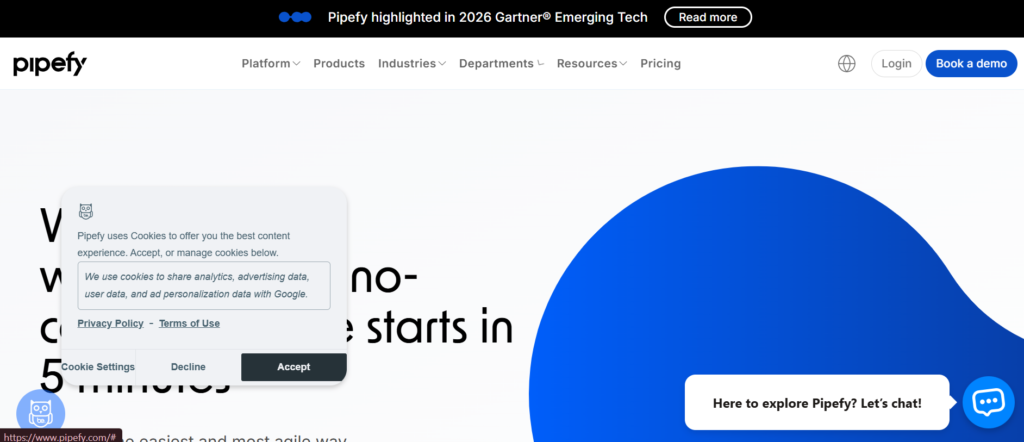
Pipefy is a practical option among business process mapping tools in the UK, built for teams that want structured workflows without heavy setup.
In this Pipefy review, the platform focuses on process tracking rather than complex diagramming. It is often compared in the Pipefy vs Kissflow discussion, where both target SMEs and operations teams.
For UK businesses that want visibility and control over recurring workflows, Pipefy is a solid choice.
Key Features
Visual Workflow Management
Pipefy features a card-based system similar to Kanban boards. UK teams can track each step of a process in real time, making it easier to manage tasks and monitor progress across departments.
Customisable Process Templates
The platform includes templates for HR, finance, customer support, and more. UK businesses can standardise workflows quickly without building processes from scratch.
Automation Rules
Pipefy allows users to set rules for task movement, approvals, and notifications. This reduces manual effort for UK teams handling repetitive processes.
Form-Based Data Collection
Users can create forms to capture data at each stage of a process. This is useful for UK organisations managing requests, applications, or internal approvals.
Integration with Business Tools
Pipefy integrates with tools like Slack, Google Workspace, and CRM systems. This keeps process tracking connected to daily operations.
Pros and Cons
| Pros | Cons |
| Easy to set up | Limited diagramming |
| Good for tracking workflows | Not BPMN-focused |
| Strong automation rules | Less suitable for complex processes |
| User-friendly interface | Limited advanced analytics |
Pricing
Pipefy pricing in the UK typically includes:
- Free plan with basic features
- Paid plans starting from around £20 per user per month
- Enterprise plans with advanced automation
When comparing Pipefy pricing vs alternatives like Kissflow, it is competitive for UK SMEs.
Best for UK Teams Focused on Process Tracking
Pipefy is ideal for organisations that need to manage workflows rather than build complex diagrams.
- UK SMEs — simple workflow management
- HR teams — recruitment and onboarding
- Customer support — ticket handling
- Operations teams — recurring processes
Verdict: If your priority is tracking and managing workflows rather than detailed diagramming, Pipefy is a practical addition to your business process mapping tools stack in the UK.
How to Use Pipefy for UK Business Process Mapping
Start by selecting a template and customising it to match your workflow. Then create stages and move tasks through each step.
For UK teams handling approvals, use automation rules to reduce delays and maintain consistency.
Quick tip: Combine Pipefy with simple process diagrams from another tool to link visual mapping with execution.
Best Pipefy Alternative
If you are considering Pipefy alternatives, Kissflow is a strong option. In the Pipefy vs Kissflow comparison, Kissflow offers more structured process mapping, while Pipefy focuses on workflow tracking.
Kissflow – Simple BPM and Workflow Automation for UK SMEs
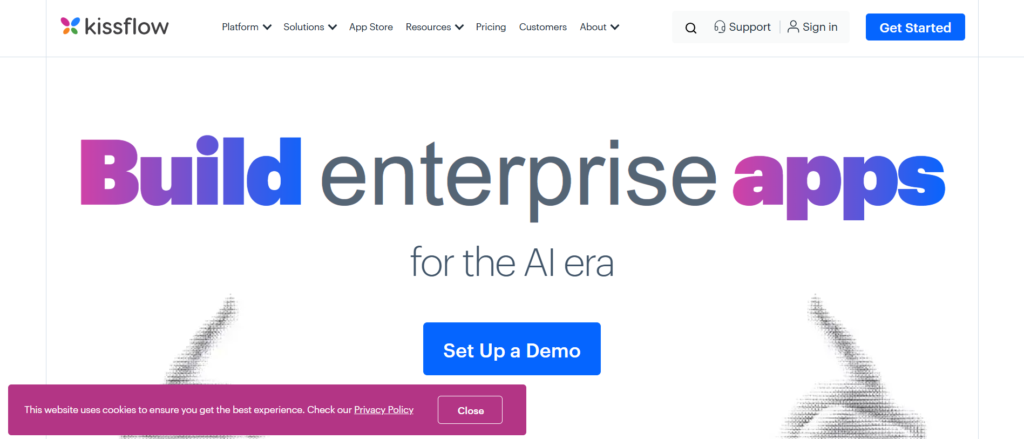
Kissflow is a popular choice among business process mapping tools in the UK for businesses that want structured workflows without enterprise-level complexity.
In this Kissflow review, the platform focuses on simplicity, combining process mapping with workflow automation in a low-code environment. In the Kissflow vs ProcessMaker comparison, Kissflow is easier to adopt, while ProcessMaker offers deeper technical control.
For UK SMEs and growing teams, Kissflow strikes a strong balance between usability and functionality.
Key Features
Visual Process Builder
Kissflow features a visual interface where UK users can design workflows step by step. This makes business process mapping accessible to non-technical teams, including HR, finance, and operations.
Low-Code Workflow Automation
The platform allows users to automate processes without coding. UK teams can set rules, approvals, and triggers, reducing manual work across departments.
Pre-Built Templates
Kissflow includes templates for common workflows such as employee onboarding, purchase approvals, and support requests. This helps UK businesses get started quickly.
Integration with Business Tools
Kissflow integrates with tools like Google Workspace, Microsoft 365, and Zapier. This ensures process mapping connects with existing systems used by UK organisations.
Reporting and Analytics
The platform provides insights into workflow performance. UK teams can monitor delays, approval times, and process efficiency.
Pros and Cons
| Pros | Cons |
| Easy to use | Limited deep customisation |
| Quick setup | Not ideal for complex BPMN |
| Good automation features | Pricing increases with scale |
| Suitable for SMEs | Less advanced analytics |
Pricing
Kissflow pricing in the UK typically includes:
- Plans starting from around £12 per user per month
- Free trial available
- Custom pricing for larger teams
When comparing Kissflow pricing vs alternatives like Pipefy or Nintex, it sits in the mid-range for UK buyers.
Best for UK SMEs Seeking Simple Process Automation
Kissflow is ideal for businesses that want structured workflows without complexity.
- UK SMEs — quick process setup
- HR teams — onboarding workflows
- Finance teams — approval processes
- Operations teams — task automation
Verdict: If you want business process mapping tools that combine ease of use with automation, Kissflow is a strong fit for UK businesses.
How to Use Kissflow for UK Business Process Mapping
Start by selecting a template or building a workflow from scratch. Define each step, assign responsibilities, and set approval rules.
For UK teams handling repetitive processes, automate approvals to reduce delays and manual intervention.
Quick tip: Use Kissflow dashboards to track workflow performance and identify slow points in your processes.
Best Kissflow Alternative
If you are reviewing Kissflow alternatives, Pipefy is a close option. In the Kissflow vs Pipefy comparison, Kissflow offers more structured workflows, while Pipefy focuses on visual task tracking.
Tallyfy – Process Tracking and SOP Management for UK Teams
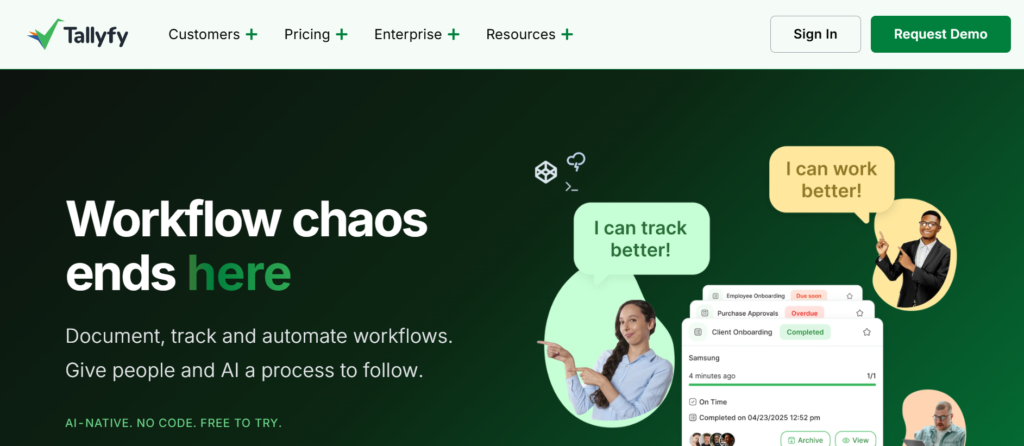
Tallyfy is a focused option among business process mapping tools in the UK, designed for teams that want to document, track, and standardise processes without complex diagrams.
In this Tallyfy review, the platform stands out for turning processes into step-by-step workflows that teams can follow and track in real time. In the Tallyfy vs Pipefy comparison, Tallyfy leans more towards SOP execution, while Pipefy focuses on workflow boards.
For UK businesses that want clarity and accountability in daily operations, Tallyfy is a practical choice.
Key Features
Step-by-Step Process Tracking
Tallyfy features structured workflows where each task is clearly defined. UK teams can follow processes without confusion, reducing errors and improving consistency across operations.
SOP Documentation
The platform allows businesses to document standard operating procedures and turn them into actionable workflows. This is valuable for UK organisations aiming to maintain consistency and compliance.
Real-Time Progress Monitoring
Managers can track the progress of each workflow in real time. This gives UK teams visibility into task completion, delays, and bottlenecks.
Automation of Routine Tasks
Tallyfy automates repetitive steps such as notifications and task assignments. This reduces manual work for UK teams handling recurring processes.
Integration with Business Tools
Tallyfy integrates with tools like Slack, Zapier, and email systems, allowing UK businesses to connect workflows with their existing operations.
Pros and Cons
| Pros | Cons |
| Clear process tracking | Limited diagramming |
| Easy to adopt | Not BPMN-focused |
| Good for SOPs | Less customisation |
| Real-time visibility | Basic analytics |
Pricing
Tallyfy pricing in the UK typically includes:
- Plans starting from around £5 per user per month
- Free trial available
- Custom pricing for larger teams
When comparing Tallyfy pricing vs alternatives like Kissflow, it is more affordable but less feature-rich.
Best for UK Teams Focused on SOP Execution
Tallyfy is ideal for organisations that want processes followed consistently rather than just mapped.
- UK SMEs — simple process tracking
- Operations teams — SOP execution
- Customer service — repeatable workflows
- HR teams — onboarding processes
Verdict: If your priority is making sure processes are followed step by step, Tallyfy is a strong addition to your business process mapping tools in the UK.
How to Use Tallyfy for UK Business Process Mapping
Start by documenting your process as a series of steps. Assign tasks to team members and set deadlines for each stage.
For UK teams managing compliance or service delivery, this ensures every process is followed correctly every time.
Quick tip: Use Tallyfy to replace static SOP documents with interactive workflows that your team can actually follow.
Best Tallyfy Alternative
If you are exploring Tallyfy alternatives, Pipefy is a close option. In the Tallyfy vs Pipefy comparison, Pipefy offers more visual workflow tracking, while Tallyfy focuses on structured execution.
Cacoo – Team-Based Diagramming for UK Collaboration
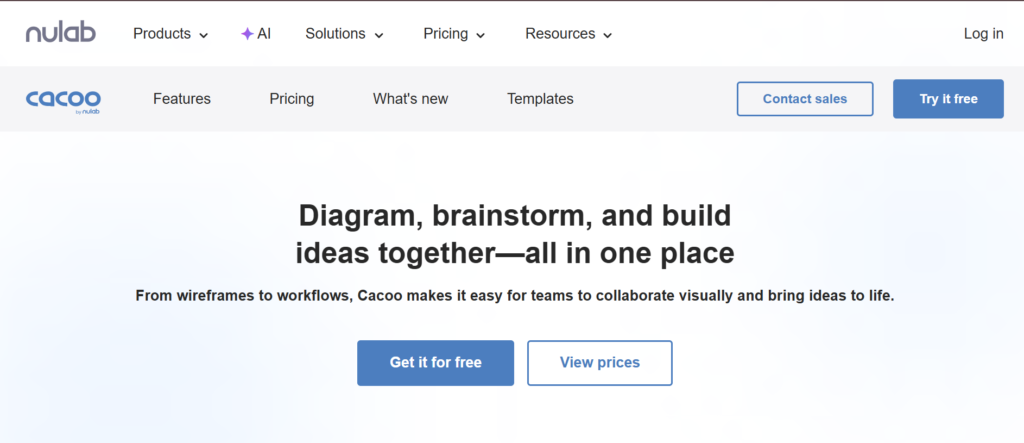
Cacoo is a cloud-based option among business process mapping tools in the UK, designed for teams that want simple diagramming with strong collaboration features.
In this Cacoo review, the focus is on shared editing and team visibility. It is often compared in the Cacoo vs Lucidchart discussion, where both offer collaborative diagramming, but Cacoo is slightly more lightweight.
For UK teams working together on process documentation, Cacoo is a practical choice.
Key Features
Real-Time Collaboration
Cacoo features allow multiple users to edit diagrams at the same time. UK teams can work together on business process mapping without delays, making it suitable for remote and hybrid work environments.
Easy-to-Use Interface
The platform is designed for simplicity. UK users can create flowcharts and process maps quickly, even without prior diagramming experience.
Integration with Team Tools
Cacoo integrates with Slack, Google Drive, and project management tools. This helps UK organisations keep process documentation connected to daily workflows.
Commenting and Feedback
Users can leave comments directly on diagrams. This improves communication for UK teams reviewing workflows or refining processes.
Template Library
Cacoo includes templates for flowcharts, wireframes, and process diagrams. These templates provide a starting point for UK businesses mapping workflows.
Pros and Cons
| Pros | Cons |
| Strong collaboration | Limited advanced features |
| Easy to use | Smaller template library |
| Cloud-based | Not BPMN-focused |
| Good integrations | Less customisation |
Pricing
Cacoo pricing in the UK typically includes:
- Plans starting from around £5 per month
- Free trial available
- Team plans for collaboration
When comparing Cacoo pricing vs alternatives like Lucidchart, it is more affordable but less feature-rich.
Best for UK Teams That Prioritise Collaboration
Cacoo is ideal for organisations that need shared access to process maps.
- UK SMEs — collaborative workflows
- Remote teams — shared diagramming
- Project managers — team alignment
- Designers — simple diagrams
Verdict: If your focus is team collaboration rather than advanced modelling, Cacoo fits well within business process mapping tools used in the UK.
How to Use Cacoo for UK Business Process Mapping
Start by selecting a template and inviting team members to collaborate. Build your process map together and use comments to refine workflows.
For UK teams working across departments, this approach improves clarity and reduces miscommunication.
Quick tip: Use Cacoo’s commenting feature during process reviews to gather input from stakeholders before finalising workflows.
Best Cacoo Alternative
If you are reviewing Cacoo alternatives, Lucidchart is a strong competitor. In the Cacoo vs Lucidchart comparison, Lucidchart offers more advanced features, while Cacoo focuses on simplicity.
Whimsical – Clean and Simple Process Mapping for UK Startups
Whimsical is a lightweight option among business process mapping tools in the UK, built for teams that want clarity without complexity.
In this Whimsical review, the focus is on speed and simplicity. It is often compared in the Whimsical vs Miro discussion, where Whimsical is preferred for structured diagrams, while Miro offers broader flexibility.
For UK startups and small teams, Whimsical provides a clean way to map workflows without distractions.
Key Features
Minimalist Diagramming Interface
Whimsical features a clean interface that removes unnecessary complexity. UK users can focus on building clear process maps without dealing with cluttered toolbars or advanced settings.
Fast Flowchart Creation
The platform allows quick creation of flowcharts and process diagrams. This is useful for UK teams that need to document workflows during meetings or planning sessions.
Built-In Collaboration
Whimsical supports real-time collaboration. UK teams can work together on process maps, making it easier to align workflows across departments.
Multiple Visual Tools
In addition to process mapping, Whimsical includes wireframes, mind maps, and sticky notes. This makes it suitable for UK teams handling both planning and execution.
Cloud-Based Access
Whimsical runs entirely in the browser. UK teams can access and update process maps from anywhere, supporting remote and hybrid work setups.
Pros and Cons
| Pros | Cons |
| Clean interface | Limited advanced features |
| Fast to use | Not BPMN-focused |
| Good collaboration | Fewer integrations |
| Lightweight | Less suitable for enterprises |
Pricing
Whimsical pricing in the UK typically includes:
- Free plan with limited boards
- Paid plans starting from around £10 per month
- Team plans available
When comparing Whimsical pricing vs alternatives like Miro, it is similarly priced but more focused on simplicity.
Best for UK Startups and Small Teams
Whimsical is ideal for teams that want straightforward process mapping without complexity.
- UK startups — quick workflow mapping
- Small teams — simple diagrams
- Product teams — planning workflows
- Designers — visual collaboration
Verdict: If you want business process mapping tools that are simple, clean, and quick to use, Whimsical is a strong fit for UK teams.
How to Use Whimsical for UK Business Process Mapping
Start by creating a flowchart and mapping each step of your workflow. Keep diagrams simple and focused on clarity.
For UK startups, use Whimsical during planning sessions to document processes as they evolve.
Quick tip: Combine flowcharts with sticky notes to capture ideas and refine workflows before finalising them.
Best Whimsical Alternative
If you are exploring whimsical alternatives, Miro is a strong option. In the Whimsical vs Miro comparison, Miro offers more flexibility, while Whimsical focuses on simplicity.
Camunda – Developer-Focused Workflow and Process Engine for UK Teams
Camunda is a highly technical option among business process mapping tools in the UK, designed for developers and engineering teams who want full control over workflows and automation.
In this Camunda review, the platform stands out for its open-source roots and powerful workflow engine. In the Camunda vs Bizagi comparison, Camunda offers more flexibility for developers, while Bizagi is easier for business users.
For UK organisations with strong technical teams, Camunda is a serious contender.
Key Features
BPMN Workflow Engine
Camunda features a robust BPMN engine that allows UK teams to design and execute complex workflows. This is ideal for organisations that need precise control over process logic and execution.
Open-Source Flexibility
Camunda offers an open-source version, giving UK developers the ability to customise workflows and integrate them deeply into existing systems without licensing constraints.
Process Automation Capabilities
The platform allows businesses to automate workflows at scale. UK companies can manage approvals, task routing, and system interactions through a single engine.
Developer-Friendly APIs
Camunda provides APIs and SDKs that allow developers to integrate workflows into applications. This is useful for UK tech teams building custom systems or platforms.
Monitoring and Analytics
The platform includes tools to monitor workflow performance. UK teams can track execution, identify issues, and maintain control over process efficiency.
Pros and Cons
| Pros | Cons |
| Highly flexible | Requires technical skills |
| Open-source option | Complex setup |
| Strong automation | Not beginner-friendly |
| Developer control | Limited visual simplicity |
Pricing
Camunda pricing in the UK typically includes:
- Free open-source version
- Paid enterprise plans with advanced features
- Custom pricing for large organisations
When comparing Camunda pricing vs alternatives like ProcessMaker, Camunda is more flexible but requires development resources.
Best for UK Development Teams and Technical Workflows
Camunda is ideal for organisations that want full control over workflow execution.
- UK tech companies — custom workflow systems
- Developers — API-driven automation
- Enterprises — complex process orchestration
- IT teams — system integration
Verdict: If your team has development expertise and needs deep control over workflows, Camunda stands out among business process mapping tools in the UK.
How to Use Camunda for UK Business Process Mapping
Start by designing your process using BPMN diagrams. Then connect the workflow to your applications using APIs.
For UK organisations building custom platforms, this allows process mapping to become part of the system itself.
Quick tip: Use Camunda’s open-source version to test workflows before scaling to enterprise deployment.
Best Camunda Alternative
If you are reviewing Camunda alternatives, Bizagi is a common option. In the Camunda vs Bizagi comparison, Bizagi is easier for business users, while Camunda offers deeper technical control.
Monday.com – Visual Work OS for Process Mapping and Team Execution
Monday.com is a widely adopted platform among business process mapping tools in the UK, especially for teams that want visual workflows tied directly to task execution.
In this Monday.com review, the platform stands out for combining process mapping, project management, and team collaboration in one interface. In the Monday.com vs Miro comparison, Monday.com focuses more on execution, while Miro leans towards visual brainstorming.
For UK teams that want both clarity and control, Monday.com is a strong option.
Key Features
Visual Workflow Boards
Monday.com features customisable boards where UK teams can map processes as workflows. Each stage can represent a step in the process, making it easy to track progress and responsibilities.
Automation Rules
Users can set automation rules for notifications, status updates, and task assignments. This reduces manual work for UK teams managing recurring workflows.
Integration with Business Tools
Monday.com integrates with tools like Slack, Google Workspace, Microsoft Teams, and CRM systems. This keeps business process mapping connected to everyday operations.
Dashboard and Reporting
The platform provides dashboards that show workflow performance, timelines, and bottlenecks. UK teams can monitor progress and identify inefficiencies.
Customisable Templates
Monday.com includes templates for project management, HR workflows, and operational processes. UK businesses can adapt these templates to fit their needs.
Pros and Cons
| Pros | Cons |
| Visual and easy to use | Not BPMN-focused |
| Strong automation | Pricing scales with users |
| Good integrations | Limited diagramming |
| Flexible workflows | Can feel complex initially |
Pricing
Monday.com pricing in the UK typically includes:
- Plans starting from around £9 per user per month
- Free trial available
- Enterprise plans with advanced features
When comparing Monday.com pricing vs alternatives like Pipefy or Kissflow, it sits in the mid-range for UK teams.
Best for UK Teams That Want Process Mapping with Execution
Monday.com is ideal for organisations that want workflows tied directly to task management.
- UK SMEs — managing team workflows
- Marketing teams — campaign processes
- Operations teams — task tracking
- Project managers — workflow visibility
Verdict: If you want business process mapping tools that connect directly with execution and team management, Monday.com is a strong choice in the UK market.
How to Use Monday.com for UK Business Process Mapping
Start by creating a board that represents your workflow. Define each stage and assign tasks to team members.
For UK teams managing ongoing operations, use automation rules to keep workflows moving without manual intervention.
Quick tip: Use Monday.com dashboards to track process performance and identify delays across teams.
Best Monday.com Alternative
If you are reviewing Monday.com alternatives, Pipefy is a close comparison. In the Monday.com vs Pipefy discussion, Monday.com offers broader work management features, while Pipefy focuses on structured workflows.
Choosing the Right Business Process Mapping Tools in the UK
You have now seen the full breakdown of the top 20 business process mapping tools used across the UK.Here is the simple truth.Most UK businesses do not fail because of bad strategy. They fail because their processes are unclear, inconsistent, or not followed.
That is where the right business process mapping tools change everything.
- If you want simplicity, tools like Draw.io or Whimsical work well
- If you need collaboration, Miro or Lucidchart are strong picks
- If you require structure and compliance, Bizagi, Visio, or ARIS stand out
- If execution matters, ProcessMaker, Kissflow, or Monday.com are better fits
The key is not picking the most advanced tool. It is picking the one your team will actually use.Start with one workflow. Map it. Refine it. Then scale.
Call to Action
If your UK business is struggling with unclear workflows, delays, or inconsistent execution, this is where we come in.
At [Company Name], we work with UK organisations to map, document, and refine business processes that actually get followed.
We focus on:
- Process mapping aligned with UK compliance standards
- Workflow design for operations, HR, and customer journeys
- Tool selection based on your business model
- Implementation support so your team adopts the system
If your processes feel scattered or slow, now is the time to fix them before they cost more time and revenue.
FAQs
1. What are business process mapping tools used for
They are used to create visual workflows that show how tasks, decisions, and systems connect within a business.
2. Which business process mapping tools are best for UK SMEs
Tools like Creately, Kissflow, and Draw.io are commonly used due to affordability and ease of use.
3. Are business process mapping tools required for compliance in the UK
In regulated industries, documented processes are often required for audits and internal controls.
4. What is the difference between BPMN and flowcharts
BPMN follows a structured standard for process modelling, while flowcharts are simpler and more flexible.
5. Can these tools integrate with UK business systems
Yes, many tools integrate with CRM, ERP, and project management platforms used by UK companies.
6. How long does it take to implement process mapping
It depends on the complexity, but most UK SMEs can map core workflows within a few weeks.
7. Do business process mapping tools support remote teams
Yes, most modern tools are cloud-based and support collaboration across locations.
8. What industries in the UK benefit most from process mapping
Finance, healthcare, legal, and IT sectors rely heavily on structured workflows.
9. Are free business process mapping tools worth using
Free tools like Draw.io are useful for basic needs, but paid tools offer more features and scalability.
10. How do I choose the right tool
Focus on your needs such as collaboration, compliance, automation, and budget before selecting a tool.